Custom Keyboard Stickers are a practical fix when a keyboard needs clearer labels, a second language layer, or a cleaner branded look without replacing hardware. They are common on shared laptops, training stations, retail counters, and office fleets where the keyboard itself is fine, but the legends no longer fit the job.
The best results come from treating the sticker set as a functional component, not a decorative add-on. Material choice, cut accuracy, adhesive strength, and finish all affect whether the labels stay readable through daily typing, cleaning, and transport.
Why custom keyboard stickers solve messy labeling fast
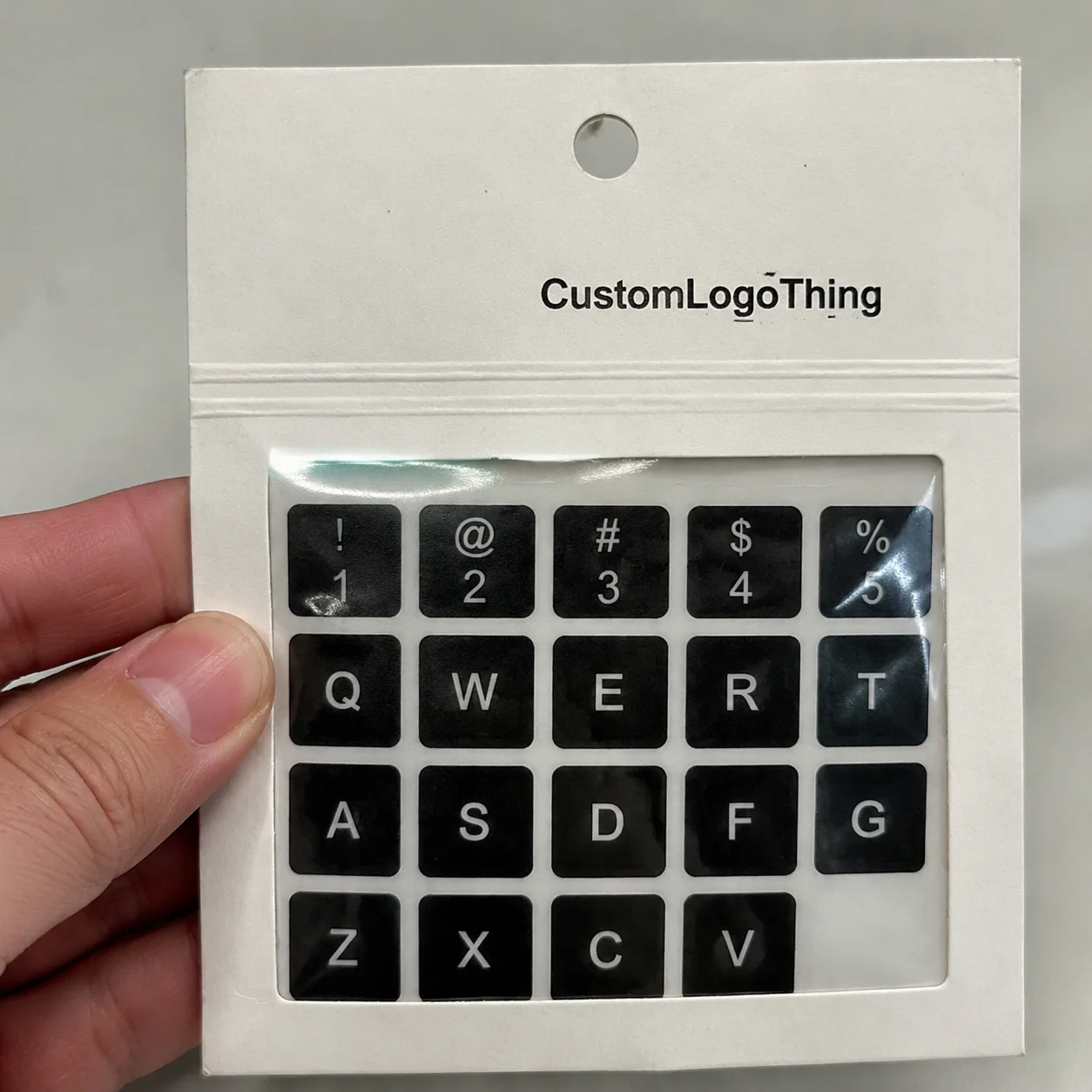
Keyboard labeling gets messy faster than most buyers expect. One team uses English, another needs bilingual legends, and the laptops came from different purchase cycles with different layouts. People slow down, guess at keys, and keep asking the same questions. A well-made sticker set solves that without the cost and downtime of replacing every keyboard or reprinting keycaps.
They are especially useful for temporary deployments, shared workstations, classrooms, customer-facing desks, and travel kits. If the device still works and the only problem is legibility, stickers are usually the fastest path. Compared with full keyboard replacement, the turnaround is shorter and the price is much lower. Compared with labels printed on a basic office printer, professionally produced sets hold alignment better and wear more evenly.
That said, stickers are not the answer for every use case. High-wear industrial keyboards, harsh cleaning environments, and applications that demand permanent marking may call for another method. For office, education, creator, and light commercial use, custom keyboard stickers usually hit the right balance of cost and flexibility.
What buyers often miss is that keyboard labels are not just there to look tidy. They have to support fast reading, accurate placement, and repeated handling. If the font is too thin, the contrast is too low, or the cut lines drift even a little, the whole project starts looking improvised.
How the sticker build and application process works
A good keyboard sticker set is more than printed film. It usually combines a print layer, adhesive, protective film or laminate, and die-cut shapes matched to the keys. For basic jobs, a thin vinyl with pressure-sensitive adhesive may be enough. For more demanding use, a tougher face stock with matte laminate gives better abrasion resistance and less glare.
The structure can vary by supplier, but the requirements do not change much: the legends need to stay clear, the adhesive needs to stay put, and the surface needs to survive fingers, wipes, and laptop bags. If the keyboard includes special keys, compact rows, or nonstandard Enter and Shift sizes, the die lines have to match that layout instead of forcing a generic grid. That is where misalignment starts.
Application is straightforward if the surface is prepared correctly. Clean the keys with a lint-free cloth and a mild, residue-free cleaner, then let everything dry completely. Place each sticker from one edge, press it down slowly, and push out trapped air as you go. Most adhesives reach their best bond after a short cure period, usually 12 to 24 hours, so it helps to avoid heavy cleaning right away.
Finish has more impact on everyday use than many buyers expect. Matte helps reduce glare and hides fingerprints. Glossy can make colors look sharper, but it reflects light and shows scuffs sooner. Transparent material is often the better choice for backlit keyboards because it allows light to pass through the legend area. Opaque stock is stronger visually, but it will block keyboard illumination.
| Finish | Best use | Pros | Tradeoff |
|---|---|---|---|
| Matte | Office, school, daily typing | Low glare, easy to read | Less visual shine |
| Glossy | Short-run promotional kits | Bright color pop | Shows fingerprints and reflections |
| Transparent | Backlit keyboards | Lets light pass through | Needs tight alignment and strong contrast |
| Opaque | High-contrast labeling | Covers old legends cleanly | Blocks keyboard backlight |
For related labeling work, buyers often bundle keyboard sets with Custom Labels & Tags or pair them with broader Custom Packaging Products so the rollout feels consistent across offices, training kits, and retail setups.
Custom keyboard stickers cost, MOQ, and quote factors
Pricing depends on quantity, the number of unique legends, material grade, finish, and how much setup the supplier has to do. A simple bilingual set for a common layout can cost very differently from a fully customized design with special symbols, multiple language layers, or backlit compatibility. That is normal. A useful quote should reflect actual production work, not a flat number pulled from nowhere.
For small runs, the per-set cost is usually higher because prepress setup and die-cutting are spread across fewer units. Larger runs lower the unit price, but raise the upfront spend. In practical terms, low-volume custom keyboard stickers may land around $1.50 to $4.00 per set for straightforward jobs, while larger quantities can drop closer to $0.40 to $1.20 per set depending on coverage and finish. Specialty materials, more complicated legends, and backlit designs can push the price higher.
MOQ varies by supplier. Some quote by sheet, some by set, and some by unique layout. That means one quote can look cheap until you compare it against the same specification from another vendor. Ask whether the price includes artwork setup, proofing, sample production, laminate, die cutting, and shipping. Those are the common places where extra charges appear.
If the order needs a clean quote, provide these details up front:
- Exact keyboard layout and language set
- Quantity needed now and for reorders
- Finish preference: matte, glossy, transparent, or opaque
- Any special keys, function rows, or nonstandard sizes
- Whether the keyboard is backlit
- Target use: office, school, retail packaging support, or travel kits
Buyers sometimes forget to compare the stickers against the rest of the rollout. If the keyboard labels are part of a wider branding update, check whether the same design language carries into branded packaging, onboarding materials, or retail packaging. A consistent system is easier to maintain and usually looks better across the board.
Timeline, proofing, and production steps to expect
The order flow is usually simple. Artwork review comes first, then a digital proof, then sample approval if the job is more complex, followed by production, finishing, and shipping. For straightforward stock-layout jobs, the cycle can move in 5 to 10 business days after proof approval. Fully custom legends, tighter color matching, or specialty finishes often take 12 to 18 business days, sometimes longer if the artwork needs cleanup.
What usually slows things down? Missing layout files, unclear spacing on the function row, color corrections that bounce back and forth, and last-minute text changes after someone notices a typo. Those delays are avoidable if the buyer sends complete information the first time.
Rush service can help, but it usually costs more and leaves less room for revisions or sample checks. If the stickers need to arrive for a trade show, training session, or office move, ask for the approval timeline before the quote is finalized. Then build in a shipping buffer. It is a boring step, but it keeps the schedule from slipping at the worst possible moment.
Typical production sequence:
- Submit keyboard model, layout, and artwork.
- Receive a proof showing key placement and legend sizes.
- Approve a sample or mockup if required.
- Print, laminate, and die-cut the set.
- Package and ship with reorder details saved.
Key factors that decide durability and everyday performance
Durability comes down to three things: adhesive strength, abrasion resistance, and resistance to cleaning chemicals or sunlight. On office desktops, a well-made set can last many months and sometimes longer. On laptops that travel every day, the edges take more abuse, so lifespan is shorter unless the laminate is strong and the keys were cleaned properly before application. For high-touch environments, ask whether the material has been tested with abrasion or adhesion methods similar to ASTM-style evaluation.
Surface texture matters more than people expect. Smooth, coated keycaps bond better than textured ones. Curved keycaps need tighter die-cut accuracy because the sticker has to sit flat without lifting at the edges. Cheap adhesive on polished keys can shift during placement, which means the operator has to start over. That is one of those small problems that turns into wasted labor quickly.
Readability is just as important as stickiness. If the font is too thin or the contrast is too weak, the sticker may remain attached but stop doing its job. For daily typing, a simple sans serif with generous spacing is usually the safest choice. Backlit keyboards need more care because the cut and opacity must allow light through without washing out the legend. Small registration errors stand out more when the keys are illuminated.
Cleaning compatibility also matters. Most matte laminated sets tolerate a soft cloth and mild soap solution. Some adhesives hold up to alcohol wipes, but not all do. Strong solvents can haze the face film or weaken the edge bond. If the keyboard is used in a clinic, school, or shared workspace, it is better to confirm the cleaning routine before the order is placed.
For buyers who work from standards and testing references, a few outside benchmarks are helpful. ISTA methods are useful when thinking about transit durability, and packaging industry resources such as packaging.org are good for broader material and print best practices. Different product, same principle: if the spec is vague, the result will be vague too.
Common mistakes buyers make with layout and artwork
The first mistake is ordering the wrong layout. A keyboard photo is not enough. Layouts vary by language, device size, and manufacturer quirks. A small shift in the Enter key or bottom row can make the set unusable, which is an expensive way to learn that the model number matters. Confirm the exact device, key count, and language version before approving artwork.
The second mistake is trusting the screen too much. A color that looks clean in a design file may disappear on a dark or glossy keycap. The same problem shows up with thin fonts. What reads well on a monitor can look faint under office lighting. High contrast is the safer route, especially for users who need to recognize keys quickly.
Third, people skip measurement checks. Compact laptop rows, numpads, and specialty keys often differ enough to matter. If dimensions are not verified, the stickers may overlap key edges or leave awkward gaps that make the set look misaligned. That is especially noticeable on client-facing stations where the desk is part of the brand impression.
Fourth, buyers forget backlighting and residue risk. Fully opaque stickers can block lit keys. Aggressive adhesives can leave residue on expensive devices. If the keyboard is high value, test one less visible key first and confirm how the sticker removes. A small sample is much cheaper than a damaged keyboard.
Expert tips for ordering better custom keyboard stickers
Ask for a proof on the exact layout before production starts. That sounds obvious because it is obvious, but it is still where many mistakes slip through. A cropped sample is not enough. The full key map should be visible so spacing, alignment, and legend sizing can be checked properly.
Keep the design simple if the stickers will be used all day. High contrast, medium-weight type, and clear spacing are more reliable than trying to make every key look stylish. In packaging design, readability usually wins over decoration when function matters. Keyboard labels follow the same rule.
If the surface is unusual, order a small test batch first. Curved laptop keys, textured finishes, and specialty coatings can all change the way adhesive behaves. A test run costs less than a full reprint, and it reveals problems before they spread across an entire order.
For multi-department rollouts, standardize the design system. Keep the same legend style, finish, and artwork rules so replacements are easy and reorders do not drift. That also helps if the project touches other items like product packaging or internal branded kits. Consistency saves time later, especially when the next reorder is due months after the first one.
Smart ordering checklist:
- Confirm the exact keyboard layout and language
- Choose finish based on light, wear, and cleaning needs
- Verify special key sizes before approval
- Ask about proofing, production, and shipping separately
- Keep a master file for future reorders
Next steps: build the right set and place the order
Start by deciding what the stickers need to do. Are they for bilingual labeling, temporary training, brand consistency, or standardizing a team’s devices? That one answer shapes the whole spec. Then gather the keyboard model, quantity, preferred finish, and any special keys before asking for quotes.
Compare suppliers using the same details. If one quote includes proofing and another does not, the lower number is incomplete. If one uses a higher-grade laminate and the other uses a basic film, the price gap is really a spec gap. Buyers who compare apples to apples usually get fewer surprises and cleaner results.
Before approving the order, check the artwork, confirm the timeline, and verify the reprint plan for future stock. If the set is part of a larger rollout, make sure it matches the rest of the branded materials and any custom keyboard stickers needed for replacement units. Good planning here avoids a lot of cleanup later.
Custom keyboard stickers are not difficult to buy, but they are easy to specify badly. Get the layout right, Choose the Right finish, ask clear questions, and the final set will read better, stick better, and last longer in real use. That is the point of the exercise.
FAQ
How long do custom keyboard stickers usually last?
Lifespan depends on material, adhesive, and how hard the keyboard gets used. In office settings, a laminated set can last many months or longer if the keys are cleaned gently and not constantly rubbed by rings, nails, or travel wear. Heavy daily travel shortens that window.
Are custom keyboard stickers safe for laptop keys?
Yes, if the adhesive matches the key surface and the stickers are removed carefully. For expensive laptops or coated finishes, test one less visible key first. Avoid aggressive adhesives that can leave residue or pull at the key surface during removal.
Can custom keyboard stickers work with backlit keyboards?
Yes, but the design has to be planned for light transmission. Transparent or semi-transparent materials usually work better than fully opaque ones. On backlit boards, alignment and cut accuracy matter more because small errors stand out when the keys are lit.
What affects the price of custom keyboard stickers most?
Quantity, number of unique key labels, material quality, finish, and print complexity usually drive pricing. Rush turnaround and unusually detailed layouts can raise the quote quickly. Low MOQ runs cost more per set because setup gets spread across fewer units.
How do I choose the right layout for custom keyboard stickers?
Start with the exact keyboard model, language, and key count instead of guessing from a photo. Match special keys, function rows, and spacing before approving artwork. Ask for a proof that shows the full layout so errors are caught before production.