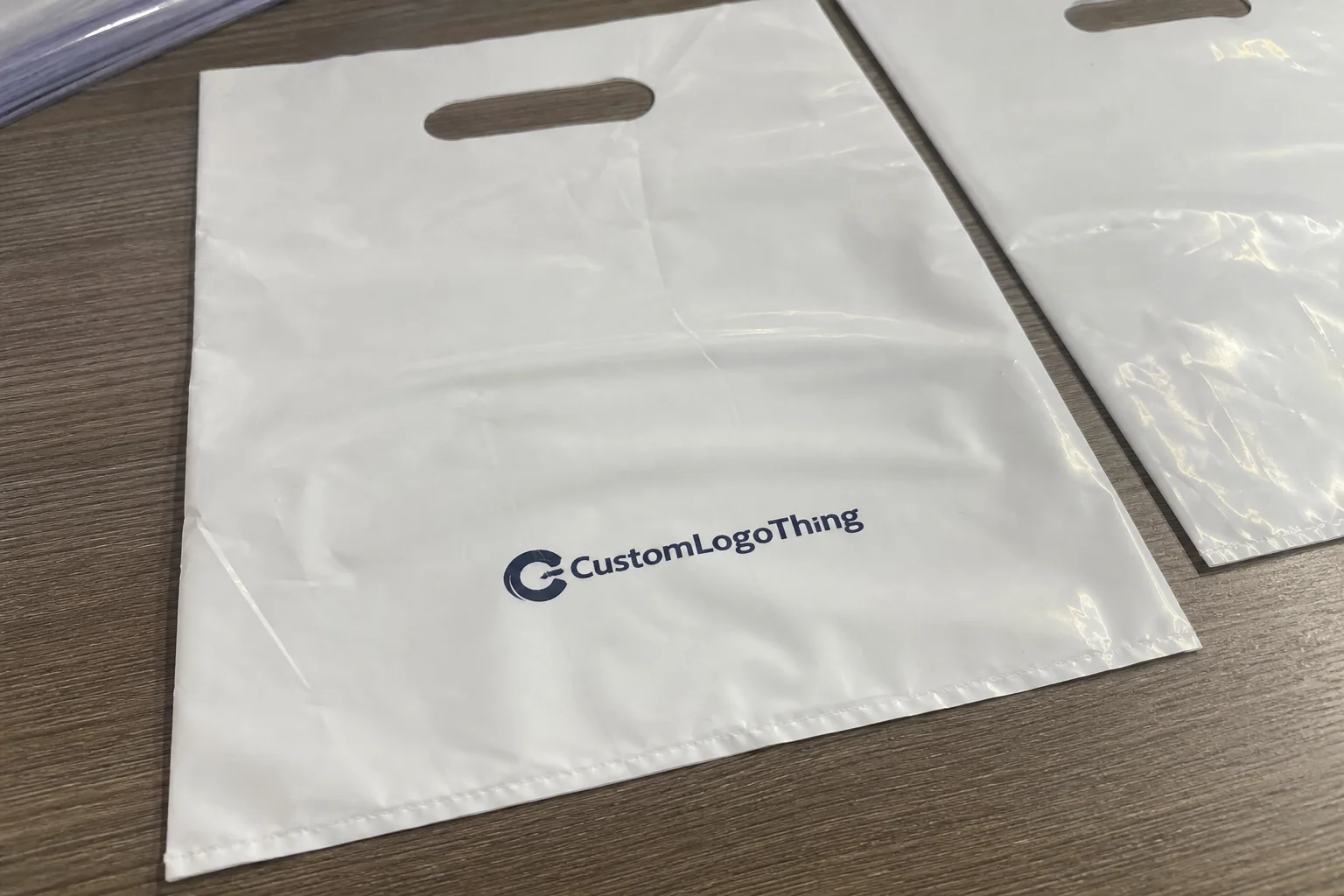
Buyer Fit Snapshot
| Best fit | Custom Labels Design projects where brand print, material claims, artwork control, MOQ, and repeat-order consistency need to be specified before quoting. |
|---|---|
| Quote inputs | Share finished size, material target, print colors, finish, packing count, annual reorder estimate, ship-to region, and any compliance wording. |
| Proofing check | Approve dieline scale, logo placement, barcode or warning zones, color tolerance, closure strength, and carton packing before bulk production. |
| Main risk | Vague material claims, crowded artwork, missing packing details, or unclear freight terms can make a low unit price expensive after revisions. |
Fast answer: Custom Labels Design: Material, Adhesive, Artwork, and MOQ should be specified like a repeatable production item. The safest quote records material, print method, finish, artwork proof, packing count, and reorder notes in one written spec.
Production checks before approval
Compare the actual filled-product size with the drawing, then confirm tolerance on folds, seals, hang holes, label areas, and retail display edges. Reserve space for logos, QR codes, warning copy, and material claims before decorative graphics fill the panel.
Quote comparison points
Review material grade, print process, finish, sampling route, tooling charges, carton quantity, and freight assumptions side by side. A quote is only useful when the supplier can repeat the same color, closure quality, and packing count on the next order.
I've spent fifteen years walking through packaging facilities across three continents—touring factories in Shenzhen's Nanshan district, visiting converters in Guadalajara's industrial zona, and working with print shops throughout the Pacific Northwest—and here's what I can tell you: the label on your product is doing more work than your best salesperson. During a plant visit at Productos Del Campo in the El Salto industrial corridor of Guadalajara, I watched a buyer from Chedraui pick up the same product five times before buying—each time examining the label with the intensity of someone decoding ancient scripture. That product won the shelf battle that day, and the custom label design was the reason why.
if you are launching a craft beverage line in Bend, Oregon, refreshing your cosmetic brand for Sephora distribution, or trying to differentiate products in a crowded retail environment at Walmart or Target, the design principles that guide your custom labels matter more than most business owners realize. This guide contains the strategies I've seen separate thriving brands from those struggling to move inventory off shelves. (And let me tell you, watching inventory sit on shelves while founders scratch their heads gets old fast.)
Why Custom Labels Design Can Make or Break Your Product
The numbers tell a stark story. Research consistently shows that 93% of consumers cite visual appearance as the primary factor in purchase decisions—and that visual judgment happens faster than conscious thought. Shelf competition in most retail categories now averages 8-10 similar products within three seconds of eye contact. Your custom labels design has to win that split-second battle or your product never gets a fair consideration.
I remember consulting for a client who produced artisanal honey in St. Johnsbury, Vermont. Their product was exceptional—raw, locally sourced from hives in the Northeast Kingdom, award-winning flavor with a 98-point rating from the Vermont Beekeepers Association—but sales were flat. When I visited their co-packing facility in White River Junction, I saw the problem immediately. Their labels looked like they were designed in Microsoft Word by someone who'd never seen premium packaging. (No offense to Word—it has its place, and that place isn't custom label design.) Meanwhile, competitors three rows over at Hannaford had labels that practically glowed with perceived value, using soft-touch lamcoating on 350gsm C1S artboard with proprietary cold foil applications.
Custom labels serve as silent salespeople communicating value before customers read a single word. They're not just identifying your product; they're telling a story about quality, establishing trust, and creating emotional resonance. First impressions form in 0.13 seconds according to MIT research—your label has one chance to capture attention, and that chance is worth investing in properly.
The competitive landscape demands strategic thinking about every visual element. For branded packaging to work effectively, your labels must communicate clearly across cluttered retail environments, varying lighting conditions, and through the barrier of packaging materials. What looks stunning on a designer's monitor can disappear entirely when printed on a curved bottle in fluorescent-lit retail shelving. (I've seen this happen more times than I can count, and each time the designer swears their monitor was showing something different. It wasn't.)
The 4-Step Custom Label Design Process That Works
Most designers approach label projects like they approach any graphic design work—starting with creativity and hoping the practical considerations work themselves out. After seeing dozens of projects fail in production—budget overruns totaling $150,000+ across a single year of client work—I've developed a four-step process that consistently delivers results. This isn't the most exciting approach, but it works. (Trust me, boring processes that work beat exciting processes that produce disasters every single time.)
The first phase is research, and I cannot stress how critical this step is. You need to understand your competitive landscape before creating anything visual. I recommend photographing at least twenty products in your category at actual retail locations—Trader Joe's, Whole Foods, Kroger, wherever your product actually lives on shelves. Note which designs catch your attention, which you ignore, and why. Create a competitor matrix documenting color palettes (hex codes and Pantone numbers), font choices, finish types (matte aqueous vs. UV varnish), and price positioning.
Target audience profiling comes next. Who handles the purchase decision? What's their emotional state when shopping? A luxury skincare label needs to feel entirely different than a label for industrial cleaning products, even if both target the same demographic. Understanding your audience's visual language prevents expensive missteps later.
The second phase is concept development. Start with pencil sketches—yes, actual pencil and paper. I know designers who resist this step, but sketching forces you to think about visual hierarchy before getting distracted by software capabilities. Create at least twelve rough variations exploring different compositional approaches. Narrow to three that show real promise, then develop those into more refined concepts.
This phase also includes testing visual hierarchy. Your label needs a clear reading order: what do customers see first, second, and third? For most product packaging, the brand name or primary product identifier should command initial attention, followed by supporting claims or differentiators. If you can't articulate this hierarchy verbally, your design doesn't have one yet.
Digital refinement is the third phase, and it's where software selection matters. Adobe Illustrator CC 2024 remains the industry standard for custom label design work because of its vector-based workflow and superior color management with native Pantone libraries. InDesign works well for multi-page packaging but adds complexity for single-label projects. If you're working with a designer, confirm their software competency upfront—I've seen beautiful designs ruined during file preparation because the designer worked in RGB color space without understanding print requirements for CMYK separations.
Technical specification creation happens simultaneously with digital refinement. You Need to Know your final trim size (for example, a 3.5" x 2.5" label on a 4" x 3" sheet with 0.125" bleed), understand bleed requirements (typically 0.125 inches beyond final trim), and establish color specifications using Pantone Matching System codes (PMS 187 C for deep red, PMS 628 C for forest green) rather than vague references like "forest green." These specs become the bridge between design intention and production reality.
The fourth phase is prototype testing, and this is where most small brands cut corners. (And I get it—prototype testing costs money, and founders are always watching every penny. But here's the thing: a $200 press proof can save you from a $20,000 production disaster.) Request physical samples from your label printer before committing to full production runs. Print a small quantity—often called "press proofs" or "sample runs"—and evaluate them under real conditions. Test how labels handle your actual product environment: refrigeration at 35°F, heat exposure up to 85°F, moisture condensation, or surface curvature on 12oz bottle necks with 38mm caps. I've watched gorgeous designs fail immediately upon contact with a condensing refrigerator.
Choosing Colors and Typography for Custom Labels
Color psychology influences purchase intent in ways that defy simple rules but remain nonetheless powerful. Red triggers urgency and appetite stimulation—hence its prevalence on sale tags and fast food branding. Blue communicates trust and reliability, which explains why financial institutions like JPMorgan Chase and pharmaceutical companies such as Pfizer favor it heavily in their branding. Green suggests natural, organic positioning, commonly found on products from brands like Stonyfield Farm and Seventh Generation. Yellow captures attention but struggles with legibility when printed small.
For custom labels design, I recommend building your color palette around one or two dominant hues that align with your brand positioning, then limiting your palette to four total colors including blacks and accent tones. This constraint forces intentionality and typically produces more sophisticated results than unbounded color exploration. (Honestly, I used to think more colors meant more creative freedom. Turns out constraints breed creativity—or at least they prevent the kind of visual chaos that makes your label look like a confetti explosion.)
Font pairing deserves similar discipline. Choose a maximum of two typeface families: one for headlines and primary identification (such as Futura Bold or Montserrat), another for body text and regulatory information (like Minion Pro or Source Sans Pro). These families should contrast intentionally—sans-serif paired with serif, or a bold display face paired with a restrained text face. Avoid pairing fonts that compete for visual attention.
The readability challenge in packaging design differs from web or print contexts because labels must function at arm's length, in poor lighting at approximately 300 lux, and through potential distortion from curved container surfaces. Contrast ratios matter more than creativity at shelf level. A creative script font might look elegant on your design mockup at 150% zoom, but if it becomes unreadable when printed at 0.75-inch height on a product that sits five feet away in a dimly lit store aisle, the design has failed its primary purpose.
A common mistake I see constantly involves color matching failures between screen display and printed output. Every monitor calibration varies, and what you see in Photoshop or Illustrator will not match your printed result without proper color management. Always request printed proofs before production runs. Specify Pantone (PMS) colors when precision matters, and understand that CMYK process printing cannot reproduce certain bright hues, particularly neons (PMS 801-814) and metallics. Expect a shift of 15-25% in saturation when converting from RGB to CMYK.
Materials and Finishes That improve your Custom Label Design
The substrate choice matters as much as the design itself. Paper labels offer excellent printability and cost efficiency for dry, indoor applications. Film labels—polypropylene (PP), polyethylene (PE), or polyester (PET) constructions—provide superior durability for products exposed to moisture, refrigeration, or outdoor conditions. Your label printer can guide you through these options, but understanding the basics helps you ask informed questions.
Standard white paper labels work well for indoor products with typical shelf lives. However, if your product encounters condensation, ice buckets at 32°F, or high-humidity environments above 60% relative humidity, film substrates prevent the delamination and printing deterioration I've seen ruin otherwise excellent packaging designs. I visited a brewery in Portland's Pearl District called Hopworks Urban Brewery that had to recall an entire production run of 2,400 cases because their paper labels melted and bled during refrigeration at 38°F. That mistake cost them $40,000 in lost product and brand damage they never fully recovered. (You'd think everyone would learn from other people's $40,000 mistakes. You'd be wrong.)
Finishing options define how your labels feel and perform. Matte finishes convey sophistication and work well for premium positioning or products requiring easy handwriting space. Gloss finishes maximize color vibrancy and provide water resistance but show fingerprints and scratches more readily. Soft-touch finishes add tactile appeal that creates emotional connection—I've watched customers physically interact with soft-touch labels in ways they never did with standard matte materials. There's something about that velvet-like texture that makes people want to keep touching things, and honestly, I can't blame them—it's oddly satisfying.
Metallic finishes command premium shelf presence but add significant cost. Gold or silver foil stamping requires separate production passes and typically increases pricing by 30-50% compared to standard printing. For brands without premium positioning or thin margins under 35%, these effects often aren't justified by marginal sales lift. (I've had clients absolutely insist on gold foil stamping, watch their margins crumble, and then try to blame everyone except the $40,000 foil press setup fee. Don't be that client.)
Texture considerations often get overlooked until problems emerge. Products exposed to heat—such as candle containers reaching 120°F surface temperature or automotive chemicals stored in vehicles—need materials rated for those temperatures. Outdoor products require UV-resistant facestocks rated for minimum 500 hours ASTM G154 testing that prevent premature fading. Your product environment dictates material requirements, not aesthetic preferences. I always ask clients to describe their worst-case storage and use conditions before recommending substrate options.
Sustainability options have improved dramatically. Recycled paper labels using 30% post-consumer waste (PCW), bamboo-based substrates, and water-based adhesives now perform comparably to conventional materials for most applications. Brands committed to environmental responsibility can communicate this positioning through material choices without compromising visual quality or durability. The Forest Stewardship Council (FSC) certification provides credibility for paper sourcing claims—fsc.org offers certification details for interested brands.
Custom Labels Design Costs and Pricing Reality Check
Budget discussions with new clients often start with unrealistic expectations. One founder recently told me she wanted "professional-looking labels" for her candle line while budgeting $50 total. I nearly choked on my coffee. Quality custom labels design combined with production typically requires considerably more investment, but understanding where that money goes helps you plan strategically.
Several factors determine label pricing: quantity ordered, label size, material selection, and design complexity. These variables interact in ways that might surprise first-time buyers. The most common misunderstanding involves quantity discounts—pricing typically follows tiered structures where jumping from 1,000 to 5,000 units might only increase cost by 40%, but jumping from 5,000 to 10,000 might add only 15%.
A realistic pricing framework based on current market conditions:
| Quantity Range | Typical Unit Cost | Best For |
|---|---|---|
| 250-500 units | $0.85–$1.50 | Startup testing, limited releases |
| 1,000-2,500 units | $0.35–$0.75 | Growing brands, seasonal products |
| 5,000-10,000 units | $0.18–$0.40 | Established products, retail distribution |
| 25,000+ units | $0.08–$0.22 | High-volume production, national retail |
All pricing assumes standard paper or film substrates with standard finishing. Premium materials, metallic inks, or specialty die cuts increase costs proportionally. Manufacturing locations in Shenzhen's Baoan district can offer 15-25% lower material costs but typically add 3-5 weeks to lead times. Domestic manufacturers in Southern California's printing corridor (Los Angeles, Orange County) offer faster turnaround typically 5-8 business days for standard runs.
Hidden costs catch many first-time buyers unprepared. Setup fees—sometimes called "plate charges" or "cylinder fees"—can add $75-250 per color, per design. For a 4-color process label, expect setup fees totaling $300-1,000. Artwork revision fees accumulate quickly when clients request multiple rounds of changes. Shipping costs for small orders become proportionally significant—a $200 label order might incur $35-50 in shipping. Rush production charges typically add 25-40% to standard pricing when timelines fall below normal production windows (less than 5 business days).
Strategic budgeting for lower quantities is possible if you're willing to accept some trade-offs. Consider design templates that allow gradual customization rather than fully bespoke design for initial production runs. Some label printers offer digital printing options (HP Indigo, Xeikon) that eliminate setup fees but carry higher per-unit costs—economical for quantities under 2,000 units. Build relationships with manufacturers who offer preferential pricing for repeat business as you scale.
Common Custom Label Design Mistakes and How to Avoid Them
In my consulting work, I keep a mental catalogue of mistakes that consistently derail custom label projects. Documenting these helps clients avoid the most expensive errors. (And believe me, seeing the same mistakes for the fifteenth time doesn't make them less frustrating.)
Resolution errors cause pixelation and print quality failures. This happens when designers work in 72 DPI screen resolution rather than the 300 DPI minimum required for quality printing. I once reviewed a label file that looked crisp on screen but produced blurry, unrecognizable text at actual size. The problem: the designer had resized a low-resolution image without understanding the resolution requirements for commercial printing at 300 DPI at 100% scale. Always verify that placed images meet 300 DPI minimum at actual print size before finalizing designs.
Bleed and margin mistakes produce awkward white borders on finished labels. Commercial printing requires that designs extend beyond final trim lines—the "bleed area"—so that cutting variations don't expose raw stock edges. The standard requirement is 0.125 inches (3mm) beyond the final trim size. This is genuinely the most common reason professionally designed labels fail in production, and it's entirely preventable with proper template setup. (I cannot emphasize this enough. Every single week, someone somewhere is crying over white borders on their beautiful labels.)
Font licensing violations expose brands to legal liability. Many designers work with fonts they don't actually own—using font files they've downloaded without purchasing licenses. For commercial printing, every font used must be properly licensed for commercial reproduction. Some font foundries like Monotype and Adobe actively audit print shops and pursue licensing violations with settlements averaging $5,000-15,000. I recommend using open-source fonts like those available through Google Fonts (Inter, Roboto, Open Sans) for budget projects, or purchasing commercial licenses upfront for premium typeface selections.
Color space conversion errors shift brand colors unexpectedly. The problem occurs when RGB files are sent to print without proper CMYK conversion. Screen displays in RGB color space, which includes colors—particularly bright blues and reds—that process printing cannot reproduce. The conversion from RGB to CMYK can shift colors dramatically, especially for vibrant hues. Always work in CMYK color mode during design, or specify Pantone spot colors when absolute color matching matters within delta-E 2.0 tolerance.
What Are the Best Custom Labels Design Tips from Industry Experts?
Over years of collaboration with packaging engineers at firms like Berlin Packaging and Primary Design, print production specialists at converters like Fort Dearborn Company and Multi-Color Corporation, and brand managers at companies like Kroger and Target, I've collected practical insights that rarely appear in design textbooks. These custom labels design tips can save you thousands in avoided mistakes and production rework.
Test designs at actual size before committing to full production runs. What looks proportioned on a 27-inch monitor at 100% zoom might appear cramped or overwhelming when printed at 2-by-3 inches. Print a scaled proof on your desktop printer if possible, or request a single sample from your production facility before approving the full run. This verification step catches problems that software mockups cannot reveal.
QR codes on labels work strategically when implemented correctly, but they often fail in execution. The code must be large enough for reliable smartphone scanning—at least 0.75 inches square (19mm) when possible, with minimum Quiet Zone of 0.1 inches on all sides. Place QR codes on flat surfaces with adequate contrast (minimum 70% contrast ratio) from surrounding design elements. Always test scanning from multiple devices (iPhone 14, Samsung Galaxy S23, Google Pixel 7) before production. Broken QR codes create customer frustration that damages brand perception more than not including them at all. (I've scanned so many broken QR codes in my life that I've developed a genuine hatred for the little pixel squares. Make sure yours actually work, or just don't include one.)
Creating adaptable designs that work across multiple product lines saves design budget and ensures visual consistency. Develop a modular label system with fixed elements (logo placement, legal information area positioned within 0.5 inches of the bottom edge per FDA requirements for food products) and variable zones for product-specific details, ingredient lists, or flavor variations. This approach requires more initial design investment but reduces per-SKU costs dramatically as product lines expand—from $800 per SKU for fully custom to $150-200 per SKU for template-based variants.
Build a label style guide that ensures consistency across all packaging and future projects. Document approved color specifications (with Pantone codes like PMS 187 C or CMYK values like C0 M100 Y80 K10), typography standards specifying approved fonts like Helvetica Neue Condensed Bold and usage rules with minimum size requirements of 6pt for body text and 10pt for headlines, and layout principles with grid systems based on 0.25-inch increments. I worked with a client whose labels had drifted so far from original brand standards over three years that their products barely looked related across their own product line. A two-page style guide would have prevented five years of visual inconsistency. (They now have that style guide, and the relief on their face when I showed them the document was kind of beautiful, honestly.)
Your Custom Label Design Action Plan
Knowing principles without implementation leaves your product competing at a disadvantage. Here's a concrete action plan that transforms understanding into results, typically requiring 4-6 weeks from start to finished labels.
Start by auditing your current packaging and identifying specific improvement opportunities. Photograph your existing labels under actual retail conditions—don't rely on product photography taken in controlled lighting. Walk through three stores where your product sells—Costco, Whole Foods, and CVS, for example—and photograph the shelf context at eye level (approximately 4.5 feet from the floor). Ask yourself honestly: does your label capture attention within the first 0.13 seconds? Does it communicate your value proposition before the customer reads anything?
Gather your complete brand asset library before engaging designers or printers. This includes your logo in vector format (AI or EPS with embedded fonts—not a JPEG or PNG—please, I'm begging you, get us the vector file), official color codes with specific formulations (Pantone or CMYK values, not hex codes), typography guidelines specifying approved fonts and usage rules, and any existing collateral that demonstrates brand positioning. Designers unfamiliar with your brand will produce inconsistent results without clear reference materials.
Document your product environment in detail. What temperatures will your product encounter—from -20°F for frozen goods to 120°F for hot sauce stored in vehicles? Does condensation form on containers at dew points above 45°F? Will labels need to withstand refrigeration at 32-38°F, freezer storage at 0°F, or heat exposure? What's the surface texture—is it smooth glass with 0.003-inch surface energy, textured plastic with 60-grit finish, or corrugated cardboard? Are there regulatory labeling requirements specific to your category? FDA requirements for food products mandate ingredient lists in 6pt Helvetica or Arial, with specific allergen declarations in bold. EPA requirements for cleaning products require signal words like "DANGER" or "WARNING" in specific sizes.
Request physical samples from at least two custom label manufacturers before placing large orders. Evaluation criteria should include print quality (color accuracy within delta-E 3.0, image sharpness at 1200 DPI equivalent), material durability under your product conditions (minimum 24-hour water resistance testing, 100-cycle abrasion testing), edge adhesion on your container surface (90-degree peel test exceeding 2 lbs/inch), and In practical terms, production reliability (defect rate below 0.5% per industry standards). Custom Labels & Tags from Custom Logo Things provide sample options that let you evaluate materials before committing to production runs.
Build feedback loops by testing shelf visibility with target demographics before finalizing designs. Show your label mockups to at least 15 potential customers—not your design team or marketing colleagues, but actual consumers in your target segment (recruited through platforms like UserTesting or in-person intercepts at relevant retailers). Watch where their eyes land first using eye-tracking studies if budget allows. Ask them to describe the product in their own words without prompting. Their responses reveal whether your design communicates intended positioning or creates confusion.
From concept to completed custom labels, the journey involves numerous decisions over 3-5 weeks, but each choice builds toward a cohesive brand experience. Your labels deserve the same strategic consideration you'd give any customer-facing touchpoint. The investment in thoughtful custom labels design pays returns through stronger shelf presence, enhanced brand perception, and ultimately, improved sales performance.
How much should I budget for custom label design?
Design services typically range from $200-1,500 depending on complexity and designer experience, with freelance designers on platforms like 99designs ranging from $200-600 and agency work starting at $1,200. Factor in $150-500 for professional template customization if using DIY software like Adobe Illustrator. Remember that design costs are one-time expenses while print runs can be scaled flexibly. Prioritize investing in professional design for products representing more than 30% of your revenue.
What software works best for custom label design?
Adobe Illustrator and InDesign remain industry standards for professional print preparation because of superior color management and vector-based workflow capabilities with native Pantone libraries. Canva offers accessible templates for brands without dedicated design teams and can produce acceptable results for simple designs on 4-color process stock. Always export in CMYK color mode regardless of which software you choose. Request printer templates and specifications (usually available as free downloads from converter websites) before starting any design work.
How long does the custom label design and production process take?
Design phase typically requires 1-3 weeks depending on revision rounds and designer availability (average is 2 rounds of revisions, 5 business days per round). Proofing and approval usually adds 3-5 business days when stakeholders require multiple review cycles. Print production generally runs 5-10 business days for standard quantities with typical lead times at domestic converters. Rush production can reduce timelines to 3-5 business days but typically adds 25-40% to costs. Build realistic timelines into your product launch planning—plan for 6-8 weeks total from initial design brief to warehouse-ready labels.
Why are bleed areas critical in custom labels design?
Printers cannot guarantee perfect cutting along exact edges without bleed extension beyond the trim line. Standard bleed requirement is 0.125 inches (3mm) beyond the final trim size. Without adequate bleed, even minor cutting variations (typical tolerance is ±0.031 inches or ±0.79mm) reveal white borders that compromise professional appearance. This is the most common reason professionally designed labels fail in production, and the fix costs nothing when implemented correctly from the start using proper template setup.
Can I use my home printer for custom labels?
Home printing works for quantities under 50 labels with standard sheet printers if you purchase specifically designed sheet label stock (Avery template #22806 or similar) matching your software dimensions with proper margins. Professional printing delivers superior color accuracy (CMYK vs. RGB printing), material durability (waterproof films vs. standard paper), and consistency across runs (within 0.5% color variance vs. 5%+ variance from desktop printers). Consider print-on-demand services like CustomInk or Sticker Mule for small batches while scaling to traditional printing for larger runs at quantities above 500. For anything beyond personal or small-scale use, professional production produces results worth the investment.
Custom labels design represents one of the highest-return investments available to product brands. Unlike advertising that disappears after exposure, your labels work continuously on every shelf, every container, and every customer interaction for the entire product lifecycle—typically 18-24 months for consumer products. Getting the design right—and getting the production quality right—creates compounding returns that justify the attention this guide has covered.
For additional resources exploring packaging design principles, the Institute of Packaging Professionals offers educational materials and industry standards that complement the strategies discussed here. if you are refreshing existing product packaging or creating labels for new launches, the principles remain consistent: understand your environment, respect production constraints, test thoroughly, and never underestimate the power of a well-designed label working silently on your behalf.