What custom stickers with QR codes actually do in real packaging
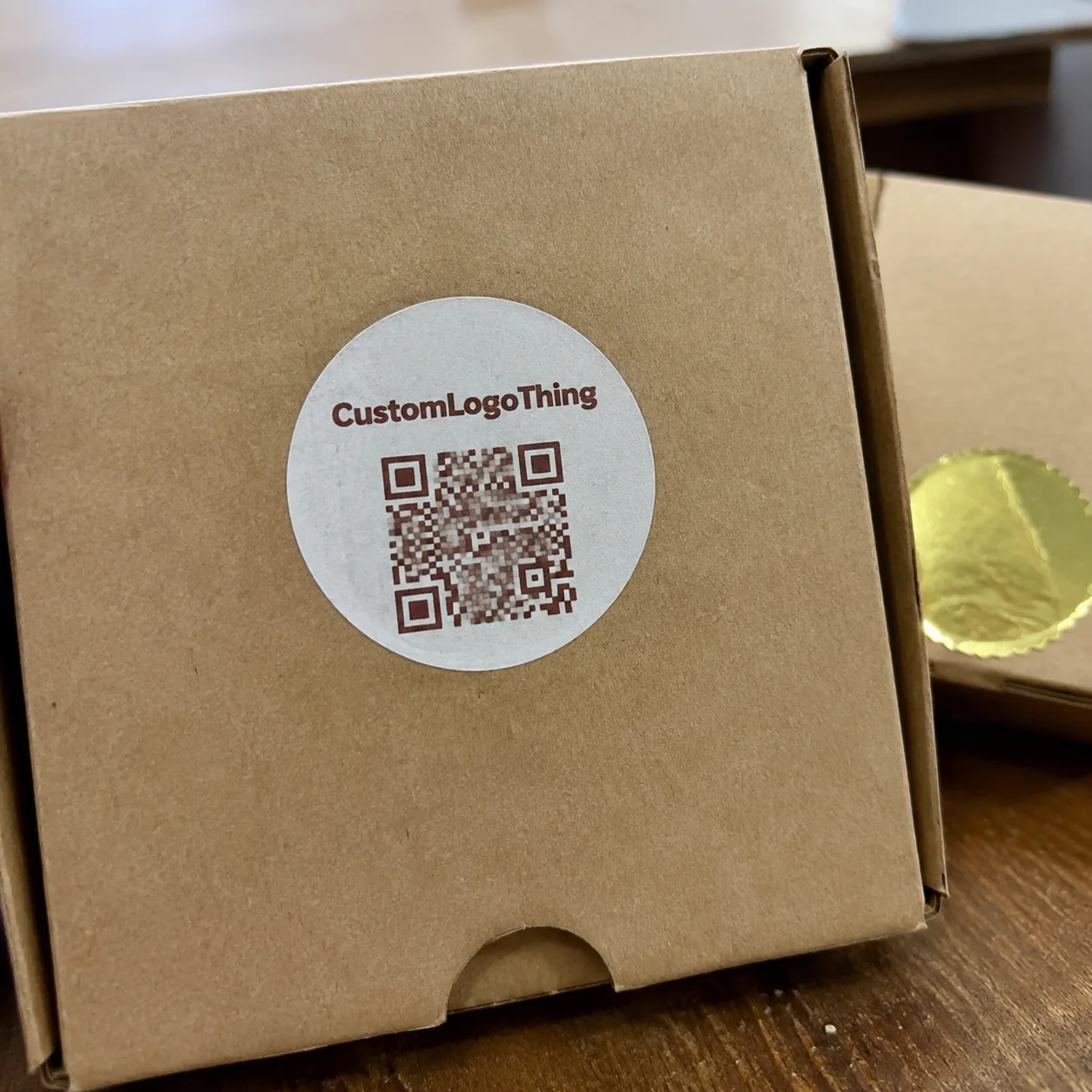
A small sticker can do the work of an insert, a support card, and part of a marketing flyer if the layout and link are planned well. That is the real reason Custom Stickers With QR Code keep appearing on mailers, cartons, bottles, electronics, and short-run retail packs: they give the customer one clean place to scan without adding more print clutter.
From a packaging buyer’s point of view, the appeal is straightforward. You are using a surface that already has to exist, so it makes sense to turn it into an action point. A QR label can route someone to setup instructions, ingredient details, warranty registration, product authentication, sustainability information, or a reorder page. On tight packaging, that extra function often matters more than another panel of copy.
The sticker still has to look like it belongs to the brand system, but it also has to behave like a machine-readable tool. That means the design cannot be only decorative. It has to hold up under handling, shipping, and retail display while staying easy to scan.
A good QR sticker is not decoration. It is a bridge between the package and the next action you want the customer to take.
That bridge can serve different jobs. A launch campaign might point to a video demo. A compliance-heavy product may need documentation or FAQs. A DTC brand may use it for reviews, loyalty sign-ups, or registration. Used well, the label becomes part of the packaging system rather than an afterthought pasted on later.
How the scanning and print setup works
The digital side starts with the destination URL. Build the page first, then generate the QR code from that final link, not a placeholder. Once the code is locked, the printer turns it into ink on label stock. Scanning itself is simple phone-camera behavior; the print setup around it is what determines whether the experience feels smooth or frustrating.
Contrast is the first practical concern. Dark code on a light background usually scans better than the reverse, especially on busy packaging. The quiet zone around the code matters just as much; if graphics crowd the edges, the camera has a harder time separating the symbol from the rest of the design. Size matters too. A code on a shelf label has different requirements than one on a courier mailer because the viewing distance changes.
Finish can affect performance more than many buyers expect. Matte and low-glare surfaces usually scan more reliably than high gloss under warehouse lights or store lighting. For outdoor use, refrigeration, or high-touch handling, the label stock and adhesive must match the environment, or the sticker may still look fine while the code itself becomes hard to access because the label peels, smears, or wrinkles.
Variable data printing adds another layer. If each label carries a unique URL or campaign ID, you can track scans by batch, SKU, region, or promotion. That is useful for authentication, recalls, segmented marketing, and serialized packaging. It also means file control needs to be tight, because one bad data merge can create a whole run of incorrect codes.
Before approving production, scan the proof on several phones and under different lighting conditions. Android and iPhone cameras do not always behave the same way on curved surfaces, shiny stocks, or low-contrast artwork. If a code scans cleanly only in perfect light on one device, that is not enough.
For label structures that need more than just a code, Custom Labels & Tags can be a useful comparison point, especially if the QR element needs to sit alongside barcodes, batch numbers, or handling icons.
Cost, pricing, and MOQ factors to compare
Pricing for custom stickers with qr code usually comes down to the same core variables as most label programs: size, shape, material, finish, quantity, color count, and whether the run uses variable data. The QR code itself is inexpensive to print. The cost comes from the rest of the construction. A simple kiss-cut paper sticker in a standard shape will cost far less than a weather-resistant polypropylene label with laminate, unique codes, and a custom die line.
For smaller runs, unit prices can feel high because setup is spread across fewer pieces. On larger runs, the unit cost drops quickly. That is why many brands test a launch quantity first, then reorder a more efficient volume once the design is proven and the response data makes sense.
MOQ matters when a campaign is still experimental or when packaging changes seasonally. A low minimum can be worth more than the absolute lowest unit price if it prevents overbuying. Sitting on thousands of labels that never get used is usually a worse outcome than paying slightly more for a smaller first run.
Watch for hidden costs. Custom die lines can add tooling expense. Rush service can change the budget more than people expect. Proof revisions, especially when they affect the QR artwork, can slow the order and sometimes add charges. Specialty adhesives for freezer use, outdoor exposure, or high-tack applications also raise cost. For most buyers, the better question is not “What is the sticker price?” but “What does the total landed cost look like once proofing, freight, and rework are included?”
The table below gives a practical way to compare common options.
| Option | Typical Use | Relative Unit Cost | Buyer Trade-Off |
|---|---|---|---|
| Standard paper sticker | Indoor promos, inserts, short-life use | Lowest | Good for simple campaigns, weaker against moisture and wear |
| Polypropylene label | Retail packaging, handling, shipping | Moderate | Better durability and scan life, slightly higher cost |
| Laminate or coated label | High-touch, bright-light, longer shelf life | Moderate to higher | Improved protection, better glare control |
| Variable-data QR run | Tracking, authentication, segmented campaigns | Higher | More insight, more production control required |
If the QR label is part of a broader packaging refresh, it can help to compare that budget against other printed components like Custom Packaging Products. In some cases the sticker replaces a separate insert, which frees space and cost elsewhere in the pack.
Production process and turnaround timeline
The production workflow is simple in theory, but each step can add time if the artwork is not ready. It usually starts with file prep and link confirmation, then moves to proofing, print approval, finishing, inspection, and shipping. If the labels are tied to a launch, event, or retail reset, that timeline deserves more attention than it often gets.
Custom shapes and specialty stocks are the places schedules stretch first. If a printer has to source an unusual adhesive or convert a new die line, the job may take longer than a standard label order. QR review also matters. A clean-looking design can still be rejected if the quiet zone is too tight, the code is too dense, or the file resolution is too low for the finished size.
As a rule, standard runs with ready artwork are faster than highly customized jobs. Rush work is possible, but it usually raises cost and leaves less room for proof corrections. Clear files and a final destination link save time because every round of “one more tweak” delays the schedule and can force a reproof.
For buyers managing launch calendars, a buffer is smart. If the stickers are needed for a trade show, influencer drop, retail reset, or fulfillment start date, assume a few extra days for proof approval and freight variability. A plan with no cushion is fragile.
Here is a realistic way to think about timing:
- Artwork-ready standard order: often finishes in about 12-15 business days after proof approval, depending on quantity and stock.
- Custom shape or specialty material: often needs additional time for tooling or sourcing.
- Variable-data run: can add setup and validation time because the code data must be checked carefully.
- Rush production: can compress the schedule, but usually raises cost and limits revision rounds.
Step-by-step setup for artwork and link strategy
Start with the goal, not the code. Are you trying to drive sales, reduce support calls, collect reviews, register products, or improve traceability? The answer changes the landing page, the call to action, and sometimes the sticker size. A QR code without a purpose is just a square on a label.
Choose the landing page before you finalize the artwork. That way the code reflects the real destination, not a temporary URL. If the page is slow or awkward on mobile, the scan has already done its job and still failed. A mobile-friendly page is part of the print spec even if it does not appear on the printer’s checklist.
Design the layout with hierarchy. The brand mark should still be visible, but the QR code needs breathing room. A short CTA such as “Scan for setup” or “Scan for authenticity” usually works better than vague marketing copy. Keep the message simple enough that a shopper understands the value in a second or two.
Use print-ready files with proper bleed, safe area, and resolution. For most sticker work, vector artwork is best for logos and text, while the QR code itself should remain crisp and well defined. If the code is embedded in a raster file, check that it has enough resolution for the final size. Small mistakes in packaging design show up quickly once ink hits the substrate.
Then validate the proof on real devices, in real light, on a real surface. A desktop preview is not the same as a sticker wrapped around a mailer corner or applied to textured product packaging. Test before approval, not after the shipment arrives.
One practical rule helps avoid reprints: finalize the page, then build the code, then lock the artwork. Reversing that order creates avoidable risk. It is one of the most common workflow mistakes in label production, and it can be costly when a changed URL means a changed print run.
For a clean setup, think in this order:
- Define the action you want from the scan.
- Build and test the landing page.
- Generate the QR code from the final URL.
- Place it in the sticker design with adequate quiet zone.
- Review the proof on multiple phones and surface types.
Common mistakes that hurt scan rates and response
The first mistake is size. A code that looks fine on screen can be too small once printed, especially if customers scan from arm’s length or through retail shelving. The second is placement. Put the code over a busy illustration, a fold line, a curve, or a seam, and scan reliability drops quickly. That is especially true on flexible packaging and rounded containers.
Glare is another quiet problem. High-gloss finishes can look premium, but they also bounce light into the camera and slow recognition. If the code is serving as a functional tool, not just an accent, matte or low-sheen stock is often the safer choice. Smudging, abrasion, and moisture can do similar damage over time, which is why material selection belongs in the first round of decisions.
The landing page can be just as important as the label. A QR sticker can do everything right on the print side and still fail if the destination loads slowly, is not mobile-friendly, or asks for too much before giving value. If the page was built for a desktop monitor, response usually suffers.
Testing only in design software is not enough. Print proof, scan proof, handle proof. Real-world conditions matter. A camera reading a code at a workstation is one thing; a customer trying to scan a label under store lighting or in a warehouse aisle is something else entirely.
The most expensive QR code is the one that scans perfectly in prepress and disappoints in the hands of a real customer.
Expert tips for better response and longer sticker life
Use the code as an invitation, not an assumption. A benefit-driven CTA next to the symbol improves scan intent because people understand why they should bother. “Scan for setup tips” is clearer than a generic icon with no explanation. That small line of text can change response rates more than expected.
Track performance with separate URLs, UTM parameters, or campaign-specific QR codes. If multiple SKUs or channels are in play, unique links make the data easier to read. Otherwise, the traffic mix can hide which package, display, or mailer actually worked.
Adhesive choice matters more than many buyers expect. A sticker for chilled storage, freezer use, outdoor exposure, or high-touch handling should not use the same construction as a short-life promo label. Lamination can help, but it is not the automatic answer. Sometimes the better investment is a different stock or adhesive.
Keep the code away from folds, edges, seals, and areas that get scraped in transit. That sounds minor until a pallet arrives damaged or a seal area starts peeling in the customer’s hands. Small placement shifts can add a lot of life to the label.
Small A/B tests are worth the effort before a full rollout. Compare placement, CTA copy, or even code size across a few batches. The cost of a small test run is usually trivial compared with reprinting an entire campaign because the first version underperformed.
For brands that care about sustainability claims, it helps to align sticker choices with recognized standards and sourcing goals. If the packaging program is moving toward responsible paper sourcing, the Forest Stewardship Council is a practical reference point: FSC. If you are comparing broader material and recovery considerations, the Sustainable Packaging Coalition and packaging industry groups are also useful resources, such as packaging.org. Standards like ISTA are especially relevant if the stickers live on shipping packs that need to survive transit abuse.
FAQ
How big should custom stickers with QR code be for easy scanning?
Most stickers need enough clear space around the code for phone cameras to detect it quickly. Size depends on viewing distance, surface shape, and whether users scan from packaging, mailers, or signage.
Do custom stickers with QR code work on glossy packaging?
Yes, but high-gloss finishes can create glare that hurts scan performance. Matte or low-glare laminates usually scan more reliably in bright retail or warehouse lighting.
What affects the cost of custom stickers with QR code the most?
Quantity, size, material, finish, shape complexity, and whether each code is unique are the biggest pricing drivers. Rush timing and proof revisions can also raise the total cost.
How do I make sure the QR code links to the right page?
Build and test the landing page first, then generate the code from the final URL. Scan the printed proof on multiple phones before approving production.
Can I track scans from custom stickers with QR code?
Yes, tracking links, unique URLs, or QR analytics tools can show scan volume and traffic sources. Use separate codes for different products or campaigns so the data stays clean.