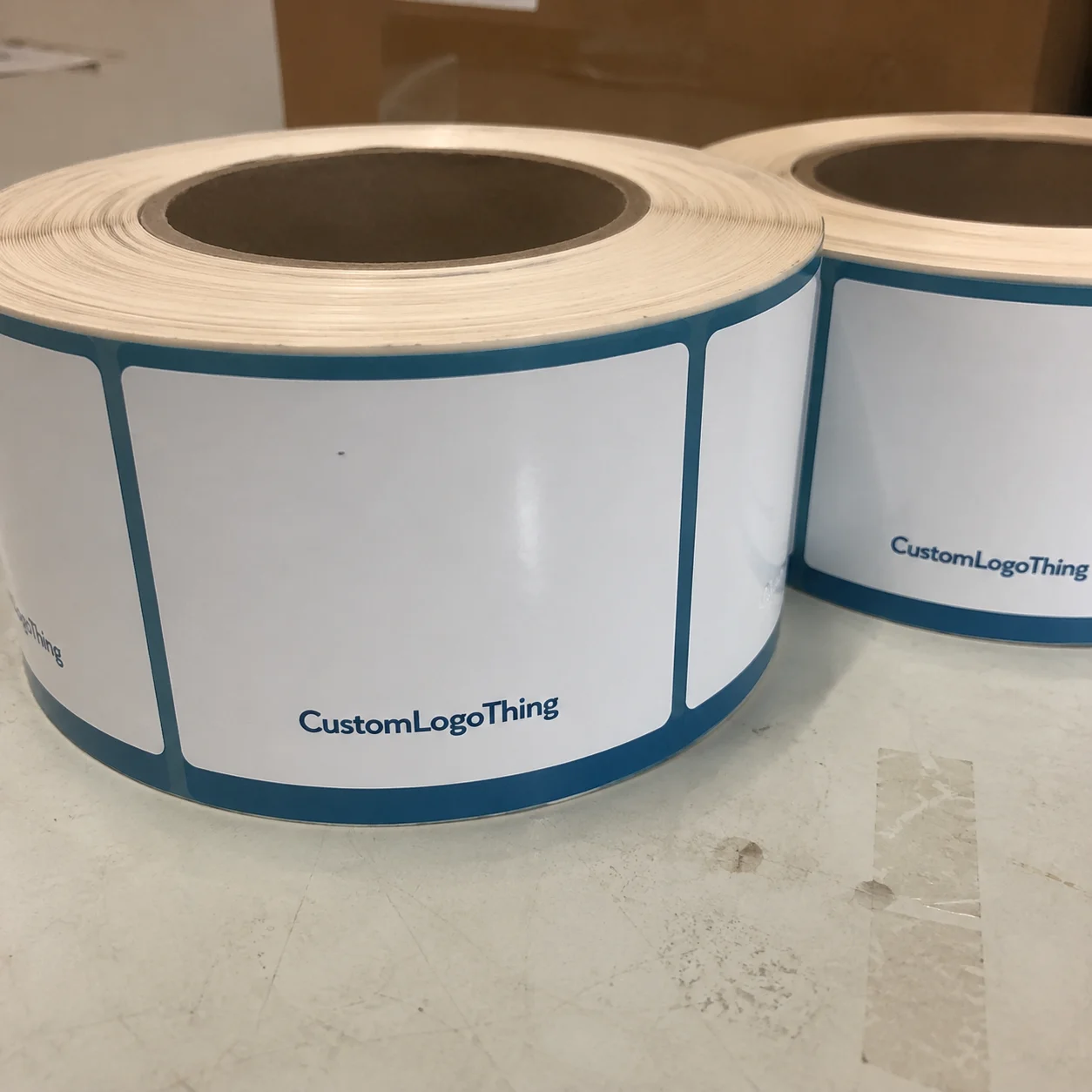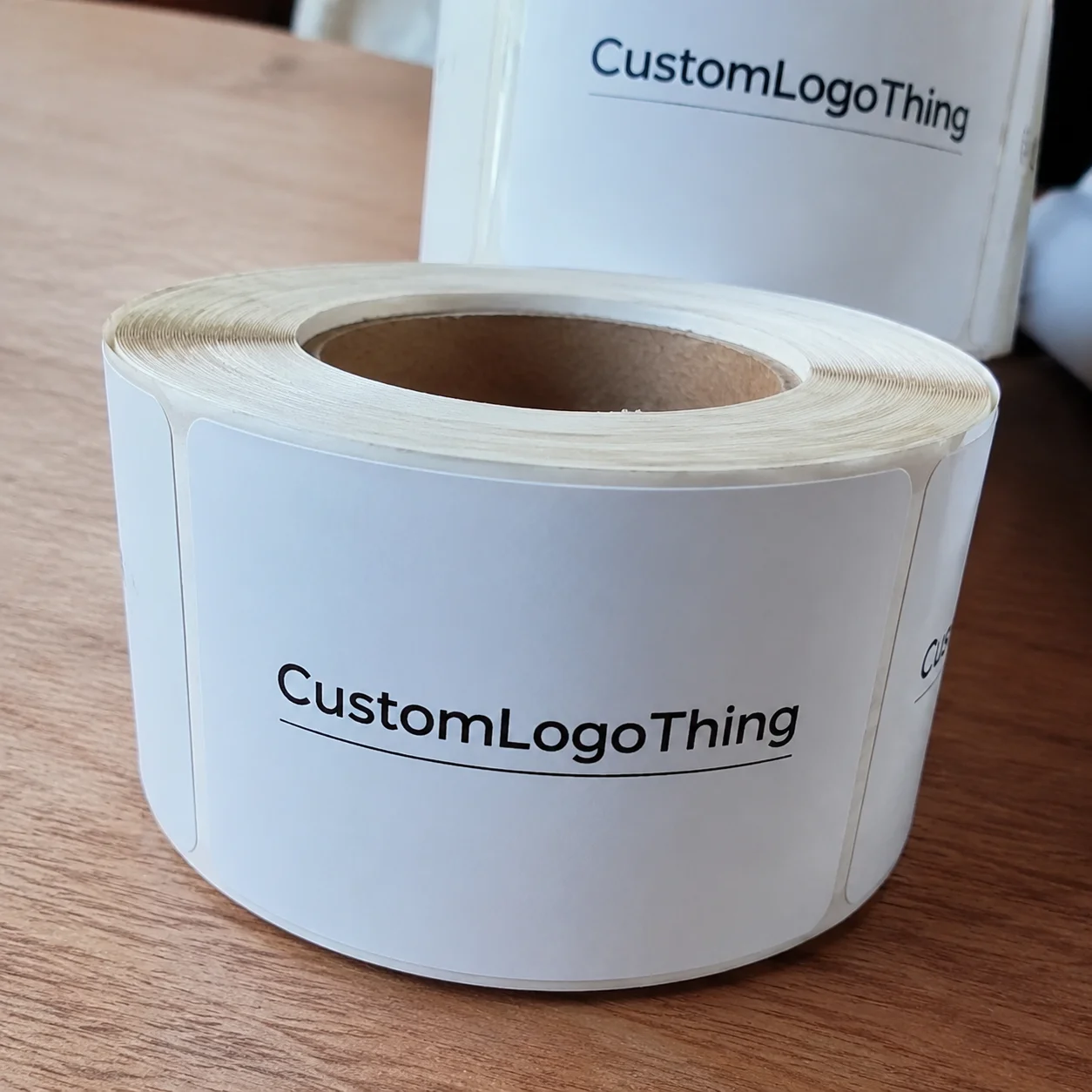
Buyer Fit Snapshot
| Best fit | Multi-color Printing on Poly Mailers projects where brand print, material claims, artwork control, MOQ, and repeat-order consistency need to be specified before quoting. |
|---|---|
| Quote inputs | Share finished size, material target, print colors, finish, packing count, annual reorder estimate, ship-to region, and any compliance wording. |
| Proofing check | Approve dieline scale, logo placement, barcode or warning zones, color tolerance, closure strength, and carton packing before bulk production. |
| Main risk | Vague material claims, crowded artwork, missing packing details, or unclear freight terms can make a low unit price expensive after revisions. |
Fast answer: Multi-color Printing on Poly Mailers: Material Claims, Seal Quality, and Freight Cost should be specified like a repeatable production item. The safest quote records material, print method, finish, artwork proof, packing count, and reorder notes in one written spec.
Production checks before approval
Compare the actual filled-product size with the drawing, then confirm tolerance on folds, seals, hang holes, label areas, and retail display edges. Reserve space for logos, QR codes, warning copy, and material claims before decorative graphics fill the panel.
Quote comparison points
Review material grade, print process, finish, sampling route, tooling charges, carton quantity, and freight assumptions side by side. A quote is only useful when the supplier can repeat the same color, closure quality, and packing count on the next order.
Here’s the ugly truth: tips for multi-color printing on poly mailers usually show up after someone already signs off on a bad proof. I remember watching a coral-and-black design turn into a muddy mess at a Shenzhen facility because the ink layers overlapped by just 0.4 mm and the film stretched more than the designer expected. That client spent $1,480 on a first run of 10,000 mailers, then paid another $220 for a corrected proof because the first version looked fine on a monitor and awful on the bag. Painful? Absolutely. Preventable? Also absolutely.
If you sell apparel, beauty products, supplements, or anything DTC, your mailer is not just a shipping sack. It is a billboard that travels through warehouses, porches, and unboxing videos. If you want it to look intentional, tips for multi-color printing on poly mailers matter before the artwork is even opened in Illustrator. A brand can spend $0.18 per unit on a plain bag or $0.28 per unit on a custom printed one, and the difference in perceived value can be obvious in Brooklyn, Austin, or Manchester within seconds of delivery.
When people ask me why their print looked sharper on paper than on film, I tell them the same thing I told a brand founder in Los Angeles after a factory visit: flexible packaging behaves like a moving target. Paper is stable. Poly film breathes a little, stretches a little, and punishes sloppy registration. That is why tips for multi-color printing on poly mailers are really about planning the artwork, the material, and the print method together instead of treating them like three separate problems.
In the next sections, I’ll cover how the printing works, what drives cost, where brands mess up, and the checklist I use before I ever sign off on a proof. I’ve negotiated with printers who wanted to quote me $0.03 extra per bag for “color complexity” without explaining a thing, so I’m not shy about breaking this down plainly. That’s the point of tips for multi-color printing on poly mailers: less guessing, fewer surprises, and fewer moments where you stare at a box of misprinted bags and wonder who forgot to mention the white underbase. (Spoiler: someone always forgets.)
Tips for Multi-Color Printing on Poly Mailers: What Actually Matters
Multi-color printing on poly mailers means printing two, three, four, or more ink colors onto a plastic film bag, usually LDPE or co-extruded PE. Common film specs include 60-micron to 100-micron thickness, and the higher end often feels stiffer during press handling. Those colors can be spot color inks, CMYK process builds, or a mix of both. The reason tips for multi-color printing on poly mailers differ from paper packaging is because the bag surface flexes, the ink sits on top of the film, and the press has to keep every layer lined up within a tolerance that is often measured in tenths of a millimeter.
I’ve seen designs that looked elegant in PDF form become fuzzy because the black outline missed the white underbase by 0.3 mm. That sounds tiny. It is tiny. It still ruins the whole print. On a mailer, a small alignment issue shows up faster than on a rigid carton because the film reflects light differently and the bag bends every time somebody touches it. I still remember holding a sample under the factory lights in Dongguan and thinking, “Well, that’s a very expensive blur.”
Why does this matter? Because your poly mailer is often the first physical touchpoint a customer gets. It lands on a doorstep, gets photographed, and sometimes gets reused. That means the print is not decorative. It is part of your brand equity. Good tips for multi-color printing on poly mailers can make a $0.28 bag feel like a premium packaging piece instead of a throwaway shipping item.
I learned that the hard way during a client meeting with a fashion brand in Los Angeles that wanted a neon gradient, a foil effect, and tiny reverse white type on a matte black mailer. Pretty idea. Painful production. We cut the design down to three strong colors, widened the logo strokes, and removed the micro-text. Their second proof passed immediately, and their final unit cost stayed at $0.19 for 20,000 pieces instead of climbing past $0.24. That is exactly why practical tips for multi-color printing on poly mailers save money.
Set your expectations right now: better color results come from planning artwork, film, and printing method together. If someone tells you color quality is only about the printer, they are selling you a fantasy. Sometimes a good printer cannot rescue bad artwork. Sometimes a great design gets crushed by the wrong film finish. That is the real foundation behind tips for multi-color printing on poly mailers.
And yes, I’ll keep saying it because it matters: tips for multi-color printing on poly mailers are not about chasing the fanciest effects. They are about matching your brand goals to a print method that can actually repeat those results across 5,000 or 50,000 bags.
How Tips for Multi-Color Printing on Poly Mailers Work
There are three common methods you’ll hear about: flexographic printing, gravure, and digital printing. Offset printing gets mentioned sometimes by people who are new to packaging, but poly mailers are not printed like magazines. Offset is built for flat sheet stock and different substrates. Poly film needs print systems designed for flexible packaging, which is why tips for multi-color printing on poly mailers usually start with the press type.
Flexographic printing is the workhorse for many mailer jobs. It uses plates and fast-drying inks, and it handles medium to high volumes well. If you’re ordering 10,000 to 100,000 pieces, flexo often gives the best balance of cost and consistency. In Guangzhou and Dongguan, I’ve seen flexo production quoted around $0.15 per unit for 5,000 pieces when the artwork is simple and the film is standard 60-micron LDPE. Gravure can deliver very rich ink laydown and is used for larger runs, but the cylinders cost more upfront. Digital printing is the easiest for shorter runs, custom runs, or fast-turn projects, especially when you need lots of SKU changes or variable artwork.
The challenge is registration. On flexible film, each color has to land exactly where the previous color ended. If the artwork has a red circle around a white logo and the second pass lands slightly off, you get a halo. If it lands off twice, you get a blurry mess. This is why tips for multi-color printing on poly mailers always include tight artwork preparation and realistic color expectations.
Now, about opacity and underbase. Bright colors printed on dark mailers need a white underbase layer in many cases. Without that layer, your yellow looks muddy and your pastel blue disappears. A strong underbase increases vibrancy, but it also adds another step, another registration point, and another chance for error. That is the tradeoff. I’ve stood on a production floor in Dongguan and watched a printer adjust the white hit three times because the orange logo was sinking into a charcoal film. It happens more than people think.
Color trapping matters too. That is the overlap between two colors that helps prevent gaps if the press shifts slightly. Good trapping is one of those small technical things that separates decent results from polished results. If your designer has never heard of it, that is a sign to slow down. One of the most overlooked tips for multi-color printing on poly mailers is simply asking whether the printer has adjusted the artwork for film movement.
Here’s a plain-language breakdown:
- Spot color = a premixed ink used for exact brand colors.
- CMYK = process printing using cyan, magenta, yellow, and black to build many colors.
- Underbase = usually white ink printed first to support brighter colors.
- Registration = how accurately each color aligns with the others.
- Print finishing = the final treatment or handling, like curing, surface treatment, or packing style, that protects the final print.
Some designs look cheap in one method and expensive in another. A heavy gradient might look soft and premium in digital printing, but that same gradient on flexo can show banding if the artwork is not prepared correctly. A solid two-color logo with bold type, on the other hand, can look excellent in flexographic printing because the edges stay clean and the colors stay strong. That is why I never recommend a print method before I see the actual artwork.
Production limits also matter. Very fine reverse text, tiny hairline strokes, and full-bleed graphics that go right up to the seal edge can create problems. On many poly mailers, the sealed edges already reduce usable print space by 3 to 5 mm on each side. If your brand mark sits too close to that edge, the bag trim can clip it. That sounds obvious. You’d be shocked how often people miss it. Honestly, this is one of the core tips for multi-color printing on poly mailers: respect the safe zones.
For suppliers and spec-checking, I always recommend reviewing manufacturing details on the source side too. Our Manufacturing Capabilities page is a good place to understand what can be adjusted before you commit to artwork. And if you’re still comparing package formats, our Custom Poly Mailers category gives you a clear view of standard options, including matte black, frosted white, and recycled-content finishes.
Key Factors That Affect Tips for Multi-Color Printing on Poly Mailers
Film type is the first variable I check. LDPE, co-extruded PE, and recycled-content films all behave differently under ink. Thickness matters too. A 60-micron bag can feel and print differently than a 100-micron bag because the stiffness changes how the bag runs through the press. Surface finish matters as well. Gloss amplifies color. Matte softens it. Satin falls somewhere in the middle. If you want cleaner tips for multi-color printing on poly mailers, start with the substrate, not the logo.
Color count affects more than just ink usage. More colors mean more setup, more plate handling, more press adjustments, and more waste during make-ready. I once reviewed a quote for a startup that wanted seven colors on a 12-inch by 16-inch mailer. The first supplier offered a low unit price but buried the real cost in extra plate charges, proof fees, and “color correction support.” The second supplier quoted a higher upfront number, but the total landed $640 lower on a 15,000-piece order. That is why tips for multi-color printing on poly mailers must include a line-by-line quote review.
Artwork choices can swing costs hard. Gradients look nice, but they can be tricky on film. Metallic effects usually require special handling or a different production plan. Tiny text is risky. Full-bleed backgrounds can increase ink coverage and raise the chance of slight variation from bag to bag. The cleanest jobs I’ve seen usually share the same traits: strong shapes, controlled color count, and large enough text to survive real-world handling.
Here’s a quick cost table I wish more buyers saw before they approved artwork.
| Option | Typical Setup Cost | Best For | Watch-Out |
|---|---|---|---|
| 2-color flexographic printing | $180-$420 plates/setup | Simple logos and bold branding | Less forgiving on gradients |
| 4-color CMYK digital printing | $0-$150 prep, depending on supplier | Short runs and artwork changes | Unit price can rise fast at scale |
| 6-color gravure | $900-$2,500 cylinders/tooling | Large runs with rich color density | Higher upfront tooling cost |
Those numbers are not universal. They depend on bag size, film thickness, ink system, and factory location. In Shenzhen, Guangzhou, and Ningbo, I’ve seen a 10,000-piece order move by 12% to 18% just because the supplier used a different plate house and a different cure schedule. But the ranges are realistic enough to use as a sanity check. If a quote is dramatically below that range, something is probably missing. Maybe proofing. Maybe revision fees. Maybe the supplier plans to “adjust” your color after you’ve already paid. That happens. I’ve had a factory in Guangdong quote a bargain price, then add $75 for every proof revision after the first two. Nice trick. Not a great one.
One more reality: not every printer is equally skilled at packaging. Some are general printers that also do bags. Others live and breathe flexible packaging. That difference matters. Packaging-specific suppliers understand ink adhesion, film treatment, and how to maintain consistency over long runs. That’s one of the smarter tips for multi-color printing on poly mailers I can give you: ask what else they print, not just what they claim they can print.
If you want authoritative standards and material context, packaging trade groups are useful. I regularly review guidance from the Flexible Packaging Association and testing references from ISTA when a project needs transit durability checks. If the mailer is part of a heavier ecommerce shipment, that matters more than people think, especially for 2 lb to 8 lb apparel shipments that travel through regional hubs in Ohio, Texas, and California.
And yes, another practical note: tips for multi-color printing on poly mailers can save you more than money. They save time. Every revision you remove from the process reduces the chance of a missed launch window by several business days, which matters a lot when a product drop is tied to a Monday morning fulfillment start in Chicago or Atlanta.
Step-by-Step Process for Getting Multi-Color Poly Mailers Right
Step 1: Choose the Right size, finish, and print area. Start with the shipping use. A 9 x 12 mailer for jewelry is not the same as a 14 x 19 bag for hoodies. If the product will be packed by hand, give yourself a little more tolerance around the logo and flap. The smartest tips for multi-color printing on poly mailers begin with bag dimensions that match your actual fulfillment flow. For example, a 10 x 13 mailer in 75-micron PE can handle a boxed skincare set far better than a thin 50-micron bag that wrinkles under tape.
Step 2: Prepare the artwork for print, not for the screen. Your designer may love the look of ultra-thin lines and subtle gradients. Your press operator will not. Convert fonts to outlines. Separate color layers cleanly. Use Pantone references if brand accuracy matters. Keep the important text away from seals and side gussets. I’ve seen a $3,000 branding project get delayed because somebody forgot to outline a script font before sending the file. That’s the kind of headache easy tips for multi-color printing on poly mailers prevent. A clean file sent from New York on Tuesday can still save a Guangzhou factory two full days of prepress corrections.
Step 3: Ask for a digital proof or press proof. A PDF on your laptop is not the same as ink on film. A proof should show color placement, logo alignment, white underbase behavior, and barcodes if those are part of the design. If you are printing something that needs exact brand color, request a color target or draw-down. I paid $95 for a draw-down once that saved me from approving a magenta that looked fantastic on screen and completely wrong on black film. Best $95 I ever spent on packaging. If the supplier offers a press proof in 48 to 72 hours, take it seriously; if they promise a “perfect match” without a sample, be cautious.
Step 4: Confirm the full timeline. Ask for artwork approval, plate making, sampling, printing, curing, and packing dates. A simple 2-color flexo run might take 12-15 business days from proof approval. A more detailed project with multiple revisions can stretch to 18-25 business days. Digital printing can move faster for short runs, but rush orders still depend on queue time. If a supplier promises “very fast” and refuses to give dates, that is not a timeline. That is a sales pitch. I like seeing dates broken out by day 1 through day 15, not vague phrases that could mean anything.
Step 5: Lock every final spec in writing. Put the quantity, bag thickness, color count, Pantone targets, print area, and delivery window in the order confirmation. I’m serious. Write it down. One of the more annoying factory floor lessons I learned came from a 30,000-piece order where the client thought the bag was 2 mil thick and the supplier quoted 2.5 mil. The print was fine. The packaging spec was not. That difference created a mess on the receiving side.
To make this even more practical, here’s the exact checklist I use before approving tips for multi-color printing on poly mailers for a client order:
- Confirm bag size, thickness, and material type.
- Check that all fonts are outlined and all images are high resolution.
- Verify the number of colors and whether they are spot color or CMYK.
- Ask where the white underbase is needed.
- Review the proof on the actual substrate, not just on paper.
- Confirm seal and flap safe zones.
- Get the lead time in writing.
- Confirm shipping method and packing style.
If you want to compare product options while you’re building the quote, our Custom Packaging Products page is useful for seeing how poly mailers fit alongside other packaging formats. I’ve found that buyers make better decisions when they compare the whole packaging system instead of obsessing over one line item. A 2,000-piece seasonal launch in Miami may need a different structure than a 25,000-piece evergreen subscription kit in Seattle.
Common Mistakes With Tips for Multi-Color Printing on Poly Mailers
The biggest mistake is assuming screen color equals printed color. It doesn’t. A bright blue on your monitor can turn dull on a glossy gray film and even duller on recycled-content poly. This is one of the most repeated tips for multi-color printing on poly mailers: never judge final color from a screen alone. A monitor can show 100% saturation; a 70-micron bag with a white underbase may still print 10% darker or lighter than expected.
Another problem is using too many thin lines or tiny type. I visited a packaging line where a cosmetics brand had a 4-point disclaimer printed in white on pale lavender. You could barely read it in the proof, and on the final bag it practically vanished. If the message matters, give it some room. If it’s decorative, fine, make it small. Do not make important text fragile just to look “minimal.” I’m not saying every package needs to shout; I am saying nobody gets a medal for unreadable copy.
Skipping a proof is a classic budget mistake. Someone sees a PDF, approves it in a hurry, and then acts shocked when the real bag has a slightly different black tone. That is not a printing error every time. Sometimes it is a substrate issue. Sometimes it is ink behavior. Sometimes it is the natural difference between a backlit screen and a printed film surface. Good tips for multi-color printing on poly mailers always include at least one real sample review if the order is brand-critical. If the job is going to cost $2,800 for 12,000 units, spending an extra $60 on proofing is usually rational.
Registration tolerance deserves its own warning. On a multi-color design, a tiny shift can create halos, blurred edges, or overlapping elements. If your artwork depends on razor-sharp outlines hugging each other, your print risk goes up. Keep in mind that flexible film can move slightly during press and during sealing. That is normal. The design has to allow for it.
Ordering too late is another way brands burn money. If you need 20,000 poly mailers for a product launch and the factory is already booked, rush fees can show up fast. I’ve seen a supplier tack on $180 for expedited plate work and another $260 for a tighter production slot. None of that feels fun when the launch date is already set. Another practical piece of tips for multi-color printing on poly mailers: order earlier than you think you need to. Your future self will thank you. Probably with fewer caffeine-fueled emails.
For brands that care about sustainability claims, check the material and compliance language too. If your supplier says a film is recyclable or FSC-adjacent, ask for documentation. FSC applies to fiber-based materials, not poly film itself, but the broader packaging system can still involve sourced inserts, cartons, or printed collateral. If you need environmental context, EPA guidance on packaging and waste reduction is a useful reference point. I’ve had clients save money just by trimming unnecessary packaging layers, such as removing a second carton in favor of a 65-micron mailer.
Expert Tips to Improve Multi-Color Printing Results
If you want the print to look better, start by simplifying the design. Strong shape contrast holds up better than delicate detail on a moving poly surface. A bold logo with two or three clean colors usually performs better than a nine-element illustration crammed into a 12-inch bag. That’s one of the less glamorous tips for multi-color printing on poly mailers, but it works.
Use spot color for brand-critical elements like the logo, headline, or signature icon. Use CMYK only where blended imagery genuinely adds value. If you try to force every element into process printing, you may get more tonal variation than you wanted. I like CMYK for gradients and photo-style effects. I like spot color for consistency. That split is not fancy. It is just practical, especially when you’re printing in one run of 8,000 units in Vietnam or 30,000 units near Shenzhen.
Ask for ink targets or draw-downs when matching a shade that matters. I’ve had brand owners obsess over a “very specific” orange, only to realize the difference between warm orange and red-orange changed how the whole bag read from 6 feet away. On black or dark gray mailers, the underbase changes everything. If the supplier will not provide a target or sample, that is a warning sign. The right tips for multi-color printing on poly mailers can protect you from a painfully expensive color dispute.
Plan around seams, adhesive strips, and the opening flap. I know that sounds obvious, but I still see artwork placed like the mailer is a flat poster. It is not. A bag has structure, folds, and functional parts that eat into your print real estate. The nicest logo in the world looks bad if half of it disappears into a seal area. That mistake is embarrassingly common.
Work with a supplier that understands poly film behavior, not just general printing. There is a difference. A supplier who understands packaging will ask about seal lines, layflat size, opacity, and packing tolerance before they quote you. That conversation saves money. It also saves emotional damage, which some buyers forget to budget for.
“We thought we were buying a mailer. Turns out we were buying a color-management problem with tape on the side.” — A client told me this after their first failed proof, and honestly, he was right.
For lower-risk sourcing, I like suppliers who can explain the whole chain: artwork, plate, press, curing, QC, and packing. That’s the kind of discussion I expect from a partner, not just a price list. It’s also why I keep directing buyers toward our Manufacturing Capabilities page when they want to compare what’s technically possible before they start shopping on price alone. A factory in Jiangsu that can document registration checks and cure temperatures will usually beat a vague “best price” source by a wide margin.
One more tip from a real production floor: do not chase every trend. Neon, metallic, and photo-real gradients can work, but only if the bag material and print process support them. Otherwise, you end up paying more to look less confident. A restrained design with excellent registration often feels more premium than a noisy one with too many effects. That is one of the smartest tips for multi-color printing on poly mailers I can give you.
FAQ and Next Steps for Multi-Color Printing on Poly Mailers
What are the best tips for multi-color printing on poly mailers when using a dark bag?
Use a white underbase before bright colors, keep logos bold, and avoid pale shades that disappear on dark film. I also recommend requesting a proof on the actual bag material, because a paper proof will lie to you with a straight face. If the bag is 75-micron matte black PE, ask for a sample on that exact substrate before approving 10,000 pieces.
How much does multi-color printing on poly mailers usually cost?
Pricing usually includes setup or plate charges plus the per-bag print cost. More colors increase setup complexity and often create more waste during calibration. On higher quantities, unit cost usually drops, even if the first quote looks a little rude. For example, a simple two-color run can land near $0.15 per unit at 5,000 pieces, while a more complex 20,000-piece job may sit closer to $0.19 to $0.24 depending on film and finish.
How long does the process take for custom multi-color poly mailers?
Most timelines include artwork approval, proofing, plate making, printing, curing, and packing. Simple jobs can move in 12-15 business days from proof approval, while more complex color matching or revisions can add more time. If you need a physical sample first, add extra days. A project routed through a Shenzhen or Dongguan facility may also need 2 to 4 extra business days for shipping after production.
Should I use CMYK or Pantone colors for multi-color printing on poly mailers?
Use Pantone when brand color accuracy matters most. Use CMYK when the design needs blended imagery or you want to reduce the number of spot colors. The right answer depends on your artwork and the bag material, so ask the printer before locking the file. If you are printing on black or charcoal film, Pantone plus a white underbase often gives the most predictable result.
What file prep mistakes ruin multi-color printing on poly mailers?
Low-resolution images, missing outlines, tiny text, and unseparated color layers are common problems. Registration issues and seam placement can also ruin the result. Always keep important graphics inside the safe zones so the seals and flap do not cut them off. For a typical 12 x 16 mailer, leaving at least 5 mm from the edge is a safer starting point than crowding the artwork.
If you’re still comparing options, the best move is to treat the order like a spec project, not a guess. The final package should reflect the actual product, actual fulfillment flow, and actual brand goal. That mindset turns tips for multi-color printing on poly mailers from theory into a usable buying process. If your team ships from Dallas, Toronto, or Melbourne, the same rule applies: match the mailer to the workflow, not the mood board.
Next-step checklist: audit artwork, choose the print method, confirm the color count, request proofing, verify timeline, and compare quotes line by line. If you do those six things, you will avoid most of the expensive mistakes I’ve seen in packaging. Not all of them. But most.
And if you’re wondering whether the cheapest quote is the best choice, I’ll answer that plainly: usually no. I’d rather pay $0.02 more per bag and get clear communication, better color control, and an accurate proof than save pennies and lose two weeks fixing the order. That opinion comes from watching too many brands burn launch budgets on avoidable corrections. On a 15,000-piece order, that $0.02 difference is $300, which is far cheaper than a missed campaign or a reprint.
Good packaging is not luck. It is prep, materials, and a printer who knows how flexible film behaves. That’s the real heart of tips for multi-color printing on poly mailers. Get the structure right, and the print looks better. Get the structure wrong, and you are paying for a lesson.
What are the best tips for multi-color printing on poly mailers when using a dark bag?
Use a white underbase before bright colors, keep logos bold, and avoid pale shades that disappear on dark film. I also recommend requesting a proof on the actual bag material, because a paper proof will lie to you with a straight face. If the bag is 75-micron matte black PE, ask for a sample on that exact substrate before approving 10,000 pieces.
How much does multi-color printing on poly mailers usually cost?
Pricing usually includes setup or plate charges plus the per-bag print cost. More colors increase setup complexity and often create more waste during calibration. On higher quantities, unit cost usually drops, even if the first quote looks a little rude. For example, a simple two-color run can land near $0.15 per unit at 5,000 pieces, while a more complex 20,000-piece job may sit closer to $0.19 to $0.24 depending on film and finish.
How long does the process take for custom multi-color poly mailers?
Most timelines include artwork approval, proofing, plate making, printing, curing, and packing. Simple jobs can move in 12-15 business days from proof approval, while more complex color matching or revisions can add more time. If you need a physical sample first, add extra days. A project routed through a Shenzhen or Dongguan facility may also need 2 to 4 extra business days for shipping after production.
Should I use CMYK or Pantone colors for multi-color printing on poly mailers?
Use Pantone when brand color accuracy matters most. Use CMYK when the design needs blended imagery or you want to reduce the number of spot colors. The right answer depends on your artwork and the bag material, so ask the printer before locking the file. If you are printing on black or charcoal film, Pantone plus a white underbase often gives the most predictable result.
What file prep mistakes ruin multi-color printing on poly mailers?
Low-resolution images, missing outlines, tiny text, and unseparated color layers are common problems. Registration issues and seam placement can also ruin the result. Always keep important graphics inside the safe zones so the seals and flap do not cut them off. For a typical 12 x 16 mailer, leaving at least 5 mm from the edge is a safer starting point than crowding the artwork.
At Custom Logo Things, I’d rather help you get the order right than sell you a shiny mistake. If you use these tips for multi-color printing on poly mailers, you’ll make better artwork decisions, ask better supplier questions, and avoid the usual trap of approving a proof that only looks good on a monitor. That is how you get a mailer that works in the real world, not just in a presentation deck.