Buyer Fit Snapshot
| Best fit | Labeling Shipping Boxes Correctly projects where brand print, material claims, artwork control, MOQ, and repeat-order consistency need to be specified before quoting. |
|---|---|
| Quote inputs | Share finished size, material target, print colors, finish, packing count, annual reorder estimate, ship-to region, and any compliance wording. |
| Proofing check | Approve dieline scale, logo placement, barcode or warning zones, color tolerance, closure strength, and carton packing before bulk production. |
| Main risk | Vague material claims, crowded artwork, missing packing details, or unclear freight terms can make a low unit price expensive after revisions. |
Fast answer: Labeling Shipping Boxes Correctly: Board, Finish, Dieline, and Unit Cost should be specified like a repeatable production item. The safest quote records material, print method, finish, artwork proof, packing count, and reorder notes in one written spec.
Production checks before approval
Compare the actual filled-product size with the drawing, then confirm tolerance on folds, seals, hang holes, label areas, and retail display edges. Reserve space for logos, QR codes, warning copy, and material claims before decorative graphics fill the panel.
Quote comparison points
Review material grade, print process, finish, sampling route, tooling charges, carton quantity, and freight assumptions side by side. A quote is only useful when the supplier can repeat the same color, closure quality, and packing count on the next order.
Tips for Labeling Shipping Boxes Correctly: Quick Plan
One wrong ZIP digit, one sticky label seam, one hidden apartment number can push a package into exception handling and a customer support spiral. I see this happen every single week in teams that otherwise have decent fulfillment workflows. At that point, a tips for labeling shipping boxes correctly checklist is no longer “shipping documentation,” it is the difference between smooth flow and chaos.
From a packaging buyer perspective, a label is not decoration. It is a machine-readable instruction packet plus a human-readable instruction packet. It tells the carrier where the box needs to go, how it should be handled, and what service lane it belongs to. If that packet is messy, everything downstream gets messier—usually fast.
The core message is simple and, yes, boring: repeatable rules beat clever design. Tips for labeling shipping boxes correctly are most powerful when they survive shift changes, high volume days, and short-staffed evenings. That is why teams with lean staffing still hit consistent outcomes: they stop relying on memory and start relying on a process.
This post is aimed at ecommerce teams, B2B dispatch teams, and small operators who still need predictability without enterprise complexity. My job here is to make it practical: what to enforce, what to ignore, what costs money, and what actually saves it.
Tips for Labeling Shipping Boxes Correctly: Why Small Label Errors Are Expensive
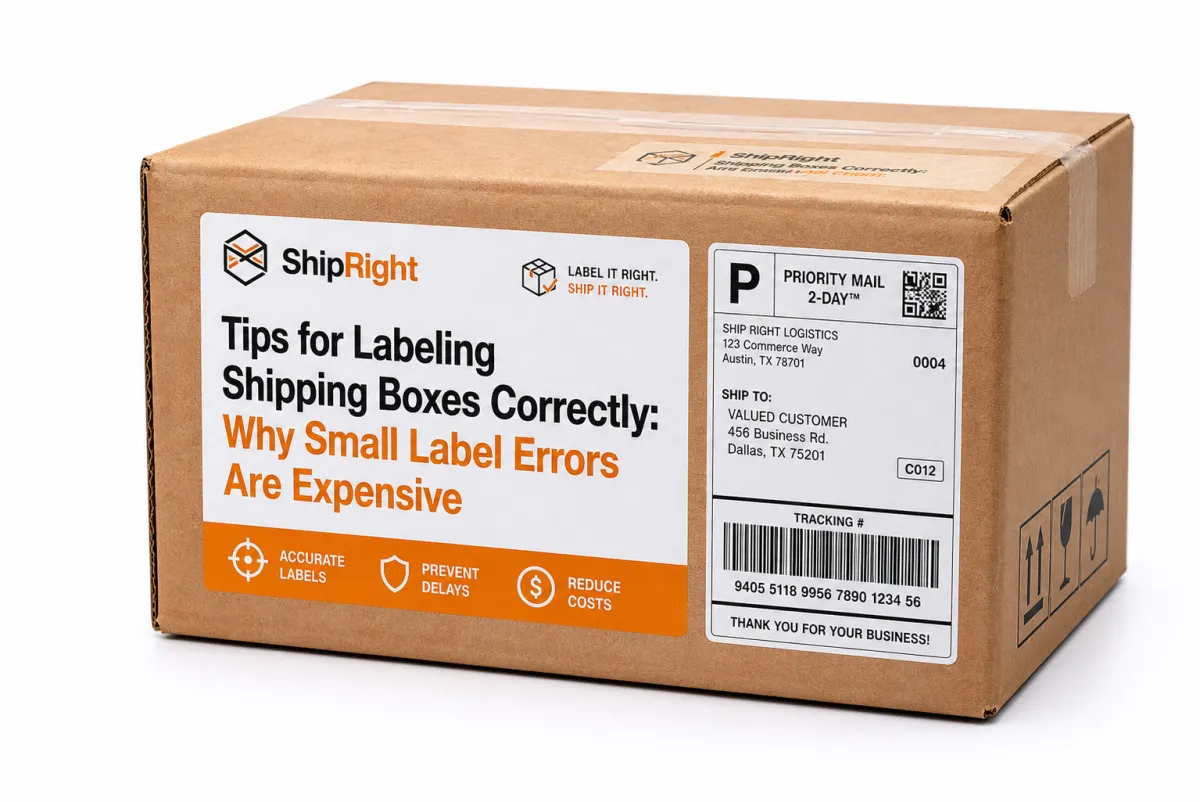
Small label errors are expensive because they compound quickly. A single bad scan creates labor, a delay, then a customer message, then possibly a reroute or reship. The direct bill never shows the full hit. The hidden bill is in trust, staffing load, and SLA stress.
Think of it as layers: data issue, exception, manual correction, repeat handling, and then repeat billing pressure. I have seen a single wrong digit create a chain of extra touches that looked trivial on paper but tied up half a shift in reality. That is not a one-off story; it is operations math.
Print speed is often the first metric teams worship. I get the pressure to push throughput, but print quality wins first. A fast printer with washed-out lines, low contrast, and slight bleed makes scanners fail and hands guess. It is not just annoying. It is operational debt.
Address fields, return address, service type, barcode payload, handling marks, customs fields—all those parts work as a set. Remove one and the chain weakens. Move a barcode under a strap and the entire route gets less reliable. That is why tips for labeling shipping boxes correctly are process discipline, not aesthetics.
A readable label saves money before the package ever hits the truck.
From the operator side, mistakes are painfully concrete. A missed appointment window leads to escalation, and escalation leads to re-routing, refunds, and sometimes repack plus a re-label. The best tips for labeling shipping boxes correctly are preventive and repeatable, so they stop that chain before it starts.
Start by standardizing three definitions:
Legibility: enough contrast and character size for human verification in real light, not studio light.
Readability order: barcode plus text remain visible and in expected position through normal handling.
Compliance fields: every required field for the destination and service appears and is complete.
Once these are standardized, tips for labeling shipping boxes correctly can be taught in ten minutes and audited in thirty seconds.
Material choice is the part people skip while blaming “human error.” Labels on curved or taped surfaces fail even if the data is perfect. If your package geometry does not support a stable label face, you are feeding a machine and a human the wrong starting point. Choosing compatible box stock and label stock is one of the cheapest reliability upgrades you can make. Whether sourced from Custom Shipping Boxes or Custom Labels & Tags, matching materials reduces reprints, avoids peel-offs, and lowers handling surprises.
I am going to be blunt here: if labels are peeling, no amount of coaching is a substitute for better media selection.
How the Labeling System Works From Order to Carrier Gate
Labeling begins in order data, not at the printer. The chain is usually: order capture, data validation, rating, manifest creation, label generation, printing, application, and gate verification. Every stage can either harden quality or open a hole in it.
Address validation belongs upstream. If checkout lets malformed postcodes, incomplete apartment numbers, or missing country codes pass, your printer can only make that bad data look official. A barcode on bad data is still bad data with better ink.
Validation rules should be tied to your order workflow, not added as a random afterthought at packing. Every field mapped to the chosen carrier service should have required logic. That includes street suffix conventions, country formats, and service restrictions.
Barcode behavior is still misunderstood. A 1D barcode is usually enough for standard domestic route processing, while 2D codes support denser payload and are better in mixed routing or customs-heavy flows. Multi-box shipments benefit from unique carton IDs; when multiple cartons look identical, a system-level identity helps avoid lane confusion at the very moment scanning is happening fastest.
When teams test under real conditions, use industry references. ISTA style handling models are useful because they force you to think about vibration, compression, and transfer friction. If your labels survive that environment, they probably survive the dock.
The physical station is where the best digital plan can still fail. A perfect template folded wrong, smudged on contact, wrapped at a corner, or pinned under edge tape is a guaranteed exception generator. I have seen teams with excellent software lose consistency because labeling and staging were managed separately.
Ownership should be explicit at each handoff. Order team owns source data integrity. Packing team owns placement and clarity. Shipping control owns final QA and dock release. If no one owns a step, it becomes “somebody else’s issue,” which in shipping terms means “somebody else pays.”
Carrier exceptions are rarely random. They happen when labels fail readability checks or manifest agreement checks. If your team treats tips for labeling shipping boxes correctly like “nice to have,” carriers will treat it like that too.
Key Factors That Improve Label Clarity and Carrier Acceptance
Material and adhesive selection is not a procurement afterthought. It determines whether your printed content survives real-world touches and temperature swings. A matte thermal label might be ideal for one climate, while a synthetic carrier is better for humid routes. If your network includes condensation, cold storage, or repeated sorting, media should match those realities.
Print settings are another invisible source of cost. At minimum, pick enough print resolution and density to keep characters crisp and bars dark with clean edges. A weak print that requires scan retries is quietly expensive. Set a reject threshold: if it is hard to read at arm’s length, it does not ship.
Placement still causes most preventable errors. Keep labels on a flat area, away from seams and fold lines, and off high-contact corners. Put the barcode where scanners expect it, not where marketing might look best. A small placement guide at each bench gives your team consistency without increasing supervision load.
Address formatting is a hidden quality lever. Use a standard abbreviations table, complete unit fields, and clean state/province data. Decorative punctuation and inconsistent casing only make machine interpretation harder and increase manual handling. It matters most in high-pressure environments like customs, where every extra manual touch costs time and money.
Environmental and sourcing requirements should be defined before print rollout. If FSC credentials or recycled content requirements matter for your brand, confirm them up front and lock the substrate profile. Using FSC-aligned materials later usually means rushing substitutions that hurt run consistency.
Carrier marks are not optional symbols. Freight class, hazmat icons, orientation arrows, and temperature notes have specific handlers and workflows behind them. If they are unclear, the package enters handling error territory before it leaves your floor.
Design for both reading paths. Human scanners fail, machine scanners fail, and people must recover both. That is why tips for labeling shipping boxes correctly need both machine-readable bars and clean human-readable text from the start.
If brand quality is part of your requirement, align carton shape and label position early. A flat, stable label zone improves reads and speeds up packing speed. Reliable surfaces from Custom Packaging Products can reduce visual drift and give your team fewer excuses when quality dips.
Tips for Labeling Shipping Boxes Correctly: Step-by-Step Guide and Timeline
Small teams do well when they turn labeling into an explicit daily rhythm. The day before dispatch is data validation and rule checks. Shipment day is controlled batch printing per carrier. Final hour is verification and staging. This sequence keeps velocity from eating quality.
- Validate the data. Confirm ZIP/postal codes, apartment or unit numbers, phone/contact fields, and country values before the print command runs. This is the cheapest control you have.
- Lock the template. One approved template per carrier and service level; no side edits at 2 a.m. Use a versioned template library so changes are traceable.
- Print with control. Tune contrast, darkness, edge definition, and media compatibility. If the output is fuzzy, stop the run. Don’t “fix it in the next batch.”
- Apply consistently. Use a consistent flat area, clear barcode field, and standard orientation. A simple placement guide reduces variation between teams and shifts.
- Verify in flow. Sample based on volume. In many operations, every 20th carton is realistic, and you should catch both visual and scanner readability immediately.
- Stage and clear for pickup. Reconcile manifest counts, confirm orientation and handling marks, then run a final scan. Last-minute surprises are more expensive than early corrections.
On older manual operations, 20 to 40 parcels an hour is a common maturity point. Mature stations and less rework can push that. If your numbers are low, don’t assume your staff is slow. The station design usually tells the truth.
Training works better when it is concrete. I use three examples: one clean label, one damaged or misapplied label, and one edge case. That trio sticks because people remember what breaks, not what looks perfect.
Dimensional logic and service logic should not diverge. If weight or size sends the carton into another lane, but the label says the wrong service class, you get surcharge or rejection. Tie label generation to the same freight engine used for rating and you remove a huge source of exceptions.
One useful rule: if a setup can’t be explained in an onboarding sentence, it is too fragile for repeatable execution. You want controls that are obvious enough for a new operator and strict enough for audits.
What Are the Best Tips for Labeling Shipping Boxes Correctly?
The best tips for labeling shipping boxes correctly are not glamorous; they are boringly reliable. Clean source data, fixed templates, repeatable placement, and one final scan check before packout will get you farther than any fancy label design.
Start with data. You can do everything else later, but if the ZIP, country code, or unit number is wrong, the label is wrong. After that, standardize barcode position, return location placement, and label size so the package is predictable to people and systems.
Use matching material for the job. Flexible cartons need labels that stay attached through movement. Humid routes need better adhesives. Cross-border routes need field completeness that matches carrier documentation rules. These are operational controls, not marketing preferences.
My short version sounds blunt on purpose: keep it flat, keep it legible, keep it clean, keep the template predictable. I have seen teams lose less time by avoiding flashy templates and more by removing guesswork.
For higher-volume setups, enforce dock QA scanning. It is one of those improvements that does not make headlines but makes variance disappear. That one extra check catches what visual inspection misses and blocks preventable exceptions before transport.
If your operation is mixed-volume and sometimes rushed, this is where people usually break: the one-shift mentality. They do a good job for the first box, then fatigue introduces small misses. A steady line with clear rules protects your operation from that dip.
Cost of Labeling Shipping Boxes Correctly: Budget Trade-Offs and Hidden Charges
Label cost per sheet is easy to measure; total labeling cost is not. Total cost includes consumables, reprints, labor for checks, software subscriptions, support overhead, exceptions, and chargebacks from carriers. Once you include all of it, the business case for better controls becomes obvious.
Hidden charges are where people get burned. A rejected label can delay truck loading, consume staff time, and trigger expensive correction workflows. Rework often feels small in isolation, then compounds across hundreds of parcels. Track failure cost per box, not just print cost per label.
Use this planning view:
| Option | Typical upfront cost | Ongoing cost | Best fit | Notes |
|---|---|---|---|---|
| Manual desktop printer setup | $250-$900 | $0.03-$0.08 per label | Very small teams, low daily volume | Good entry point only if template discipline and quality checks are consistently applied. |
| Validation software plus thermal printer | $700-$2,000 | $50-$300 per month | Growing ecommerce shipping operations | Reduces bad addresses, template drift, and reprints when paired with operator training. |
| Scan-verified station kit | $1,200-$3,500 | $100-$500 per month | Higher-volume fulfillment operations | Useful when exception handling is already high and you need scalable quality control. |
That table is for planning, not product placement. Cheap print setups can still be expensive if they produce repeatable errors. A stronger validation layer or scan gate often pays for itself by shrinking rework and support calls.
Try this test: measure cost per dispatched package for four weeks, then measure again for four weeks after one change. Keep one-time setup separate from monthly operating cost. If exception rates stay high, adding staff often hides the symptom; controls fix the source.
Waste is part of the cost discussion too. Reprints, rejected cartons, and repacks increase waste volume and disposal load. If your organization tracks sustainability metrics, label quality is a straightforward place to gain improvement with immediate operational impact. The EPA has general material guidance worth reviewing when writing internal sustainability goals.
Here is a caveat: carrier pricing, regional surcharge rules, and customs requirements vary by lane and country. I always tell teams to run a pilot in your actual top routes, not a spreadsheet-only simulation. Real traffic reveals the real bottlenecks.
My rule still stands: the cheapest system is not the one with the smallest sticker price; it is the one that ships correctly first time, every time.
Common Mistakes in Labeling Shipping Boxes Correctly and How to Prevent Them
One of the most frequent mistakes is low-adhesion label stock on poor surfaces. A label on seam lines or taped corners might look fine at first and then fail in one transfer cycle. That is how “looks fine” becomes “costing money.”
Manual copy-and-paste is another repeat offender. Re-keying addresses or fields after order placement is where omissions and malformed ZIP codes breed. Automate formatting, lock critical template fields, and prevent freeform edits on destination-critical fields.
Incomplete service-level data is a classic gate failure. If routing code, service lane, or required marks are missing, the package can be delayed before loading or sent to exception review. Put hard stops in the print workflow for incomplete records. If required fields are missing, it should fail before print.
- Upside-down placement: Use a visible placement template and enforce a pre-staging scan check before handoff.
- Covered barcodes: Keep tape, stretch film, and wrap out of the scan rectangle. Any coverage can break reads downstream.
- Template drift: Keep one approved template per carrier and control edits through review. Random printer-side changes are a quality leak.
- Poor lighting: Brighten packout stations where labels are inspected; if staff is squinting, error rates will show up later in scans.
- Printer maintenance gaps: Clean heads, check rollers, and replace consumables before the first faint print. A degraded print head creates “mystery data” problems.
Bad lighting and poor maintenance are the most common hidden causes of scan failures. Teams often point at software first and forget hardware and environment. That is backwards. Good tips for labeling shipping boxes correctly include machine care in daily operations.
“Fix later” lanes are another hidden disaster. Damaged labels gather in corners, lose ownership, and often sneak back into flow during peak periods. A dedicated correction lane with clear rejection criteria avoids that loop.
When failure repeats, diagnose in order: data quality, template control, lighting, printer health, then fatigue. That sequence finds root cause faster than jumping directly to “staff issue,” which is usually the last one to blame, not the first.
In lightweight mixes, carton rigidity and surface finish are underrated variables. Over-flexing boxes let edges pop labels during handling. Matching box type with compatible label stock from Custom Shipping Boxes and compatible media closes a gap between physical protection and information reliability.
I have learned this the hard way on some rush weeks: you can have excellent SOPs and still lose money if the carton and the label simply do not mate well.
Conclusion: Actionable Next Steps for Labeling Shipping Boxes Correctly
Start with a short baseline audit. Pull 50 recent cartons and score each on five points: address accuracy, barcode readability, placement quality, handling mark visibility, and durability after handling stress. That gives you a real number, not a feeling.
Then write one-page instructions with ownership from data entry to dock staging. Keep it short enough for a new team member to follow on day one. Quality grows when rules are visible and enforced.
Track four metrics every week: first-pass acceptance rate, reprint rate, exception category, and prep minutes per label. One metric drifting without reaction means your process is no longer in control.
Roll it out in steady steps: week one template lock, week two station and team training, week three QA enforcement and exception reviews. This is the part people skip. They want everything at once, then lose control.
Practical takeaway: pilot one SKU family, run one dispatch week, and compare before/after numbers. If results improve, expand gradually. Wrong labels are not just a paperwork issue—they are a fulfillment reliability issue that hits delivery confidence and team morale. The goal is simple: correct labels, first time, every time. Not exciting, but kind of the whole game in shipping.
What are the most important tips for labeling shipping boxes correctly for accurate carrier scanning?
Keep barcode zones upright, large enough, and unobstructed. Don’t place tape, stretch film, or folds across the scan area. Use a single, approved address format across systems, validate postal details before printing, and run both human and scanner checks on each batch before loading. This is the most practical route to stronger tips for labeling shipping boxes correctly for scan reliability.
How does labeling shipping boxes correctly affect international shipping timeframes and customs clearance?
Clear country fields, destination names, and service markings reduce manual holds at customs and line-haul checkpoints. Missing fields or hidden data push parcels into correction loops and usually add time. For international lanes, the useful tips for-labeling-shipping-boxes-correctly approach is to use carrier-approved templates and run a route validation check before scaling by destination country.
How can a warehouse build a realistic timeline for labeling shipping boxes correctly at scale?
Use a fixed sequence: data check, print, apply, QA, staging, and pickup transfer. Assign one owner for each handoff and queue print jobs so a single long batch cannot stall the entire dock. Most throughput variability comes from station design, print throughput limits, or ownership overlap.
How much does labeling shipping boxes correctly usually cost, and where can I save money fast?
Failed scans usually hide the actual spend. Compare exception cost per box against print cost before jumping to new tools. Faster savings usually come from cleaner templates, stronger validation, and focused operator training. Improve consumables and process controls first, then automate when the exception trend clearly supports it.
Can small teams use smart tools for tips for labeling shipping boxes correctly without huge setup expense?
Yes. A reliable thermal printer, anti-smudge label stock, and light-touch validation checks can materially improve accuracy without a full rebuild. Keep a shared template library, enforce a correction queue, and improve one control at a time. It is how smaller teams move from “close enough” to dependable results.