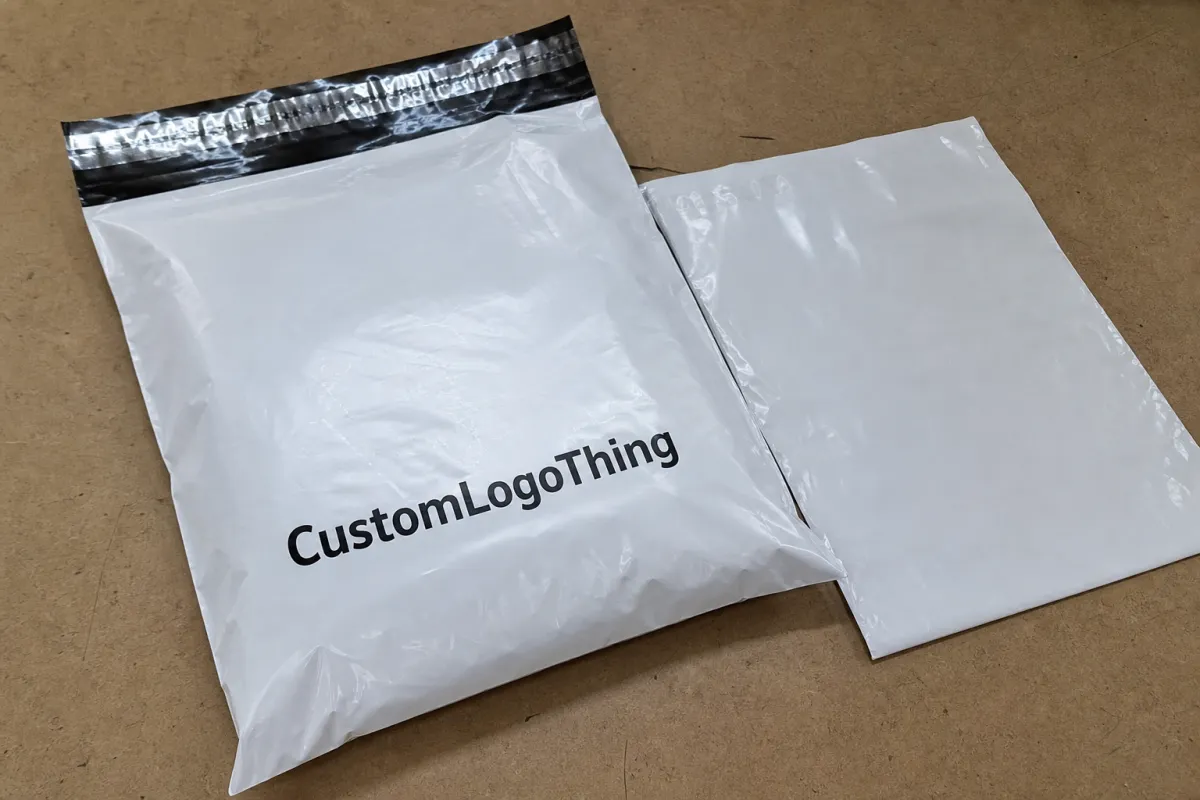
A good apparel printed poly mailers Digital Proof Checklist catches the expensive mistakes that are easiest to miss on a screen: panel sizing, seal area conflicts, copy that sits too close to a fold, and artwork that looks fine in a mockup but changes once it is mapped onto the actual mailer. In practice, the proof is where a buyer finds out whether the design really fits the bag, the closure, and the way the package will be handled in shipping.
If you are comparing formats, our Custom Poly Mailers page is a useful starting point, and the broader Custom Packaging Products catalog helps you sanity-check options before you lock the art. For production context, the Manufacturing Capabilities page shows the print and finishing choices that usually shape proof structure.
Apparel Printed Poly Mailers Digital Proof Checklist
Digital proofs save apparel mailer jobs because they let you catch layout problems before ink, film, or labor is committed. That matters more than many buyers expect. A logo can be technically correct and still land awkwardly if the bag has a gusset, a side seam, a hot-melt seal, or a closure strip that changes the visible area in hand. The Apparel Printed Poly Mailers Digital Proof Checklist is the guardrail that keeps those details from slipping past a fast approval.
A digital proof shows intent, not final print reality. It tells you where the logo sits, how much bleed is built in, and whether the type is centered on the panel, but it does not replace a physical sample or a press-side check. Color can also shift in the real world because film stock, ink system, and white underbase all affect the final look. That is why buyers should treat the proof as a manufacturing document, not a pretty preview.
A proof is not decoration. It is the last clean chance to confirm what the factory will actually make.
Most of the surprises on apparel mailers are structural, not artistic. The mailer may open from the top, but the printed area may wrap around a folded edge. A barcode might look centered in the file and still sit too close to a seal line. A QR code may scan fine on a PDF and then get compressed by a fold or cut line. That is why the checklist needs to cover both graphics and structure.
- Check the dieline first: confirm panel size, orientation, and print side before judging color or typography.
- Check the safe zones: keep copy, logos, and codes away from seals, folds, gussets, and the closure area.
- Check the artwork hierarchy: make sure the brand name, web address, and legal copy are arranged in the right order.
- Check the use case: ecommerce returns, boutique shipping, and seasonal drops all ask a little differently of the same bag.
That last point matters. An apparel mailer used for returns is often handled more roughly than a mailer used for local boutique fulfillment. A seasonal promotion may also need stronger visual impact because the bag itself becomes part of the unboxing moment. The proof has to reflect that reality, not just the artwork in isolation.
How the Proof Moves From File to Factory
The proof process usually starts with intake, and good intake saves time later. The factory or converter should review vector logos, linked image resolution, Pantone references, bag dimensions, print side, closure type, and quantity before building the proof. If the file arrives as a low-resolution JPEG with no size reference, the layout team has to guess less and ask more, which slows everything down. Clean inputs make the proof more reliable from the start.
For image files, 300 dpi at final print size is the safe baseline. For logos and line art, vector format is better because it scales cleanly and keeps edges sharp. Fonts should be outlined if possible, and any special colors should be called out clearly, especially if the design uses a white base, spot colors, or overprint. On poly mailers, the white layer often matters as much as the color layer because film is not a white substrate.
Once the proof is assembled, the prepress team maps repeat panels, bleed, and safe zones against the actual mailer structure. On a gusseted bag, a wraparound panel can change where the artwork lands. On a side-seal mailer, the seam location can cut through a border or narrow text if the layout is too tight. If the bag uses a matte finish or a metallic film, the proof may also need notes about how the finish affects contrast and readability.
Here is the typical approval loop:
- Artwork is submitted with the order spec and any brand references.
- The first digital proof is built against the dieline and panel measurements.
- The buyer reviews placement, spelling, quantity, and color notes.
- Revisions are requested if something does not line up.
- Final approval is signed off in writing.
- Artwork is frozen for prepress and production planning.
After approval, the artwork usually gets locked. That is the point many buyers underestimate. Late edits do not just change a PDF; they can trigger new prepress work, new plate or file setup, and a reset in the production queue. If the order is on a tight calendar, a small copy change can become a real scheduling problem.
Cost, Pricing, and MOQ Drivers
Pricing on Printed Poly Mailers is usually driven by bag size, film gauge, ink coverage, number of print colors, and whether the design needs a white base or special finish. A simple one-color design on a standard 2.5 mil mailer is not priced the same way as a full-coverage print on a thicker film with a matte varnish feel. The proof itself may not be the biggest cost item, but it can expose the production complexity that drives the quote.
MOQ matters because setup cost gets spread across the run. A 1,000-piece order usually carries a higher unit cost than a 10,000-piece order because the same prep work is being amortized over fewer bags. In many programs, a 10x13 mailer with light to moderate coverage might land around $0.18-$0.28 per unit at 5,000 pieces, while a smaller run might sit closer to $0.28-$0.45, depending on print method, ink count, and film spec. Those are working ranges, not promises, because the actual job details always matter.
| Order Profile | Typical Unit Range | Proof Complexity | Best Fit |
|---|---|---|---|
| 1,000-2,500 bags | $0.28-$0.45 | Higher setup share, fewer revision-friendly options | Test runs, small drops, specialty launches |
| 5,000 bags | $0.18-$0.28 | Balanced cost, common proof workflow | Core ecommerce programs, recurring apparel shipments |
| 10,000+ bags | $0.12-$0.22 | More efficient setup, better unit economics | High-volume retail and fulfillment programs |
Proof-related costs can show up in a few places. Extra revision rounds often add labor time, rushed proofing can cost more because it interrupts the queue, and artwork cleanup may be billed if the file needs redraws, font fixes, or resolution repair. Some suppliers absorb one round of proof edits into the quote and charge only for the heavier work; others build proof labor into the job rate. The only fair comparison is apples-to-apples: same bag spec, same print method, same revision scope, same shipping assumption.
If you are comparing quotes, ask whether the price includes one or two proof rounds, whether white ink is part of the print count, and whether the quote assumes gloss, matte, or a specialty coating. Two quotes can look close on paper and still cover very different work.
Proof Review Process and Turnaround Timing
Proof timing is usually easier to manage when the review follows a clean order. Artwork submission comes first, then the first digital proof, then revisions if needed, then final approval, then production setup, then curing or drying time, and finally packing and shipment. That sounds simple, but the weak link is often the same: missing information at the front end.
Delays tend to come from a few predictable places. Fonts go missing. Images are too small. Color targets are vague. One email says “make the logo bigger,” while another says “keep it subtle.” Nobody wants to own the final approval, so the proof sits in limbo while three people wait for one answer. That is not a production problem as much as a coordination problem.
A single decision-maker usually shortens lead time. One person can review the proof against the spec sheet, answer questions the same day, and avoid the back-and-forth that turns a one-day check into a three-day delay. That does not mean the person has to know every technical detail; it just means there needs to be one accountable signer who can gather the right feedback and close the loop.
Typical timing for a standard apparel mailer job often looks like this:
- Art intake and proof build: 1-3 business days if the file is clean.
- Buyer review: same day to 2 business days, depending on internal approval flow.
- Revision round: 1 business day for simple changes, longer for redraws.
- Production setup: 1-2 business days after final approval.
- Run, cure, pack, and ship: often 7-15 business days, depending on the print method and quantity.
That schedule tightens fast when a launch date, holiday drop, or retail campaign is already fixed. If the bag has to land before a promo starts, proof approval needs to happen early enough for the factory to fit the job into the queue without rushing. For buyers who want to understand shipment testing and distribution expectations, ISTA guidance is a useful reference point, and EPA recycling guidance helps when material and disposal questions come up.
Common Proof Mistakes That Lead to Reprints
The most expensive proof mistakes are usually the boring ones. A logo that looks balanced on a laptop can end up too small once it is mapped onto the actual mailer panel. A QR code can sit too close to a fold line and lose clean scan behavior. A return address can slip into a seal area and become harder to read than anyone expected. None of that looks dramatic in the proof stage, which is exactly why the checklist matters.
Color is another trouble spot. RGB files often look brighter on screen than they print on film. Spot colors can drift if they are not called out clearly. A buyer may approve a cool gray on an uncalibrated monitor and then feel disappointed when the printed bag reads warmer. That is not always the printer’s fault; sometimes the problem is simply that the proof was treated like a screen image instead of a print guide.
Here are the mistakes I see most often:
- Scaled artwork errors: the design is centered visually but not measured correctly against the dieline.
- Seam and fold conflicts: barcodes, QR codes, and fine text land too close to edges or closures.
- Color assumption gaps: RGB files, missing Pantone references, and uncalibrated displays create expectations that the film cannot match.
- Spec sheet oversights: quantity, size, print side, shipping address, and revision notes are not checked line by line.
One more issue deserves special attention: the proof may show the artwork on a flat panel, but the actual bag can pull the eye in a different direction because of the film sheen, the way the material creases, or the extra visual weight of a white underprint. That is why experienced buyers look at the proof with a manufacturing lens rather than a marketing lens alone.
Expert Tips for Cleaner Artwork and Easier Approvals
The fastest approvals usually come from disciplined file prep. Send vector art whenever you can. Outline fonts. Use the correct bag dimensions, not a guess based on a similar order from last season. Name the file clearly so the latest version does not get buried in email threads. Those small habits do more to protect the schedule than any rush fee can fix.
Ask for measurement callouts on the proof. A good proof should show the panel width, repeat distance, safe zone, and any margin that matters to the print. If the bag has a gusset, request that the fold area be clearly marked. If a return label or QR code must remain scannable, ask for a note that confirms the recommended clear space around it. The goal is to make the proof easier to read as a production tool, not just as a visual.
It also helps to keep one source of truth for brand color and legal copy. Marketing may want a slightly different shade. Operations may want the return URL shortened. Purchasing may forward an older file by mistake. Those conflicts are common, and they are avoidable. One current file, one current spec sheet, one current approver.
Honestly, the best buyers treat proofing like part of manufacturing, not like a design review that happens after the real work is done. That mindset changes how questions get answered, and it usually produces fewer surprises once the film is on press.
For teams who want a wider view of format options and production paths, the Manufacturing Capabilities page is a helpful companion to the proof itself. It is easier to judge the proof when you understand how the bag will be printed, finished, and packed.
Final Preflight and Approval Next Steps
Before you approve, compare the proof to the spec sheet line by line. Confirm the quantity, dimensions, artwork, print side, color notes, shipping details, and any revision comments that were carried forward. If a note from the first round did not get resolved cleanly, stop and fix it before release. A fast approval is only valuable if it is the right approval.
Assign one final approver and capture the approval timestamp in writing. That simple step avoids confusion later if the purchase order, artwork email, and production signoff do not all match the same person or the same version. If your launch date is fixed, build a cushion for at least one revision round so the schedule does not collapse because someone was out of office for a day.
If anything feels unclear, request a corrected proof or a second review before the order is released. The cheapest fix is still the one made before film is committed. The second cheapest is the one caught before production setup. Everything after that gets more expensive, slower, and harder to unwind.
Use this apparel printed poly mailers Digital Proof Checklist one last time, then approve only when the layout, sizing, color intent, and shipping details all line up. That final pass is small work compared with a reprint, and it usually protects both the timeline and the budget.
Frequently Asked Questions
What should I check first on an apparel printed poly mailers digital proof checklist?
Start with the bag size, panel orientation, and print side before you look at logo polish or color. Then confirm seam clearance, safe zones, spelling, quantity, and shipping information so the approval is complete in one pass.
How many proof revisions are normal for custom apparel mailers?
One or two revision rounds are common when the artwork is clean and the specs are clear. More rounds usually point to missing measurements, uncertain copy, or brand files that are not fully aligned. A strong checklist usually cuts revision count.
Will a digital proof show exact color on printed poly mailers?
No. A digital proof shows the intended color reference, but it cannot reproduce the exact printed result on film. Pantone callouts, calibrated screens, and clear notes about white ink or overprint help set realistic expectations. If color is critical, ask whether a printed sample is available.
What affects pricing most on apparel printed poly mailers?
Bag size, film thickness, ink coverage, print method, and MOQ usually have the biggest effect on unit cost. Rush proofing, extra revisions, and artwork cleanup can add labor before production starts, so the cleanest file is usually the least expensive file to move forward.
How do I keep proof approval from slowing production?
Name one final approver, give that person the spec sheet and deadline, and review the proof against a written checklist. Approve only after every note is resolved, because late edits can reset setup and extend lead time. That is especially true on tied-to-launch orders.