Buyer Fit Snapshot
| Best fit | Create Custom Labels projects where brand print, material claims, artwork control, MOQ, and repeat-order consistency need to be specified before quoting. |
|---|---|
| Quote inputs | Share finished size, material target, print colors, finish, packing count, annual reorder estimate, ship-to region, and any compliance wording. |
| Proofing check | Approve dieline scale, logo placement, barcode or warning zones, color tolerance, closure strength, and carton packing before bulk production. |
| Main risk | Vague material claims, crowded artwork, missing packing details, or unclear freight terms can make a low unit price expensive after revisions. |
Fast answer: Create Custom Labels: Material, Adhesive, Artwork, and MOQ should be specified like a repeatable production item. The safest quote records material, print method, finish, artwork proof, packing count, and reorder notes in one written spec.
Production checks before approval
Compare the actual filled-product size with the drawing, then confirm tolerance on folds, seals, hang holes, label areas, and retail display edges. Reserve space for logos, QR codes, warning copy, and material claims before decorative graphics fill the panel.
Quote comparison points
Review material grade, print process, finish, sampling route, tooling charges, carton quantity, and freight assumptions side by side. A quote is only useful when the supplier can repeat the same color, closure quality, and packing count on the next order.
If you want to know how to create custom labels, the first thing I usually tell people is that two labels can look identical on a screen and behave very differently on a bottle, a jar, a corrugated carton, or a chilled tray once they leave the press. I remember one job in particular where a “perfect” label blistered inside a cold room at 38°F, and I’ve also seen a plain-looking polypropylene label outperform a glossy paper label on a bathroom product that got handled with wet hands all day. That gap between appearance and performance is where the real work lives when you’re figuring out how to create custom labels without ending up with a pile of sad, curling corners.
At Custom Logo Things, the best results usually come from treating labels as part design project, part materials decision, and part production plan. That matters whether you’re building branded packaging for a specialty food line, adding compliance details to product packaging, or finishing retail kits that also include Custom Packaging Products. Honestly, I think too many people assume a label is just a little sticker with a logo on it. It’s not. If you want a label that looks clean on day one and still holds up after shipping, refrigeration, oil contact, or shelf handling, you need a label construction that fits the real job.
What Custom Labels Are and Why They Matter
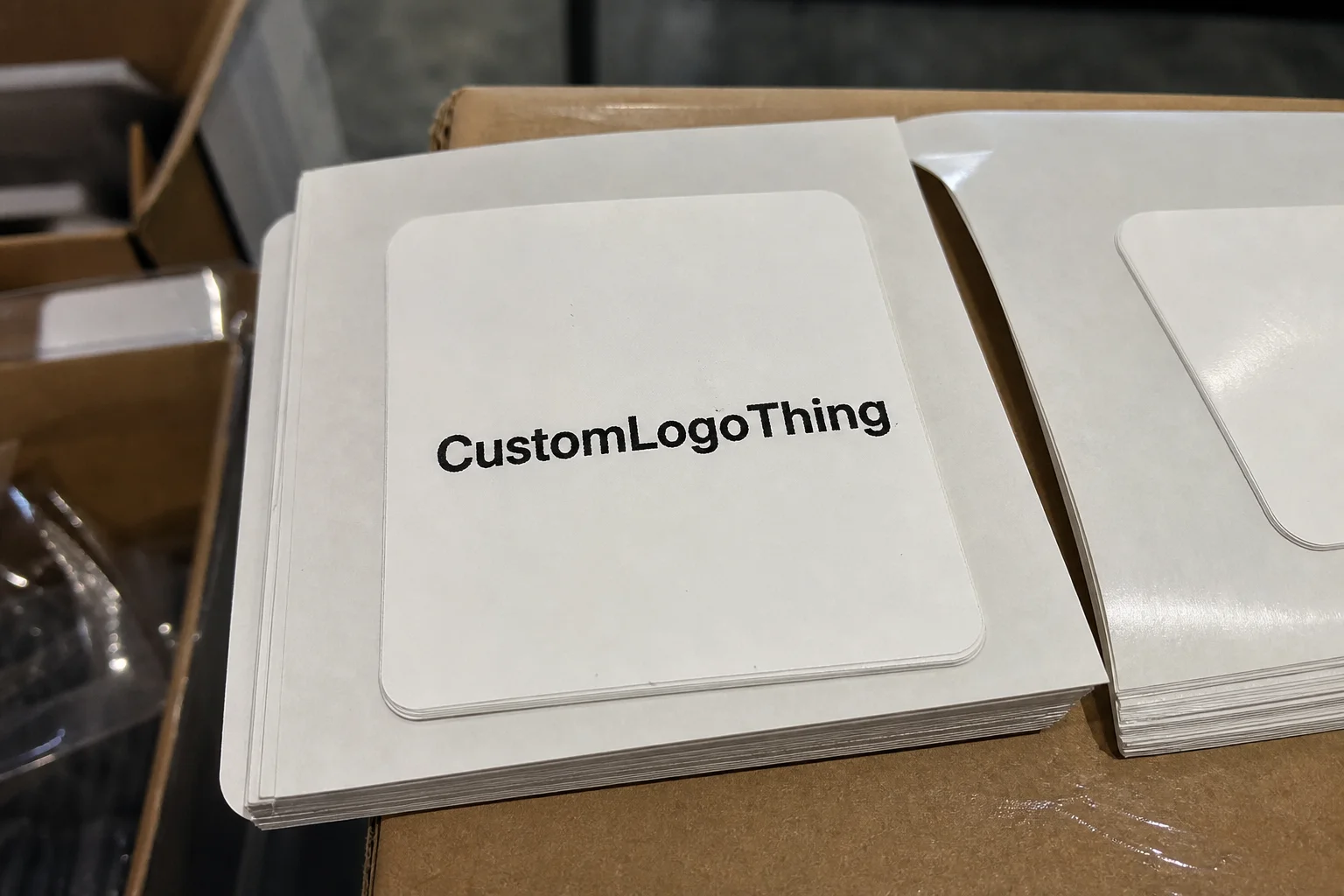
In packaging terms, custom labels are printed identification pieces designed for a specific product, container, or use environment. They can be pressure-sensitive labels that apply like a sticker, roll labels for machine application, cut-sheet labels for smaller office or hand-application runs, or specialty formats built for industrial and regulatory use. When people ask me how to create custom labels, I always start here because the format alone affects cost, speed, and application method, and because choosing the wrong format is one of those quiet mistakes that turns into a loud, expensive headache later.
I’ve stood on a bottling line in a small contract packer’s facility where two labels from different suppliers looked nearly identical on the roll. One was a coated paper stock with a general-purpose adhesive. The other was a 2.0 mil polypropylene label with a cold-temperature adhesive. The first one started lifting at the corners after 20 minutes in the chiller. The second one stayed flat through condensation and a full day of case packing. Same artwork, different behavior. That is exactly why how to create custom labels is never just a graphics question, no matter how much everybody wishes it were.
Labels do much more than decorate a package. They help identify a product, communicate ingredients and warnings, carry barcodes, support lot coding, and sometimes provide tamper evidence. In retail packaging, a label can also be the first thing a shopper notices from six feet away, which means it plays into package branding just as much as the box itself. If you’re pairing labels with Custom Labels & Tags, the label has to match the rest of the system in color, finish, and durability. Otherwise, the whole setup starts looking like it was assembled in a rush by three different departments that never spoke to each other.
Common environments make a huge difference. Cosmetics may need moisture resistance around sinks and vanities. Beverage labels can face condensation and cold-chain storage. Food jars often need oil resistance and strong adhesion to glass or coated plastic. Shipping and warehouse labels need barcode readability and scuff resistance. Industrial packaging may need resistance to chemicals, abrasion, or UV exposure. The right answer to how to create custom labels depends on which of those realities you’re dealing with, not just on how the label looks in a mockup. I wish that weren’t true sometimes, but factory life rarely cares about our best aesthetic intentions.
Custom labels are a system, not a single file. The final result depends on the artwork, the face stock, the adhesive, the liner, the print method, and the finishing steps. I’ve seen buyers spend three weeks perfecting a logo and then ignore adhesive type entirely. That’s backwards. If the label fails after application, the design never gets a fair chance.
How the Custom Label Process Works
The production flow for how to create custom labels usually starts with a brief, even if the customer doesn’t call it that. I want to know the container shape, the surface finish, the temperature range, the application method, and the quantity. A 16 oz glass jar for dry spices is one thing; a squeezable PE tube for hand cream is another. Once those details are clear, artwork development becomes more practical and much less guesswork-driven. It’s amazing how quickly the fog lifts once somebody actually measures the container instead of saying “it’s kind of a standard bottle.” Standard to who, exactly?
The next step is prepress. This is where dielines, bleed, safe zones, image resolution, and color profiles get checked before anything prints. If a label is supposed to wrap around a curved bottle shoulder, the dieline needs to account for distortion and the way the label will lay down around that radius. I’ve had clients send me beautiful artwork at 72 dpi and wonder why the text edges softened in print. For production-ready work, I prefer vector logos, outlined fonts, and raster images at least 300 dpi at final size. That saves time and reduces surprises when you’re learning how to create custom labels properly.
Printing method matters too. Digital printing is often the best fit for short to medium runs, variable artwork, or fast turnaround because setup is lighter and version changes are easier. Flexographic printing usually shines on longer runs where press speed and consistency help bring unit costs down, especially for roll labels and repeated SKUs. Offset printing can be a smart choice when high image quality is needed on certain paper constructions, though it’s not the answer for every substrate. I’ve negotiated jobs where a buyer wanted the finish of offset but the economics of digital; in the end, the run length decided the print path more than the artwork did. That conversation can go on for a while, too, especially if everyone is trying to protect the budget and the brand at the same time.
After printing comes finishing. Depending on the job, that might include varnish, lamination, die cutting, slitting, rewinding, or sheeting. A gloss varnish can make colors pop, but a laminate may be the better choice if the label must resist abrasion, moisture, or repeated handling. Die cutting determines the final shape, and on roll labels, slitting and winding direction matter for the applicator. That’s one of those details people often miss when they research how to create custom labels for machine application. Then they’re surprised when the labels feed like they’ve got a personal vendetta against the applicator (and honestly, sometimes they do).
Timelines are usually more affected by proof approval than by press time. A simple digital label order with clean artwork might move from proof approval to shipment in 7 to 10 business days. A more complex run with specialty material, a custom shape, or multiple revision rounds can stretch to 12 to 15 business days, sometimes longer if there’s a backorder on a specialty liner or film. When I visited a converter outside Chicago, they were sitting on a press-ready job for four days because the customer kept asking for tiny copy changes. That happens more often than people think, and it makes everybody on the floor quietly grit their teeth while trying to stay polite.
“The fastest label job is the one with the fewest unknowns: final art, final size, final adhesive, and a buyer who approves the proof before lunch.”
If you want to see how a broader packaging system fits together, it helps to compare labels with carton structure, inserts, and shipping materials. A strong label can support custom printed boxes, but it should also work with storage, transit, and the way the pack is opened in a store or warehouse. For standards and sustainability considerations, I often point buyers to FSC for responsible sourcing information and to EPA Sustainable Materials Management for broader packaging context.
Key Factors That Affect Label Design and Performance
If you’re serious about how to create custom labels that perform, material selection comes first. Paper is still common for dry, indoor products and short-term use because it’s economical and prints well. But once moisture enters the picture, polypropylene becomes a strong option because it resists water and tearing better than basic paper. Polyester is better when you need dimensional stability, chemical resistance, or a more durable industrial look. Vinyl and clear films can be useful for premium branding or conforming to odd surfaces, though they are not always the best choice for every product.
The adhesive is just as important as the face stock. A permanent adhesive works for most retail packaging and shipping applications, but a removable adhesive is better when a label has to come off cleanly later. Freezer-grade adhesives are built for cold environments, where a standard adhesive can fail before the package even leaves storage. Aggressive adhesives are used on rough, textured, or low-energy surfaces such as certain plastics and powder-coated cartons. In one supplier meeting I had in Shenzhen, the buyer kept asking why their “same” label had different adhesion on PET and HDPE. The answer was simple: surface energy changes everything. Materials people love to say that with a straight face, by the way, as if surface energy personally insulted them.
Size and shape influence both design and application. A 2 x 3 inch rectangle is quick to apply by hand and easy to impose on a press. A die-cut circle can feel more premium, but it may waste more material and raise unit cost. Odd shapes can stand out on retail shelves, yet they also create more waste during trimming and can complicate machine application. If you’re learning how to create custom labels for a line that will eventually run on an automated applicator, confirm the rewind direction, core size, and label gap before you finalize the art. Those details save money later. They also save you from the wonderful experience of discovering, at the worst possible moment, that your labels are wound the wrong way and the line crew is staring at the roll like it betrayed them.
Finish choices shape both appearance and durability. A matte finish can make a natural or artisanal product feel restrained and premium. Gloss tends to sharpen color and improve shelf visibility. Soft-touch coatings create a velvety feel, though they are not always the right answer for wet or abraded environments. Metallic inks, foil accents, and clear-film constructions can be striking for retail packaging, but they should be used with a practical understanding of handling, scuffing, and legibility. I’ve seen beautiful foil labels fail on a refrigerated beverage because the condensation and repeated case movement punished the edges. Gorgeous, yes. Practical, no. And the warehouse never cares how elegant the mockup looked.
Branding and compliance have to live together on the same small piece of real estate. If the product needs ingredients, warnings, a barcode, a lot code, or regulatory copy, the design has to leave enough room for that text to be legible. Barcode quiet zones matter. Font sizes matter. Contrast matters. For food, cosmetics, supplements, and industrial products, the label has to support the legal and operational needs of the product, not just the visual needs. If you’re figuring out how to create custom labels for regulated products, work from the required copy first and style the layout around it.
For practical production standards, the ISTA resources are useful when you want to think beyond print and into transit performance. Labels that look perfect on a bench can still fail after vibration, compression, or temperature changes in shipping. That is why I always push customers to think about product packaging as a supply chain, not a snapshot.
- Paper: economical, good print clarity, best for dry environments.
- Polypropylene: moisture-resistant, common for bottles, jars, and chilled products.
- Polyester: durable, chemical-resistant, good for industrial uses.
- Vinyl / film: flexible, attractive, and suited to irregular surfaces.
- Specialty stocks: clear, metallic, textured, or security-focused builds.
Step-by-Step: How to Create Custom Labels
Step 1: Define the product, surface, environment, and application method. Before you design a single panel, answer four questions: what is the product, what material is the package made of, where will it live, and how will it be applied? I keep a simple checklist on my desk because it prevents expensive mistakes. A label for a freezer pizza box should not be built the same way as one for a hand-poured candle or an industrial oil bottle. This is the foundation of how to create custom labels that work the first time.
Step 2: Choose the label construction. Select the face stock, adhesive, liner, and finish together. A 2.0 mil polypropylene face stock with a permanent acrylic adhesive might be a smart fit for a cold beverage, while a 60# paper stock with a removable adhesive could be better for a short-term promotion. If the package is curved, flexible, or textured, I’ll usually ask for a sample substrate before finalizing the build. That extra hour can prevent a lot of reprint pain later.
Step 3: Build artwork to the dieline, not around it. This is where most first-time buyers stumble. The dieline should come first, and the artwork should follow the actual size, cut lines, and safe zones. Keep critical text and logos inside safe margins, and extend backgrounds past trim to include bleed. If the job includes barcodes, test readability at final size and make sure contrast is strong enough for the scan environment. If you are still learning how to create custom labels, ask for a print template before you start designing in-house.
Step 4: Check file specs carefully. Vector is best for logos, line art, and typography. Images should be high-resolution, and colors need to be set with the intended output in mind. Some label printers work best with CMYK files, while brand colors may need Pantone references to stay consistent across product families. I’ve sat through more than one frustrating proof call where a logo changed color because the original file was RGB and nobody converted it before production. That sort of issue is avoidable with a quick preflight review, which is a very small task compared with the emotional damage of hearing “it looked different on my monitor.”
Step 5: Request a proof and, if needed, a physical sample. A digital proof will show layout, size, and copy placement, but it won’t always reveal every issue with material feel or color against the package. If the label is for a premium item, a food launch, or a critical reorder, I strongly recommend a sample on the actual container. Verify color, cut accuracy, placement, barcode legibility, and the way the adhesive behaves at application temperature. That step is not optional if you want to learn how to create custom labels without making avoidable mistakes.
Step 6: Approve production and plan the workflow. Confirm quantity, core size if the labels are on rolls, spacing, winding direction, storage conditions, and who is applying the labels. If a label is going to sit in a warm warehouse for two weeks before use, that matters. If it will be hand-applied in a cold room, that matters too. Packaging people sometimes talk about artwork like it lives by itself, but in real factories it has to survive handling, staging, and line speed.
Step 7: Inspect the first run and document what happened. The first shipment should be checked against a sample or approved proof. Look at color drift, trimming, adhesion, barcode scan quality, and registration. Keep notes on what worked and what changed. I’ve seen companies save themselves a lot of time on reorders just by keeping one labeled sample in a folder with the exact material code, adhesive code, finish, and approved proof. That’s the practical side of how to create custom labels for repeat production.
When I helped a small beverage brand with a launch, they initially wanted to approve everything from laptop screenshots. After one proof run, they switched to checking labels on the actual 12 oz bottle under store lighting and cold-room conditions. Their reprint rate dropped sharply because they started judging the label where customers would actually see it. That habit alone can change the quality of your brand branding and your launch timeline. It also saves you from the joyless little surprise of opening a finished case and realizing the label looks like a completely different product under fluorescent lights.
Cost and Pricing Factors to Know Before You Order
The price of how to create custom labels depends on quantity, material, adhesive, finish, shape complexity, and turnaround time. As a general rule, short runs cost more per label because setup, proofing, and press adjustments are spread across fewer pieces. Larger orders lower unit pricing, especially on repeatable rolls or standard sheeted formats. That doesn’t mean “bigger is always better,” though. If you only need 1,000 labels for a limited release, paying for 50,000 would be poor planning no matter how attractive the unit cost looks on paper.
Exact numbers vary by supplier and spec, but I’ve seen simple paper labels run at around $0.08 to $0.18 per unit for 5,000 pieces, while durable polypropylene or polyester labels with specialty finishing can move higher depending on size and print complexity. A custom die-cut shape, foil accents, or multiple versions in one order can raise cost further. A rush order can add another layer because it changes scheduling and sometimes forces the plant to interrupt a more efficient run already on press. That’s the real arithmetic behind how to create custom labels without blowing the budget.
One place buyers often miss savings is artwork setup. If your design is built on a standard size, with clean vector files and minimal revisions, you reduce prepress labor and avoid paying for unnecessary rounds of correction. Standardizing label sizes across SKUs can also help. I’ve watched a client trim their reorder complexity by moving three slightly different labels into one standardized layout with variable copy panels. The labels looked more consistent on shelf, and the purchasing team had fewer headaches. Fewer headaches for purchasing is not a small thing, by the way; it’s basically the closest thing they get to a spa day.
Specialty materials cost more, and for good reason. Clear film, metallic film, high-tack adhesives, freezer adhesives, and tactile finishes each add complexity to manufacturing and inventory. If the label must be water-resistant, chemical-resistant, or compliant with a difficult environment, the premium may be worth it because failed labels cost more in rework, scrap, and customer complaints. It’s easier to spend a few cents more per label than to relabel 8,000 units after a warehouse issue.
When comparing quotes, ask for an itemized breakdown. Compare the same size, same material, same adhesive, same finish, same quantity, same winding direction, and same turnaround. If one quote looks much lower, check whether it excludes proofs, plates, tooling, or freight. A proper apples-to-apples comparison is the only way to make a fair decision. That is especially true if you are buying labels along with other custom printed boxes or coordinating a broader product packaging rollout.
“The cheapest quote is rarely the cheapest outcome if the wrong adhesive means a reprint after launch.”
Common Mistakes to Avoid When Making Custom Labels
The most common mistake I see in how to create custom labels is choosing the wrong adhesive for the package surface. Cold, textured, dusty, oily, or moisture-prone materials all behave differently. A label that sticks beautifully to glass on a dry bench can fail on a frosted PET bottle or a powder-coated carton. If the substrate is unfamiliar, test first. That small test can save a full run.
Another frequent problem is low-resolution artwork. Tiny type, fuzzy icons, missing bleed, and overset text can turn a decent concept into a production headache. If a 6-point ingredient line sits too close to trim, the cut can eat into readability. If a barcode is compressed too tightly, scanners may struggle. I’ve had clients bring me files where the logo was copied from a web page, and that almost always leads to trouble. Good file prep is part of how to create custom labels the right way, not an afterthought.
Some buyers choose finishes based on how the sample looks in a sales meeting rather than how it performs on the line. A soft-touch matte label can feel elegant in the hand, but if it scuffs easily in shipping or picks up fingerprints on a high-contact product, it may not be the right choice. A glossy film may read as premium and clean, but under certain lighting it can create glare that hides fine text. You have to balance appearance and function. Packaging decisions get weirdly emotional sometimes, and I understand why; everybody wants the product to look expensive and survive a truck ride.
Regulatory copy is another area where shortcuts become expensive. If ingredients, warnings, directions, or symbol spacing are required, leaving them out or shrinking them too far can trigger delays, corrections, or even a full reprint. Barcodes need quiet space. Nutrition panels need clear type. Industrial labels may need compliance text that is non-negotiable. These requirements vary by industry, so if you are unsure, get the copy checked before approving production. That is especially true if your labels will live alongside regulated retail packaging or industrial codes.
Rushing approval is a classic factory-floor mistake. I’ve seen a buyer sign off on a proof at 4:45 p.m., then call the next morning with a changed SKU number and a corrected phone line. Once plates or digital files are released, those changes can mean delays, extra charges, or a full rerun of the proof. If your launch date is firm, build a little buffer into your schedule. The fastest way to lose time is to assume there will be time later. There usually isn’t. I wish that were less true, but the production schedule does not care about optimism.
Here’s a short checklist I wish more buyers used:
- Test the label on the real container, not just a flat sample sheet.
- Confirm adhesive performance in the expected temperature range.
- Inspect barcode readability at final size.
- Review all legal copy before proof approval.
- Keep a sample label and spec record for reorders.
Expert Tips for Better Results and Easier Reorders
If you want better outcomes from how to create custom labels, start by testing on the actual package material. Cardboard, PET, HDPE, glass, coated paperboard, and flexible film all behave differently, and the test should reflect the real packaging line. I’ve watched clients fall in love with a label on a mockup board, only to discover the adhesive or curvature changed everything once the product hit the shelf. Real-world testing beats showroom confidence every time.
Keep a master specification sheet for every label SKU. Include size, face stock, adhesive, liner, finish, color references, barcode specs, winding direction, and approved proof date. That way, when you reorder, you are not rebuilding the order from memory or hunting through old email threads. I’ve seen companies cut reorder time by half just by keeping one clean spec sheet in their purchasing folder. That’s a small operational habit with a big payoff.
Hold onto a physical approved sample whenever possible. A sample can reveal the way a label actually feels, how the color sits against the package, and whether the sheen matches the rest of your branded packaging. Digital files are useful, but they don’t always tell the whole story. A sample taped to a product shelf in the office is worth more than a dozen screenshots when a new team member takes over the account.
Design for the production environment, not just the marketing mockup. If the label will be applied by hand, leave enough margin for human placement. If it will be applied on a high-speed line, confirm the roll width, gap, core size, and unwind direction. If it will sit in a freezer, build in the right adhesive and verify the label after 24 hours at temperature. Practical design is what keeps a beautiful concept from becoming an expensive problem.
One more thing: think about the full packaging system. Labels rarely exist alone. They need to match carton graphics, inserts, pouches, and shipping materials. If your packaging includes custom printed boxes or a coordinated set of retail components, consistency in color and finish strengthens the whole presentation. That’s where package branding feels intentional instead of pieced together.
My final advice is simple. If you’re still figuring out how to create custom labels, gather three things before you request a quote: your package dimensions, your target environment, and your finished artwork files. Then ask for a spec review, a proof, and a discussion about how the labels will be stored and applied. That keeps the project grounded in the real factory workflow, which is where labels either succeed or fail.
How to Create Custom Labels: decision table
| Decision area | Best fit | What to verify | Risk if skipped |
|---|---|---|---|
| Substrate | Labels, stickers, ribbons, inserts, tags, and tissue paper | Paper/film type, adhesive, GSM, roll direction, and finish | The print looks right but fails during application or handling |
| Artwork control | Brand color, barcode, QR code, and small text clarity | Vector file, Pantone target, safe area, and proof route | Small details blur or shift across a full production run |
| Use environment | Retail display, shipping, food-safe handling, or gift presentation | Moisture, rubbing, heat, and surface compatibility | A pretty sample fails in the real use case |
Frequently Asked Questions
How do I create custom labels for my product?
Start by identifying the package surface, the environment, and the application method so you can Choose the Right material and adhesive. Then prepare print-ready artwork with the correct size, bleed, and dieline, and review a proof before production. That is the practical path for how to create custom labels that fit the job.
What is the best material to create custom labels that last?
The best material depends on the use case. Paper works well for dry indoor products, while polypropylene, polyester, or vinyl are better for moisture, chemicals, or durability. A durable finish and the right adhesive matter just as much as the face stock when you are learning how to create custom labels for long-term use.
How much does it cost to create custom labels?
Pricing is driven by quantity, material, finish, shape, number of colors, and turnaround time. Short runs usually have a higher per-label cost, while larger runs reduce the unit price. If you want the most accurate quote, ask for itemized pricing so you can compare the same construction across suppliers.
How long does it take to make custom labels?
Timeline depends on artwork readiness, proof approval speed, and the production method. Simple digital label jobs can move quickly, while specialty materials, revision cycles, or finishing steps add time. For planning purposes, many standard jobs ship in about 7 to 10 business days after approval, while more complex orders may take 12 to 15 business days or more.
What files do I need to create custom labels?
Vector artwork is preferred, along with outlined fonts, correct bleed, and a dieline matched to the label shape. High-resolution images and accurate color references help avoid proofing delays and reprints. If you are unsure about file setup, ask for a prepress review before final approval.
Good labels are rarely accidental. They come from careful choices about stock, adhesive, finish, and print method, plus a realistic view of how the package will actually be handled. If you remember nothing else about how to create custom labels, remember this: the best label is the one that looks right, applies cleanly, and survives the environment it was built for. That is the standard I’ve used on factory floors for years, and it still holds up.