Buyer Fit Snapshot
| Best fit | Compare Digital Proofing vs Mockups projects where brand print, material claims, artwork control, MOQ, and repeat-order consistency need to be specified before quoting. |
|---|---|
| Quote inputs | Share finished size, material target, print colors, finish, packing count, annual reorder estimate, ship-to region, and any compliance wording. |
| Proofing check | Approve dieline scale, logo placement, barcode or warning zones, color tolerance, closure strength, and carton packing before bulk production. |
| Main risk | Vague material claims, crowded artwork, missing packing details, or unclear freight terms can make a low unit price expensive after revisions. |
Fast answer: Compare Digital Proofing vs Mockups: Material, Print, Proofing, and Reorder Risk should be specified like a repeatable production item. The safest quote records material, print method, finish, artwork proof, packing count, and reorder notes in one written spec.
Production checks before approval
Compare the actual filled-product size with the drawing, then confirm tolerance on folds, seals, hang holes, label areas, and retail display edges. Reserve space for logos, QR codes, warning copy, and material claims before decorative graphics fill the panel.
Quote comparison points
Review material grade, print process, finish, sampling route, tooling charges, carton quantity, and freight assumptions side by side. A quote is only useful when the supplier can repeat the same color, closure quality, and packing count on the next order.
The sharpest proof I ever approved in a folding-carton plant in Dongguan looked perfect on a 27-inch monitor, then felt wrong the second we saw it under the amber LEDs above the converting line. I remember standing there with a paper cup of coffee that had already gone cold by 6:40 a.m., staring at a carton that had looked harmless five minutes earlier and somehow developed a slightly smug expression the moment it hit real light. That is exactly why I tell buyers to compare digital proofing vs mockups before they spend money on plates, dies, and a full production run of 5,000 or 50,000 pieces. A screen can hide a lot that a carton in your hand will expose in five seconds flat, especially once paper grain, coating behavior, warehouse light, and folding pressure enter the picture.
I have seen this play out in a rigid box shop in Shenzhen, in a contract packer outside Chicago, and in a client meeting in Rotterdam where the sales team loved the PDF but the operations lead spotted a glue flap issue on the sample before anyone signed off on a 12,000-unit order. The funny part is that the presentation deck always looks calm right up until somebody notices a flap, a drag, or a closure that feels wrong in the hand. If you compare digital proofing vs mockups with a factory-floor mindset instead of a marketing-only mindset, the decision gets much easier: digital proofing is usually the faster way to approve artwork and reduce color risk, while mockups are better for structure, fit, shelf presence, and tactile judgment on the actual material.
Custom Logo Things works with brands that need packaging to look right, feel right, and survive the real line, not just a design review in a conference room in Toronto or a Zoom call at 8:00 p.m. Pacific time. So I am going to keep this practical, honest, and a little opinionated, the way a production manager would explain it after walking a pressroom at 6:30 a.m. and checking the first sheet against a signed proof from a plant in Suzhou. By the time you compare digital proofing vs mockups through that lens, the answer is rarely either-or; the smarter move is usually to use both in the right order, even if that means one more round of review than everyone hoped for on Monday morning.
How Do You Compare Digital Proofing vs Mockups?
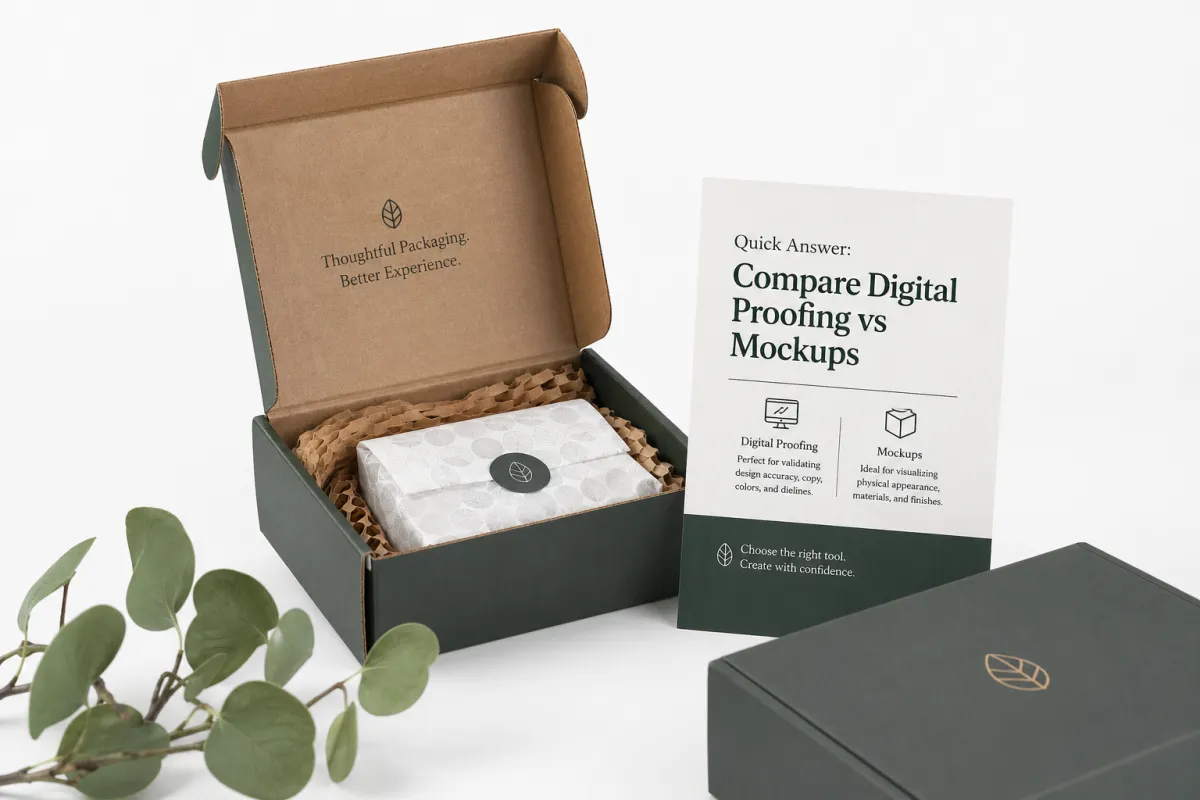
If you need the short version, here it is: when you compare digital proofing vs mockups, digital proofing wins on speed, revision control, and artwork approval, while mockups win on dimensional confidence, tactile realism, and buyer trust. I have watched a digital proof save a launch by catching a barcode swap and a nutrition panel typo in the same afternoon, and I have also watched a mockup prevent a very expensive mistake when a bottle neck finish would have failed inside a tight paperboard insert. One saved us a headache with legal in Minneapolis; the other saved us a headache with gravity in a warehouse in New Jersey, which has a rude habit of winning arguments.
Here is the plain answer I give clients over coffee from a 12-ounce ceramic mug: use digital proofing when the big risk is color, copy, layout, or compliance text; use mockups when the big risk is fit, fold sequence, board thickness, closure style, or the way the package will present on a retail shelf in London or in an unboxing video filmed in Los Angeles. When brands compare digital proofing vs mockups only as a budget question, they miss the real question, which is, "What are we trying to prove before we release this job?" I have found that the answer is usually more specific than people expect, and usually less romantic than the design team wants.
In practice, the best projects do not treat this like a contest. They start with digital proofing to lock the artwork and version control, then move to a structural or printed mockup once the shape, material, and finish become the things that matter most. That sequence has saved me from more headaches than I can count, especially on jobs where the first sample looked perfect in PDF form but turned into a different animal once the matte film, 2.5 mm board caliper, and window patch all showed up together. Packaging has a funny way of acting polite in a file and then being itself in the physical world, especially when a 1,000-sheet press run is on the line.
"The screen told us the logo was centered. The mockup told us the lid shadow was making it feel off by 3 mm." That was a real line I heard from a packaging director during a rigid box review in Singapore, and it still sums up why you should compare digital proofing vs mockups instead of assuming one replaces the other.
The rest of this piece breaks the choice down by accuracy, turnaround, cost, revision speed, and the kinds of packaging projects where each method has the strongest business case. If you want a quick rule to keep in your pocket, use this one: when you compare digital proofing vs mockups, choose the method that answers the most expensive question first. That advice is not fancy, but it has kept a lot of expensive cardboard from becoming expensive regret on jobs ranging from 2,000 luxury sleeves to 80,000 folding cartons.
Top Options Compared: Compare Digital Proofing vs Mockups
When brands compare digital proofing vs mockups side by side, they usually care about five things: how close it looks, how close it measures, how real it feels, how fast they can approve it, and how much trouble it saves later. I have seen artwork teams in Barcelona fall in love with a screen-perfect render, only to discover on the floor that the tuck flap was too short by 2.5 mm and the side seam dragged during assembly at 40 cartons per minute. That is why the right comparison is not "which one is prettier?" but "which one prevents the costliest error?"
Digital proofing is best at proving the artwork. It is strong for layout, copy, logo placement, dieline alignment, and color-managed PDF review when the monitor is calibrated and the file is locked at version 07 or 08. Mockups are best at proving the package. They tell you whether a folding carton closes cleanly, whether a rigid box lid has enough friction, whether an insert holds the product without slop, and whether the shelf footprint feels premium or cheap in a retail bay in Dallas or Dusseldorf. If you compare digital proofing vs mockups from a production point of view, you will notice that one validates information and the other validates behavior. That distinction sounds simple, but it saves a surprising amount of money.
On a wine accessory project I reviewed years ago in Napa, the digital proof was technically correct, but the buyer hated the way the insert crushed the side panels once the corkscrew landed in the tray. A simple mockup caught that immediately. On another job, a cosmetic label changed from 4-color process to a spot color and a gloss UV coat, and the digital proofing stage saved the client from a mismatched magenta that would have caused a pallet rejection at a distribution center in Ohio. That is the real value when you compare digital proofing vs mockups: each method protects a different kind of money, and one protects the money you can see while the other protects the money you are about to lose if nobody catches the problem early.
Here is the way I explain it to new packaging buyers in plain language:
- Visual accuracy: Digital proofing is strong; a mockup can still differ once the real substrate and finish arrive from the converter in Taiwan or Vietnam.
- Dimensional accuracy: Mockups win, especially for inserts, closures, and tight tolerances like a 0.5 mm score window.
- Tactile realism: Mockups are the only meaningful option because touch, stiffness, and opening force do not show on a monitor.
- Approval speed: Digital proofing is usually faster and cheaper to revise, often in 24 to 48 hours.
- Risk reduction: The safest route is often to compare digital proofing vs mockups together, not to pick one and hope it covers everything.
| Method | Best For | Typical Cost Behavior | Typical Turnaround | What It Proves | What It Misses |
|---|---|---|---|---|---|
| Digital Proofing | Artwork, copy, layout, brand consistency, compliance review | Lowest cost; often included or billed lightly | Same day to 2 business days | Color-managed visuals, text accuracy, version control | Feel, stiffness, closure, true finish behavior |
| Flat or Structural Mockup | Fit checks, carton geometry, insert clearance, shelf footprint | Moderate cost; depends on material and labor | 3 to 7 business days | Size, shape, assembly behavior, handling | Final press color, coated sheen, exact production texture |
| Printed Premium Mockup | Luxury packaging, presentations, retail launches, investor samples | Higher cost; special finishes raise price quickly | 5 to 12 business days | Realistic presentation, finish direction, unboxing impact | True line-speed performance and full production variance |
That table is the simplest way I know to compare digital proofing vs mockups without getting lost in jargon. If the package is a plain label on a bottle, digital proofing may be enough to move forward, especially for a 3,000-bottle run in Melbourne or Austin. If the package is a rigid shoulder box with foil stamping, a magnetic closure, and a custom insert, a mockup is not a luxury; it is a safeguard. I have watched people try to save $180 there and then spend $1,600 fixing an issue nobody could see in the PDF.
One more thing most buyers get wrong: a digital proof can be "right" and still fail to show a problem that a mockup would catch. I saw that on a run of gable-top cartons in Auckland where the copy placement was dead on, but the fold line ran too close to a key graphic panel and the final crease split the image in a way no screen review could predict. So when you compare digital proofing vs mockups, do not ask which is more correct in the abstract. Ask which one can expose the specific risk your project actually carries. That small shift in wording changes the whole decision and saves time in the sample room.
Detailed Review: Digital Proofing for Packaging Approvals
Digital proofing is the prepress checkpoint where artwork gets reviewed on a calibrated monitor or as a color-managed PDF before plates, dies, or print runs are released. In the shops I trust most in Guangzhou, the monitor is set to a known white point, the file is locked at a named version, and the team signs off with notes that say exactly what was approved and what still needs physical validation. If you compare digital proofing vs mockups honestly, digital proofing is the cleaner tool for information control. It is not flashy, but it is disciplined, and in packaging work discipline is what keeps everybody from re-litigating the same file for the fourth time.
The strengths are obvious once you have worked enough press checks. It is fast, low waste, easy to annotate, and ideal for teams spread across branding, legal, quality, and operations. I have seen digital proofing keep a corrugated display project moving because the sales team in Chicago, the designer in Toronto, and the manufacturer in our Shenzhen facility all needed the same corrected file without waiting for a courier package. That kind of speed matters when a launch date is tied to a retail reset, a trade show in Las Vegas, or an e-commerce campaign with a fixed media buy of $25,000. Nobody wants to be the person explaining that a truck is waiting because the art director's latest "tiny tweak" was not actually tiny.
It also works especially well for labels, folding cartons with repeat artwork, subscription mailers, and campaign packaging where the creative direction is already settled. If you compare digital proofing vs mockups on those jobs, the proof often wins because it is enough to verify copy, barcode placement, legal text, and the visual hierarchy. For a lot of projects, the main job of the proof is to stop expensive mistakes before they reach CTP, the die room, or the press. That is the sort of unglamorous task I respect a lot, because unglamorous is often where the savings live, whether the run is 2,500 units in Oregon or 25,000 units in Poland.
Still, I would never oversell it. Screen brightness can fool your eye. One designer may approve on a bright MacBook in a studio in Brooklyn, while another looks at the same file on a dim office display in Frankfurt and sees a completely different shadow detail. The file may also preview well and still miss the feel of a 350gsm C1S artboard with soft-touch lamination or the way a clear aqueous coat deepens color by just enough to change the mood. That is why I keep saying compare digital proofing vs mockups, not compare a perfect file against a perfect package, because the physical world refuses to stay flat. Paper has opinions. So does coating.
There are also some finishes digital proofing cannot fully settle. Foils, embossing, debossing, spot UV, pearlescent coatings, and heavily textured papers all behave differently once they leave the screen. I once stood with a brand manager over a silver foil panel that looked like brushed aluminum in the PDF but shifted warmer under warehouse LED light in a facility near Nashville, and we only caught the issue because we had a mockup beside the proof. For jobs like that, digital proofing is the starting point, not the finish line. And honestly, if somebody tells you they can perfectly predict every metallic highlight from a monitor alone, I would keep one eyebrow raised.
When I compare digital proofing vs mockups for compliance-heavy products, I also look at the process discipline behind the proof. A good workflow should include:
- Calibrated monitors and a documented profile standard such as ISO 12647 or a named in-house profile.
- Soft-proof PDFs with locked revision numbers, for example Rev B7 or Rev C1.
- Viewing in controlled light, not under random desk lamps or the yellow bulbs in a warehouse break room.
- Clear approval notes naming the exact version and date, such as 2025-08-14 at 3:20 p.m.
- One person responsible for final signoff so the file does not drift across three departments.
If those pieces are missing, the proof becomes a guess dressed up as a decision. That is the point where compare digital proofing vs mockups stops being a theory question and becomes a risk-management question. A sloppy digital process can still be worse than a modest physical sample because it gives people false confidence, and false confidence is what drives the most expensive corrections. I have had to explain that to more than one team that thought "approved" meant "somebody glanced at it and nodded" after lunch.
For standards-minded teams, I like to anchor the conversation with recognized bodies rather than personal preference. Packaging and materials groups such as packaging.org offer useful industry context, and shipping and distribution teams often reference ISTA test methods when they want proof that a package can survive handling beyond the design desk. I have also had sustainability conversations where FSC-certified board choices mattered, and the certification framework at fsc.org gave the client a cleaner way to document material sourcing from forests in British Columbia or Sweden. That kind of paper trail matters just as much as the actual paperboard sometimes.
Honestly, I think digital proofing is underestimated because it looks ordinary. It does not feel dramatic. There is no box to open, no tear strip to pull, no magnet to snap shut, and no courier bill from Hong Kong to pay. But when you compare digital proofing vs mockups in terms of throughput, legal certainty, and revision control, it is often the cheapest insurance in the whole packaging process. Not exciting, maybe, but neither is paying for a second run because the compliance copy wrapped wrong around a panel edge on a $0.15-per-unit carton at 5,000 pieces.
Detailed Review: Mockups and Physical Samples
Mockups are where the packaging stops pretending to be a file and starts acting like a package. They can be flat structural samples, 3D digital renders, plain prototypes cut from the actual board spec, or fully printed samples that look very close to the final retail piece. When you compare digital proofing vs mockups, the mockup side is the one that tells you how the carton folds, how the lid feels, how the insert grips the product, and whether the whole thing gives the right first impression in the hand. That first impression is not decorative; it is often the difference between "this feels premium" and "why does this feel a little sad?"
In a rigid box meeting I sat through with a cosmetics client in Seoul, the first printed mockup changed the room. The brand team had spent two weeks debating foils and photography, but the sample made them care about something simpler: the lid opened with too much resistance, which made the product feel heavier and more premium than the market positioning could support. That is the sort of feedback a PDF cannot give you. A mockup shows friction, spring-back, board memory, and the tiny sensory details that shape how people judge value. I still remember one designer sighing and saying, "Well, the box has a personality now," which was funny and also exactly the problem.
The major mockup types each serve a different purpose. A plain structural prototype can tell you whether a bottle fits into a partitioned tray or whether a tuck end is too shallow. A fully printed mockup can tell you whether the shelf presence feels balanced and whether the unboxing sequence supports the story you want a customer to remember. If you compare digital proofing vs mockups for premium packaging, the mockup usually carries the heavier burden because presentation is part of the product itself. In other words, the package is not just holding the product; it is introducing it to the world, whether that world is a flagship store in Paris or a fulfillment center in Ohio.
Mockups are especially useful for folding cartons, rigid boxes, custom inserts, point-of-purchase displays, and anything with moving parts. I have used them to verify magnetic closure strength, ribbon pull length, window patch placement, and the depth of an embossed logo on a shoulder box. Those are all things that can look right on screen and still fail in person. That is why compare digital proofing vs mockups remains a practical decision, not a philosophical one. The real world does not care how elegant the PSD looked on your laptop or how polished the render looked in Milan.
They are also powerful in client presentations. A physical sample creates internal buy-in faster than ten slide decks. I have watched procurement people relax once they could touch a carton, and I have watched founders make quicker decisions once they held a sample that matched the brand story in their heads. If your project is being reviewed by sales, operations, marketing, and the CEO, a mockup can shorten the argument dramatically because everyone is reacting to the same object. That part matters more than people admit, especially when a room full of smart people is somehow all looking at a package differently and nobody wants to say that out loud.
But I am not going to pretend mockups are perfect. They cost more, they take longer, and they can still mislead if they are not built from the right production assumptions. A mockup made with a laser-cut surrogate board and a digital print can feel close, yet still differ from the final line when the press uses a different ink set, the laminator adds more gloss than expected, or the converting shop changes the glue formula for speed. When you compare digital proofing vs mockups, the physical sample is more informative, but it is not a magical guarantee. It is a better question, not an automatic answer.
The best use case is usually high-value packaging where one mistake would hurt margin or brand perception. Think influencer kits with custom inserts, Premium Retail Boxes, luxury food packaging, high-end electronics sleeves, or any launch where the packaging is doing part of the selling. In those cases, I would rather spend a few hundred dollars on a strong mockup than discover a costly feel problem after 20,000 units are already underway. I have lived through enough production surprises to know that "we'll catch it later" is not a plan, it is a prayer with a spreadsheet attached, especially on a 9-day launch window.
If you are working with a manufacturer that has real structural expertise, ask whether the sample is being made from production-like tooling or just a visual approximation. There is a big difference. A shop with serious custom packaging manufacturing capabilities will usually be able to explain whether the mockup mirrors the actual die cut, the intended board caliper, and the final finishing method. That question matters more than most buyers realize when they compare digital proofing vs mockups for the first time, because the sample is only as trustworthy as the assumptions behind it.
I also think mockups build trust in a way digital proofing cannot. A client can trust a file and still hesitate. A good sample removes a lot of that hesitation because it feels real. In packaging sales, trust is not a fluffy word; it is the difference between a job moving forward and a project stalling for three more review cycles. That is another reason I keep urging people to compare digital proofing vs mockups on business terms, not just aesthetic terms. A mockup is a conversation you can hold in your hand, and that changes the tone of the room almost immediately.
Price Comparison and Timeline for Digital Proofing vs Mockups
Pricing gets muddy fast if people pretend there is one universal number. There is not. On the jobs I have helped quote in Mexico City, digital proofing is usually the lowest-cost path because it relies on file setup, color management, and review time rather than physical fabrication. A simple proof may be included in the project fee, while more specialized color checks, annotated rounds, or press simulation work can carry a modest charge. When you compare digital proofing vs mockups, the cost gap almost always widens as complexity rises, and the difference becomes more noticeable the moment a project starts asking for specialty finishes or extra hands-on review.
Mockups scale with labor, materials, and finishing. A basic structural carton sample might be relatively affordable, but once you add printed faces, foil, soft-touch lamination, custom foam, magnets, windows, or detailed hand assembly, the cost climbs. On a premium rigid box sample I saw last quarter in New Jersey, the mockup cost was driven less by the board itself and more by the manual assembly time, the foil setup, and the extra courier shipment for executive approval. That is normal. The sample is not just paper and glue; it is often a small piece of production labor compressed into one unit, and someone still has to make the thing behave nicely.
Here is a practical way to think about it:
- Digital proofing: Usually the cheapest option and the fastest to revise.
- Simple mockup: Moderate cost, useful for fit and structure.
- Printed premium mockup: Higher cost, useful for launch decisions and premium presentation.
For a rough planning range, I have seen digital proofing land anywhere from included-with-job to a modest standalone fee, while structural mockups might sit in the neighborhood of $85 to $250 for straightforward cartons and $250 to $600 or more for complex rigid boxes with specialty finishes. Those numbers are not promises; they shift with quantity, labor, board selection, and shipping. But they are realistic enough to help a buyer compare digital proofing vs mockups without fantasy pricing. The more a sample tries to mimic final production, the more it behaves like a tiny custom build rather than a simple proof. That is why a "cheap" mockup can become not-so-cheap once foil, magnets, and hand assembly show up at the same table.
Timelines follow the same pattern. Digital proofs can often move from file upload to review in a day or two, especially if the artwork is stable and the questions are limited to copy and layout. Mockups require setup, cutting, assembly, and sometimes a courier run, so three to seven business days is common for simple samples and five to twelve business days is more realistic for printed premium versions. I have seen a luxury sleeve take two full rounds because the first closure tension was too loose, and that extra day or two was worth more than rushing an inaccurate sample. Nobody enjoys telling a room full of people that the sample is late, but I would rather say that than hand over the wrong thing with a smile.
There are hidden costs that buyers forget when they compare digital proofing vs mockups. A "cheap" proof can become expensive if the team changes the design after approval, because then the plate, die, and sample work must all be repeated. A mockup can also become costly if five managers each request one more round of edits and then need overnight shipping to different offices in Chicago, Atlanta, and Vancouver. The real expense is rarely the sample itself; it is the delay caused by unclear decision-making. Delay is the sneaky line item nobody budgets for, and yet it has a way of showing up anyway.
Here is the blunt truth I give procurement teams: if the project only needs artwork approval, do not spend mockup money just to feel safer. If the project has a high risk of structural failure, do not hide behind a screen because the proof looks cheap. Compare digital proofing vs mockups by asking what decision each one supports, then spend only enough to answer that decision confidently. That is the part everybody wants to skip, because it sounds less glamorous than "let's just get a sample," but it is where the savings actually come from.
That is also why I like to build budgets by project stage. Early in a launch, digital proofing gives the fastest answer for copy and layout. Near the final sample stage, a mockup is worth the added cost if it verifies the pieces that cannot be judged digitally. If you compare digital proofing vs mockups this way, you protect the budget instead of merely consuming it. You also protect the schedule, which is usually the thing the budget was trying to protect in the first place, especially when a retailer in Germany has already booked shelf space for week 39.
| Project Stage | Recommended Method | Why It Makes Sense | Cost Sensitivity |
|---|---|---|---|
| Initial artwork review | Digital proofing | Fast copy, layout, and version control | Very low |
| Structure validation | Mockup | Checks fit, folds, and closure behavior | Moderate |
| Premium launch review | Printed mockup plus digital proof | Combines artwork accuracy with physical presentation | Higher, but controlled |
That last line is where many teams land once they compare digital proofing vs mockups with honest stakes. They do not need the most expensive path. They need the least expensive path that still proves the right thing. That sounds almost too simple, but simple is usually what survives contact with a launch schedule and a factory in Guangdong running three shifts.
How Do You Choose the Right Proofing Method?
The decision becomes simpler when you stop asking, "Which method is better?" and start asking, "What question am I trying to answer?" If the main concern is whether the logo sits in the correct zone, the legal text is complete, and the Pantone callout is sensible, digital proofing is usually enough for that round. If the concern is whether a 12-ounce jar fits inside the insert without scuffing the neck, a mockup is the right tool. That is the practical heart of compare digital proofing vs mockups, and once you see it that way, the whole conversation becomes less emotional and more useful.
I use a decision tree in my head on almost every packaging job. First, I look at the deadline. If the launch is three weeks away and the artwork is still moving, digital proofing gives speed without forcing a physical build too early. Then I look at risk. If the box has tight tolerances, special coatings, or a premium closure, a mockup becomes more valuable. Finally, I look at who needs to approve it. A small team can often move quickly with a proof, but a cross-functional group usually benefits from something physical that everyone can touch. Some people need to see it; others need to hold it; a few need both just to stop asking the same question in three different ways during a 45-minute meeting.
Here are the factors I weigh most often when I compare digital proofing vs mockups:
- Deadline pressure: Tight timelines favor digital proofing first.
- Approval count: More stakeholders often means more value from a physical sample.
- Finish complexity: Foil, embossing, spot UV, and textured stock push toward mockups.
- Structure risk: Inserts, closures, and odd shapes almost always need a mockup.
- Brand sensitivity: Color-critical launches should not rely on a screen alone.
There are also red flags that should push you toward a mockup sooner. First-time package formats are one. Luxury perception is another, because premium buyers notice board feel and opening force faster than most brands expect. Unusual materials, heavy products, fragile contents, or a package that must survive both shelf display and shipping abuse all deserve a physical prototype. I have seen a client try to approve a rigid mailer from a PDF, only to discover the insert moved during transit and bruised the product corners. That would have been obvious with a mockup, and the frustration in that meeting could probably have powered a small appliance.
When you compare digital proofing vs mockups for e-commerce, subscription, and influencer kits, the unboxing path matters a lot. A customer may only spend 20 seconds with the package, but those 20 seconds are where the brand earns a second look, a social post, or a complaint. The tactile sequence matters as much as the artwork. Digital proofing can tell you the graphics are correct, but the mockup tells you whether the experience feels rushed, cramped, elegant, or overbuilt. And yes, people absolutely notice when the first opening feels like wrestling a crabby shoebox made from 1.5 mm greyboard.
I also recommend asking the manufacturer a very specific set of questions before approval:
- What exactly does this proof verify?
- What cannot be verified until production?
- Which substrate, coating, or board is being simulated?
- Are there any conversion differences between the sample and the final run?
- How many revision rounds are included?
- Who signs off on the final version in writing?
Those questions sound simple, but they prevent a lot of misunderstandings. I have sat in meetings where everyone thought "approved" meant the same thing until the cartons arrived and one team expected a visual match while another expected a structural guarantee. If you compare digital proofing vs mockups with that level of clarity, the project usually moves faster because nobody is guessing what approval means. A good approval process has fewer surprises, and fewer surprises is basically packaging's version of luxury, whether the factory is in Ho Chi Minh City or Nashville.
My honest recommendation is to use a hybrid workflow for many projects. Lock the artwork with digital proofing, then move to a mockup when the physical package becomes the main risk. That sequence is especially useful when you work with a manufacturer that can support both stages under one roof. If you want to see what that kind of support looks like in practice, the team behind our Manufacturing Capabilities can help you match the proofing method to the actual packaging format instead of forcing one process onto every job.
Our Recommendation: Next Steps After You Compare Digital Proofing vs Mockups
Here is the simplest recommendation I can make after years of standing in pressrooms, sample rooms, and converting bays: choose digital proofing first for fast artwork approvals, choose mockups first for structural or premium presentation projects, and use both when the launch risk is high. That is the most practical way to compare digital proofing vs mockups Without Wasting Money on the wrong kind of certainty. Packaging only looks tidy from a distance; up close, it is a series of small decisions, and each one deserves the right tool, from a 350gsm carton in Italy to a 2.8 mm rigid box in Vietnam.
If your project is a label, a simple folding carton, or a repeat item with known tooling, start with digital proofing and keep the file discipline tight. If your project is a rigid box, a custom insert, a display shipper, or a package where the opening experience is part of the product story, ask for a mockup early enough that there is still time to make changes. On a launch I handled for a specialty food client in Denver, we cut two days of back-and-forth by approving the text digitally first, then validating the fit with a physical sample before the print schedule was released. That kind of sequence feels boring until you realize boring can be very profitable.
My preferred next-step plan looks like this:
- Gather the final artwork, dieline, and substrate notes.
- Confirm whether the main risk is color, copy, structure, or presentation.
- Request the proofing method that matches that risk.
- Ask for the expected revision count and turnaround in writing.
- Assign one owner to collect approvals so version drift does not creep in.
If you are comparing vendors, do not settle for vague promises. Ask whether the digital proof is color-managed, whether the mockup reflects production tooling, and whether special finishes are simulated or merely implied. A sample that looks close is useful, but a sample that accurately reflects the intended board, finish, and assembly is much better. That is where the difference between a helpful mockup and a misleading one becomes obvious. I have seen a pretty sample that solved exactly nothing, and nobody wants to spend money on that kind of decorative confusion.
Here is the honest part I wish every buyer heard earlier: not every job deserves a premium mockup, and not every job can be safely approved on a screen. If the package is carrying high retail value, a fragile product, or a luxury brand promise, spend the extra money where it reduces real risk. If the project is more routine, keep the process lean and let digital proofing do its job. The trick is to compare digital proofing vs mockups with the actual production question in mind, not with habit alone, whether the order is 8,000 units or 48,000 units.
When you do that, the path forward gets much clearer. You spend less on guesswork, you reduce late-stage surprises, and you give your team a better chance of Shipping Packaging That looks right in the render room and performs right on the line. If I were advising a brand manager, a procurement lead, or a founder on a tight launch schedule, that is the route I would suggest every time you compare digital proofing vs mockups. It is not the loudest choice, but it is usually the smartest one.
When should I compare digital proofing vs mockups for a new packaging design?
Compare digital proofing vs mockups as soon as the artwork is close to final and the biggest unknown shifts from creative direction to production risk. I usually recommend digital proofing early for copy, layout, and color checks, then a mockup once structure, fit, or unboxing behavior becomes the main concern. That timing keeps the team from overbuilding too early and from guessing too late, especially on launches scheduled 10 to 14 business days before delivery.
Is digital proofing accurate enough for color-critical branding?
It can be very useful when devices are calibrated and viewing conditions are controlled, but it is still a screen-based approximation. For brand-critical color work, I prefer pairing digital proofing with physical samples or press-side verification if the project uses specialty inks, coatings, or finishes. A monitor can help a lot, but it still cannot smell like a press sheet fresh off a Heidelberg in Chicago, which is probably for the best.
Are mockups better than digital proofs for structural packaging?
Yes, mockups are usually better when the buyer needs to judge how the package folds, closes, protects the product, or displays on a shelf. Digital proofing can confirm artwork placement, but it cannot fully show stiffness, dimensional fit, or handling feel. If the box has an attitude problem, the mockup is where it usually reveals itself, often by the second or third fold.
How much do digital proofs and mockups usually cost?
Digital proofs are usually the lower-cost option because they rely mostly on file preparation rather than material-heavy fabrication. Mockups cost more because of board, print, cutting, assembly, finishing, and shipping, especially when the sample must closely mimic production. The more the sample acts like a real package instead of a visual placeholder, the more it costs, with straightforward proofs often under $50 and premium rigid samples climbing past $300 when foil or magnets are included.
What should I ask a vendor before approving either option?
Ask what the proof can verify, what it cannot verify, and which production variables are still unresolved. Also ask about revision limits, lead times, material substitutions, calibration standards, and whether the sample reflects real production tooling or only a visual approximation. If the answers sound vague, keep asking. Vague approvals are where expensive surprises like to hide, especially on jobs shipping from a plant in Shenzhen to a warehouse in Dallas.
If you are still weighing the decision, my advice is straightforward: gather the final art, confirm the substrate and finish, then compare digital proofing vs mockups using the risk that actually matters on your job. That is the fastest way I know to protect the budget, protect the schedule, and keep the packaging honest before the first full run ever hits the press. And if someone in the room says "it should be fine" without any evidence, that is usually your cue to ask for a sample, preferably from the same board and finish that will ship in the final 12,000-unit order.