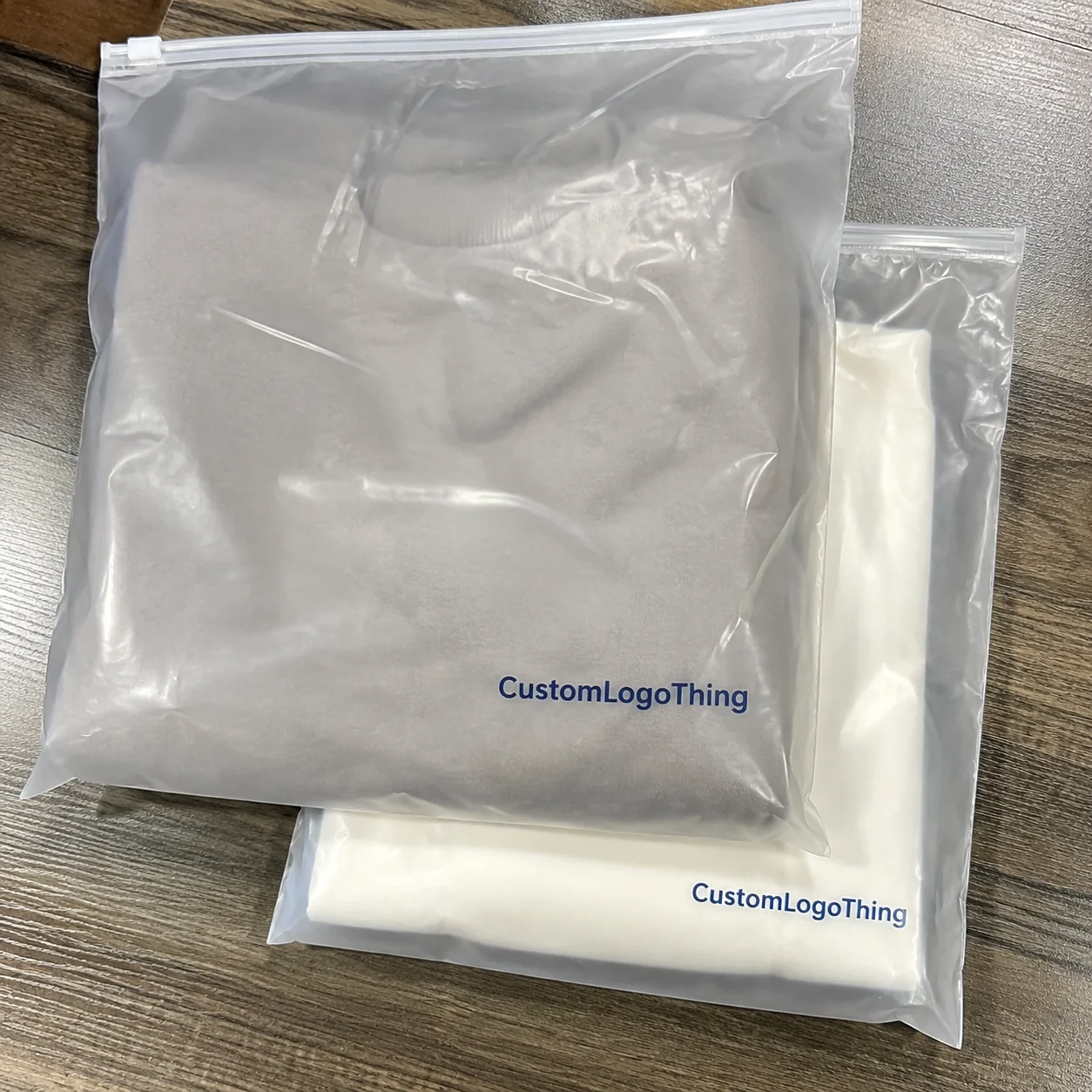
Buyer Fit Snapshot
| Best fit | Storyboard Unboxing Brand Visuals projects where brand print, material claims, artwork control, MOQ, and repeat-order consistency need to be specified before quoting. |
|---|---|
| Quote inputs | Share finished size, material target, print colors, finish, packing count, annual reorder estimate, ship-to region, and any compliance wording. |
| Proofing check | Approve dieline scale, logo placement, barcode or warning zones, color tolerance, closure strength, and carton packing before bulk production. |
| Main risk | Vague material claims, crowded artwork, missing packing details, or unclear freight terms can make a low unit price expensive after revisions. |
Fast answer: Storyboard Unboxing Brand Visuals: Board, Finish, Dieline, and Unit Cost should be specified like a repeatable production item. The safest quote records material, print method, finish, artwork proof, packing count, and reorder notes in one written spec.
Production checks before approval
Compare the actual filled-product size with the drawing, then confirm tolerance on folds, seals, hang holes, label areas, and retail display edges. Reserve space for logos, QR codes, warning copy, and material claims before decorative graphics fill the panel.
Quote comparison points
Review material grade, print process, finish, sampling route, tooling charges, carton quantity, and freight assumptions side by side. A quote is only useful when the supplier can repeat the same color, closure quality, and packing count on the next order.
How to Storyboard Unboxing Brand Visuals That Hold Up in the Real World
A package can look refined on a sample table and still fall flat the second a customer opens it. I have watched that happen more than once: a rigid box with lovely foil, clean embossing, and a carefully chosen insert looked expensive in the studio, then lost its rhythm because the reveal moved too quickly and the best detail never really got its moment. That is why how to storyboard unboxing brand visuals deserves attention before production starts, not after the first sample is already out the door.
How to storyboard unboxing brand visuals is not about dressing up a deck with pretty frames. It is a frame-by-frame plan for what the customer sees, touches, and understands from the outer shipper to the final product reveal. The storyboard connects brand strategy, visual branding, and the physical packaging path so the experience feels intentional rather than improvised. That distinction matters more than people think, because the camera, the hand, and the box all tell the truth pretty fast.
For Custom Logo Things readers, the core question is simple: what story does the package tell before the product even comes out? That story shapes brand recognition, influences customer perception, and keeps brand consistency intact once fulfillment, shipping, and content production enter the process. If the structure is vague, the rest of the experience usually is too.
This guide breaks down how to storyboard unboxing brand visuals in a way that is useful on the packaging table, in the review meeting, and on the shoot day. You will see how to shape the reveal, Choose the Right visual beats, estimate effort and cost, and avoid the late-stage revisions that tend to chew through time and budget. The goal is not perfection for its own sake; it is clarity that can survive real production.
How to Storyboard Unboxing Brand Visuals: What It Really Means
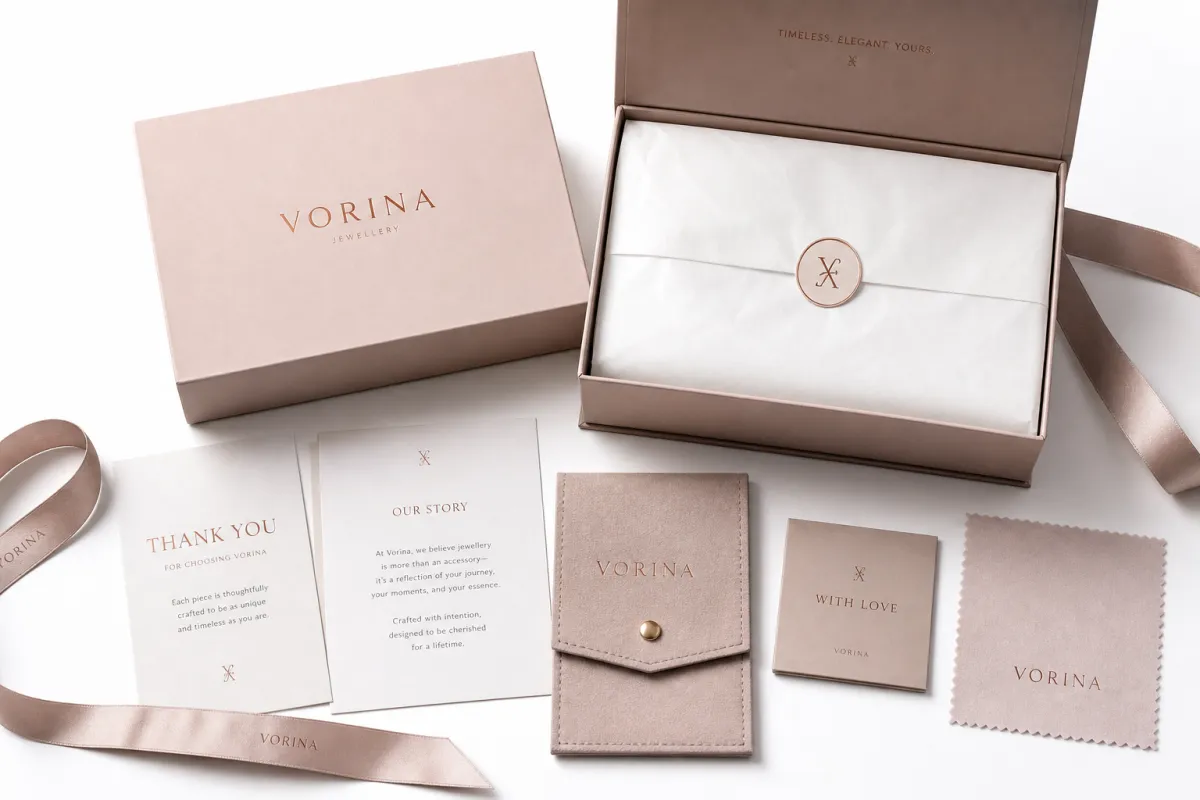
At the packaging level, how to storyboard unboxing brand visuals means treating the experience as a sequence, not a single hero shot. Most customers do not study packaging the way a design team does. They notice one flap, one seal, one fold, one reveal, and then they make a quick judgment about quality. Those few seconds carry real weight, especially when the product is new to them and the brand has not earned trust yet.
A storyboard gives that sequence structure. It maps the outer shipper, the first touch, the protective layer, the branded insert, the hero product, and the final branded close. The order matters because the same objects can tell a different story depending on how they appear. A soft-touch rigid box creates a different impression than a kraft mailer with tissue and a seal, even if the product inside never changes. One feels ceremonial, the other feels practical, and neither is wrong if the brand is honest about what it is trying to say.
How to storyboard unboxing brand visuals also means deciding what the customer should feel at each beat. Should the reveal feel premium, warm, efficient, playful, educational, or giftable? A luxury fragrance line may call for a slower reveal with more negative space. A supplement brand may need a faster sequence that shows trust markers and simple instructions without clutter. Both can work. They just need different pacing and different visual priorities. That part is kinda easy to say and a little harder to build unless the team agrees on the emotional target early.
The practical side matters just as much as the mood. The storyboard is the point where brand strategy meets the physical truth of the package. If the logo sits too deep in the cavity, the visual cue may be missed. If the insert is too tall, it may block the product. If the message hierarchy is unclear, the camera will reveal that confusion faster than a sales deck ever could. How to storyboard unboxing brand visuals should happen before production starts, not after the sample arrives and the budget is already moving.
From a packaging buyer's point of view, the storyboard is a risk filter. It shows whether the idea can survive actual handling, actual photography, and actual fulfillment. I have seen teams fall in love with a reveal that looked beautiful only to discover it depended on perfect alignment, perfect lighting, and a very forgiving warehouse. That is not a plan, it is a wish. If you want to see how structure changes the final experience, our Case Studies show how small packaging choices can alter the entire reveal path.
If the first open does not reveal a decision, it is not a storyboard yet. It is just a stack of attractive frames.
That sounds blunt, but it is the real test. How to storyboard unboxing brand visuals is about making choices visible. A customer should be able to tell, in a few seconds, why the brand exists and what makes the package feel worth remembering. If the reveal has no point of view, the package becomes just another container with a logo on top.
How the Storyboard Process Works for Unboxing Visuals
The process behind how to storyboard unboxing brand visuals follows the same logic as packaging production: define the goal, gather references, build the sequence, review it, revise it, then hand it off with enough clarity that nobody has to guess. That order matters because the visual plan should follow the package logic, not fight against it. In practice, that means the storyboard is not the first creative thought; it is the first disciplined one.
Start with the objective. Is the unboxing meant to drive awareness, premium positioning, repeat purchase, education, or social sharing? A board built for a product page may need more information density than one built for influencer seeding. A board designed for paid social may need a faster rhythm because the viewer only gives you a few seconds before scrolling away. That is the point where how to storyboard unboxing brand visuals becomes strategic rather than decorative.
Next comes reference gathering. Pull in packaging specs, brand rules, print finishes, dimension drawings, and any content references that show the desired tone. Strong boards are not built from vague adjectives. They are built from concrete inputs: a 350 gsm C1S folder, an 18 pt SBS insert, a soft-touch laminate, a tuck-end mailer, a molded pulp tray, or a 1.5 mm chipboard base. Those details change the scene, because they change how the package opens, what the camera sees, and what the customer physically feels in the hand.
Then comes the frame plan. Each frame should answer one question: what is opening, what is being revealed, what detail matters, and what emotion should happen next? If a frame does not answer one of those questions, it probably belongs in the notes rather than the storyboard. That discipline keeps how to storyboard unboxing brand visuals from turning bloated and hard to review. More frames do not automatically make the story better; sometimes they just make it slower.
Common tools are straightforward. Thumbnail sketches, slide decks, shot lists, mood boards, and packaging mockups do most of the heavy lifting. Some teams use digital wireframes or a basic presentation template. Others build rough scene frames in Figma, Keynote, or PowerPoint. The tool matters less than the quality of the decisions inside it. A simple board that clearly shows the sequence will beat a polished deck that leaves everyone guessing.
The right people should be involved early. Packaging designers need to verify structure. Brand managers need to protect identity and tone. Content teams need to check motion, camera angle, and copy overlays. Operations or fulfillment should review the sequence too, because the unboxing path starts in the warehouse, not on set. That is one of the easiest parts of how to storyboard unboxing brand visuals to miss, and one of the most expensive to ignore when the sample is already printed.
Key Factors That Shape Strong Unboxing Brand Visuals
Strong how to storyboard unboxing brand visuals work starts with packaging structure. Rigid boxes, mailers, inserts, tissue, seals, and trays all change what can be shown, when it can be shown, and how dramatic the reveal feels. A magnetic closure creates anticipation. A tear strip creates motion. A nested insert creates a sequence. A one-piece mailer creates speed. None of those choices are neutral, and none of them should be treated like a small afterthought.
Brand hierarchy comes next. Logo placement, typography, color contrast, and finish should guide attention rather than compete for it. If everything is loud, nothing reads as premium. If the palette is too flat, the camera may miss key layers. In visual branding, restraint often reads as confidence. That is one reason how to storyboard unboxing brand visuals benefits from a strong hierarchy map before any rendering starts. The board should tell the eye where to land first, second, and third.
Tactile cues matter more than many teams expect. Texture, closure sound, paper stiffness, tissue resistance, and the way an insert folds all affect the unboxing experience. The customer may not name those details, but they feel them. A matte, soft-touch finish communicates differently than an uncoated kraft stock. A 24 pt SBS insert does not feel the same as 18 pt chipboard. For some products, that physical sensation does as much branding as the printed logo, which is why the physical sample is such a useful reality check.
Audience and channel matter too. A visual sequence for a luxury product page can take its time. A clip for Instagram Reels needs faster beats. A press sample may need more explanatory material because the audience is trying to understand the story, not just admire the reveal. How to storyboard unboxing brand visuals should always reflect the channel, because the same package can be read differently depending on how it is filmed and where it appears. A board that works on a website may need trimming for social, and that is normal.
Lighting, hand styling, and camera angle are the final layer. A package can look elegant in overhead framing and ordinary at eye level. A deep box can feel spacious from one angle and cramped from another. If the product is small, scale becomes critical; if the product is reflective, glare can ruin the shot. A storyboard should call out the visual conditions, not just the objects. That little bit of specificity saves a lot of back-and-forth later.
For brands trying to protect sourcing credibility, material choice also matters. Many teams now ask for FSC-certified board when the packaging story needs to support a sustainability claim without sounding forced. That is not a magic fix, and it should never be used as a shortcut for a weak environmental story, but it does help align brand identity with material reality. The same logic applies to shipper durability: if the outer box collapses in transit, the whole story falls apart, no matter how polished the interior looks.
In practice, how to storyboard unboxing brand visuals becomes strongest when these factors are treated as a system: structure, hierarchy, tactile cues, channel, and production conditions all working together. That is the difference between packaging that photographs well and packaging that performs well. One is a surface treatment; the other is a designed experience.
Step-by-Step: How to Storyboard Unboxing Brand Visuals
The easiest way to approach how to storyboard unboxing brand visuals is to break it into small, visible decisions. Most teams do better with a six-step sequence than with one giant creative brainstorm. The reason is simple: a storyboard is only useful if it can be reviewed, corrected, and built into production without confusion. If the review panel cannot tell what happens in sequence, the board is not ready yet.
- Define the purpose. Decide whether the unboxing should feel premium, educational, efficient, playful, or giftable. This is the anchor for how to storyboard unboxing brand visuals, because the purpose determines the number of frames and the level of detail. A luxury board needs room to breathe; a direct-response board usually needs to move faster.
- Collect the inputs. Gather dielines, measurements, material specs, print finishes, insert notes, copy, and any brand guidelines. A storyboard without real package data is just a mood board with extra steps. It might look fine, but it will not survive a production meeting.
- Map the sequence. Start with the outer shipper, then the first open, then the protective layer, then the hero reveal, then the support pieces, and finally the branded end state. This is the stage where how to storyboard unboxing brand visuals becomes concrete instead of abstract. The story should feel like a series of reveals, not a pile of packaging parts.
- Annotate each frame. Note camera angle, hand placement, motion direction, text overlays, and any physical action like lift, peel, fold, or pull. Those cues help the production team understand timing. They also prevent the classic problem where the visual looks great but the movement makes no sense on camera.
- Check the pacing. Ask whether each frame gives the viewer something new. If two frames communicate the same thing, remove one. The best boards move with a clean rhythm, and they do not waste attention on duplicate beats.
- Verify against the actual package. Before approval, make sure the storyboard still works with the real dimensions, closures, and insert order. This final check is where many teams save themselves from expensive revisions. It is not glamorous, but it is the step that keeps the promise honest.
One practical benchmark helps a lot: a simple mailer with one insert often needs 5 to 6 frames. A layered premium kit may need 8 to 12. More is not automatically better. If the sequence becomes repetitive, the energy drops. Good how to storyboard unboxing brand visuals work keeps only the beats that matter and cuts the rest without apology.
Think of each frame as a decision point. Frame 1 says, “What is the outer promise?” Frame 2 says, “How does the customer open it?” Frame 3 says, “What is protected?” Frame 4 says, “What is the hero item?” Frame 5 says, “What supporting message stays with the customer?” That structure helps everyone in the room evaluate the same experience from the same angle. It also helps designers defend the sequence when somebody asks, “Do we really need that step?”
The brand side should also ask a sharper question: does the board reinforce brand identity, or merely show packaging parts? The difference is subtle but important. A well-built storyboard makes visual branding legible. It turns color, texture, and structure into a narrative. That is why how to storyboard unboxing brand visuals should be treated like a production map, not a creative extra. If the map is weak, the rest of the trip gets messy.
Cost and Pricing Considerations for Storyboarding
The cost of how to storyboard unboxing brand visuals depends on detail level, number of scenes, revision count, and whether the board is meant only for concept approval or is expected to guide a photo shoot or video production. A rough internal board can be made quickly. A polished presentation board takes more time because the visuals, notes, and flow all need to read clearly for non-design stakeholders. That extra clarity is not free, but it usually prevents more expensive confusion later.
| Storyboard Type | Best For | Typical Price Range | What It Includes | Main Tradeoff |
|---|---|---|---|---|
| Rough internal board | Early concept alignment | $250-$600 | Thumbnails, short notes, basic frame order | Fast and economical, but not presentation-ready |
| Polished presentation board | Brand review and stakeholder sign-off | $600-$1,500 | Cleaner layout, stronger annotations, clearer pacing | More time invested in refinements and visual clarity |
| Production-ready board | Shoot prep and packaging coordination | $1,500-$4,000+ | Frame notes, motion cues, usage guidance, approval marks | Highest cost, but lowest ambiguity downstream |
Those figures shift quickly if the work includes custom illustration, prototype handling, multiple product variants, or cross-team review cycles. A set with three SKUs may need separate hero sequences. A subscription kit with inserts, bonus items, and seasonal cards may need more revisions than a single-product mailer. That is normal. The storyboard has to reflect the real unboxing experience, not an idealized one.
Where do budgets usually expand? Three places stand out. First, revised packaging specs after the board is already in motion. Second, prototype photography that requires retouching or reshoots. Third, extra reviewer comments that change the sequence after the creative is nearly done. That is why how to storyboard unboxing brand visuals should be seen as risk control. It is often cheaper to get the sequence right once than to clean up a bad reveal later.
There is another cost that people forget: sample waste. A poor storyboard can trigger extra prototype runs, especially if the insert order or printed copy changes late. If a sample costs $150 to $500 and the team burns two or three extra rounds, the board has already paid for itself in avoided mistakes. The same logic applies to shoots. A re-shoot because the product was hidden behind the wrong insert is much more expensive than the planning step that prevented it.
From a packaging buyer's point of view, the smartest framing is to budget for how to storyboard unboxing brand visuals the same way you budget for quality control. It protects the bigger spend. It also helps brands compare options more honestly. A simple board may be enough for a straight mailer. A premium launch kit may need the higher-cost version because the reveal sequence itself is part of the product value. If the unboxing is central to the brand story, it deserves real planning time.
If you need a benchmark for packaging-related planning, many teams also reference industry resources such as the ISTA testing guidance for transit performance and handling risk. That does not replace design judgment, but it gives the storyboard a more realistic footing. A board built with shipping stress in mind tends to age better once the product is actually moving through fulfillment.
Timeline and Approval Workflow for Unboxing Visuals
A realistic timeline for how to storyboard unboxing brand visuals usually moves through seven steps: brief, research, first draft, internal review, revisions, prototype check, and final handoff. Simple projects can move in a few business days if the packaging specs and copy are already locked. More complex kits often need 7 to 15 business days because each frame depends on another decision. That is not slow for the sake of being slow; it is just the natural pace of a sequence that touches multiple teams.
The most important choices should be locked early. Box structure, insert order, print details, copy that appears in the reveal sequence, and any seasonal elements need to be stable before polishing begins. If those shift halfway through, the storyboard has to be rebuilt. That is one reason how to storyboard unboxing brand visuals should start with production realities instead of final polish. A beautiful direction that cannot be made is not really a direction.
Approval bottlenecks are usually predictable. Delayed samples slow everything down. Too many reviewers create contradictory notes. Vague feedback like “make it feel more premium” is hard to use because it does not point to a specific frame, material, or motion change. The cleanest review cycle gives each person a role: brand checks tone, packaging checks feasibility, marketing checks messaging, and operations checks fulfillment fit. When those roles blur, the board gets dragged in circles.
One useful approval rule is to split sign-off into two checkpoints. First, approve the concept and frame order. Second, approve the final board only after the package structure has been checked against the prototype or dieline. That two-step system protects the team from polishing the wrong thing. It also keeps how to storyboard unboxing brand visuals aligned with the actual box instead of drifting toward a prettier idea that cannot ship. I like this approach because it cuts down on the “looks great, but can we actually make it?” conversation that always shows up late.
For transit-heavy packages, teams often use standards such as ASTM D4169 or ISTA procedures to pressure-test the shipper before the visual plan is finalized. If the outer package must survive parcel handling, the storyboard should reflect that reality. A gorgeous reveal is not helpful if the outer carton arrives crushed. That is why operations belongs in the approval loop, not just at the end. The shipping path is part of the experience, even if customers only see the results after delivery.
The workflow also changes with package complexity. A straight mailer with one printed insert may only need one round of edits. A layered luxury kit with multiple compartments, tissue, stickers, and a welcome card may require more. The answer is not to rush the harder project. It is to plan for the extra review time so the storyboard still supports brand consistency and customer perception. A little patience here usually saves a lot of cleanup later.
In strong teams, how to storyboard unboxing brand visuals is never treated as a side task. It is a shared approval map that helps the right people weigh in at the right moment. That keeps the content team from over-designing a package the factory cannot build and keeps the factory from simplifying a reveal that the brand needs. Everybody gets the same reference, which makes the whole process less slippery.
Common Mistakes and Expert Tips for Better Storyboards
The biggest mistake in how to storyboard unboxing brand visuals is designing only for the hero shot. The customer notices the first tear, the interior structure, the insert order, and the final clean-up moment too. If the storyboard only looks good at the opening and closing frames, it may still fail in the middle. The middle is where trust gets built, because that is where the experience either feels controlled or starts to feel random.
Another common error is stuffing too many messages into the sequence. Brands often want the thank-you note, the QR code, the social prompt, the sustainability claim, the product story, and the usage instructions all to appear at once. That usually creates visual noise. The best unboxing experience gives one clear emotional beat per frame. If the package is trying to say ten things, the customer will hear none of them clearly. That is one of the most useful lessons in how to storyboard unboxing brand visuals, and one of the hardest for teams to accept when everyone has a favorite message.
Scale gets ignored more often than teams admit. A frame can look elegant on a desktop screen and awkward in the hand if the box is too deep, the product is too small, or the insert blocks the view. Shipping damage creates the same problem. If a corner crushes, a seal tears, or tissue shifts during transit, the storyboard needs to account for that likely failure mode. The board should not pretend the package lives in a vacuum. Real packages get handled, dropped, stacked, and opened by people who are not following a script.
Here are a few practical tips that come up again and again:
- Use negative space on purpose. Quiet areas help the hero item stand out and make the reveal feel more premium.
- Limit each frame to one action. Lift, peel, fold, and reveal should not all happen at once unless the experience is intentionally fast.
- Test the board against real dimensions. A 9-inch box looks different from a 12-inch box, and the camera will expose that difference immediately.
- Keep the sequence honest. If a design depends on perfect alignment that production cannot guarantee, simplify it now.
- Protect brand consistency. The visual language should match the website, inserts, product copy, and post-purchase emails.
That last point matters more than people think. Visual branding is not just a printed logo on a lid. It is the same tonal system moving across packaging, messaging, and delivery. A strong storyboard helps that system hold together. It keeps the reveal aligned with the rest of the brand identity instead of feeling like a one-off stunt. If the box sounds like the website, the whole thing feels more trustworthy.
Here is a simple rule I like: if a frame does not earn its place, cut it. A storyboard with six useful frames beats one with twelve decorative ones. And if you want to compare how strong brands handle that discipline, our Case Studies show how small changes in structure and messaging can make the unboxing experience feel more deliberate without adding clutter. That kind of restraint is usually a better sign of confidence than stuffing in another insert or another line of copy.
The most convincing storyboard is not the one with the most detail. It is the one that still makes sense after the package goes through production, fulfillment, and a real camera test.
That is the real test of how to storyboard unboxing brand visuals: can it survive reality? If it can, the board is doing its job. If it cannot, it needs revision before money gets spent on samples, labor, and content production. Good storyboards are a little less pretty and a lot more useful once they get tested.
What to Do Next After You Finish the Storyboard
Once how to storyboard unboxing brand visuals is complete, turn the board into a working checklist. Confirm package specs, list needed inserts, assign owners, and flag any copy or artwork that still needs to be created. A storyboard should not sit in a folder looking important. It should become a production tool that people actually use when they build samples, approve proofs, and prep the shoot.
Share the board with packaging, marketing, and operations at the same time. That keeps everyone looking at one visual map instead of three separate interpretations. Packaging sees structure. Marketing sees messaging. Operations sees feasibility. The value of how to storyboard unboxing brand visuals is that it gives all three groups one common reference, which is exactly what keeps late-stage surprises from popping up.
From there, build a prototype or sample plan that tests the sequence in real life. Verify fit, hand feel, opening motion, insert position, and the final look of the reveal. If the board says the product should appear in frame four, then frame four has to happen in the sample. If it does not, you have a design issue, not just a content issue. That is the point where the team should adjust the package, not just the camera angle.
Document revisions in one place and lock the final version. That sounds basic, but it prevents a common problem: the design team working from one file while the vendor works from another. A locked board protects brand consistency and reduces the odds of a late-stage mismatch. I have seen whole production timelines get bent out of shape by a single outdated PDF, so this step is not busywork.
Use the finished storyboard as a reusable asset. It can brief seasonal packaging, influencer kits, retail samples, and refreshed content later without starting from zero. That is one of the hidden advantages of how to storyboard unboxing brand visuals: once the sequence is clear, it becomes easier to scale the experience across campaigns. You are not rebuilding the logic every time; you are adapting a proven path.
One practical takeaway: before you approve anything, walk the board with a real sample in hand and ask three questions in order, not all at once. Does the package open the way the board says it will? Does each frame reveal something new? Does the final state still feel like the brand you promised? If the answer to any of those is no, fix the sequence before you move on. That final reality check is where good unboxing work stops being theoretical and starts being useful.
How do I storyboard unboxing brand visuals for a small brand with a limited budget?
Keep the board tight: outer packaging, first open, hero product, and final branded close are usually enough. Use rough thumbnails or simple slides instead of polished illustration, then spend the budget on the parts that affect the real unboxing experience. For a small brand, how to storyboard unboxing brand visuals is mostly about clarity, not art direction. If the sequence reads cleanly, you are already ahead of a lot of bigger brands that try to do too much.
What should a storyboard include for unboxing brand visuals?
Include frame order, packaging elements, camera angle, hand placement, motion notes, and the emotional purpose of each reveal. Add materials, inserts, printed copy, and any action like lift, peel, fold, or pull. That is the practical backbone of how to storyboard unboxing brand visuals. If the board is meant for production, note which elements must stay fixed and which can flex a little.
How many frames do you need to storyboard unboxing brand visuals?
Most projects land well in the 5 to 8 frame range, depending on how many layers the package has. Add more frames only if the sequence has educational inserts, multiple products, or a complex premium reveal. Good how to storyboard unboxing brand visuals work avoids padding. The number should follow the story, not the other way around.
How much does it cost to storyboard unboxing brand visuals?
Cost depends on detail level, revision count, and whether the board is a rough internal tool or a polished presentation asset. Simple boards can be a few hundred dollars, while production-ready boards can run into the low thousands. It is best to treat how to storyboard unboxing brand visuals as packaging risk management, not just design labor. That shift in thinking usually makes the budget conversation a lot easier.
How long does the unboxing storyboard approval process usually take?
Simple projects may move through approval in a few business days if packaging specs and copy are already locked. More complex kits can take longer because revisions, sample checks, and cross-team approvals add time. Fast approval depends on one clear version, one clear reviewer set, and one clear deadline for each round of how to storyboard unboxing brand visuals. When those pieces are in place, the process tends to move without much friction.
The strongest result is a storyboard that holds up in the warehouse, on camera, and in the hands of a real customer. That is the practical edge of how to storyboard unboxing brand visuals: it turns packaging into a sequence that supports the brand, not just a container that ships the product. If the board can survive that test, it is ready to guide the real work.