A restaurant Logo Patch Beanies digital proof checklist is the fastest way to catch spacing errors, color drift, and artwork problems before anything gets stitched, sewn, or shipped. The proof is where a small mistake stays cheap. Once production starts, the same mistake becomes rework, delay, or waste.
Most losses happen because the proof was approved too quickly. A logo can look fine on a screen and still fail at beanie size, especially after it is reduced to a small patch and translated into embroidery, woven thread, leather, faux leather, silicone, or PVC. The proof should confirm what will actually be made, not what looks good in a browser.
Use this restaurant Logo Patch Beanies Digital Proof checklist before approving staff uniforms, winter merch, grand-opening giveaways, or holiday gift runs. Restaurant orders usually have tighter deadlines than standard merch orders because they are tied to staffing, events, weather, or a specific launch date.
Why Proofs Catch Restaurant Branding Errors Fast
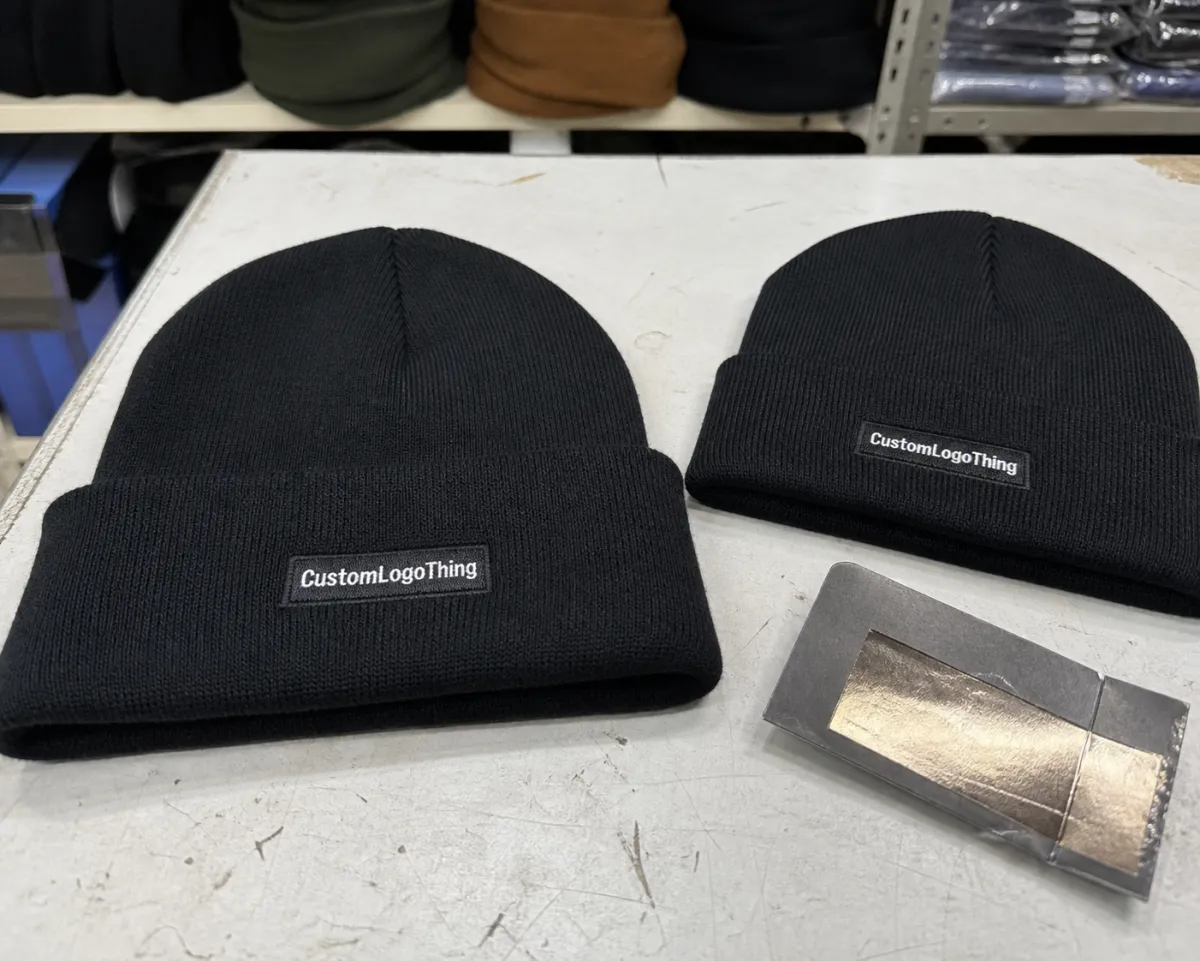
Restaurant merch has a small imprint area and a rough environment. Staff beanies need a logo that reads cleanly in low light, on knit fabric, from a few feet away, and after repeated wear. That means the proof has to expose weak artwork early.
It should show whether the file is vector or a low-resolution image that should never have reached production. It should confirm spelling, tagline accuracy, logo version, and whether the patch still works at the final size. It should also reveal hidden issues like thin borders, tiny copy, uneven spacing, or details that disappear when the design is scaled down.
Brand drift is another common problem. Restaurants often have several versions of the same logo floating around: a sign file, a social media avatar, a menu mark, a franchise file, and an old JPEG someone saved years ago. The proof should settle which one is current. If the art on the proof does not match the approved brand file, stop and correct the source art first.
A proof that looks "close enough" is usually the one that causes rework later.
Manufacturers ask for clear source files because screenshots and social images are not reliable production assets. If the art is not ready, the proof is the place to find out before the run starts. In recent restaurant uniform projects I have reviewed, the biggest preventable delays came from missing vector files, uncertain patch placement, and teams approving a proof without checking the logo against the actual beanie color.
Restaurant Logo Patch Beanies Digital Proof Checklist
Use this restaurant logo patch beanies digital proof checklist as a final review before approval. It is simple, but it catches most expensive mistakes.
- File quality: Confirm the logo is vector-ready or high-resolution, not a screenshot, compressed image, or social media download.
- Text accuracy: Check the restaurant name, tagline, location, established date, and spacing character by character.
- Artwork size: Make sure the design is scaled for the actual patch width or diameter, not a full-size logo mockup.
- Placement: Verify whether the patch is centered, offset, or cuff-mounted, and how it reads when folded.
- Color match: Compare against thread charts, knit colors, Pantone references, or approved samples rather than a monitor.
- Patch construction: Confirm woven, embroidered, leather, faux leather, silicone, PVC, or another build before signing off.
- Backing and attachment: Check whether the patch is sewn on, heat-applied, or finished another way.
- Edge treatment: Review merrowed borders, laser-cut edges, debossed outlines, or molded borders against the artwork style.
- Final quantity: Match the approved proof to the ordered quantity, size breakdown, and any location-specific variations.
Text checks matter most because a spelling error or dropped word can ruin an otherwise solid run. For multi-location groups, lock the approved logo version before comments start. That keeps the proof from turning into a debate about which file is "the real one."
If your team is also comparing beanie bodies, review a broader custom logo beanies bulk order guide before finalizing the proof. The patch can be correct and still feel wrong if the beanie style, yarn weight, or cuff depth does not match the way staff will wear it.
What Changes Quality, Colors, Size, and Patch Construction
Patch beanies are more sensitive to build choices than many buyers expect. A logo that looks identical on screen can change a lot once it moves into embroidery, woven thread, leather texture, silicone, or molded PVC.
Size is the first limiter. Small patches force simplification, so thin script, fine outlines, tiny taglines, and detailed mascots are the first elements to disappear. A line that looks crisp in a PDF can vanish in thread. A serif font that looks elegant at full size can turn muddy at 2 inches wide. If the mark relies on small copy, a woven patch usually has a better chance than a standard embroidered patch.
Color is the next trap. Black on black may look premium, but only if contrast is strong enough. White on heather gray can look clean or washed out depending on the knit and finish. Bright red can shift warmer on some patch materials, while cream thread can look yellow beside certain off-white beanies. If brand color matters, use Pantone references, thread charts, or physical samples. Screens are not dependable.
Construction also changes readability. Embroidered patches give texture and a classic feel, but they are less forgiving with detail. Woven patches handle smaller text better. Leather and faux leather work best for minimal marks, simple shapes, and debossed or engraved finishes. PVC and silicone are durable and bold, but they do not fit every restaurant identity, especially brands with a heritage, bakery, wine bar, or fine dining feel.
Backing and attachment affect both price and durability. For daily staff use, a sewn finish usually holds up better than a temporary adhesive-style option. Beanie construction matters too: cuffed, slouch, ribbed, acrylic, recycled polyester, and wool-blend styles all change how a patch sits and how it reads once worn.
The best proofs show the logo on the actual beanie color, not floating in white space. That makes it easier to judge contrast, shape, and real-world readability. If packaging is included, ask about paper specs and transit protection too. FSC-certified paper may matter for the brand, and ISTA-style transit testing is useful if cartons will move through warehouses, distributors, or multi-location shipments before delivery.
Proof Process, Revisions, and Turnaround Expectations
The process is usually simple: submit artwork, receive a proof, mark corrections, approve, then move into production. The schedule slows down when feedback is vague. "Make it better" is not actionable. "Make the patch 0.25 inches larger and move it up" is.
The fastest approvals confirm the exact logo version, patch size, placement, construction, and wording shown on the proof. If the proof says 2.25 inches wide and centered above the cuff fold, approve or revise that exact setup. Small wording changes, size changes, color changes, or material changes usually require a fresh proof.
One to two revision rounds is normal when the source art is clean and the notes are specific. More than that usually means the file was not ready or the internal approval group keeps changing direction. Lock the brand version early to avoid that drag.
Good proof feedback sounds like a spec sheet, not a vibe.
For 2026, typical turnaround for custom patch beanies is often 15-25 business days after final proof approval, though more complex art, larger quantities, imported components, and seasonal demand can extend that. Rush service can shorten the timeline, but it adds cost and reduces room for revision. Physical pre-production samples add time, yet they are often the safer choice for premium restaurant merch or a full staff uniform rollout.
If the order is tied to a launch, patio season, holiday promo, winter uniform refresh, or franchise opening, build in time for one honest correction round. That buffer is worth more than a last-minute scramble. The restaurant logo patch beanies digital proof checklist should be completed before anyone starts counting production days.
Pricing, MOQ, and Unit Cost for Custom Patch Beanies
Price depends on patch style, logo complexity, color count, patch size, backing, beanie quality, packaging, and whether the artwork needs cleanup before setup. MOQ matters too. Smaller runs cost more per piece because setup costs are spread across fewer units.
For a custom logo patch beanie order in the 300-500 unit range, a realistic 2026 add-on for the patch itself often looks like this:
| Patch option | Typical use | Approx. add-on per beanie | Main tradeoff |
|---|---|---|---|
| Embroidered patch | Simple logos, strong texture | $1.10-$1.95 | Good value, but tiny text can blur |
| Woven patch | Cleaner detail, smaller type | $0.95-$1.70 | Sharper look, but still size-limited |
| Leather or faux leather patch | Minimal, premium branding | $1.35-$2.60 | Less color range, more texture and contrast |
| PVC or silicone patch | Bold shapes, outdoor staff, high contrast | $1.75-$3.25 | Durable, but not the right fit for every brand |
| Reflective or specialty patch | Night service, delivery teams, event merch | $2.10-$3.80 | Useful visibility, higher cost and fewer color choices |
These numbers move with quantity, size, stitch detail, finishing method, labor, and freight. Setup fees often land around $45-$150 per design in 2026, sometimes more if the art needs redraw work or separate files for different locations. Sample fees, shipping, rush charges, relabeling, hang tags, individual polybags, and split-shipment costs should be included in the landed cost.
Restaurants ordering small runs often see the highest per-unit price because setup does not shrink. If the plan is to reorder later, ask whether the setup can be reused and how long the production file stays on record. That matters more than a one-time discount. For more detail on artwork choices, compare embroidered vs woven patches for custom beanies before approving the proof.
New 2026 Options Restaurants Are Requesting
Restaurant merch has become more practical and more brand-specific in 2026. Instead of ordering one generic black beanie, many groups are choosing a small set of staff-ready colors that match uniforms, aprons, wall paint, or menu design. Earth tones, washed black, deep green, oat, charcoal, and warm brown are common because they hide wear while still looking intentional.
Sustainability requests are also more common. Recycled polyester yarns, organic cotton blends, FSC paper hang tags, and lower-plastic packaging are showing up in more quote requests. These choices can increase cost, but they also help restaurants align staff gear with sourcing values they already mention on menus and signage.
Another growing option is function-led customization. Delivery crews and late-night service teams are asking for reflective details. Breweries, food trucks, and quick-service brands are testing bolder PVC or silicone patches because they hold contrast well. Cafes, bakeries, and chef-led restaurants still tend to prefer woven, embroidered, or leather-look patches because those materials feel warmer and less promotional.
The best update is not always a more expensive patch. Sometimes the smartest move is simplifying the logo, removing the tagline, increasing the patch size slightly, or choosing a beanie color with stronger contrast. A restaurant logo patch beanies digital proof checklist helps separate useful upgrades from changes that only add cost.
Common Approval Mistakes Restaurants Keep Making
The most common mistake is approving low-resolution art because it still looks okay on a laptop. If the source is a screenshot, compressed JPEG, or pulled-from-PDF image, the final patch will not improve itself in production.
Color matching is the next failure point. Screen color and physical material rarely match exactly. Burgundy can drift toward brown or maroon, black can look flat, and white can read gray on certain knits. If color has to be precise, ask for a physical sample or matching reference.
Placement errors are easy to miss because proofs are often shown flat. A beanie is not flat when worn. A centered patch on a cuff can look low once the fold settles, and a patch too close to the edge can look cramped. The proof should show the actual hat shape, not just the logo on a rectangle.
Another common issue is mixing up approval and design debate. The proof stage is for production details, not a full rebrand discussion. If the logo still needs creative work, finish that first, then approve the production version.
Too many approvers can also slow everything down. If one person wants the patch larger, another wants the logo darker, and nobody mentions it until the proof is nearly approved, the schedule slips for no good reason. The teams that move fastest usually send a clean file, review the proof line by line, and answer with specific notes.
Skipping the landed-cost review is another expensive mistake. A unit price can look fine until rush freight, multiple delivery addresses, pre-production samples, and packaging are added. Ask for the full estimate before the proof is approved so the final invoice does not surprise the operations team.
Next Steps Before You Hit Approve
Run one last pass on artwork quality, spelling, size, placement, color, quantity, and delivery timing while the proof is open. Memory is not a production standard.
- Check the source file: Confirm it is vector or high-resolution and not rebuilt from a screenshot.
- Verify the text: Match the restaurant name, tagline, and location wording exactly.
- Review the dimensions: Confirm the patch size works on a beanie, not just on paper.
- Check contrast: Make sure the logo still reads against the knit color and patch material.
- Confirm the timing: Align proof approval, production window, sample status, and delivery date before sign-off.
- Confirm the cost: Review setup fees, freight, packaging, and any split shipments before production starts.
If anything is unclear, ask for an annotated proof instead of guessing. A movement note needs a measurement. A color concern needs a material reference. A border change needs a revised proof before the run starts. Those questions are cheap before approval and expensive after.
Lock the specs before final approval, because changes after that point usually cost more time and more money. Use a restaurant Logo Patch Beanies Digital Proof checklist to approve faster, protect the brand, and avoid preventable rework. The restaurant logo patch beanies digital proof checklist works best when one person owns final approval and checks every production detail against the written order.
What should a restaurant logo patch beanie proof include?
It should show the final logo artwork, patch shape, patch size, placement, color callouts, backing type, attachment method, and any text that will appear on the beanie. Ask for a view that shows how the patch sits on the knit so you can judge readability, not just artwork quality.
How many revisions are normal for a beanie proof?
One to two rounds is common when the art file is clean and the feedback is specific. If the logo file is messy or the team keeps changing wording, revision count usually climbs fast.
Does a digital proof show the exact final colors?
Not exactly. Screen color and final thread, leather, silicone, PVC, or patch color can differ, sometimes more than people expect. Use Pantone references, thread charts, or physical samples if brand color matching matters.
What slows down restaurant patch beanie turnaround the most?
Missing vector files, unclear feedback, waiting on internal approvals, and late material changes are the usual time-killers. Complex artwork, holiday rush periods, physical samples, and extra revision rounds also stretch lead time.
What should I confirm before ordering custom beanies in bulk?
Confirm the final quantity, unit price breaks, setup fees, sample status, shipping timeline, delivery deadline, packaging, and reorder terms. Also confirm that the proof matches the exact logo version you want used across the full run.
What is the safest patch type for a detailed restaurant logo?
A woven patch is often the safest choice for smaller text and fine detail. Embroidery works well for bold marks, while leather, faux leather, PVC, and silicone usually perform best with simpler artwork.