Order Custom Stickers From Photos That Print Sharp
Why Custom Stickers From Photos Are Harder Than They Look
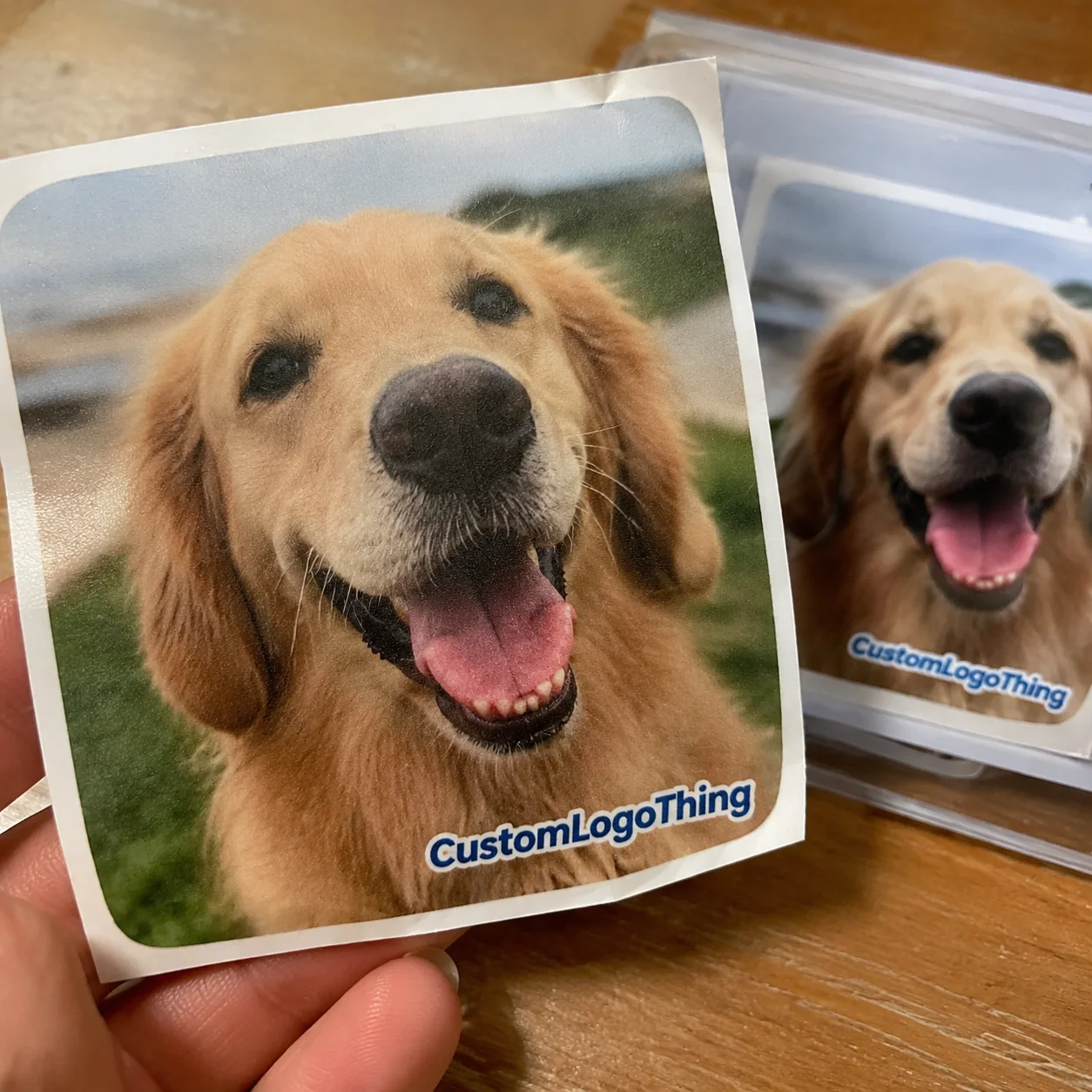
Phone cameras can produce files large enough for posters, yet plenty of photo stickers still print soft. The printer is not always the weak point. Screenshots, social media downloads, messaging-app previews, and heavy filters can strip out detail before the file reaches production. Custom stickers from photos can look polished, funny, sentimental, or retail-ready, but only if the original image gives the press enough information to reproduce.
That sounds straightforward. In production, it rarely is.
A pet owner ordering die-cut dog stickers needs a clean outline around fur, ears, and paws. A small brand putting product photography on labels needs consistent color, readable text, and material that fits the rest of its branded packaging. An event planner making face stickers for favors may care less about long-term durability and more about peelability, delivery timing, and whether 300 guests can recognize the person from three feet away.
Same general product. Different decisions.
Photo-based custom stickers are adhesive prints created from real images. The image may be cropped, brightened, color-corrected, outlined, placed on a background, laminated, and cut into circles, rectangles, kiss-cut sheets, or a custom contour. Good results usually come from treating the sticker like a small-format print job, not like a casual upload to a social feed.
The honest version: even a sharp-looking phone photo can fail as a sticker if the subject is tiny, the shadows are muddy, or the file has been compressed several times. A 2-inch sticker gives you very little room to hide noise, motion blur, and jagged edges. The eye is forgiving at a glance. Cutting equipment, ink, adhesive stock, and close-up handling are less forgiving.
Practical rule: if the subject looks fuzzy when you zoom in on a laptop screen, the printed sticker will not become sharper. Printing can reproduce detail. It cannot invent detail that is missing.
How Photo Stickers Move From Image Upload to Finished Print
The workflow is more structured than many buyers expect. You upload the photo. The production team reviews file quality. If needed, the background is removed or refined. A cut path is created. A proof is sent for approval. Then the job moves through printing, lamination or finishing, cutting, inspection, packing, and shipping.
The key distinction is between a photo file and a print-ready sticker file. A photo file might be a JPG from your camera roll. A print-ready file usually needs the correct finished size, bleed, safe margins, CMYK conversion, adequate resolution, and clean edges around the subject. For die-cut stickers, the cut path matters as much as the image. A beautiful photo with a chaotic outline can still become a poor sticker.
JPG works for many standard photo uploads, especially if it comes directly from the camera or phone. PNG helps when a transparent background is already prepared. PDF is useful for approved layouts with text, logos, or multiple images on a sheet. Vector cut lines may be created separately by the production team, particularly for custom shapes.
Proofing is not decoration. It is the buyer’s checkpoint.
The proof confirms crop, border thickness, spelling if text is added, sticker size, quantity, material, and final shape. For photo stickers, that proof can catch small problems that become expensive after cutting: a paw too close to the trim line, a face cropped too tight, a product shadow that reads as part of the sticker, or a border that looks too heavy at small size.
Complicated photos take longer. Hair, fur, glass, chrome, dark clothing on a dark background, reflective products, and busy event photos often need extra cleanup before production can begin. That extra work is normal. It is also why two orders with the same size and quantity can have different prices and timelines.
Image Quality, Size, Shape, and Material Choices That Matter
Resolution is easier to understand without the jargon. Bigger stickers need more image detail. Tiny stickers can hide some flaws because the eye cannot inspect every pixel at small scale. A 1.5-inch pet face sticker may look acceptable from a clean phone photo. A 5-inch laptop sticker using the same cropped face may reveal blur around the eyes, nose, and whiskers.
Avoid screenshots when the original file exists. Avoid photos pulled from social platforms, low-light images, blurry action shots, and heavily filtered pictures with crushed shadows or artificial neon colors. Messaging apps often compress images aggressively, which is why a file that looks fine on a phone may print with blocky edges. Send the original camera-roll file whenever possible.
Shape changes both cost and appearance. Circles and squares are efficient, clean, and predictable. Die-cut stickers feel more custom because the shape follows the subject. Kiss-cut sheets are easier to peel because the backing stays larger than the sticker. Sticker sheets can combine multiple photos in one order, which works well for event favors, creator merch, retail inserts, and small product lines.
Material choice is just as consequential. Paper is budget-friendly for indoor use, short-term packaging, notebooks, and giveaways. Vinyl costs more, but it handles moisture and abrasion better, especially with laminate. Clear stock creates a modern look on glass, jars, and some product packaging, but pale areas can lose contrast because the background surface affects the final color. Holographic or metallic materials work best with bold subjects, strong contrast, and simple shapes; delicate skin tones or subtle food photography can become unpredictable on reflective stock.
Finishes do real work. Gloss increases color punch and can make pet photos, food images, and bright artwork feel more vivid. Matte reduces glare and gives a softer, more controlled finish, which often pairs well with minimalist packaging design. Laminate adds a protective layer against handling, moisture, and abrasion. For stickers used on bottles, laptops, mailers, or outdoor gear, laminate is usually not a luxury. It is insurance.
Borders deserve more attention than they get. A white or colored outline can rescue a busy photo, make the die-cut edge easier to read, and prevent important details from disappearing at the cut line. For face stickers and pet stickers, a 1/16-inch to 1/8-inch border is common, depending on finished size and cut tolerance. Very thin borders may look elegant on screen but become risky in production, especially on intricate shapes.
| Sticker Option | Best Use | Typical Tradeoff | Practical Detail |
|---|---|---|---|
| Paper sticker | Indoor packaging, notebooks, short-term events | Lower durability | Best for dry, low-contact applications |
| Vinyl sticker | Laptops, bottles, mailers, outdoor exposure | Higher unit cost | Pair with laminate for better moisture resistance |
| Die-cut shape | Pets, faces, mascots, product silhouettes | More artwork and cutting complexity | Works best with a smooth border and clear subject |
| Kiss-cut sheet | Multiple photos, easy peeling, merch sheets | Larger backing sheet | Useful for sets, event favors, and retail packs |
| Clear stock | Glass, jars, sleek retail packaging | Light colors may lose contrast | Ask whether white ink is needed behind the image |
Cost, Pricing, and Unit Cost Drivers for Photo Stickers
Sticker pricing usually depends on size, quantity, material, finish, cut style, artwork preparation, and shipping speed. The photo itself does not automatically make an order expensive. The work around the photo often does.
A single sticker is costly on a unit basis because setup, proofing, printing, cutting, and packing still happen. Larger quantities spread those fixed steps across more pieces. That is why 25 stickers may feel surprisingly expensive per piece, while 500 or 1,000 units become more sensible for package inserts, retail promotions, or Custom Labels & Tags.
As a rough buyer-side planning range, small digitally printed paper stickers may land around $0.10 to $0.35 per piece at higher quantities. Durable vinyl photo stickers with laminate can run closer to $0.25 to $0.90 per piece depending on size, coverage, and cut complexity. Low quantities can be several dollars per sticker because setup dominates the math. Specialty materials, rush production, and detailed editing push costs upward. These are planning numbers, not a universal quote.
Standard circles and rectangles are usually cheaper than intricate die-cuts. Vinyl costs more than basic paper. Holographic, metallic, clear, or textured stocks may add cost because the material itself is more expensive or requires extra handling. Lamination adds a production step. Multiple versions add sorting and proofing time.
Artwork fees may appear when the image needs background removal, photo restoration, color correction, text placement, low-resolution rebuilding, or multiple sticker variations. Rebuilding a low-resolution image is especially tricky. A designer can sharpen edges, redraw a logo, or clean a background, but a blurry face cannot always be restored convincingly.
Minimum order quantity depends on the supplier and print method. Digital printing supports lower minimums because plates are not required. Bulk orders become more efficient once the design is finalized and repeated. For larger branded runs that pair stickers with Custom Packaging Products, it usually pays to lock the design first, then scale quantity.
For accurate pricing, request quotes with complete specs: finished size, quantity, material, finish, cut style, delivery location, deadline, and whether design cleanup is needed. “Photo stickers, maybe 2 or 3 inches” leaves too many variables open. “3-inch matte laminated vinyl die-cut stickers, 500 units, white border, shipped to a commercial address, proof required” gives production something measurable.
Process and Timeline: What Happens After You Order
The production timeline starts with file review. If the file passes, the proof can be prepared. If the file needs cleanup, that happens before proof approval. After approval, the job moves to print, then laminate or finish, then cutting, quality control, packing, and shipping.
The clock often starts after proof approval, not after the first inquiry. Production cannot safely begin while size, crop, border, or shape is still undecided. From a packaging buyer’s point of view, this is one of the most common scheduling misunderstandings. A fast quote does not equal a finished production file.
Simple custom stickers from photos with clean files can move quickly, especially in small digital runs. A straightforward circle, square, or smooth die-cut may need only a few business days for production after proof approval, depending on capacity and shipping method. Larger bulk orders, sticker sheets with multiple images, specialty finishes, or heavy background cleanup need more planning. If the stickers support a launch, event, subscription box, or retail display, add margin.
Slowdowns are predictable: low-resolution files, vague instructions, multiple decision-makers, delayed proof approval, complex fur or hair masking, out-of-stock specialty materials, and missed rush shipping cutoffs. Shipping can also become the weak link. A sticker job that finishes on time can still arrive late if the delivery method is too optimistic.
Quality control should include more than a quick count. On photo stickers, useful checks include crop alignment, color consistency between sheets, laminate adhesion, clean cut edges, peeling behavior, material scuffs, and whether small details remain legible at the final size. For sheeted stickers, spacing matters too. If peel tabs or kiss-cuts are too tight, the sheet may look fine but feel frustrating in use.
Buyers can speed things up by uploading original files, deciding exact dimensions early, approving proofs promptly, consolidating revisions, and choosing a realistic shipping method. One clean revision is normal. Five rounds of “can we see it slightly larger?” can consume the schedule.
For event and launch orders, order earlier than the date printed on the calendar. Packaging, sorting, kitting, transit delays, and last-minute reprints all eat safety margin. If stickers are being packed into mailers, boxes, or retail bundles, allow time for that secondary handling too. The sticker is only one link in the fulfillment chain.
For durability and distribution planning, packaging standards can be useful reference points. The International Safe Transit Association publishes transport testing protocols, while the Forest Stewardship Council is a common reference for responsibly sourced paper-based materials. Stickers are small, but they still interact with packaging, shipping, storage, and sustainability claims.
Step-by-Step Guide to Preparing a Photo for Sticker Printing
- Choose the original file. Start with the photo from the camera roll, camera, or design folder. Do not begin with a screenshot, a social media save, or a compressed preview if the original exists.
- Define the sticker’s job. Decoration, product packaging, event favor, laptop sticker, mailer insert, promotional giveaway, and resale item all call for different material and finish decisions.
- Crop with breathing room. Remove distractions, but do not cut too close to faces, paws, product edges, logos, or text. Leave room for border, bleed, and cutting tolerance.
- Choose size based on detail. Small stickers suit simple faces, icons, and bold product shots. Detailed photos need more space to stay legible. A crowded group photo rarely works well at 2 inches.
- Pick the cut style and border. Use die-cut for personality, kiss-cut for easy peeling, sheets for multiple images, and borders for cleaner edges.
- Review the proof on a large screen. Check crop, color, border, size, quantity, and whether any important detail sits too close to the trim line.
- Approve only when it matches the final use. Post-approval changes can affect both cost and delivery timing.
For photo-based stickers, the best prep work is usually boring: original file, clear instructions, sensible size, and a proof review that is not rushed. Boring saves money. Boring also keeps paws, faces, product names, and QR codes out of the trim zone.
If stickers will be used with Custom Printed Boxes or other retail packaging, check the full presentation before ordering thousands. A glossy sticker on a matte mailer can look intentional. It can also look mismatched. The same photo sticker may feel playful on a kraft box and too casual on luxury rigid packaging. Context changes the read.
Common Mistakes Before You Request a Quote
The most common mistakes are easy to avoid: sending a screenshot, choosing a sticker size before reviewing image detail, skipping the proof, using a cluttered background, and assuming every material works outdoors. Another frequent one is asking for a very intricate die-cut around tiny hair strands, jewelry, product components, or jagged shadows. What looks charming as a photo can become fragile as a cut path.
Color expectations need grounding. Screens glow. Stickers reflect light. Printed colors may look slightly different from a phone preview, especially with neon filters, dark shadows, transparent material, or highly saturated reds and blues. CMYK printing has a different color range than an RGB screen. That does not mean the print will be poor. It means proofing and material selection matter.
Overcomplicated die-cuts deserve a warning. Thin hair strands, tiny product parts, and jagged outlines can look messy after cutting. They can also peel poorly because narrow points lift faster under handling. A smoother outline with a consistent border is often more durable and more attractive. Buyers often underestimate how much a clean outline contributes to perceived quality.
Before requesting a quote, gather the essentials:
- Final photo file or the highest-resolution version available
- Intended use, such as resale, event favors, package branding, or giveaways
- Preferred size range and quantity
- Material preference, such as paper, vinyl, clear, metallic, or holographic
- Finish preference, such as matte, gloss, or laminate
- Cut style, deadline, shipping address, and editing needs
Order a small sample or proof-first run when the stickers are for resale, branded packaging, or a high-visibility event. A 25-piece test can reveal whether the face is too dark, the clear material loses contrast, or the border needs another 1/16 inch. That is much cheaper than discovering the issue after 2,000 pieces are packed into boxes.
The best orders start with constraint, not enthusiasm. Use the original image. Decide the finished size based on real detail, not wishful thinking. Match the material to the environment. Approve the proof slowly enough to catch the expensive mistakes. That is how custom stickers from photos move from a fun idea to a sharp, usable printed piece.
FAQ
What photo quality do I need for custom photo stickers?
Use the original, highest-resolution image available rather than a screenshot or social media download. The photo should look sharp when zoomed in, especially around faces, pets, products, or text. If the image is blurry, dark, or heavily compressed, the printed sticker will usually show those flaws more clearly.
Can custom stickers from pictures be die-cut around a person or pet?
Yes, most clear subjects can be die-cut, especially when there is contrast between the subject and background. Hair, fur, shadows, and busy backgrounds may require cleanup before a smooth cut path can be created. A white border often makes face, pet, and character stickers cleaner and easier to cut accurately.
How much do stickers made from photos usually cost?
Cost depends on size, quantity, material, finish, cut style, artwork cleanup, and delivery speed. Higher quantities usually reduce unit cost because setup and proofing are spread across more stickers. Specialty materials, rush orders, and detailed background removal can increase the quote.
How long does it take to make personalized photo stickers?
The timeline usually includes file review, proofing, printing, finishing, cutting, quality control, and shipping. Production generally starts after proof approval, not when the first file is uploaded. Clean files and fast proof approval can shorten turnaround, while complex edits or specialty materials can extend it.
Are photo stickers waterproof or safe for outdoor use?
Paper photo stickers are best for indoor use, packaging, notebooks, and short-term applications. Vinyl with laminate is a better choice for water resistance, handling, laptops, bottles, and outdoor exposure. For heavy outdoor use, ask specifically about material durability, adhesive type, laminate, and expected conditions.