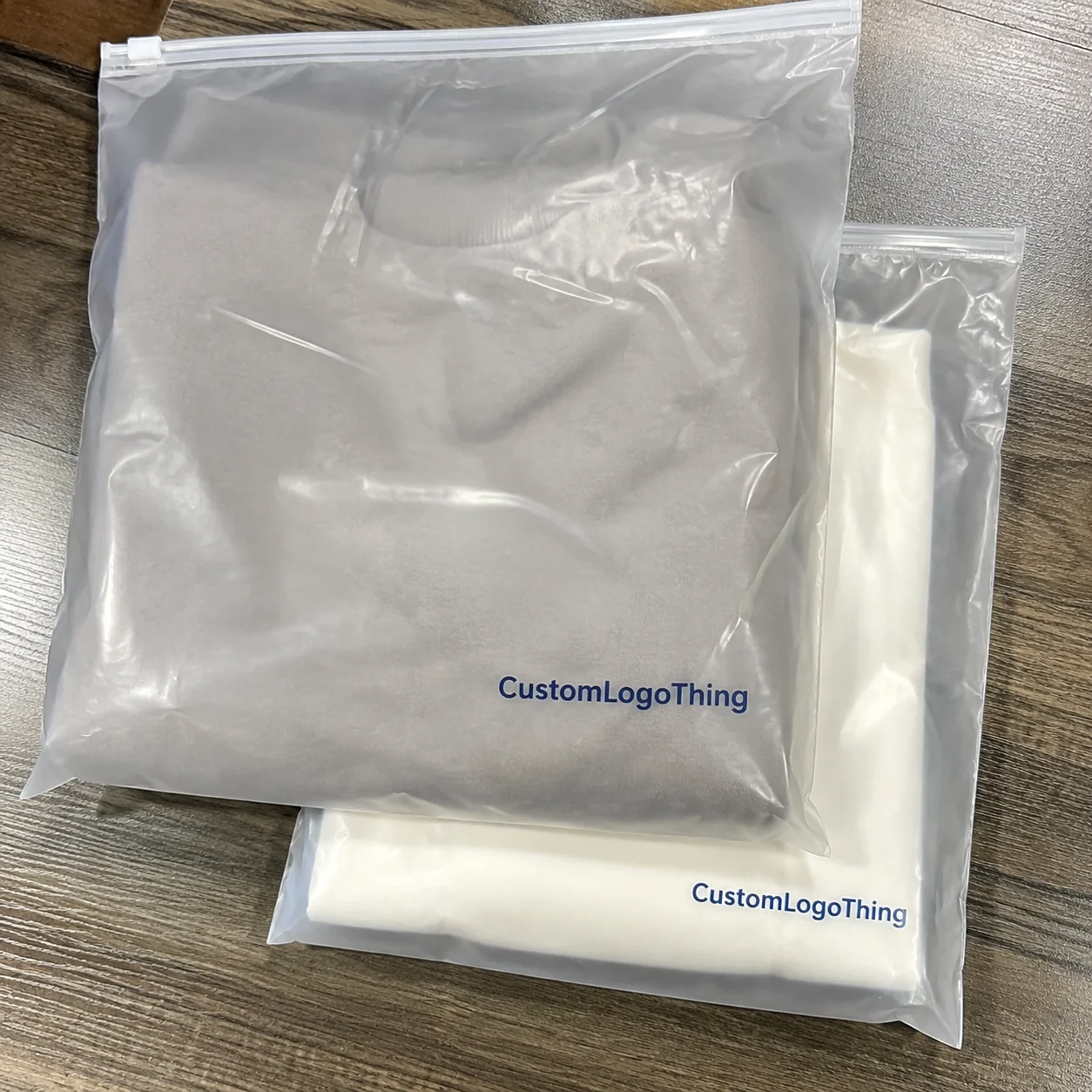
Why Printed Zip Lock Bags Pull Double Duty
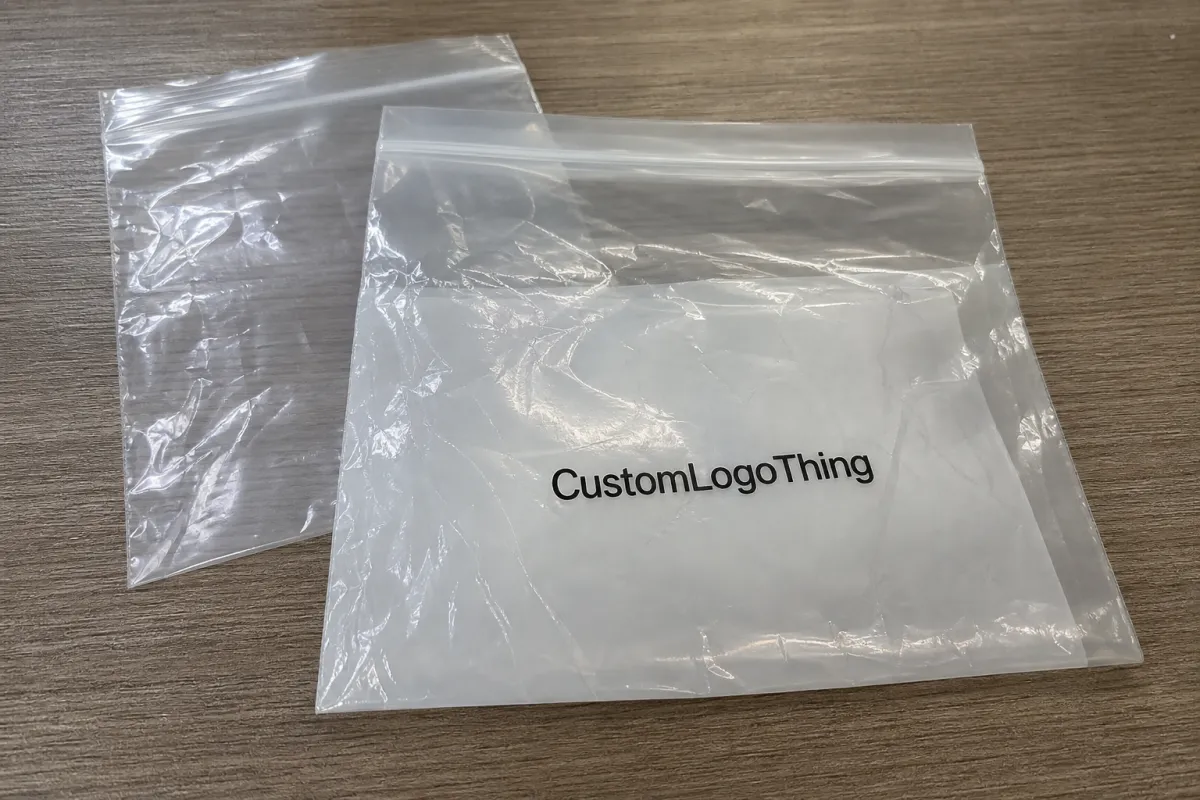
Fulfillment gets efficient when the product leaves the warehouse already protected, visible, and branded. That is the appeal of printed zip lock bags for ecommerce: one component can hold the item, communicate the brand, and keep the packout process moving. For lightweight goods, that can be more useful than a decorative carton that adds cost without adding much function.
The bag often outlives the parcel. Buyers reuse it for returns, storage, travel, or sorting small items at home, which means the print keeps working after delivery. A shipping box is usually discarded in seconds. A resealable bag may sit in a drawer for months. That is a different kind of exposure, and it changes how the artwork should be designed.
Most teams use them for apparel, accessories, samples, cosmetics, beauty tools, and other small products that benefit from a neat presentation. They reduce the number of loose inserts, speed packing, and make the product feel more intentional. A plain polybag says the item is protected. A printed bag says the brand thought through the whole journey.
There is also a merchandising advantage. Transparent or frosted film allows the product to stay visible, while the print frames it rather than covering it up. That can be especially helpful for color-sensitive products, small SKUs, or items that are photographed before shipping. A good bag does not compete with the product; it gives it a cleaner stage.
Ecommerce Zip Lock Plastic Bags Print Options Explained
The main ecommerce zip lock plastic Bags Print Options usually fall into three buckets: flexographic printing for larger repeat runs, digital printing for shorter orders or frequent changes, and specialty finishing for jobs that need stronger coverage or a more refined surface. None is automatically better. The right choice depends on run size, artwork complexity, and how much you need the print to carry the visual load.
Flexographic printing is the standard choice for higher volumes. It uses plates, so setup takes time and money up front, but the cost per bag improves as quantity increases. It suits stable artwork, simple logos, and programs that reorder regularly. If the design is not changing every month, flexo usually becomes the better value once the volume gets large enough.
Digital printing is more flexible. It avoids plate setup, handles short runs well, and works for multi-SKU programs or seasonal graphics that change often. It also makes sample-to-production transitions easier because the job can be adjusted without rebuilding tooling. The tradeoff is unit cost. At scale, digital usually costs more per bag than flexo, but for small orders that difference may be acceptable.
Print placement matters as much as method. Front-only printing keeps the bag clean and preserves product visibility. Back-only printing works when the front needs to stay open for inspection or retail display. Dual-side printing gives more room for branding, care notes, and regulatory copy, but it can crowd the layout and reduce the visible product area. More print area is not always better. On a small bag, restraint usually reads more premium.
Film color changes the result more than many buyers expect. Clear film lets the product become part of the design. Frosted film softens contrast and hides minor scuffs. White film provides the most dependable backdrop for colorful artwork. Tinted film can look distinctive, but it makes color matching harder and can dull small type. If brand color matters, approval on the real material matters more than approval on a monitor.
Finish also changes perception. Gloss gives brighter contrast and sharper visual pop, though it can show fingerprints and scuffs. Matte feels calmer and often photographs better under mixed lighting. Opaque zipper bands and clear windows each shift the visual balance. A package that looks busy on paper may look cleaner once the finish, zipper, and product are all considered together.
| Print method | Best for | Typical MOQ | Typical unit cost | Main tradeoff |
|---|---|---|---|---|
| Flexographic printing | Stable artwork and larger volume | 5,000 to 10,000+ | $0.08-$0.22 | Plate setup adds lead time |
| Digital printing | Short runs and frequent design changes | 200 to 3,000 | $0.18-$0.45 | Higher cost per unit at scale |
| Specialty print finishing | Heavy coverage or premium presentation | Varies by factory | Usually above standard print | More testing needed for color and gloss |
Offset printing usually is not the method used for the bag film itself, but it still appears in the broader packaging mix. Insert cards, cartons, and hang tags may use offset when the job calls for crisp typography, accurate solid fills, or large paper runs. Buyers sometimes compare those methods as if they were interchangeable. They are not. The bag substrate and the paper components solve different problems.
Material, Thickness, and Seal Choices That Change the Look
Material choice affects both appearance and day-to-day handling. Thinner film can lower weight and feel more flexible, but it wrinkles more easily and may show handling marks sooner. Thicker film feels sturdier, protects better during packing, and usually keeps printed details looking more even across the surface. For many apparel and accessory programs, 2 mil to 4 mil is a common working range, though the right thickness depends on product weight and how the bag will be used.
Clear polyethylene remains popular because it keeps the item visible. Frosted film softens glare and can make the branding feel more polished. White or opaque film creates the strongest background for graphics, but it removes the visibility advantage that many ecommerce teams want. The decision usually comes down to whether the package should showcase the product or support the artwork more aggressively. Often, the best answer is a compromise: enough transparency to show the item, enough print area to anchor the brand.
Zipper design matters more than people think. A standard press-to-close zipper works for many products. A heavier zipper is better if the bag will be reopened repeatedly or handled by customers who are not careful. Hang holes help with retail display or warehouse organization. Tear notches make opening easier, but they need to be placed so they do not weaken the closure or interfere with the sealed edge. Small structural choices have a way of showing up later in the customer experience.
Artwork behaves differently on each substrate. A logo that looks sharp on a white proof may fade against a dark garment. Bright colors can shift on tinted film. Fine text can disappear once the product is inside the bag. That is why real material samples matter so much. A PDF proof is useful for layout, but it does not reveal how the print reads against the actual product, under warehouse light, or after the bag has been handled a few times.
For programs that touch sustainability claims or compliance language, ask for the exact material specification and the basis for any recycled-content statement. If a supplier says a component is recyclable, the claim should match the local collection reality and the film structure, not just the marketing language. If the larger package includes paper inserts or cartons, FSC-certified paper can be relevant there. For testing and transport stress, ISTA guidelines are useful because they focus on real shipping abuse rather than idealized conditions.
The practical point is simple. A package that looks clean in a mockup but tears in transit creates hidden costs: rework, replacements, and customer complaints. The best ecommerce Zip Lock Plastic Bags print options are the ones that still look controlled after the bag has been opened, stacked, repacked, and shipped.
Production Steps, Proofs, and Lead Time
The production path is straightforward once the spec is fixed. First, the buyer confirms bag dimensions, zipper style, thickness, print locations, and any extras such as hang holes or tear tabs. Next, the artwork is reviewed for bleed, safe zones, and minimum line thickness. After that, the supplier prepares a proof, confirms color approach, and moves to plate-making or digital setup. Printing follows, then curing or finishing, then packing and shipment.
Lead time depends on how custom the order is. Stock-size bags with standard print placement usually move faster because tooling and dimensions are already familiar. Custom sizes, multi-side printing, special film colors, and heavy ink coverage take longer. A simple digital order may be ready in roughly 7-12 business days after proof approval. A more involved flexographic run often lands around 12-20 business days, especially if plates, samples, or nonstandard materials are involved.
Most delays are avoidable, which is why they are so common. Missing dielines slow down artwork cleanup. Low-resolution logos trigger file checks. Late copy changes restart proofing. Slow responses on color samples add days without changing the actual job. Buyers who send organized files and make decisions quickly usually get better schedules than buyers chasing the lowest quote and changing the brief three times.
Before requesting pricing, it helps to have a compact spec sheet ready:
- Bag size with finished dimensions and any gusset or zipper detail
- Film type, thickness, and whether the bag should be clear, frosted, white, or tinted
- Print locations and whether the artwork is front-only, back-only, or dual-side
- Artwork files in vector format, plus any brand color references
- Quantity target and expected monthly repeat volume
- Ship-to location and whether freight goes to one warehouse or several
If the launch depends on exact color or placement, request a production proof or sample before the full run. That step is usually inexpensive compared with fixing a warehouse full of bags that looked fine on screen but miss the mark in hand. For projects with multiple ecommerce zip lock plastic bags print options, the proof is where the real decision gets made.
Cost Drivers, MOQ, and Unit Price Basics
Price is driven by a handful of variables, and most of them are visible before the quote arrives. Bag size is the first one. Larger bags use more film, more ink, and more handling time. Thickness comes next because heavier gauge material costs more and may slow production. Then the print variables matter: number of colors, print coverage, print locations, and whether the design is a simple logo or a full-panel graphic. Zipper style and add-ons like hang holes or tear features also push the price up.
MOQ is where many buyers misread the economics. A low setup fee can still produce a high unit price if the order is too small. That is not a trick; it is how plate work, machine setup, and waste are spread across fewer pieces. Digital printing softens that problem for short runs, which is why small brands often start there and move to flexo once the design stabilizes and the volume becomes predictable.
A realistic way to think about unit price is this: a short digital run may land in the $0.18-$0.45 range depending on size and coverage, while a larger flexographic order may fall closer to $0.08-$0.22 per bag once the setup cost is spread across enough pieces. Those are directional numbers, not promises. Material grade, freight, zipper type, and current resin pricing can move the final number in either direction.
Hidden costs matter. Freight can outweigh print cost if the order ships long distance or to multiple destinations. Carton configuration affects packing efficiency if the bags need to be counted and packed in retail-ready quantities. Insert cards may be printed separately and add an offset printing step. If the program requires split shipments, the landed cost can be very different from the factory quote. The invoice total tells only part of the story.
Ask for tiered pricing. A useful quote should show how the unit cost changes at 3,000, 5,000, and 10,000 pieces, or at whatever breakpoints the supplier uses. That lets you see whether ordering slightly more will lower the per-piece cost enough to justify the extra inventory. Sometimes it does. Sometimes it only creates dead stock. A tiered quote makes that decision visible instead of guesswork.
For ecommerce zip lock plastic bags print options, the lowest line item is not always the cheapest package. A bag that saves two cents but tears, shifts color, or slows packout can cost more by the time it leaves the warehouse. Total landed cost is the cleaner metric.
Common Mistakes That Make Printed Bags Look Cheap
The quickest way to weaken a printed bag is to overwork the layout. Tiny copy, dense artwork, and logos crowded near zipper tracks or seals tend to blur or disappear. A logo with room around it usually reads more premium than a layout trying to use every available millimeter. White space is not wasted space here. It gives the package room to breathe.
Color errors are just as common. A design can look excellent on paper and still look dull on clear film once the product sits behind it. Transparent bags let the item influence the visual result, which can mute bright colors or make dark tones muddy. Dark garments, colored cosmetics, and busy patterns all change the read of the print. If the item itself is visually strong, the artwork has to be tested against that backdrop.
Copy overload is another problem. A bag does not need a paragraph. If it carries the logo, size, care note, and a return cue, that is often enough. Too much text turns the package into a warehouse label instead of a brand asset. The cleaner the layout, the faster it reads at packing speed and the more composed it feels to the customer.
A flimsy zipper makes the whole package feel cheap. A crowded layout does the same. Buyers usually spot both in seconds.
Proofing mistakes usually happen when teams rush. Files get approved without checking bleed, safe zones, or legibility under warehouse lighting. That sounds minor until the first shipment arrives and the logo sits too high, too low, or too close to a seam. Fixing it before production is cheap. Fixing it after the run starts is not.
Another trap is assuming one finish will work for every SKU. Gloss, matte, clear, frosted, and opaque films all change how the ink reads. A finish that flatters one product can fight another. The safer move is to compare the real substrate, the actual product, and the intended handling environment together before signing off.
Expert Tips and Next Steps for a Cleaner Quote
The cleanest quote starts with a fixed brief. Lock the size, film type, print sides, quantity, and zipper style before you ask for pricing. If those details keep shifting, every quote becomes an apples-to-oranges comparison. That slows decision-making and hides the real difference between suppliers.
Gather the logo file, target budget, ship-to address, and expected monthly volume in one place. If the artwork uses brand-critical colors, say so. If the bags will be reused for returns, say that too. Those details affect the film choice, print method, and proofing process. They also help a supplier recommend the right ecommerce zip lock plastic bags print options instead of defaulting to the easiest one to manufacture.
Request a sample whenever color accuracy, zipper feel, or print placement matters. It is the closest thing to a live test before you commit to a full order. For products that move through multiple hands, that extra check usually pays for itself quickly. Buyers who compare suppliers on cost, lead time, sample quality, and presentation tend to make better decisions than buyers focused only on unit price.
The best bag is the one that fits the product, the packout process, and the brand without forcing any of them to work too hard. That is the real filter for ecommerce zip lock plastic bags print options. Get the specification right, and the package does more than hold the product. It keeps it protected, makes it easier to sort, and gives the brand a cleaner presence from warehouse to customer.
Which print method works best for ecommerce zip lock plastic bags?
Flexographic printing usually fits higher-volume orders because setup costs spread better over larger runs. Digital printing is often the smarter choice for shorter runs, frequent artwork changes, or multiple SKU tests.
How do I choose the right film thickness for printed zip lock bags?
Choose lighter film if you want lower shipping weight and a more flexible feel. Choose thicker film if you need a sturdier look, better protection, and more consistent print appearance.
What files should I send for a custom zip lock bag quote?
Send vector artwork when possible, plus brand color references, to reduce cleanup and color confusion. Include the bag size, print locations, quantity target, and shipping destination so the quote reflects the real job.
How long does turnaround usually take for printed zip lock bags?
Simple stock-size orders tend to move faster than fully custom sizes or multi-color runs. Proof approval, artwork revisions, and material availability are the most common factors that extend lead time.
What should I compare when reviewing ecommerce zip lock plastic bags print options?
Compare print method, film type, MOQ, and total landed cost instead of looking only at unit price. Also compare sample quality, lead time, and how well the bag supports your brand presentation after delivery.