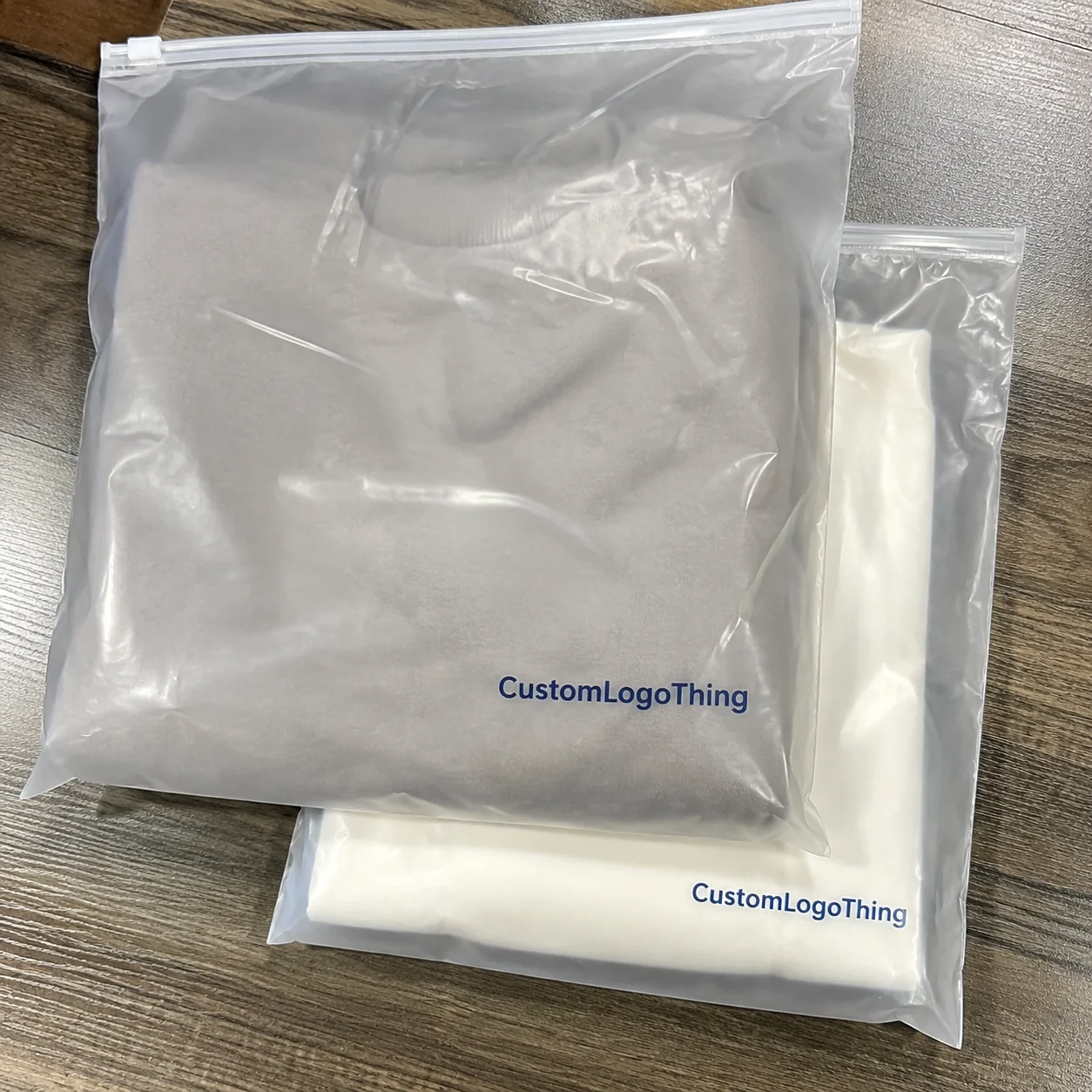
Buyer Fit Snapshot
| Best fit | Print on Poly Mailers projects where brand print, material claims, artwork control, MOQ, and repeat-order consistency need to be specified before quoting. |
|---|---|
| Quote inputs | Share finished size, material target, print colors, finish, packing count, annual reorder estimate, ship-to region, and any compliance wording. |
| Proofing check | Approve dieline scale, logo placement, barcode or warning zones, color tolerance, closure strength, and carton packing before bulk production. |
| Main risk | Vague material claims, crowded artwork, missing packing details, or unclear freight terms can make a low unit price expensive after revisions. |
Fast answer: Print on Poly Mailers: Quote Scope, Sample Proof, MOQ, and Lead Time should be specified like a repeatable production item. The safest quote records material, print method, finish, artwork proof, packing count, and reorder notes in one written spec.
Production checks before approval
Compare the actual filled-product size with the drawing, then confirm tolerance on folds, seals, hang holes, label areas, and retail display edges. Reserve space for logos, QR codes, warning copy, and material claims before decorative graphics fill the panel.
Quote comparison points
Review material grade, print process, finish, sampling route, tooling charges, carton quantity, and freight assumptions side by side. A quote is only useful when the supplier can repeat the same color, closure quality, and packing count on the next order.
Knowing how to print on poly mailers is less about putting a logo on a bag and more about making sure that logo still looks intentional after the package has been stretched, stacked, slid across tables, and bounced through the rough parts of parcel handling. A printed mailer has to do two jobs at once: it protects the product and it carries the brand. If the artwork scuffs, shifts, or warps at the seam, the whole package starts to feel cheaper than it should. That is why how to print on poly mailers deserves a careful look instead of a rushed upload and a hope-for-the-best proof.
The mailer is doing more work than people usually give it credit for. It keeps contents dry, hides the product during shipping, and acts like a moving sign for the brand. That means the material, the print method, and the layout all need to line up. If you are comparing Custom Poly Mailers with plain stock bags and labels, the real test is not how the bag looks in a mockup. The real test is whether it still looks clean after a conveyor belt, a drop, and a ride in the back of a truck. I have seen a lot of nice-looking packaging fail the first real transit test, and it is usually because the team treated the bag like a flat poster instead of a flexible shipping surface.
How to Print on Poly Mailers: Why the Bag Does More Than Carry a Parcel
On a practical level, how to print on poly mailers starts with the bag itself. Most poly mailers are made from LDPE or a similar polyethylene blend, and that smooth, flexible surface is part of what makes them so useful for shipping apparel, soft goods, and lightweight accessories. It is also why they behave differently from paper cartons, paper mailers, or folding boxes. Paper accepts ink readily. Plastic asks for the right ink system, proper curing, and a layout that respects stretch points, folds, and heat-sensitive areas. Kind of a picky surface, honestly, but that is the tradeoff for a light, durable mailer.
That difference matters in the press room and in the warehouse. A logo printed on a carton can survive a fair amount of rough treatment because paperboard is rigid and holds its shape. A mailer bends every time someone loads it, seals it, packs it, or drags it across a counter. Put artwork too close to a seam or seal and it can warp. Use an ink system that does not bond well to film and it can rub away. So how to print on poly mailers is part design work and part material work, and the best results usually come from treating those two sides as one decision instead of separate tasks.
For many brands, printed mailers create a cleaner customer experience than a plain bag with a sticker applied later. Stickers can peel at the corner, shift during application, or look temporary if the artwork is too small. A printed mailer feels built into the packaging from the start. That matters for apparel, cosmetics, subscription boxes, and DTC brands that want every parcel to feel considered before it reaches the customer’s door. If the brand leans minimal, a one-color mark may be enough. If the line changes often or follows seasonal drops, a full back panel or repeated pattern may make more sense. Either way, how to print on poly mailers should serve the business, not make shipping harder than it needs to be.
One detail buyers often overlook is that printing affects more than appearance. It can change readability, scanability, and durability. A shipping label still has to scan correctly. If the mailer is glossy, dark, or heavily patterned, the artwork should not interfere with barcodes, routing labels, or delivery information. The best printed bag is one that looks polished and still does its job after the bumps and pressure of transit. That is why a packaging buyer should think through print method, film thickness, seal style, and shipping conditions together instead of treating them as separate choices.
A polished proof helps, but a real mailer in real handling tells the truth quickly. If a logo sits too close to a fold or a dark ink looks muddy on a thin film, it is better to catch that before the order ships.
Picture a small apparel brand choosing between a simple one-color front logo and a full-color back panel. The one-color route may be cheaper, easier to repeat across sizes, and easier to keep consistent over time. The full-color route can create stronger shelf appeal in social posts and unboxing videos. How to print on poly mailers is really the work of balancing those tradeoffs so the package looks intentional without creating waste, delays, or avoidable cost.
How Printing on Poly Mailers Works
There are a few common paths for how to print on poly mailers, and the right one depends on order size, artwork complexity, lead time, and how permanent the branding needs to be. The most common methods are flexographic printing, digital printing, and pre-printed film that is later converted into finished bags. Labels and adhesive decals can also work for short runs, sample orders, or temporary promotions, though they sit in a different category from direct printing.
Flexographic printing is often the workhorse for larger custom mailer orders. It uses plates, usually one per color, and it runs efficiently on continuous film. It works well for repeat jobs, spot-color logos, and artwork that does not need photographic detail. Because setup takes time and plates cost money, it makes the most sense when the order is large enough to spread those costs across many bags. For a simple two-color brand mark, flexo can be a very smart answer to how to print on poly mailers.
Digital printing fits smaller runs, variable designs, and artwork that needs more color flexibility. It does not require the same plate setup as flexo, so the entry cost is lower. That makes digital a strong option for product launches, seasonal changes, test orders, and brands that want several SKUs without tying up cash in a huge inventory commitment. The tradeoff is cost at scale. Unit price usually stays higher than flexo once the volume rises, and the finish can vary depending on the film and curing system.
Pre-printed film works differently. The design is printed on the roll before the bag is formed, which can support consistent artwork and certain premium finishing choices. This approach shows up often in larger production runs, where the supplier wants to control printing and conversion as one process. In some cases, it produces a cleaner result than decorating an already finished bag. It also explains why how to print on poly mailers often depends on the exact bag spec, not just the artwork file.
Offset printing performs very well on paper-based packaging, but it is not the usual answer for poly film. The smooth, flexible surface of a mailer generally favors flexographic printing or digital printing instead. The same design logic still applies, though: strong contrast, careful color count, and controlled finishing make a real difference. On plastic film, the ink has to bond properly, cure properly, and resist scuffing during transit.
Placement matters as much as method. A side seam can bend a logo out of shape. A bottom seal can compress fine text. A closure strip can interfere with a repeated pattern. Practical layouts leave room around seals, folds, and the opening edge. That is why a good supplier asks for the bag dieline early. They need the artwork to live inside the real print area, not just inside a neat rectangle on a screen.
- Spot color works well for simple logos, bold icons, and brand marks that need consistent reproduction.
- CMYK helps with gradients, richer artwork, and multi-color graphics, though it needs careful proofing.
- White ink can be critical on colored or translucent films so the design does not disappear into the substrate.
- Print finishing choices such as gloss level, matte feel, and conversion details affect the final look just as much as the ink itself.
For practical buying, it helps to compare the main options side by side. The numbers below are rough planning ranges, not fixed quotes, because bag size, ink coverage, and shipping destination can change the final figure quickly.
| Method | Best Use | Typical Setup | Rough Unit Cost Range | Main Tradeoff |
|---|---|---|---|---|
| Flexographic printing | Large runs, simple logos, repeat orders | Plates and press setup | $0.18-$0.35 per bag at higher quantities | Lower unit cost, but more setup and less flexibility for frequent changes |
| Digital printing | Small to medium runs, multi-SKU branding, fast changes | Lower prepress setup | $0.35-$0.80 per bag depending on coverage | More flexible, but unit price stays higher at scale |
| Pre-printed film conversion | High-volume custom mailers with strong consistency | Film print plus bag conversion | $0.14-$0.30 per bag in large runs | Efficient at volume, but less practical for quick design changes |
| Labels or decals on stock bags | Test runs, seasonal launches, very low quantities | Minimal setup | $0.03-$0.12 for label plus bag cost | Cheapest to start, but less durable and more manual labor |
That table is only a planning tool, but it shows the pattern clearly. If you need permanence and volume, direct print tends to win. If you need speed and flexibility, digital printing or labels may be more practical. If you want the best unit economics and can commit to inventory, flexographic printing often makes the most sense. That is the real logic behind how to print on poly mailers: match the method to the business stage, not just to the mood board.
Cost, Pricing, and MOQ: What Changes the Quote
The quote for how to print on poly mailers usually changes for reasons that are easy to understand once you have seen enough production runs. The first driver is quantity. Setup costs, plate charges, and press preparation do not disappear just because the order is small. Spread those costs over 20,000 bags and the unit price drops. Spread them over 500 bags and the price rises quickly. That is why minimum order quantities, or MOQs, show up so often in custom packaging.
For small businesses, MOQ can feel like the hardest part of the conversation. A supplier may be ready to print a simple logo, but the economics still need to work on the production side. If the run is too small, the supplier has to recover setup time across a tiny order. In some cases, digital printing lowers that barrier. In others, a branded label on a stock bag is the more honest starting point until volume grows. There is no shame in that. The wrong packaging budget can tie up cash that should be going into product, inventory, or advertising, and that is a mistake a lot of teams make once, then never forget.
The next cost driver is complexity. More colors usually mean more setup, more material handling, and more time on press. A one-color spot logo is often the leanest path. A multicolor CMYK design with gradients, shadows, and a full-bleed background usually needs tighter process control. If the bag uses white ink under a colored print, that adds another step as well. This is where people often misjudge the cheap option. A design that looks simple on a laptop can still be expensive if it needs precise registration or multiple passes.
Bag size and film thickness matter too. A larger poly mailer uses more material, and thicker film can increase cost while improving tear resistance. That extra thickness is not just a feel issue; it changes how the bag moves through packing, sealing, and shipping. A 2.5 mil bag may be enough for light apparel, while a 3.5 or 4 mil film may suit heavier items or shipments that need better puncture resistance. If the item has corners, zippers, or rigid inserts, the package spec needs to reflect that.
Artwork revisions can also move the price. If the supplier has to rework files several times, match a brand color carefully, or build a custom proof chain, the project takes longer before it ever reaches the press. That time is real cost. Buyers sometimes focus only on the unit price and ignore proofing, freight, and storage. The result is a cheap-looking quote that turns into the most expensive option once defects, relabeling, and reorder pressure are counted.
There is also a difference between the printed bag price and the total packaging system price. Some brands forget to factor in storage space, freight, and spoilage. If the artwork changes often, a large inventory of old bags becomes dead stock. If the season is short, a late shipment can make the best quote useless. For that reason, how to print on poly mailers should be priced as part of a supply plan, not as a one-line decoration expense.
A good starting checklist for quoting looks like this:
- Bag dimensions and film thickness
- Number of print sides
- Number of colors or CMYK coverage
- Need for white ink, spot color, or special effects
- Artwork format and revision status
- Target quantity and reorder frequency
- Delivery window and receiving constraints
If you want a broader packaging comparison while you are budgeting, Custom Packaging Products can help you think through where poly mailers fit alongside boxes, inserts, and other branded packaging components. That wider view usually leads to better decisions than comparing mailers in isolation.
How to Print on Poly Mailers: Step-by-Step Setup and Artwork Prep
The cleanest way to approach how to print on poly mailers is to treat it like a controlled production process rather than a quick graphics task. Start by deciding what the mailer has to do. Is it mostly branding? Does it need to support multiple SKUs? Will the package be reused, stacked, or photographed often? The answer changes the layout, the print coverage, and the best decoration method. A mailer that only carries one product line can be more aggressive with branding than a bag that has to work across several categories.
Once the use case is clear, choose the print area. The front panel is usually the most visible surface, but the back can be useful for secondary branding, social handles, recycling notes, or product messaging. Stay clear of seams and seals. Poly films move, and artwork too close to a fold can stretch enough to make thin text look uneven. That is one reason many good suppliers want vector files and a dieline before they finalize the proof.
Artwork prep deserves real discipline. For how to print on poly mailers, vector art is usually the safest starting point because it keeps edges sharp at scale. Fonts should be outlined or embedded correctly. Color specs should be stated clearly, ideally with Pantone references for spot color work or a defined CMYK build for process art. If there is a background bleed, the file should include it. If there is a safe zone, important text should stay inside it. These are basic prepress habits, but they save real money once the job reaches the press.
Proofing is where a lot of people get fooled. A digital mockup may look fine on a monitor and still fail in real life. Dark inks can swallow detail. Thin lines can vanish. A logo that looks centered on a drawing may sit oddly once the bag is folded and sealed. For that reason, it is wise to review not only the artwork itself but the relationship between artwork and bag structure. A physical sample is even better. It shows reflection, handling, and actual surface behavior. If the sample can be sent through the same route your customers will use, even better; transit exposes more than a desk test ever will.
If the proof looks perfect but the seam line cuts through the logo, the proof is not perfect. Good packaging work respects the bag structure first and the artwork second.
Before production starts, the supplier should confirm material, dimensions, print method, color count, and finishing details. That is the handoff point. If any part of the spec is vague, the run becomes vulnerable to assumptions, and assumptions are expensive. This is where the phrase how to print on poly mailers turns into a repeatable workflow rather than a one-off project.
After production, inspect the first batch with a practical eye. Check logo sharpness, color consistency, seal quality, and whether the print still reads after folding. Load a few bags with product and see how they behave under handling. Put labels on them. Scan them. Stack them. If they survive those checks, you are much closer to a dependable packaging setup.
One more small but important point: print finishing is not an afterthought. On poly mailers, finishing is often about how the film accepts the ink, how the surface catches light, and whether the bag feels matte or glossy in the hand. Those details affect brand perception more than many teams expect, especially once the package is photographed or opened under bright retail-style lighting.
Process, Timeline, and Lead Time for Custom Poly Mailers
The timeline for how to print on poly mailers usually starts before the press ever runs. First comes quoting, then artwork review, then proof approval, then setup, then printing, then curing or drying, then packing, and finally freight. Each stage sounds simple, but every stage can hold the project if someone is waiting on a decision. That is why lead time should be planned as a sequence rather than a promise pulled out of thin air.
For straightforward jobs, the process can move fairly quickly. A one-color logo on a standard bag size often turns around faster than a multi-panel design with white ink, though the exact schedule depends on the supplier, the print method, and the season. Digital printing can shorten setup. Flexographic printing may take longer to prepare, but it can move efficiently once the press is ready. If the supplier already has the correct film in stock, that helps too. If the bag needs a fully custom construction, the clock gets longer.
The most common delay points are easy to predict. Late artwork changes are the classic one. Another is unclear color direction, especially when a brand says it wants a specific blue but only provides a flat screen image. Material shortages can also push a job back, especially if the film gauge or bag size is not a standard item. Shipping delays happen after printing too, and they are easy to ignore until they are suddenly the only thing standing between your packaging and your launch date.
For planning purposes, simple custom orders can often land somewhere in the 7-12 business day range after proof approval, while more involved jobs may sit closer to 12-20 business days or longer depending on setup, revision count, and freight. That is not a guarantee; it is a realistic way to budget time. If you need a launch date to be safe, add buffer. If you need a reorder to keep an active SKU alive, reorder before the last pallet is gone.
That planning discipline also helps you make better use of Custom Poly Mailers instead of treating packaging as an emergency purchase. Good packaging teams order with the next inventory cycle in mind. They know the bag count that covers the next promotion, the next shipment window, and the next restock gap. That way, how to print on poly mailers becomes part of inventory control rather than a panic order.
Two standards often come up in shipping performance conversations. ISTA provides widely used transport testing guidance, which matters if your package has to survive drops, vibration, compression, or rough handling. If you are working with paper inserts, recycled-content components, or claims around responsible sourcing, it also helps to understand the packaging language used by industry groups. Those standards do not choose your artwork, but they do shape whether the package is built for real transit or only for a mockup photo.
Common Mistakes When You Print on Poly Mailers
The most frequent mistake in how to print on poly mailers is a placement mistake. People put text too close to seams, folds, or closure areas, then wonder why the logo looks bent or the tagline disappears after sealing. A bag is not a flat poster. It is a flexible object with moving parts, and the safe zone needs to respect that from the first layout draft.
Another mistake is choosing the wrong method for the order size. I see this happen when a brand wants a tiny quantity but asks for a print method built for large runs. The unit price becomes uncomfortable, or the supplier has to force the job into an inefficient setup. On the other side, a brand may ask for a very large custom order and still choose a temporary decoration method that does not hold up well in transit. The cheapest short-term answer is not always the best long-term answer.
Material behavior causes plenty of trouble too. A design that looks crisp on a screen can blur on a slick film if the ink system is not matched correctly. Dark bags may need white ink under a color layer to maintain contrast. Highly detailed logos can scuff if the surface finish is wrong for the shipping environment. That is why how to print on poly mailers should always include material testing, not just artwork approval.
Proofing mistakes are just as common. People approve a mockup without checking scale, then find out the logo is too small on the actual bag. Or they approve colors on a monitor and later discover that the printed blue shifts darker because the film absorbs light differently. A monitor is not a finished package. It is a useful preview at best. If possible, review a physical sample, or at least a printed proof on similar material.
Inventory mistakes can be costly as well. A brand may order a design that fits one product line perfectly, only to find that the packaging no longer works after a size change, a seasonal promotion, or a new insert. That is where a flexible spec matters. If the design can survive small product shifts, the packaging stays useful longer and waste stays lower.
For companies that ship often, there is another quiet risk: over-decorating the bag. Heavy graphics can look impressive on a render, but they can also make the package harder to keep visually clean, especially if shipping labels cover a large portion of the surface. Sometimes a restrained design with strong contrast produces the best real-world result. That kind of judgment is a big part of how to print on poly mailers well.
For packaging performance and recycling context, it can also help to review guidance from the EPA recycling resources. Not every community accepts the same flexible film stream, so disposal language, messaging, and consumer instructions should be handled carefully. A printed mailer should not promise a recycling outcome that the local system cannot support.
Expert Tips and Next Steps for Better Poly Mailer Printing
If you want a better result from how to print on poly mailers, start with the end use. What is the bag protecting? How will it be packed? What do you want the customer to notice first? These questions sound basic, but they prevent most expensive mistakes. A soft-goods brand may need a bold, simple logo that reads quickly. A premium subscription brand may need a more restrained layout with a carefully placed pattern. A campaign mailer may need room for seasonal messaging without crowding the shipping label.
Contrast is one of the easiest wins. Strong black on white, white on deep color, or a single spot color on a neutral film often looks cleaner than a crowded design with too many gradients. That does not mean every bag should be minimal, but it does mean the visual system should respect the surface. Poly mailers are flexible packaging, and flexible packaging rewards clarity. For many buyers, the smartest route in how to print on poly mailers is to make one or two elements do the heavy lifting instead of trying to print every idea at once.
Sampling is worth the effort. Even a short proof run can reveal issues that a PDF will never show. You may discover that the logo needs more padding, the color needs more density, or the matte finish photographs better than the gloss version. Those small discoveries keep the production run honest. If your supplier offers a sample or a short test order, use it before committing to the full quantity. That small step can save a lot of headaches later.
A useful quote checklist keeps the process moving. Before you ask for pricing, have these items ready:
- Bag size and film thickness
- One-side or two-side print
- Spot color or CMYK artwork
- Vector files and font notes
- Target quantity and reorder frequency
- Preferred lead time
- Any special print finishing or packaging requirements
If you are still shaping your packaging stack, it can help to compare mailers against other branded options before you buy. Custom Packaging Products is a useful place to think through the broader mix, especially if you are deciding whether the mailer should carry all the branding or only part of it. That decision alone can change your print method, your budget, and your inventory risk.
My advice is simple: keep the first version practical, then refine it after you see real shipments in the wild. The best packaging programs usually start with a solid, repeatable base and improve from there. That is the most reliable path for how to print on poly mailers, especially if your brand is still growing and your order mix changes often. Don't try to make the first run do everything. Build a package That Ships Well, then adjust the art once you know how it behaves in the real world.
Can you print on poly mailers with a regular home printer?
Not reliably. Most poly mailers have a slick plastic surface that does not accept standard inkjet or laser output the way paper does. For very small needs, businesses usually use labels, stickers, or pre-printed mailers instead of trying to run a mailer through a desktop printer. If durability matters, ask for a print method designed for plastic film so the artwork stays intact through packing and shipping.
What is the best way to print on poly mailers for small orders?
For smaller quantities, digital printing or a high-quality label on a stock bag is often the most practical choice because setup needs are lower than large press runs. If the artwork is simple, a one-color design can keep costs manageable while still giving the parcel a branded look. The best answer depends on quantity, color count, and whether you want the result to feel permanent.
How long does it take to print custom poly mailers?
Timeline depends on artwork approval, print method, order size, and whether the supplier already has the right film and bag size in production. Simple runs can move faster, while custom colors, multiple print areas, and detailed proofs add extra steps before production begins. The safest plan is to build in buffer time for revisions, sampling, and freight so the mailers arrive before your packaging runs out.
Does printing on poly mailers raise the price a lot?
It usually raises the unit price compared with plain stock bags, but the increase depends on setup costs, quantity, and print complexity. Large orders spread setup charges across more bags, which can make printed mailers much more economical per unit. To judge value correctly, compare the quote against brand impact, packaging consistency, and the cost of adding separate labels later.
What should I check before approving a poly mailer proof?
Check logo placement, spelling, color accuracy, scale, and whether any text sits too close to seams, folds, or closure areas. Confirm that the artwork still looks good at actual size, not just in a screen mockup, because the bag can change the design more than people expect. If possible, inspect a physical sample under shipping-like handling so you can see how the print behaves in the real world.
Once you understand how to print on poly mailers, the whole process becomes much easier to manage. You can Choose the Right print method, set a realistic budget, protect the artwork from seam distortion, and place an order that fits the way your business actually ships. The clearest takeaway is this: start with the bag structure, not the design file. If the film, the seam layout, the ink system, and the artwork all support one another, the mailer will look sharp, hold up in transit, and stay true to the brand without creating avoidable cost or delay.