Ordering branded headwear sounds straightforward until a stitched logo meets a knit surface. That is the tension behind the electronics Embroidered Beanies Digital Proof Checklist: the artwork may look precise on screen, but the finished beanie behaves like a flexible, textured object, not a flat canvas. The cuff folds, rib knit stretches, and thread thickness changes the reading of every line and letter.
For electronics brands, that matters more than it does for a simple wordmark. Product icons, circuit-inspired graphics, tiny type, and compact submarks often carry the identity. Those details can disappear if the proof does not account for stitch width, minimum text size, and the limits of embroidery on soft knitwear. The proof is the stage where placement, scale, thread colors, and digitizing decisions get locked before production starts. Get that stage right, and you reduce rework, avoid awkward surprises, and protect the brand mark from being simplified too far or stitched too densely.
A digital proof is not decoration. It is the last practical checkpoint before a design becomes thread, and thread follows rules that screen art does not.
Why the proof matters for embroidered electronics beanies
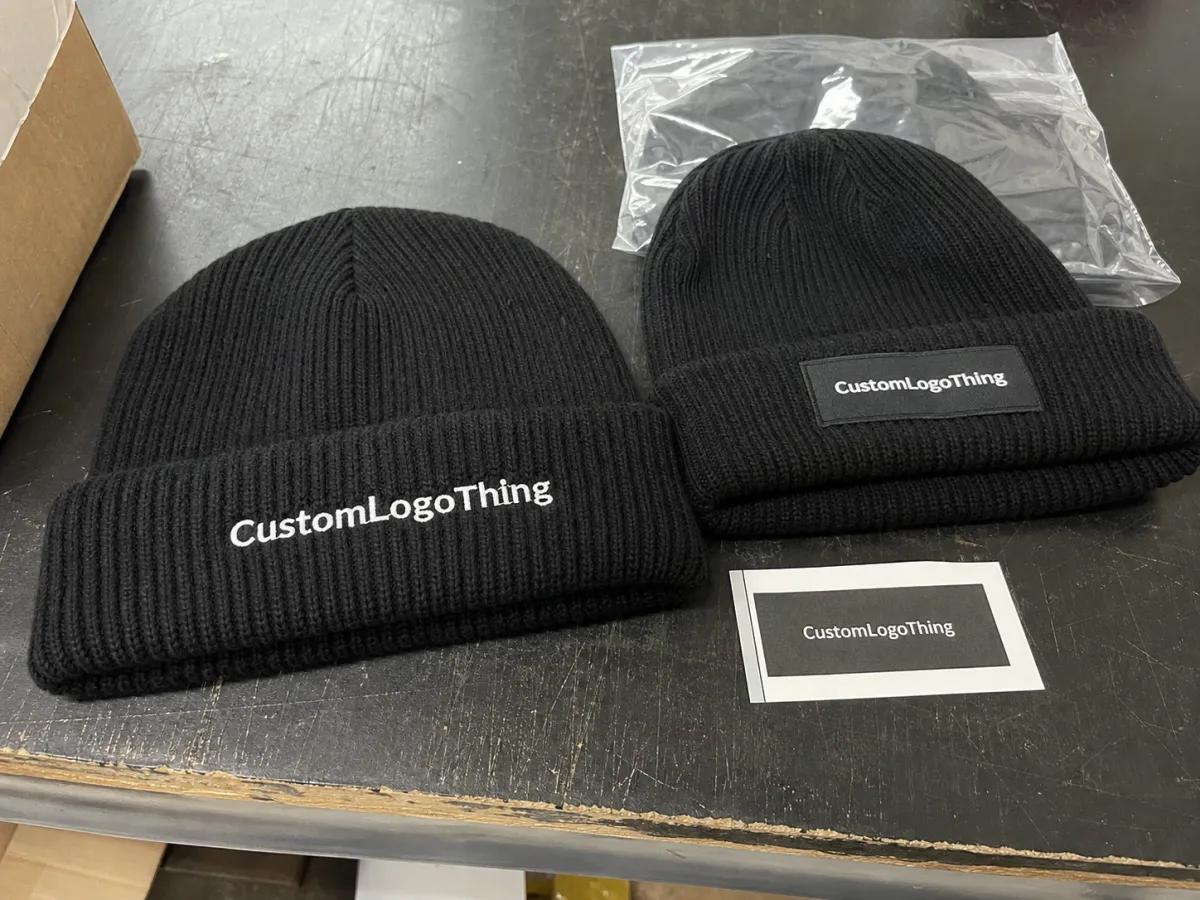
Embroidery on beanies behaves more like a material decision than a graphic one. A proof can show a logo centered and proportioned correctly, then the finished piece reads differently because the knit compresses, the cuff shifts the visible area, and the wearer stretches the fabric during use. Even a difference of a quarter inch can change how a logo feels on the hat.
Electronics branding is especially sensitive to that. Many marks in the category depend on precision: a power icon, a waveform, a device outline, a compact logotype, or a technical symbol stack. Those features often work well in print and on a monitor, but embroidery needs breathing room. Thin lines can break apart, tiny text can fill in, and overly dense shapes can make the surface feel heavy. The proof should answer a basic question before anyone approves it: does the design still read clearly once it is stitched?
A good proof functions as a production control document. It should show the beanie color, thread color callouts, placement on the cuff or front panel, approximate embroidered dimensions, and any digitizing changes made to improve stitchability. If the artwork needed to be simplified, that should be visible in the proof notes. If the brand is strict about color, the thread selection should be called out clearly instead of left to interpretation.
Material choice matters too. Acrylic beanies, recycled polyester styles, and rib-knit blends all take embroidery differently. A thicker knit can hide detail faster, while a smoother knit may show clean lines but also reveal puckering more easily if the stitch count is too high. That is why one logo can look fine on one hat style and awkward on another, even when the art file has not changed.
For teams that manage branded apparel across multiple categories, a proofing habit built for one product line usually helps on the next. If the same order also involves other decorated items, our Manufacturing Capabilities page shows how different decoration methods are handled across project types.
Proof process and turnaround timeline
A practical proofing workflow usually follows the same sequence: artwork submission, file review, digitizing or cleanup if needed, proof creation, buyer feedback, revisions, and final approval. The order is simple. The timing is not. Clean vector files can move quickly, while a low-resolution image, a hand-drawn sketch, or a heavily detailed logo may need redraw work before it can be digitized correctly.
Standard turnaround for a digital proof can be fast, often same day or next business day for a straightforward logo on a familiar beanie style. Once the art becomes more technical, the timeline stretches. A proof for a mark with fine lines, multiple thread changes, or alternate placements on cuff and body can take longer because someone has to decide what will actually stitch cleanly. If a sample sew-out is needed, add more time still. That is not delay for delay's sake; it is the point where a design either survives on knitwear or gets adjusted before a larger run goes wrong.
- Submit clean artwork in vector format when possible, ideally AI, EPS, or PDF with outlined text.
- Include the beanie spec so the proof uses the correct style, color, and construction.
- Review digitizing notes for simplification, thread direction, or stitch-density changes.
- Check layout on the exact hat because cuff height and panel shape change what is visible.
- Consolidate feedback before replying, since scattered notes slow the revision cycle.
- Approve only after every line item matches the purchase order and spec sheet.
Speed is useful, but rushed approval is expensive. A logo placed too low on a cuff beanie, or a wordmark scaled down just enough to lose legibility, can turn a low-cost order into a replacement exercise. For trade show kits, employee onboarding packs, or retail drops with fixed delivery windows, the proof stage should be scheduled as a formal step, not treated as a spare task someone will handle later in the week.
Cost and pricing factors for beanie proofing
Many buyers focus on unit price first, then discover the proofing work changes the real cost of the project. The usual variables are digitizing fees, setup charges, revision rounds, rush handling, and whether the proof is included or itemized separately. For a simple logo, a digitizing fee may fall around $25 to $75. If the design is more technical, has small text, or needs cleanup before it can stitch properly, the fee often moves higher.
There is a reason the range widens. A logo built from thin circuit-style lines or tiny symbols may need practical changes to survive embroidery. Those changes are not cosmetic. They prevent filled-in letters, broken outlines, and stiff-looking patches. If a supplier quotes a very low proofing cost for a complicated mark, ask whether the actual digitizing work is included or whether the file will be simplified enough to create a weaker result later.
| Proof option | Typical use | Common price range | What to watch |
|---|---|---|---|
| Standard digital proof | Clean vector logo, familiar beanie placement | Often included or $0-$25 | Confirm exact placement and thread callouts |
| Digitizing + proof | New artwork, fine detail, text-heavy marks | $25-$100+ | Ask how much simplification was required |
| Rush proof revision | Launch deadline or event-driven order | $20-$75 rush add-on | Works best when the art is already clean |
| Sample sew-out review | High-stakes approval or complex stitch decisions | Varies by project | Slower, but useful when exact feel matters |
The smarter comparison is not just the product cost. It is the full proofing path. Ask whether the quote includes a limited number of revisions, whether sample fees are credited back if the order proceeds, and whether the minimum order quantity changes the setup economics. If one quote is much lower than the others, check what was left out. Sometimes the lowest number just means fewer guardrails around the exact details that prevent production mistakes.
Shipping, packaging, and program size can also affect the quote indirectly. A small order of giveaway beanies often carries more setup pressure per unit than a larger run. If the same project also includes paper inserts or branded cartons, the production team may need extra coordination across multiple components, and that coordination should be visible in the timeline.
Artwork setup, stitch count, and placement rules
Good embroidery starts with strong source files. Vector artwork is the best starting point because it preserves clean edges, editable text, and separate shapes for digitizing. That matters for electronics brands more than most, because the graphics often include tiny labels, icon groups, or structured line work that can fall apart if the artwork is flattened into a low-resolution image. Once the digitizer has to rebuild the file by hand, tiny inaccuracies become more likely.
Stitch count is one of the most misunderstood parts of the process. More stitches can mean more detail, but they can also create a dense patch that feels stiff on a soft knit surface. A simple embroidered logo might land around 4,000 to 8,000 stitches. A more detailed version can go higher. That does not mean higher is better. On beanies, too much density can cause puckering, while too little can cause the design to sink into the texture and lose edge definition.
Placement is equally important. On a folded cuff beanie, the front center area usually reads best when the logo width stays in a practical visible range, often around 2.5 to 3.5 inches for many retail-style pieces. Larger artwork can work if the beanie has enough surface area, but oversized decoration on a small cuff often looks crowded. If the logo sits too close to the seam, it can visually tilt or compress. If it floats too high, the wearer may barely see it. Exact measurements are better than vague instructions every time.
The beanie style changes the geometry. A shallow cuff leaves less room for vertical placement. A tall cuff gives more room but can also hide the logo when folded differently. Slouch styles have more relaxed drape and can shift the visual center. Performance blends may stretch more than acrylic, so the same embroidery footprint can read differently once worn. The proof should account for the exact style instead of assuming one layout works everywhere.
Some technical marks need simplification before they can be stitched well. QR-style graphics, micro text, ultra-thin waveforms, and tiny device outlines usually need bolder shapes or fewer elements. That is not a compromise so much as a translation. Embroidery has physical limits, and a design that respects those limits usually looks sharper in the hand than a file that tries to preserve every detail.
Checklist before you approve the proof
The phrase electronics embroidered beanies Digital Proof Checklist should mean a real decision tool, not a label on a file. Start with brand accuracy. Confirm the logo version, spelling, icon order, tagline text if there is one, and any spacing rules that apply to the mark. A proof can look polished and still be wrong if an outdated asset was used or if a line of text was trimmed without approval.
Then move to the production details. Check the beanie color, thread colors, embroidery dimensions, and placement notes. If the proof says the logo is 2.75 inches wide, that number should match the purchase order. If the thread callout says navy on black, make sure that choice is deliberate and not an accidental mismatch. Screen color is only an approximation; the proof should not pretend otherwise.
- Brand lockup: spelling, symbol order, and logo version are correct.
- Placement: front center, cuff position, and seam distance are clearly shown.
- Thread colors: thread callouts match the brand intent as closely as available.
- Size: logo width and height match the spec sheet.
- Construction: embroidery, patch, or applique method is confirmed in writing.
- Quantity and style: the exact beanie model, colorway, and count are correct.
- Revision notes: any simplification or stitch-density change is clearly documented.
Compare the proof against the order record before approving it. That means the spec sheet, the purchase order, and any email notes that changed artwork or placement during the process. If one detail feels unclear, ask for an updated proof. Written approval may feel slow, but it is the cleanest way to keep sales, purchasing, and production aligned.
For larger programs, a final side-by-side review of the art file, the proof, and the production notes is worth the extra minute. If your team already manages apparel or retail packaging through Manufacturing Capabilities, this kind of handoff discipline should feel familiar. The goal is the same: keep a small decision from becoming a large correction after production starts.
Common mistakes that trigger rework or delays
Approving from a phone screen is one of the quickest ways to miss a problem. Embroidery detail does not scale well to a thumbnail. A line that looks safe at a glance may actually sit too close to another element, and a letter that appears readable may fill in once stitched. If the logo matters, view it large enough to inspect spacing, not just overall appearance.
Another common mistake is assuming a screen image tells the truth about color. It does not. Thread has sheen, texture, and dye behavior that screen graphics cannot reproduce. A navy thread may look darker or lighter depending on the knit color next to it. If color accuracy is critical, ask which thread chart is being used and whether a physical swatch or sew-out is available for review.
Placement errors are often caused by forgetting that the beanie moves when worn. A mark can look centered in a proof and still sit slightly differently once the cuff is folded or the knit stretches over a head. That is why seam distance, edge distance, and height from the cuff matter. “Front center” is useful shorthand. It is not enough for approval.
Over-detailing causes its own set of problems. Dense art can pack too much thread into too small an area and create puckering, a hard hand feel, or a patch that sits above the fabric instead of into it. The opposite mistake is simplifying so much that the brand loses its identity. The strongest results usually sit in the middle: enough detail to stay recognizable, enough openness for the stitches to behave well.
Timeline mistakes are just as common. If a project is already in the queue and someone asks for a new round of revisions, the order can slip by days. That matters for launches, conferences, holiday promotions, and staff uniform deadlines. The easiest fix is to gather all feedback before a proof goes out and assign one final decision-maker. Multiple opinions are fine. Multiple approval routes are not.
Expert tips before production
Once the proof looks right, ask for one final confirmation that ties everything together. The approved art, placement measurements, thread callouts, and order notes should all match. That final cross-check catches more errors than people expect. It also prevents the common problem where marketing approved one version, procurement stored another, and production only saw the most recent email.
Save the approved file in the project folder and send it to everyone who needs it. That sounds basic, but it matters when the order is part of a launch kit, a trade show giveaway, or a company-wide uniform rollout. Two weeks later, the written approval trail is often the only place where the exact thread choice or placement measurement still exists in a form anyone can trust.
For more complex orders, ask for the production-ready version of the proof notes, not just the visual. If the art was simplified, keep the digitizing notes with it. If the order is tied to a specific ship date, make sure the revision window is closed before the order moves to production. Small program details like these are what separate predictable orders from expensive ones.
Packaging and transit deserve a brief mention too. If the beanies are being folded into cartons or packed with printed materials, the handling standard should match the decoration standard. The testing discipline used by ISTA is useful for thinking about shipment risk, and FSC remains the reference point when paper sourcing matters for sustainability claims.
Most good orders feel uneventful in production because the hard decisions happened earlier. That is the point. Keep the proof checklist in the project file, use it every time, and do not approve until the proof, spec sheet, and timeline all line up. The payoff is simple: cleaner artwork, fewer delays, and a final beanie that still looks like the brand after it is stitched into fabric.
What should I check first on an embroidered beanie digital proof?
Start with spelling, logo version, and overall placement. Then verify the beanie color, thread colors, and whether the logo width fits the visible front panel. If the main layout looks wrong, stop there and request a revised proof before reviewing smaller details.
How many revisions are normal in a beanie digital proof process?
One or two revision rounds are common when the artwork is clean and the instructions are specific. Extra rounds usually mean the source file needs cleanup or the placement needs to be rethought for embroidery. The fastest approvals happen when one person gathers feedback before sending notes back.
Can the digital proof show exact thread colors for electronics embroidered beanies?
It can show the selected thread callouts, but a screen image is not the same as a physical thread sample. Ask for the closest available thread match if the brand color is critical. For strict color standards, confirm whether swatches or a separate color approval step is available.
What slows down beanie proof turnaround the most?
Unclear artwork, low-resolution files, and designs with too much fine detail usually add the most time. Multiple stakeholders sending separate feedback can also slow the process if there is no single approver. Rush requests work best when the art is already clean and the spec sheet is complete.
How do I know the proof will match production?
Compare the approved proof against the order details, artwork file, and placement measurements before signoff. Look for notes about digitizing changes, stitch simplification, or size adjustments that could affect the final piece. Once everything matches in writing, keep the approval record so production can follow the same version without guesswork.

