A logo can look sharp on screen and still fail on a pouch. Once the garment is folded, the zipper is sealed, and the film is under tension, small layout errors show up fast. That is why a Zipper Pouches for Apparel logo placement guide matters: a few millimeters can decide whether the branding looks intentional or cramped.
Apparel packaging has to do more than carry a mark. It must protect the garment, survive handling, and still read clearly from a shelf or carton. If the logo lands too close to the zipper, too low under the product fold, or too high into the seal area, the bag still ships, but the branding stops doing its job.
Why zipper pouches punish sloppy logo placement
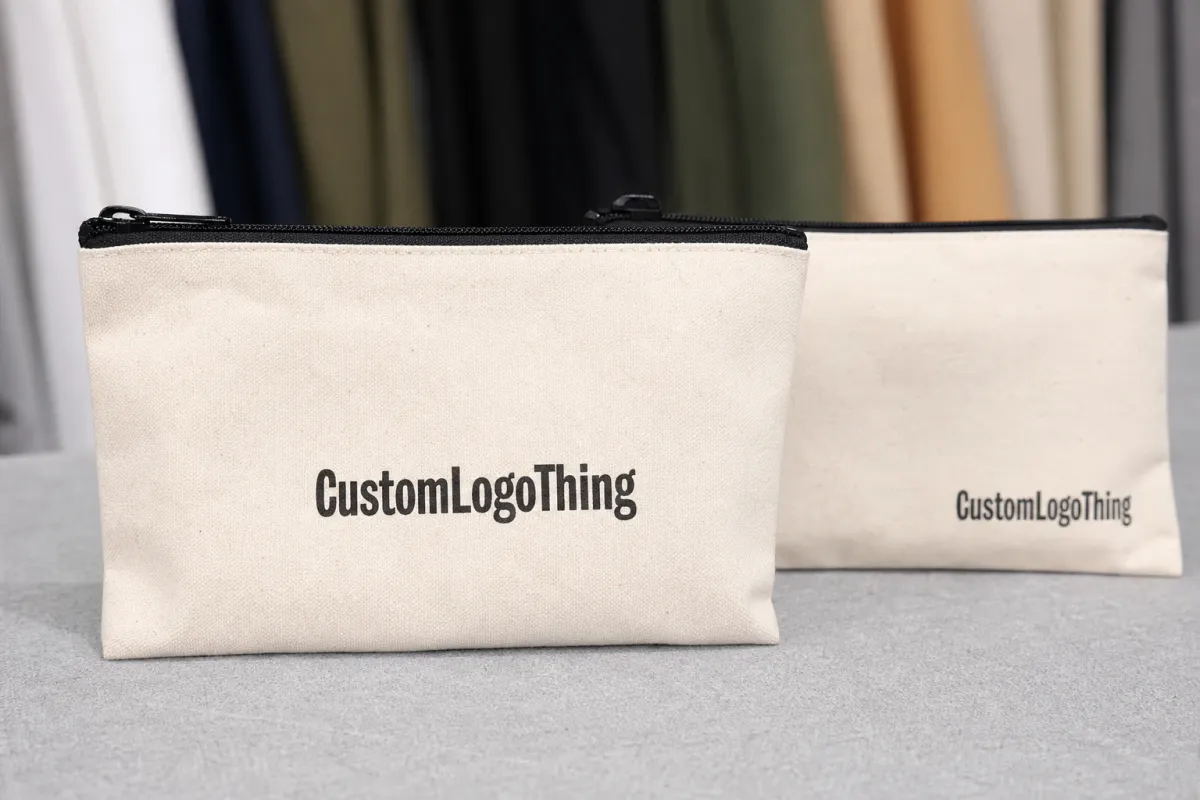
Zipper pouches leave very little visual slack. The top closure cuts into the printable area, side seals trim the width, and the packed apparel changes how the front panel reads. A centered logo that looks balanced in a mockup can feel cramped once the pouch is filled. Transparent films make that mistake obvious. Opaque films hide the contents, but they also put more pressure on the artwork to carry the package.
Buyers usually want the same three things: visibility, shelf appeal, and a unit price that protects margin. Those goals pull in different directions. A larger logo is easier to spot, but it risks crowding the zipper band. A smaller logo clears the hardware, but it can disappear beside similar packs in a tray or bin.
The failure mode is usually subtle. A logo placed too high gets clipped by the zipper tape. A centered mark drifts lower than expected because seam allowance shrinks the live area. A clear pouch exposes every offset because the garment inside no longer sits flat after packing.
The pouch is not a billboard. It is a compact package with limits, tolerances, and very little room for guessing.
That is the practical value of this guide: repeatable placement that survives production, not decoration that only works in a mockup.
Front-panel basics
Start with the area buyers see first: the front panel. On most zipper pouches, the printable surfaces include the front, back, side gussets if present, and sometimes a header or hang-hole zone. The front panel usually gives the best branding real estate because it faces the shopper directly and avoids seam distortion.
Front-center placement works well when the pouch has enough open space above the folded garment and enough clearance below the zipper band. Top-aligned logos can feel cleaner on tall pouches, especially when the product sits low inside the bag. Lower-center placement may work on wider pouches, but only if the garment does not hide the mark once the pouch is filled.
Transparent pouches are unforgiving. Frosted and metallic films soften the effect, but they do not erase it. A hang hole, tear notch, or reinforced header can also steal the exact space the brand team planned to use. The front panel is not one flat canvas; it is a measured area with obstacles.
- Front-center: best for quick recognition and a clean retail look.
- Top-aligned: useful when the garment fills the lower half of the pouch.
- Repeat pattern: better than a single oversized mark on long or narrow packs.
The folded garment matters as much as the pouch dimensions. A neatly folded T-shirt can still block a logo if the artwork sits too low. A hoodie insert can push the visual center upward. That is why one artwork file may work on one SKU and fail on another, even if the pouch size seems close.
Material and print-method decisions
Material changes the placement rules. PE is flexible and usually cost-effective for higher-volume runs. PP tends to feel stiffer and can read cleaner on shelf. Frosted film adds a softer, more premium look while reducing the harsh visibility of the contents. Metallic or opaque films protect privacy better, but they put more pressure on artwork placement because the logo carries much of the visual impact.
The zipper matters too. A thicker zipper tape or reinforced top edge can reduce the live print area by several millimeters on each side. That is enough to push a logo into the danger zone if the artwork was positioned on a flat image instead of a measured dieline. Buyers should ask for exact printable dimensions, not just the overall pouch width.
Print method affects both layout and color behavior. Flexo and gravure are efficient on larger runs, but they require disciplined setup and tighter registration control. Digital printing handles short runs and revisions more comfortably, though unit cost and color stability can shift. Screen printing can produce strong ink density on certain films, but it usually rewards simpler graphics and deliberate spacing.
White underprints, metallic inks, and full-bleed artwork need more room than a simple one-color mark. That extra room is not decorative; it helps the print survive flexing, sealing, and machine handling.
For shipping and handling expectations, ask whether the supplier tests the finished pouch against a recognized distribution standard. If the bags will move through cartons, parcel networks, or retail replenishment, a reference to ISTA is more useful than a sample photo. If the order includes recycled-content claims or paper inserts, FSC is the better reference for paper-based components.
| Option | Typical use | Approx. unit price at 5,000 pcs | Layout notes |
|---|---|---|---|
| Clear PE pouch, one-color logo | Basic apparel packs, promotions | $0.12-$0.22 | Needs strong contrast and accurate top margin |
| Frosted PP pouch, two-color logo | Mid-tier retail presentation | $0.18-$0.32 | More forgiving visually, still needs seam clearance |
| Opaque or metallic pouch, full branding | Premium retail and gift packaging | $0.24-$0.45 | Print area feels smaller because the logo carries the full look |
| Custom size with special zipper or insert card | Private-label programs | $0.35-$0.70 | Higher setup, but tighter control over logo placement |
Production steps and turnaround
The order path is straightforward on paper and less tidy in practice. It starts with a dieline request, then artwork setup, then proofing, then sample review, then production. Delays usually appear between proof and approval, because that is where someone notices the logo is 6 mm too low or the zipper band is wider than expected.
A screenshot is not enough. The supplier needs exact pouch dimensions, seam allowances, zipper band width, and the intended print method. A proper proof should show the safe zone, bleed, and the logo distance from the zipper line. If it does not, the buyer is approving a guess.
Simple pouch art can move quickly. A clean, ready-to-print file may get through proofing in a few business days. Add custom color matching, a new mold, or repeated logo resizing, and the calendar stretches. Fast turns exist, but only when the spec is already disciplined.
A realistic timeline looks like this:
- Artwork setup: 1-3 business days if the file is clean, longer if the art needs rebuilding.
- Proof review: 1-2 rounds is normal; more usually means the placement brief was incomplete.
- Sample making: 3-7 business days for a standard sample.
- Production: 10-15 business days after proof approval for straightforward runs, longer for custom materials or print changes.
Every logo change after proof approval adds friction. Production has to stop, verify registration, and confirm the artwork still respects the seam and zipper limits. That is the cost of making packaging that has to align on a moving line.
If the proof does not show exact distances from the zipper tape and side seals, ask for a revised file before anything goes into tooling.
Cost, MOQ, and quote drivers
Price is shaped by a few predictable variables: pouch size, material thickness, print colors, zipper style, finish, and whether the logo sits in a standard print zone or needs custom setup. A small logo is not automatically cheap. If it requires special ink, extra registration checks, or another proof cycle, the apparent simplicity disappears quickly.
MOQ changes the math. Low quantities usually carry a higher unit cost because setup gets spread over fewer bags. Larger runs lower the per-piece price, but the cost of an error rises sharply. A wrong logo placement on 500 pouches is a headache. The same mistake on 25,000 pouches becomes a budget problem and a storage problem.
Buyers often compare quote sheets the wrong way. They look at the headline price and ignore whether the supplier included proof revisions, sample charges, material thickness, zipper type, or lead time. That is how a low quote turns into a higher total spend after rework. The cheapest number on the page is not always the cheapest order.
Use the quote like a spec document. Check what is included, what triggers an extra charge, and how changes after proof approval are handled. Then compare the same pouch size, the same film, the same print method, and the same placement request. Otherwise one vendor may simply be quoting a thinner film or a smaller print area.
- Best low-cost route: stock-size clear pouch, one-color logo, minimal setup.
- Best mid-tier route: frosted pouch, two-color mark, tight but simple placement.
- Best premium route: custom size, controlled print area, more white space, cleaner retail presentation.
If the packaging also needs inserted cards, recycled paper tags, or other paper components, ask for those as separate line items. The pouch and the insert do not share the same production logic, and mixing them up creates quote confusion. A vendor that cannot separate those costs clearly is not ready for a reliable order.
Common mistakes that waste ink, space, and money
The first mistake is placing the logo too close to the zipper seal. The top edge is usually tighter than it looks, and the result is a design that feels squeezed even if it technically prints within tolerance.
The second mistake is making the mark too small. Apparel arrives folded, tagged, and sometimes packed with inserts, which means the pouch is not empty and the logo is not floating in ideal white space. Thin strokes, fine type, and delicate icons often lose legibility once the bag is filled and handled.
The third mistake is skipping a print-safe margin. Plastic film can stretch slightly, curl slightly, and shift during sealing. That may sound minor until the top line drifts closer to the zipper than planned. Buyers who ignore that buffer usually discover the issue after the first production run, not before it.
Low-resolution artwork is another expensive habit. If the file format is wrong or the logo came from a web image, the final print can show jagged edges, softness, or color drift. Vector artwork is usually the safer starting point, and the supplier’s file requirements should be confirmed before proofing begins.
Changing the logo color after approval is another classic mistake. A darker blue or a “more premium” black sounds small, but it can trigger a new proof, fresh sign-off, and a longer lead time. The line between a detail and a delay is thinner than most brand teams expect.
What to check before you request samples or place the order
Measure the pouch like the numbers matter, because they do. Confirm overall width, usable front-panel height, seam allowance, zipper band width, and any gusset expansion. If the logo sits near an edge, the usable print area matters more than the full bag size.
Then ask for a digital proof with exact dimensions. If the logo is close to a seal, zipper, or hang-hole area, ask for a physical sample before committing to the full run. That extra step costs less than a reprint.
Put these items in writing:
- Print method and whether the artwork needs special registration control.
- PMS or CMYK targets so color expectations are specific.
- Finish such as clear, frosted, matte, or metallic.
- MOQ and the price break between sample, short run, and full run.
- Delivery window after proof approval, not after the first inquiry.
Compare suppliers using the same dimensions and the same placement request. Otherwise the low quote may only be for a smaller print area, thinner film, or a layout that works because the logo is tiny. That is not a bargain. It is a spec mismatch.
If multiple SKUs are being tested, start with one pouch size and one layout. Lock the version that prints cleanly, then scale it across the line. That is the safest way to use this guide without turning each style into a separate experiment.
FAQ
How do I choose the best logo placement on zipper pouches for apparel?
Start with the front panel, then check the seam lines, zipper tape, and the way the folded garment sits inside the pouch. A proof with exact measurements is more reliable than a mockup that only looks balanced on a monitor.
What logo size works best for apparel zipper pouches?
The logo should stay readable when the pouch is filled and viewed from a normal retail distance. If the pouch is small or highly transparent, simplify the mark before shrinking it into a badge that disappears in use.
Does pouch material affect logo placement and print quality?
Yes. Clear, frosted, metallic, and opaque films each change how much visual space the logo needs. Flexible films can shift slightly during sealing, so the safe zone matters more than the design screen alone.
What affects pricing for custom zipper pouches with logo printing?
Size, material, print colors, setup complexity, and MOQ all move the unit cost. A logo that needs special ink or extra alignment checks can cost more than a simpler graphic, even when the artwork looks smaller.
How long does it take to produce branded zipper pouches for apparel?
Simple jobs move faster, but sampling, artwork changes, and custom material choices extend turnaround. The quickest path is approved dielines, clean artwork, and as few proof revisions as possible.
Used properly, a Zipper Pouches for Apparel logo placement guide helps protect margin, reduce rework, and keep the final pack from looking careless.


