If your team relies on an ecommerce Printed Poly Mailers digital proof checklist, the costly mistakes are usually subtle. They are not the dramatic failures everyone notices immediately. They are the logo that straddles a fold line, the return address that sits too close to a seal, the QR code that scans fine in a PDF and fails once the mailer is formed. Those are the errors that survive the screen review and surface only after production.
A digital proof is a pre-press check, not a finished sample. It shows how the artwork is expected to print on the mailer, and it gives buyers a chance to confirm size, copy, layout, and production notes before ink hits film. That distinction matters. Screen color, film gloss, opacity, and creasing all behave differently on a physical mailer than they do in a proof file. A PDF can look polished and still hide an issue that turns expensive later.
For buyers comparing Custom Poly Mailers, reviewing broader Custom Packaging Products, or checking technical production details through Manufacturing Capabilities, the proof is the point where the order stops being abstract. It is also where speed and caution have to coexist. Approve too quickly and the order can be wrong. Over-review every small preference and the schedule slips for no useful reason.
The practical goal is simple: verify the artwork against the real structure of the bag, the actual print method, and the purchase order. That means checking what the finished mailer can physically carry, where folds and seals land, and how much room the design really has. A clean proof process saves more money than a clever discount ever will.
Ecommerce Printed Poly Mailers Digital Proof Checklist Basics
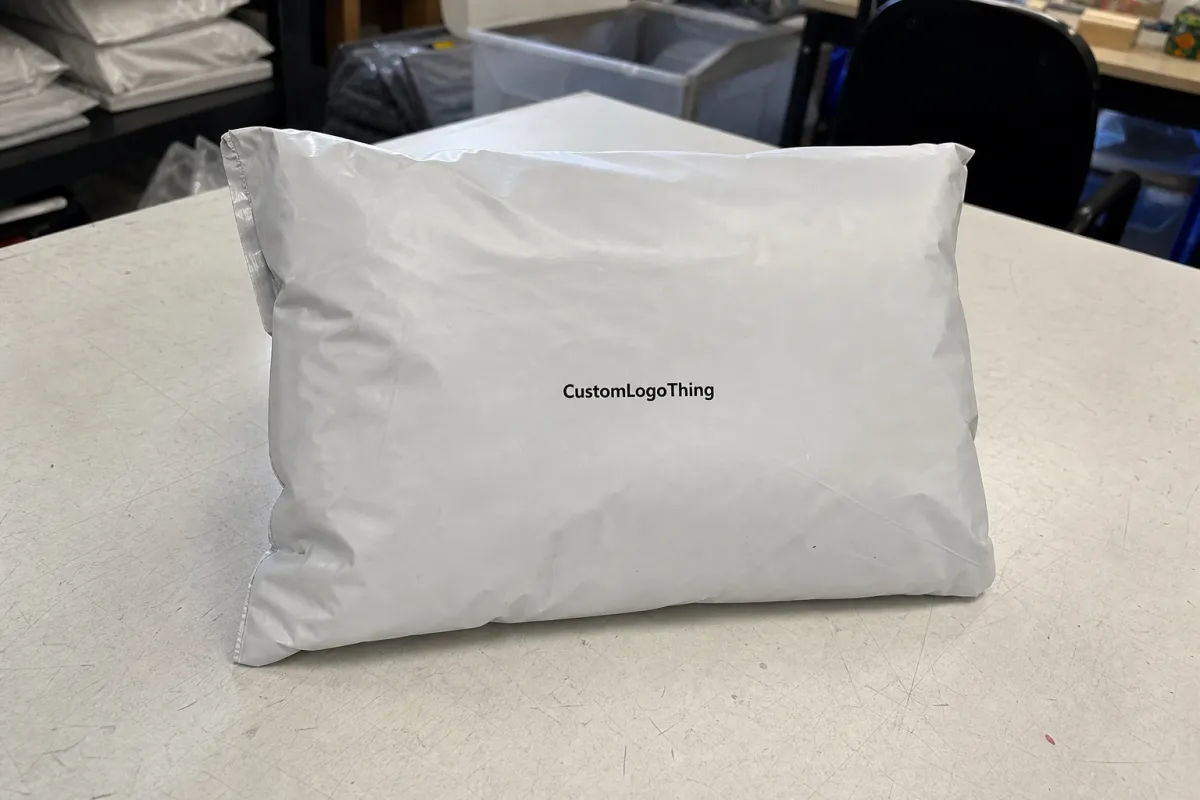
Start with structure before style. A flat proof should make the front panel, back panel, flap or adhesive strip, and any gusset or fold line easy to identify. If the artwork crosses a structural line, the design may still look balanced on a monitor and still land awkwardly on the actual mailer. That is especially common on narrow mailers, where a few millimeters can decide whether a logo reads cleanly or appears cut off.
Readable copy deserves the same attention. Text that looks crisp at 100% zoom on a desktop can become fragile on film, especially near dark backgrounds, white ink areas, or the edge of a seal. Small legal lines, return addresses, and SKU identifiers should not be left for interpretation. A cautious rule is to keep important text several millimeters inside any trim or fold risk area, and to treat very small type with skepticism until the supplier confirms it holds up on the chosen substrate.
A proof should answer one question: will this still make sense after the bag is folded, sealed, stacked, and handled by a carrier?
That question is more useful than judging whether the mockup looks attractive. A proof can be visually polished and still be wrong for production. The buyer needs to know whether the art sits in the safe area, whether the copy survives the manufacturing steps, and whether the final bag will still read as intended once filled. Texture, hand-feel, and final sheen are real concerns, but they sit behind placement and legibility.
Every proof should be tied to a named spec. If the order is for a 10 x 13 inch mailer, 2.5 mil film, a one-color logo, and a 1 inch flap, those details should appear in the proof notes and match the purchase order. If the supplier changes the dieline, print area, or material callout, the proof has to change too. The best approvals are specific, and they are grounded in the actual order record rather than a general design preference.
Teams that handle packaging regularly often keep a short internal review sheet for this stage. That sheet is most useful when it mirrors the production language: panel, seam, fold, closure, bleed, underlay, trim, revision. The terminology reduces guesswork, especially when design, operations, and procurement are all reviewing the same file from different angles.
What a Digital Proof Should Show Before You Approve
A useful proof shows the geometry of the package, not just the artwork. The buyer should be able to tell where the front panel ends and the back panel begins, where the flap or adhesive strip lands, and what areas will disappear into a fold or seam. If the design includes a repeat pattern, barcode, or QR code, that element needs a visible position marker. A barcode that sits too close to a seam can scan well in a mockup and fail once the bag is filled and flexed.
Several items belong on every review. Spelling, phone numbers, URLs, return addresses, slogans, barcode content, and legal copy all need line-by-line confirmation. So does logo placement, because a mark can look centered on a proof and still feel too high or too low on the physical bag. White ink deserves special attention as well. The proof should indicate whether white is acting as a full underlay, a spot underlay, or a knock-out layer. That difference changes contrast on dark film more than many buyers expect.
- Panel map: front, back, flap, gusset, and seal areas clearly identified.
- Copy check: spelling, phone numbers, URLs, and return addresses matched to the final brief.
- Safe zones: key art kept clear of folds, trim, adhesive, and seal edges.
- Bleed and cut lines: clearly labeled so artwork edges are not mistaken for trim edges.
- Color notes: CMYK, spot color, white ink, and any simulated-display disclaimer called out.
- Scan items: barcodes and QR codes checked at actual size, not as thumbnails.
One frequent mistake is trusting the image more than the notes. A proof may be shown in perspective for readability, but production usually follows the labeled dieline and the written instructions. If the image and notes conflict, the notes typically govern. For that reason, the proof should state whether it is color-managed, whether it is a flat layout or a simulated view, and whether any written comments override the preview.
Material and use case also affect how strict the review should be. A mailer that ships apparel has different tolerance than one that ships boxed goods or subscription kits. A design that looks generous on a flat screen can become cramped once the contents stretch the film or shift the bag shape. Buyers who already know their pack-out size have an advantage here. They can judge the proof against the item that will actually live inside the mailer.
Some procurement teams cross-check the proof against outside packaging references for handling and transit expectations. Sources such as packaging.org and ISTA can help teams speak the same language about transport stress, durability, and package performance. They do not replace a supplier proof, but they sharpen the questions buyers ask before approval.
Artwork, Material, and Finish Factors That Change the Proof
The same artwork can behave very differently depending on film structure, thickness, opacity, and finish. A glossy white mailer usually throws more light and makes colors feel brighter. A matte surface lowers contrast and can soften sharp details. Recycled-content film may carry a warmer tone or a slight speckle, which matters if the brand uses pale colors, delicate type, or subtle gradients. A proof that looks clean on screen can still disappoint if the substrate changes the visual weight of the design.
Print method matters just as much. Flexographic, gravure, and digital printing do not translate every artwork the same way. Fine rules, halftones, and gradients can break differently depending on the process. Dense solids often survive well, but a navy or red built from process color may not match the appearance of a dedicated spot ink. On dark films, white ink underlay becomes the backbone of legibility. If that underlay is weak, the design can turn muddy or flat even if the art itself is correct.
From a buyer’s point of view, this is where file discipline pays for itself. If brand color has to stay within a narrow target, ask whether the proof is showing a simulated appearance or a process-matched target. If the logo uses thin lettering, ask whether the line weight is strong enough for the film. If metallic accents are part of the design, ask how they will be reproduced, because true metallic effects often require a special ink or a different build. Claims about recycled content, FSC-related sourcing, or other material language should match the actual construction rather than the mood board.
Variable features deserve a hard look too. Perforations, hang holes, tamper seals, and side seams can all interfere with important text. A slogan that sits too close to a perforation can look broken after the bag is folded and filled. A logo placed too near the bottom seal may distort once the contents settle. These are not rare edge cases; they are common production realities.
There is also the question of load. A mailer used for a lightweight accessory can tolerate artwork closer to the edge than one that ships a garment or boxed item. Heavier contents stress the film and can exaggerate any misalignment in the print area. The proof should be reviewed with that in mind. A design that looks acceptable on an empty flat mockup may still need more breathing room once the product is inside.
The simplest rule is the one most buyers end up using: review the proof as if the physical mailer is already in your hand. That means checking how it will fold, how it will seal, and how the art will read in motion, not only on a static screen. If the design still feels balanced under that test, it is usually closer to production-safe.
Process and Turnaround Timeline: From File Review to Approval
A solid approval flow usually follows the same sequence. First, the buyer sends the artwork, dieline, and order details. Next, the supplier runs a preflight check and flags anything missing or inconsistent. Then the digital proof is issued for review, comments are consolidated, revisions are made if needed, and final approval is given only when the proof matches the purchase order exactly. The steps are predictable. The delays come from the handoffs.
The most common slowdowns are easy to recognize once you have seen a few orders. Missing dielines delay the first round. Low-resolution logos create avoidable questions. Unclear color targets force another exchange. Internal review loops are another time sink: marketing likes the layout, legal changes a line, operations notices a carton count mismatch, and the proof bounces back into the queue. A focused ecommerce Printed Poly Mailers Digital Proof Checklist keeps those comments together so the supplier does not receive three versions of the same instruction.
Typical proof turnaround is often 1-3 business days for straightforward artwork. More complex jobs can take longer, especially when multiple panels, white ink, special color matching, or a new die are involved. After approval, production commonly moves into a 12-15 business day window, though plant load, print method, and order size can shift that. Late approval or late change requests can push the job out of its scheduled slot, and even one day of slippage can matter for seasonal launches or subscription replenishment.
That is why the final handoff matters as much as the proof itself. Once the file is signed off, production planning usually starts. Any late edit may affect lead time, inventory allocation, and shipment dates. Buyers who coordinate procurement, design, and operations before approval tend to avoid last-minute conflict. Buyers who wait until after sign-off to settle the artwork usually end up paying for the delay in either time or freight.
There is no benefit in treating every comment as equal. A typo in the return address is urgent. A preference about the saturation of a decorative background may not be. The fastest approvals separate production-critical changes from cosmetic opinions before the supplier begins revision work. That simple distinction often saves a round trip.
Cost, MOQ, and Unit Pricing Factors to Watch
Pricing for custom printed mailers is driven by more than size. Order quantity, print colors, coverage area, special inks, film thickness, and whether the project needs a custom dieline all affect the quote. A single-color design on a standard white mailer is simpler than a four-color build on black film with a white underlay and precise placement notes. Buyers who compare quotes without matching the spec sheet are often comparing different jobs, not different prices for the same job.
MOQ changes unit cost in a direct way. Smaller runs carry a higher per-bag price because setup, proofing, and scheduling are spread across fewer pieces. Larger runs usually improve unit economics, though they also increase the amount of inventory sitting on a shelf. For many ecommerce brands, a practical ordering band falls somewhere between 5,000 and 25,000 pieces, depending on storage space, reorder cadence, and how quickly the design may change. That range is not a rule, but it is common enough to shape planning.
| Order profile | Typical unit price | Proofing / setup notes | Best fit |
|---|---|---|---|
| 3,000-5,000 units | $0.22-$0.38 | Often 1-2 proof rounds; setup cost spread across fewer bags | Launches, test runs, new artwork |
| 10,000 units | $0.14-$0.24 | More efficient pricing if the dieline and copy are already stable | Growing ecommerce programs |
| 25,000+ units | $0.08-$0.18 | Lowest per-unit cost, but color and placement still need close review | Steady volume, recurring SKUs |
| Rush or special finish | +10% to +25% | Extra scheduling pressure, special inks, or finish changes may add cost | Seasonal drops, time-sensitive promotions |
Hidden costs usually show up after the quote seems settled. Extra revision rounds, rush scheduling, color matching requests, and changes after proof approval can all move the final number, even if the bag spec itself never changes. That is why side-by-side pricing only works when the spec is truly matched. Compare bag size, film gauge, print method, carton count, and proof notes before judging value. Otherwise, the lower quote may simply be a different build.
Ask a simple question before sign-off: what happens if the artwork changes after approval? Some suppliers can adjust a proof quickly if the edit is minor. Others need to restart the cycle. Knowing that before approval helps finance, marketing, and operations set a realistic budget. It also limits the temptation to treat a late color tweak like a harmless cosmetic choice when it may trigger a full revision.
For buyers managing multiple SKUs, the economics of mailers often come down to repetition. A stable, reused spec lowers risk and usually lowers cost. Frequent artwork changes, on the other hand, keep the order in the high-friction zone where proofing, setup, and revision time do not disappear just because the bag is small.
Common Proofing Mistakes and Final Approval Steps
The most common failure is approving art that looks fine on a monitor but sits too close to folds, seals, or trim areas. The second is using inconsistent files. A screen capture instead of source artwork. An old logo pulled from a shared folder. Copy that changed in one department and never made it into the final file. These errors sound basic, yet they are some of the most frequent reasons for reprints.
Color expectations create another common miss. A digital proof is a reference, not a finished sample. If the supplier is printing with CMYK, spot colors, or a white underlay, the final result may be close to the proof without matching it exactly. Buyers who care about brand consistency should ask for Pantone targets or approved color notes. That matters most on dark-film mailers, where a small shift in underlay or contrast can change the whole look of the bag.
Operational details deserve the same discipline as artwork. Ship-to addresses, carton counts, SKU labels, and compliance text all need checking before approval. One wrong line can create the same delay as a print defect. In practice, the cleanest approval process uses one primary reviewer, one marked-up proof, and one final sign-off message. That keeps the supplier from receiving conflicting notes from multiple people.
The easiest reorder is the one that starts from a saved, approved proof and a clean spec record.
Before final sign-off, compare the proof against the purchase order one more time. Size, quantity, finish, closure type, and print notes should match exactly. If the dieline changed, confirm the revision number. If the team added a barcode or compliance line, verify it against the source file. Save the approved PDF, the approval date, and the revision notes in the order record. That file trail makes future reorders easier and protects the brand when a later run looks slightly different for a valid production reason.
The best final step is not a dramatic one. It is a short, careful comparison between the proof, the spec sheet, and the pack-out reality. If those three things agree, the order is usually ready to move. If one of them is off, even slightly, the mistake is cheaper to fix before production than after a full run is printed.
What should I check first on an ecommerce printed poly mailers digital proof?
Start with size, panel layout, and artwork placement so the design fits the actual mailer structure, not just the flat screen preview. Then confirm spelling, return details, logo clarity, and any seal or fold areas that could hide important copy after production.
How do I check color on a printed poly mailer digital proof?
Treat the proof as a color reference, not a finished sample, and confirm whether the supplier is using CMYK, spot colors, or white ink underlay. Ask for brand color notes or Pantone targets if consistency matters, especially on dark-film or high-contrast packaging.
What files should I send for a digital proof on custom mailers?
Send the highest-quality source art you have, ideally vector logo files, editable text if needed, and any dieline or print notes the supplier requests. Include a clear reference for copy, barcode content, and brand colors so the proof team can preflight the job without guessing.
How long does the proofing process usually take for ecommerce mailers?
Simple artwork can move quickly, while complex layouts, multiple revisions, or special print effects usually add time before final approval. The fastest way to keep the schedule moving is to consolidate feedback, answer supplier questions promptly, and avoid piecemeal revisions.
What are the most common mistakes on an ecommerce printed poly mailers proof?
The biggest issues are text too close to folds, outdated files, low-resolution artwork, and unchecked copy changes from one version to the next. Missing unit count, address, or compliance text can also delay production just as much as a visual design mistake.