Buyer Fit Snapshot
| Best fit | Create Custom Labels projects where brand print, material claims, artwork control, MOQ, and repeat-order consistency need to be specified before quoting. |
|---|---|
| Quote inputs | Share finished size, material target, print colors, finish, packing count, annual reorder estimate, ship-to region, and any compliance wording. |
| Proofing check | Approve dieline scale, logo placement, barcode or warning zones, color tolerance, closure strength, and carton packing before bulk production. |
| Main risk | Vague material claims, crowded artwork, missing packing details, or unclear freight terms can make a low unit price expensive after revisions. |
Fast answer: Create Custom Labels: Artwork Proof, Packing Count, and Landed Cost should be specified like a repeatable production item. The safest quote records material, print method, finish, artwork proof, packing count, and reorder notes in one written spec.
Production checks before approval
Compare the actual filled-product size with the drawing, then confirm tolerance on folds, seals, hang holes, label areas, and retail display edges. Reserve space for logos, QR codes, warning copy, and material claims before decorative graphics fill the panel.
Quote comparison points
Review material grade, print process, finish, sampling route, tooling charges, carton quantity, and freight assumptions side by side. A quote is only useful when the supplier can repeat the same color, closure quality, and packing count on the next order.
How to create custom labels is one of those packaging questions that sounds easy right up until a launch depends on it. A label may get less than a second to earn attention, yet in a lot of product categories it carries more brand weight than the box, cap, or bottle shape beside it. That is why how to create custom labels deserves more than a design conversation; it is a materials, print, application, and operations decision all at once.
In practical terms, custom labels are printed adhesive graphics that identify, decorate, inform, and sometimes protect a product. They appear on bottles, jars, pouches, cartons, and shipping packs, and they often sit at the center of package branding because they travel with the product wherever it goes. A strong label can make branded packaging feel intentional even when the rest of the format is straightforward. A weak one can make premium product packaging look rushed, and clever copy rarely rescues that impression.
For packaging teams, how to create custom labels is not just about what looks good on a screen. It is about whether the label survives cold storage, whether the adhesive grips a curved surface, whether the barcode scans after shipping, and whether the finish supports retail packaging instead of fighting it. I have seen labels that looked polished in proof and then peeled at the corner after one trip through a cooler. That kind of miss is annoying, expensive, and completely avoidable if the material spec matches the real use case.
How to Create Custom Labels: The Packaging Detail That Changes Shelf Impact
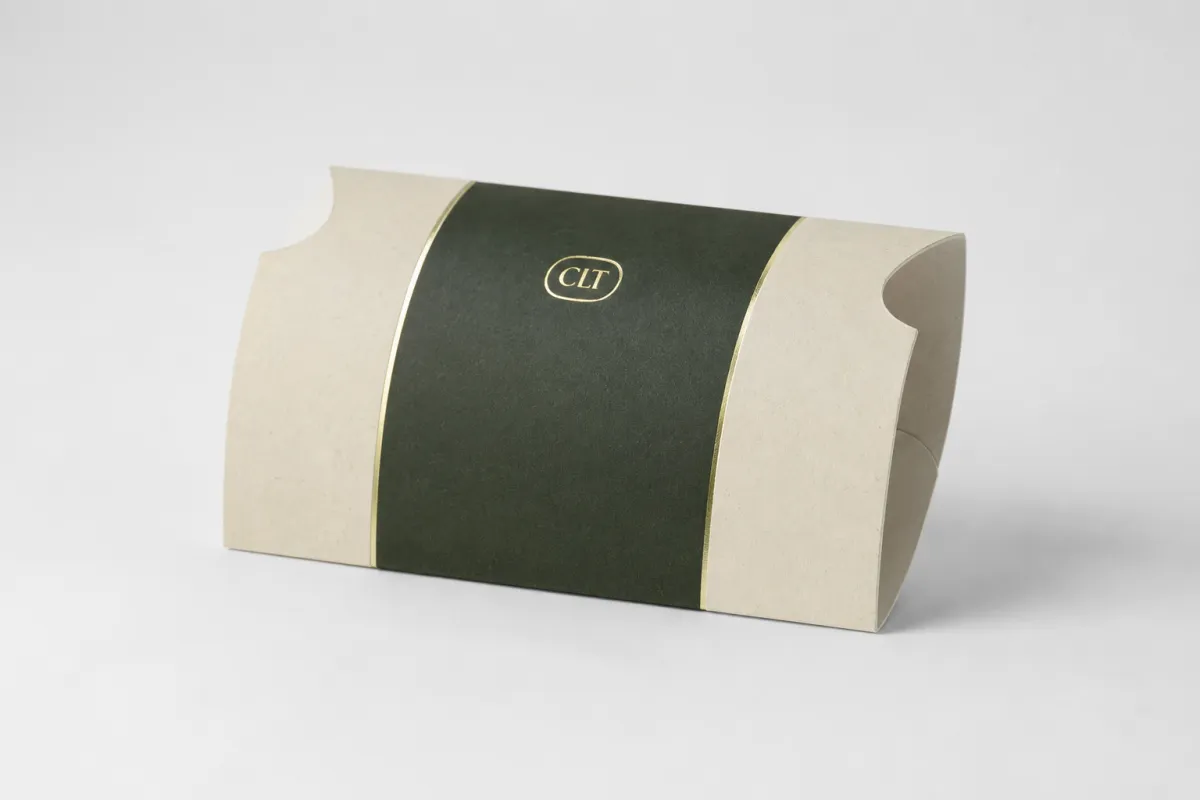
The label often carries the highest-visibility real estate on the package, even when the container itself is the hero shape. A bottle can be elegant, a jar can be heavy glass, and a carton can be carefully engineered, but the label is usually the first thing a buyer reads. That makes how to create custom labels a shelf-impact problem as much as a print problem.
From a packaging buyer's point of view, the shelf is unforgiving. A line of Custom Printed Boxes may build recognition in a shipping environment, but on shelf the smallest panel with the clearest contrast often wins the scan. Labels do more than decorate. They hold ingredient lists, product names, legal copy, batch codes, and the tiny signals that tell a shopper whether the item feels trustworthy. How to create custom labels well means those signals stay organized, legible, and consistent across the line.
Labels also solve a flexibility problem. Product packaging changes faster than most people expect. A brand may move from glass to PET, from a carton to a pouch, or from a matte finish to a gloss one without changing the formula inside. A well-planned label system can keep those shifts from turning into a redesign every time. That is one reason how to create custom labels works best as a repeatable process, not a one-off art project.
Bottom line: the strongest label is the one that looks intentional at arm's length, survives the real environment, and cuts down on rework after approval. When the surface, adhesive, and finish all match the use case, the whole package reads as more expensive than the raw materials would suggest.
For brands building a broader line, it helps to treat labels as part of the same system as cartons, inserts, and shipping components. If the label needs to echo other pieces, browse Custom Packaging Products to keep the visual language aligned. That coordination matters in retail packaging, where even small mismatches can make a range feel fragmented.
Another practical point: how to create custom labels is easier when the team defines the print job around the real use case instead of around a mockup. A label mockup can hide surface texture, label curl, and adhesive strain. The real package never does.
Materials, Adhesives, and Finish Choices That Make Labels Work
Material selection is where how to create custom labels becomes concrete. Paper, polypropylene, polyester, clear film, and specialty stocks each behave differently, and the right choice depends on moisture, temperature, oil exposure, and the look the brand wants to project. A dry shelf product can often use paper with a clean finish. A refrigerated sauce or beverage usually needs film. A chemical container may need polyester because the label has to stay readable after exposure to solvents or abrasion.
Paper is the familiar starting point. It is usually the most economical and can work very well for dry indoor products, cartons, and secondary packaging. Paper can wrinkle, stain, or degrade if it sees water, condensation, or heavy handling, so the environment matters. Polypropylene, often used as BOPP film, is a common upgrade because it resists moisture and gives a crisp print surface. Polyester is the tougher option when durability matters more than tactile warmth. If the label is gonna live in a cooler, a wet sink line, or a handling-heavy route to shelf, how to create custom labels often means moving away from paper sooner than people expect.
Adhesive choice matters just as much. Permanent adhesives are the default for most consumer goods, but removable adhesive is useful for promotion labels, re-sealable use cases, or returnable containers. Freezer-grade adhesives are built for low temperatures and condensation. High-tack formulas help on difficult surfaces, though they are not a cure-all. A textured carton, a squeezable pouch, and a curved bottle all ask something different from the adhesive layer. That is one of the details that separates okay results from labels that stay put through the full journey.
Finish changes perception fast. Matte feels quieter and often improves readability under bright retail lighting. Gloss adds punch and color depth. Soft-touch suggests a premium touch point. Foil can add contrast or luxury, but too much shine can hurt legibility. Spot varnish, clear film, and transparent label constructions can create the no-label look that many beauty and beverage brands want. If you are learning how to create custom labels for a premium line, finish is not decoration; it is part of the message.
For paper-based labels, sustainability claims should be handled carefully. FSC-certified paper can support sourcing documentation, and the organization's standards are worth reviewing if recycled or responsibly sourced content is part of your positioning: FSC. That does not mean every eco claim belongs on every label. It means the supply chain needs to support the statement before it appears on the pack.
A label is not just a sticker. It is a compatibility decision wearing a brand face.
A practical way to choose is to work in this order: product environment, application method, visual effect, budget. If you reverse that order, how to create custom labels gets more expensive because the label may look right but perform poorly. In packaging design, performance almost always costs less than reprints.
One useful rule of thumb: if the label will be exposed to condensation, oils, or frequent handling, start with a film substrate rather than paper. If the product lives in a dry warehouse or on a secondary carton, paper may be enough. That simple filter prevents a lot of unnecessary testing later.
Cost, Pricing, MOQ, and Quote Variables to Watch
Cost is where how to create custom labels becomes a budgeting exercise. Buyers usually want a fast number, but the quote depends on size, material, color count, print method, finish, quantity, and whether the label requires unusual adhesive or die-cut work. A simple one-color paper label is a very different order from a clear film label with foil, spot varnish, and a custom contour shape.
MOQ, or minimum order quantity, exists because setup work takes time. A low quantity means the setup cost is spread over fewer labels, which pushes up unit cost. Bigger runs usually lower the price per label because press setup, cutting, and finishing are distributed across more pieces. That does not mean the largest order is always the best move. It means how to create custom labels wisely includes matching quantity to actual demand, spoilage risk, and storage capacity.
The best quote requests are specific. Include artwork files, exact dimensions, roll or sheet preference, application surface, label orientation, and expected annual volume. If the label will be applied by hand, say so. If it has to work on a machine with a 3-inch core and a particular unwind direction, say that too. Those details reduce back-and-forth and usually make the quote more accurate on the first pass.
| Label Option | Typical Use | Approx. Cost at 5,000 Units | What To Watch |
|---|---|---|---|
| Paper stock | Dry goods, cartons, inserts | $0.03-$0.08 per label | Less resistance to moisture and abrasion |
| BOPP / polypropylene | Bottles, jars, refrigerated products | $0.05-$0.12 per label | Better moisture resistance, slightly higher cost |
| Polyester | Chemicals, long-life products, harsh handling | $0.08-$0.16 per label | High durability, may feel more technical than premium |
| Clear film | No-label look, cosmetic and beverage packaging | $0.07-$0.15 per label | Needs strong contrast and careful artwork |
| Foil or specialty stock | Gift sets, premium retail packaging | $0.12-$0.30 per label | Higher setup and more careful handling |
The table above is directional, not absolute. A small label with heavy ink coverage can cost more than a larger label with sparse coverage. A custom shape can add tooling cost. A specialty laminate can increase both material spend and lead time. That is why how to create custom labels is never just a price-per-piece comparison.
There is also a hidden cost tier that people miss: labor. A label that applies poorly can slow down a line, force hand placement, or cause rejects that are more expensive than a higher-grade material would have been. From a packaging operations angle, the cheapest quote can become the most expensive choice. That is one of the most common mistakes in label buying.
If a label needs to travel through parcel networks or palletized freight, it may be worth thinking about distribution stress as part of your cost planning. ISTA test methods help teams simulate vibration, drop, and compression before products hit the field: ISTA. That is not overkill for every job, but it is smart for high-value launches and fragile retail packaging.
For teams building a label program that also includes cartons or mailers, aligning the label quote with the rest of the packaging stack can prevent surprises. A line item that saves two cents on paper may cost ten cents in labor later. How to create custom labels well means looking beyond the sticker price and into the total package economics.
Process and Timeline: From Artwork File to Finished Roll
Production is more predictable when the workflow is clear. How to create custom labels, from the buyer's side, usually starts with a brief, then moves to specification review, artwork prep, proofing, approval, printing, finishing, slitting, packing, and shipping. That sounds linear. It rarely is. Small corrections can bounce the order backward if the dieline, copy, or barcode changes late.
The biggest schedule killers are usually boring. Missing dielines. Low-resolution artwork. Unoutlined fonts. Barcode issues. Late copy changes. Conflicting instructions about roll direction or label size. None of those problems are glamorous, but all of them can slow the job. If you are learning how to create custom labels for a launch, clean handoff materials often matter more than the design concept itself.
It helps to separate proofing time from production time. A press run may be efficient, but if the proof goes through three revision rounds, the calendar moves anyway. For straightforward rolls, proof approval to ship can often fit within 5 to 10 business days. More complex jobs with foil, specialty film, variable data, or nonstandard adhesive can stretch to 12 to 18 business days, sometimes longer if materials need to be sourced. Those are planning ranges, not promises, and they depend on workload and specification details.
Lead time also changes with format. A sheeted label for manual application is not the same as a roll label for automated application. A 3-inch core may work for one line, while a smaller core may suit another. Roll unwind direction matters because it affects machine orientation. That is where how to create custom labels becomes an engineering discussion, not just a design discussion.
When the artwork is approved, the plant may still need to slit, rewind, pack, and label the finished rolls properly. That final step sounds trivial, but the wrong core, the wrong winding, or poor carton packing can create headaches on the receiving dock. In product packaging, the package is not finished until it actually runs the way the operations team expects.
From an operations standpoint, early lock-in pays off. The earlier the dimensions, material, and finish are finalized, the easier it is to align label production with launch dates, promotional windows, and inventory receipts. How to create custom labels without schedule pressure usually comes down to one thing: decisions made before the art department is already in revision mode.
How to Create Custom Labels Step by Step
Step one is defining the use case. What product is it? Where will it be sold? What is the container made of? What conditions will it face after it leaves the warehouse? If the answer includes condensation, oil, freezer storage, or regular abrasion, that information belongs in the brief from the beginning. How to create custom labels correctly starts with the actual environment, not with the logo.
Step two is measuring the surface. Do not guess the diameter of a bottle or the flat area on a carton. Measure the real packaging dimensions, including curves, seams, shoulders, and any textured zone that may affect adhesion. A label that is even a few millimeters off can wrinkle, overlap, or lift at the edge. If you have ever seen a label that peels at the corner on day one, you have seen why this matters.
Step three is preparing artwork for production, not just presentation. Use the correct color space, keep images at print-ready resolution, outline fonts, and respect safe margins. Barcodes need enough quiet space to scan properly. Compliance text needs to stay readable after the final trim. How to create custom labels well is partly a prepress discipline, and that discipline saves a lot of rework.
- Check the dieline before finalizing any artwork placement.
- Keep the barcode away from folds, seams, and busy artwork.
- Use contrast that survives the actual store lighting.
- Confirm finish so the final look matches the packaging design intent.
- Document all specs so the next reorder is consistent.
Step four is reviewing the proof carefully. This is where many teams go too fast. Check spelling. Check orientation. Check cut lines. Check finish notes. Check any required copy that cannot be altered. If there is a compliance statement, ingredient list, or regulatory line, verify it line by line. A beautiful label with one wrong character is still a reprint.
Step five is confirming the application method. Will the labels be applied by hand, by semi-automatic equipment, or by a high-speed line? Will they ship in sheets or on rolls? What storage conditions will they face before use? How to create custom labels for automation is different from how to create custom labels for a short-run handcrafted product. If the wrong format is ordered, the label may be correct on paper and wrong on the line.
Step six is documenting the final spec sheet. This is the piece teams forget, and then regret later. Record the dimensions, substrate, adhesive, finish, core size, unwind direction, quantity, and approved artwork version. If the label is a repeat order, that spec sheet turns into speed. It also protects consistency when staff changes or the product expands into new custom printed boxes or related SKUs.
For brands that want the label to stay aligned with broader Custom Labels & Tags programs, keeping that spec sheet close to the rest of the packaging files is a smart habit. How to create custom labels gets much easier once the system is documented.
One more detail: sample testing matters. If the project is new, print a short run or sample first, especially if you are changing materials, switching adhesives, or launching onto a new container shape. That small test can expose issues that a mockup will never catch.
Common Mistakes When You Create Custom Labels
The first mistake is choosing by appearance alone. A label can look perfect in a PDF and fail completely on a wet bottle, a cold jar, or a textured carton. This is where how to create custom labels needs a reality check. Temperature, moisture, surface chemistry, and handling are not background details. They determine whether the label stays in place or turns into a quality complaint.
The second mistake is poor file preparation. Low-resolution images create soft edges. Missing dielines lead to layout guesswork. Fonts that are not outlined can shift on another system. Tiny mistakes in setup create expensive delays in print production. If the label is part of a larger retail packaging system, those delays can ripple through the whole launch schedule.
The third mistake is ignoring the application method. Hand application, semi-auto application, and high-speed labeling equipment all have different tolerance windows. A beautiful label that is too small for a hand-applied pack or too narrow for a machine-placed panel is a design failure, even if the art director likes the mockup. How to create custom labels for the real line means building around the real machine or real hands doing the work.
The fourth mistake is treating approval like a visual exercise only. Teams often focus on the logo, the color, and the overall look, then miss the barcode placement, the regulatory copy, or the adhesive match. That is a costly habit. In packaging operations, the most expensive errors are usually the ones nobody noticed during proof review.
The fifth mistake is failing to build a rejection-proof checklist. Before ordering, confirm the material, dimensions, finish, quantity, application method, storage conditions, and expected environment. If one item is vague, the rest of the order may drift. How to create custom labels without a checklist is possible, but it is a poor way to spend money.
There is a sixth mistake too: assuming all label suppliers need the same level of input. They do not. Some jobs are simple. Others depend on highly specific specifications, especially if the label must coordinate with product packaging, shipping requirements, or seasonal SKUs. The better the brief, the better the answer.
Brands that avoid reprints usually do one thing better than everyone else: they respect the physical package. They test on the actual surface, not just in the mockup. That habit is one of the cleanest answers to how to create custom labels without surprises.
Expert Tips for How to Create Custom Labels That Convert
If you want a label to convert attention into action, design for the real shopping context. Readability at arm's length matters more than tiny details that only show up in a file zoomed to 300%. Shelf height matters. Store lighting matters. Competitor clutter matters. How to create Custom Labels That work in retail starts with contrast and hierarchy, not with piling on more visual elements.
One strong cue usually beats five weak ones. A crisp type treatment, a clear color block, or a distinct finish can help a product stand out faster than a crowded label with too many accents. The same idea applies across branded packaging and package branding: clarity wins more often than ornament. That does not mean a label should be plain. It means every element needs a job.
For brands testing a new line, short runs are often a smart first step. Print a sample or limited order before you scale, especially if you are moving from paper to film, changing adhesives, or launching on an unfamiliar container. That test phase is one of the most practical answers to how to create custom labels without risking a large batch of unusable inventory.
Keep an internal spec sheet. Seriously. Record the exact stock, adhesive, finish, dimensions, roll direction, core size, proof version, and application notes. That file turns a future reorder into a repeatable process instead of a fresh guessing game. It also helps keep the label consistent if the team later adds matching product packaging or expands the range into new formats.
Ask practical questions before approving the run:
- Will the label still read cleanly in cold storage or under bright store lighting?
- Does the finish support the brand story without hurting legibility?
- Is the adhesive right for the surface and the environment?
- Can the barcode scan after handling and transit?
- Does the label still feel consistent next to the rest of the packaging line?
Those questions sound basic, but they are where good packaging gets built. In many categories, the label becomes the most visible proof that the brand pays attention. That is especially true for bottles, jars, pouches, and even secondary packs that need to look coordinated with broader custom printed boxes.
How to create custom labels also gets easier when the line is designed around what the buyer sees first. If the package is going to be viewed from several feet away, use a stronger type hierarchy. If it will be held in hand, attention to tactile finishes may matter more. If it is food or personal care, the balance between premium feel and functional clarity gets even tighter.
If your team needs a clean starting point, use a simple sequence: gather measurements, define the product environment, request a quote, review a proof, then document the final build. That sequence is boring in the best way. It reduces surprises, and surprise is expensive in packaging.
How to create custom labels is not one decision. It is a chain of small decisions that either support the product or quietly undermine it. Get the surface right, the finish right, and the file right, and the label stops acting like an afterthought. It starts acting like a sales tool.
FAQ
What do I need before I start to create custom labels?
Start with the exact container dimensions, the product environment, and the artwork assets. If you already know the diameter, height, surface texture, and whether the label will live in a dry shelf, refrigerated case, freezer, or shipping carton, the project moves much faster. You should also gather logo files, barcode data, and any compliance copy before requesting a proof.
How do I choose the right material when learning how to create custom labels?
Match the material to the environment first, then refine based on look and budget. Moisture-resistant film is usually safer for refrigerated or wet applications, while paper can work very well in dry indoor settings. If the label must be removable, permanent, or applied to a difficult surface, ask for adhesive guidance before approving the build.
How long does the custom label process usually take?
Proofing can move quickly if the artwork is complete, but revisions can stretch the schedule more than people expect. Production time depends on quantity, finish, and special materials, so there is no single fixed number that fits every order. Plan extra time for complex projects, rush launches, or labels that need testing before approval.
How much do custom labels cost per order?
Price depends on size, stock, finish, quantity, and whether the order needs specialty adhesives or die-cut shapes. Small runs usually carry a higher unit cost because setup is spread across fewer labels. The lowest quote is not always the best value if the label fails in use or creates reprint risk.
Can I create custom labels without hiring a designer?
Yes, if you start with a clean template, strong brand files, and clear production specs. Keep typography readable, avoid crowding the label, and make sure the barcode and legal copy remain legible. A careful proof review catches file issues before printing, which matters more than flashy artwork that cannot survive production.
What is the most reliable way to avoid mistakes?
Build the label around the real package, not the mockup. Measure the container, confirm the environment, Choose the Right substrate and adhesive, and document the final spec sheet so every reorder starts from the same information.
Clear takeaway: define the product environment first, choose the substrate and adhesive from that reality, then lock the artwork against the actual dieline and application method. If you do those four things in order, how to create custom labels becomes a repeatable process instead of a guessing game, and the label is much more likely to look right, run right, and stay right.

