OPP Header Bags Artwork Proof Checklist for Wine Shops
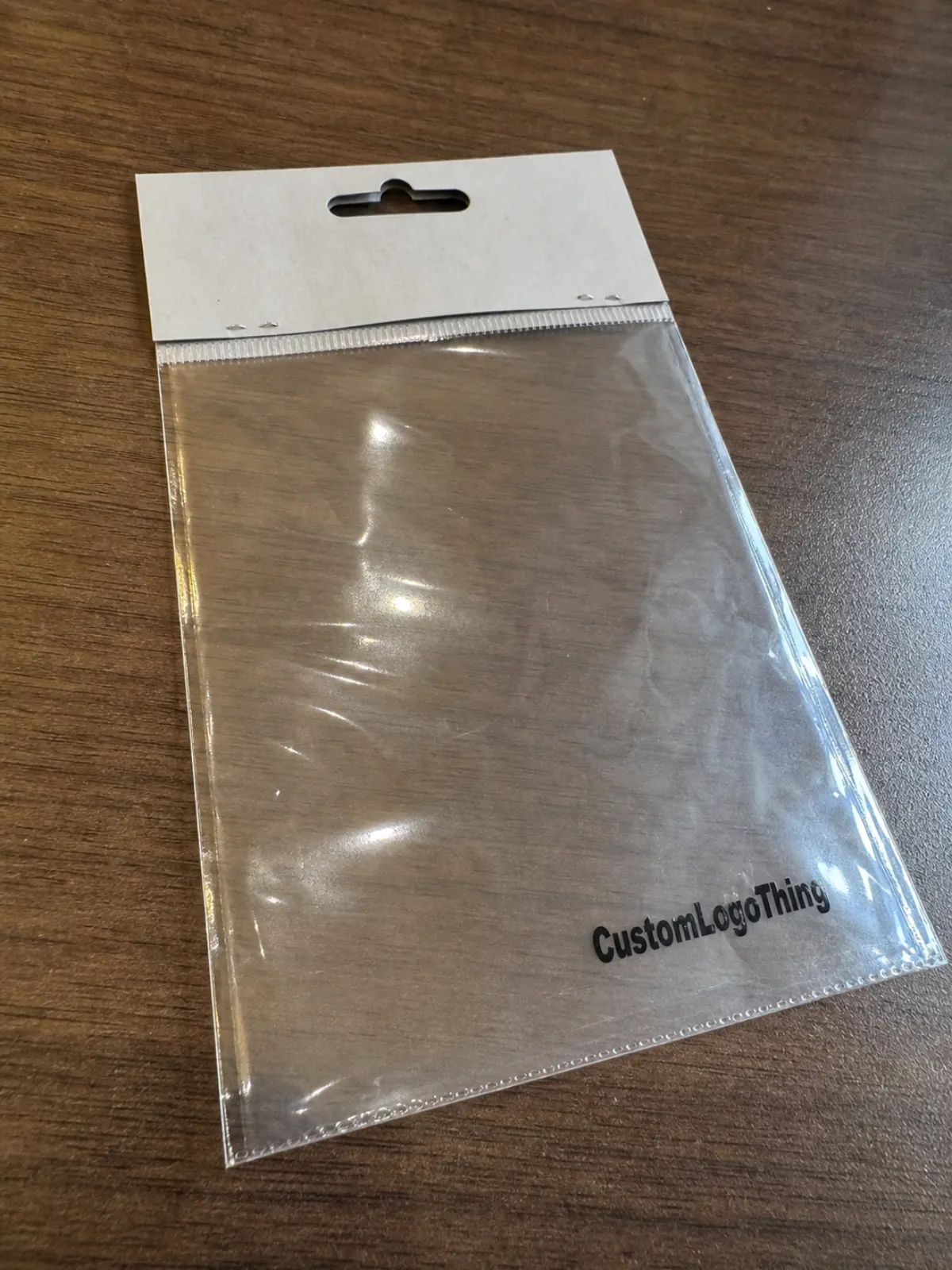
A $0.08 bag can make a $28 bottle add-on look gift-ready, or it can make the display feel like the header was printed during a rushed lunch break. An OPP Header Bags Artwork Proof Checklist for Wine Shops is the plain, practical document that keeps a small packaging decision from becoming a public typo, a checkout problem, or a reprint invoice.
OPP Header Bags are clear, crisp polypropylene bags with a printed top card, printed header area, or fold-over header. Wine shops often use them for corkscrews, coasters, bottle tags, foil cutters, tasting tokens, gift card sleeves, wax seals, bottle stoppers, holiday bundles, mini pairing cards, or loyalty program inserts. The bag itself is simple, but the artwork proof touches several details at once: print position, header size, hole placement, barcode readability, sealing method, material thickness, and how the bag hangs on a peg or sits near the register.
The proof is not only a visual approval file. It is also a production instruction. For a wine shop, that means the proof should answer questions such as: Will the header hide the product? Will the peg hole tear? Is the barcode on the front or back? Does the bag size fit the accessory after the flap is sealed? Does the clear body leave enough room for the item to settle without wrinkling the header? Are the brand colors close enough for a retail environment where shoppers compare products side by side?
This checklist is written for retail wine shops, bottle shops, tasting rooms, wine clubs, and specialty beverage retailers that order custom or semi-custom OPP Header Bags. It focuses on the artwork proof stage, not on brand strategy or copywriting theory. The goal is to help a shop owner, buyer, marketing manager, or packaging coordinator review the proof before saying “approved.” If you are still comparing bag formats, it may also help to review related packaging options such as custom OPP bags or custom header bags before locking the dieline.
Most OPP header bag projects are not technically difficult, but they are detail-heavy. Typical decisions include film thickness, bag width, bag height, header height, adhesive strip location, bottom seal type, venting needs, hanger hole style, print method, color count, and carton packing quantity. Small mistakes can be expensive because the print plate, digital setup, cutting die, or header card may already be prepared by the time the issue is noticed. A careful proof review is therefore one of the lowest-cost quality controls in the packaging process.
How the Artwork Proof Works Before Bags Go to Print
An artwork proof is usually a PDF, image file, or annotated dieline showing how the design will appear on the finished OPP header bag. In common production workflows, the supplier prepares the proof after receiving the artwork file, bag size, material choice, print colors, and order quantity. The proof may be a digital proof only, or it may be followed by a printed sample depending on the order value, print method, timeline, and supplier policy.
A typical proof for OPP header bags should show the bag outline, header fold line or seal line, hole position, printable area, bleed, safety margin, artwork placement, and any clear windows or unprinted zones. If the bag includes a printed paper header card stapled or heat-sealed to the top, the proof should show the header card dimensions and where the bag body attaches. If the header is printed directly onto the film, the proof should show the print area on the OPP material and whether ink is surface printed, reverse printed, or protected by lamination.
Wine shops should treat the proof as a contract for visible details. It is common for suppliers to manufacture according to the approved proof, even if the original artwork file contained an error. For example, if the shop approves a proof with the wrong varietal spelling, outdated website URL, or barcode placed too close to a crimp seal, that approval may limit the supplier’s responsibility. This is why the proof should be reviewed by both a design-minded person and an operations-minded person. The designer looks for visual accuracy; the operations reviewer looks for scanning, hanging, packing, and shelf-display issues.
It is also important to understand the difference between a proof and a sample. A digital proof confirms layout, dimensions, text, color references, and print placement. It does not always confirm final color on film, exact gloss, stiffness, seal strength, or how a filled bag hangs in store. A pre-production sample, when available, can show more physical detail, but it may add time and cost. For many short-run or seasonal wine shop projects, a digital proof is the practical approval stage, so it needs to be checked carefully.
Color is one of the most common areas of confusion. A screen proof is displayed in RGB light, while printing is usually built from CMYK, spot colors, or ink systems chosen by the supplier. OPP film is glossy and transparent, so colors can appear brighter, darker, or less opaque than they do on coated paper. If white ink is used behind a logo or block of text, the proof should show where the white ink prints. If no white ink is used, colored ink printed on clear OPP may look translucent. For wine shops using cream, burgundy, gold, charcoal, or deep green brand palettes, this distinction can matter.
Proofs should also make production tolerances clear. A common range for print registration tolerance on flexible packaging may be around 1 to 2 millimeters, though it depends on the print method, bag size, machine setup, and material. Cutting and sealing may also move slightly. That means artwork should not rely on a hairline border sitting exactly on the bag edge or a small logo centered within a very tight header. A practical design leaves breathing room so normal production variation does not make the bag look misaligned.
Before approval, ask whether the proof is “for layout only” or “for production.” If it is for layout only, there may still be unanswered technical questions. A production proof should normally include size, material, thickness, print colors, quantity, sealing method, and any finishing notes. If the proof lacks these details, request an updated version or written confirmation before approving.
Artwork Specs Wine Shops Should Check Line by Line
The best proof review starts with measurements, not taste. A beautiful design can still fail if the bag is too short, the header blocks the product, or the peg hole is placed through a key message. Wine shop accessories vary in shape: a foil cutter is flat and wide, a corkscrew may be bulky, a bottle stopper may be heavy at one end, and a set of coasters may create a thick stack. The bag specification should be matched to the real item, not only to a rough product description.
Check the finished bag width and height first. OPP bags are commonly measured as width by usable height, though suppliers may define header height, flap length, or lip separately. For small wine accessories, a typical width may range from about 3 to 6 inches, while height may range from about 5 to 10 inches, depending on the product. These are not universal standards; the right size depends on the item thickness, retail display method, and whether there is an insert card. The product should slide in easily without forcing the side seams, but it should not float so much that the presentation looks loose.
Next, review the header height. A header that is too short can make branding feel cramped and may not leave enough room for a hang hole, logo, and barcode. A header that is too tall can hide the accessory and reduce the value of using a clear OPP bag. Many retail header areas are roughly 1.5 to 3 inches tall, but this depends on the bag size and artwork. For wine shops, a balanced header often includes the shop name or product name, one short benefit line, and either a barcode or price area on the back.
Confirm the bleed and safety margins. Bleed is artwork that extends beyond the trim line so there is no accidental white edge after cutting. A common bleed range for printed headers is around 1/8 inch or 3 millimeters, but suppliers may request a different value. Safety margin is the space between important artwork and the trim, fold, hole, or seal. Keep small text, barcodes, and logos inside the safety area. If the proof shows a fold line running through a word, ask for a correction before approving.
Look at the hang hole. Wine shops often display accessories on peg hooks near gift items, registers, tasting counters, or bottle bags. The hole may be a round hole, sombrero hole, euro slot, or custom slot depending on the retail fixture. The proof should show the hole position and size. A common euro slot might be about 32 by 6 millimeters, but display systems vary. The hole needs enough material above it to resist tearing, especially for heavier items such as metal corkscrews or glass stoppers. If the product is heavy, ask whether a reinforced header card or thicker header material is recommended.
Review the barcode area with practical scanning in mind. A barcode printed too small, too close to a seal, on a curved fold, or over a glossy wrinkle can cause checkout delays. For UPC-style barcodes, many retailers prefer high contrast, quiet zones on both sides, and a flat print area. Black bars on a white or light background are usually safer than decorative color combinations. If the barcode is on the back of the header, confirm that it is not blocked by the product, staple, seal, or hanger hole. If the shop uses price labels instead of printed barcodes, leave a clean label zone on the back.
Check typography. Small type on glossy film or a small header can become hard to read. For ingredient, care, origin, warning, recycling, or promotional text, avoid ultra-thin fonts. If the bag is for a wine accessory, the text may be decorative, but it still needs to be legible in a retail aisle. Proofread the shop name, product name, URL, social handle, QR code destination, phone number, and any legal or safety text. Do not rely on spellcheck alone, because wine terms, regional names, and brand language may be unusual.
Review imagery and logos. Vector artwork is usually preferred for logos, icons, borders, and line art because it scales cleanly. Raster images should be high enough resolution for the final print size; 300 dpi at actual size is a common target for many print projects, though supplier requirements vary. If the design uses foil-like gold, metallic texture, watercolor, or a photograph of a bottle, ask how that effect will be printed. Standard CMYK ink on OPP will not look like metallic foil unless a metallic ink, foil stamp, or specialty process is specified.
Finally, compare the proof against the actual product packed in the bag. If possible, print the proof at full size, cut out the header, and hold it over a filled sample bag. This simple check often reveals problems that are easy to miss on screen: a logo that feels oversized, a header that hides the best part of the product, a hole that makes the bag hang crooked, or text that is too small for shoppers to read while standing at the display.
Pricing, MOQ, and Unit Cost Factors Hidden in the Proof
The artwork proof can reveal choices that affect pricing, minimum order quantity, and unit cost. Wine shops often focus on the bag cost per piece, but the proof may show features that change setup time, material waste, printing plates, or finishing complexity. Reviewing these details early helps avoid approving a design that looks good but exceeds the intended budget.
Print color count is one of the first cost drivers. A one-color header may be economical and clean, especially if the shop uses a strong logo and simple product name. Two or three colors can add polish, but may increase setup cost depending on the print process. Full-color printing is useful for illustrated gift packaging, seasonal artwork, or product photos, but it can require tighter file preparation and may carry different minimums. Digital printing often suits shorter runs and variable designs, while flexographic or gravure-style production may be more efficient for larger repeat orders. The best option depends on quantity, artwork complexity, lead time, and supplier equipment.
Material thickness also matters. OPP bags for lightweight retail accessories often fall in a common range around 1.2 to 2.0 mil, although thicker or thinner options may be available. A thinner bag can reduce cost and feel crisp, but it may not support sharp or heavy items well. A thicker bag can improve perceived quality and durability, especially for corkscrews or gift sets, but may increase cost and change how the bag seals or hangs. If the proof or quote lists microns instead of mil, ask the supplier to confirm the equivalent thickness so everyone is comparing the same specification.
The header construction influences both appearance and cost. A printed paper header card attached to a clear OPP bag can provide a premium retail surface and stronger hanging performance. A directly printed OPP header can look streamlined and may reduce components. A fold-over header with adhesive or heat seal can be efficient, but the artwork must account for folds and seal areas. Each structure has different proof requirements. For example, a paper header proof should show front and back panels, fold line, hole, and attachment area. A direct-print film proof should show ink placement on the bag body and any clear zones.
Bag size affects unit cost more than many retailers expect. A small increase in width or height can increase film usage and carton volume. If the bag is much larger than the product, the shop pays for extra material and may also get a weaker presentation. If the bag is too tight, staff may spend more time packing items and may damage bags during assembly. A realistic fit test is often the most useful way to control cost and usability at the same time.
MOQ is often tied to print method, material availability, and machine setup. Short-run custom header bags may be possible in lower quantities with digital or semi-custom formats, while fully custom film printing often requires higher minimums. Common retail packaging discussions may involve quantities from a few hundred pieces for simple header card solutions to several thousand pieces or more for custom printed film, but actual minimums depend on the supplier and specification. If a wine shop needs multiple seasonal designs, it may be worth asking whether the same bag body can be used with different printed header cards.
Finishing details can also influence cost. Euro slots, round holes, resealable adhesive strips, tear notches, reinforced headers, vent holes, anti-static treatment, and special packing instructions may add production steps. None of these features is automatically unnecessary, but each should serve a retail purpose. If the proof includes a feature the shop does not need, remove it before production. If the proof omits a feature that staff depends on, add it before approval rather than trying to solve it with labels or manual punching later.
Freight and storage are sometimes hidden cost factors. OPP bags are light, but cartons can take space, especially for larger header bags. If a wine shop has limited backroom storage, ask how many bags are packed per carton and whether inner bundles are labeled. A small shop may prefer manageable carton quantities, while a larger retail group may prioritize pallet efficiency and consistent carton markings. The proof packet should connect to the quote so the approved artwork, bag size, carton quantity, and delivery expectation all match.
Process and Timeline From Proof Request to Approved Bags
A smooth OPP header bag project usually starts with a clear brief. The wine shop should provide the product dimensions, target bag quantity, preferred display method, artwork files, barcode file if used, and any required text. The supplier then checks whether the requested bag size and print method are practical. If a standard bag size works, the project can move faster. If a custom size or custom die is needed, the timeline may lengthen.
For a straightforward custom header card project, the proof stage may take a few business days after usable files are supplied. For custom printed film, unusual sizes, multi-color printing, or sample approvals, the timeline can be longer. Production time often depends on order quantity, print process, material availability, and current capacity. A common practical approach is to build in extra time for at least one proof revision, even if the artwork seems final. Rushing the first proof review is a common reason small errors survive into production.
The process often follows this sequence: specification confirmation, artwork submission, supplier preflight, digital proof, customer review, revision if needed, approval, production setup, manufacturing, packing, and shipment. Each step should have an owner. If the shop’s marketing person approves artwork but the buyer controls the barcode and the store manager controls peg display dimensions, all three inputs should be checked before final approval.
During preflight, the supplier may convert colors, outline fonts, check image resolution, verify dieline position, and flag missing bleed. This is helpful, but it is not a substitute for shop review. The supplier may not know that a tasting room logo has changed, that a seasonal promotion ended, or that a product name must match the point-of-sale system. The shop should review business details as carefully as print details.
If a printed sample is requested, clarify what the sample represents. Some samples are blank structural samples made from the intended bag size and material. Others are digitally printed mockups that show approximate artwork but not final production color. A true pre-production sample made on production equipment can be more accurate, but it may require more time and cost. Wine shops should ask whether the sample is for size, color, material, or full production approval.
Approvals should be documented. A simple email saying “approved” can be enough in some workflows, but it should reference the correct proof file name, revision number, size, quantity, and date. Avoid approving from a screenshot or forwarded image without the full proof. If there are multiple designs, approve each one separately. For example, a corkscrew bag, coaster bag, and bottle stopper bag may share a brand style but require different barcodes and fit checks.
After approval, changes may be costly or impossible if plates, dies, or production scheduling have started. If an error is found immediately after approval, notify the supplier at once. There may be a short window to pause the job, but it depends on production status. This is another reason to use a checklist before approval rather than relying on memory or a quick visual scan.
Step-by-Step Proof Review Before You Approve
Use this checklist before approving an OPP header bag proof for a wine shop. It is written in the order that usually catches the largest risks first.
- Confirm the product fit. Measure the actual item, including thickness, packaging inserts, twist ties, folded cards, or protective sleeves. Check that the finished bag dimensions leave enough room for packing without looking oversized.
- Confirm the header format. Verify whether the proof shows a paper header card, printed OPP header, fold-over flap, adhesive seal, heat seal, staple area, or another structure. The artwork should match the exact construction being produced.
- Check the dieline. Review trim, fold, seal, hole, and safety lines. Important text and logos should sit comfortably inside the safe area.
- Review the front panel. Confirm the shop name, product name, brand message, logo position, color expectations, and whether the clear product view is strong enough.
- Review the back panel. Check barcode, price label zone, website, QR code, care text, product description, and any warnings or compliance statements that apply to the item.
- Test barcode and QR code files. Scan from a printed proof at actual size when possible. QR codes should lead to the intended page, not a draft or tracking test page.
- Check color notes. Confirm CMYK, spot color, white ink, matte or gloss expectations, and whether any metallic or foil effect is actually specified.
- Verify material and thickness. Match the proof or quote to the desired OPP thickness, clarity, seal type, and header material.
- Confirm quantity and versions. Make sure each design has the correct order quantity, barcode, file name, and revision number.
- Approve in writing. Send approval only after all reviewers have checked the same proof file and the final specification matches the quote.
A practical review method is to print the proof at 100% scale, place the product underneath or inside a similar clear bag, and view it from normal retail distance. Then place it near a bottle, gift bag, or counter display to see whether the header competes well. What looks large on a laptop may look small on a peg wall. What looks subtle in a design file may disappear under store lighting.
If multiple people must review the proof, avoid collecting scattered comments in separate emails. Use one marked PDF or a single written list of changes. Contradictory comments slow production and can create new errors. After revisions are made, compare the new proof against the previous version to confirm that requested fixes were completed and that no new issue appeared.
Common Artwork Proof Mistakes That Cause Reprints
The most expensive mistakes are often ordinary. A wrong barcode, a misspelled product name, or a logo placed too close to the hang hole can be more damaging than an advanced print problem. Wine shops can avoid many reprints by watching for these recurring proof issues.
One common mistake is approving artwork without checking the packed product. The bag may be technically correct, but the item may cover the back copy, push against the side seam, or hang at an angle. This is especially common with asymmetric products such as wing corkscrews, bottle openers, or stoppers with heavy decorative tops. If the product weight is uneven, the hang hole may need to be centered based on the packed balance rather than the visual center of the header.
Another mistake is using decorative low-contrast text. Wine packaging often uses refined colors such as cream on gold, dark red on black, or gray on clear film. These combinations may look elegant in a brand presentation but perform poorly on a small retail header. Important text should be readable under real shop lighting. If the bag hangs in front of a dark shelf or wood display, transparent areas and subtle colors may lose contrast.
Barcodes are frequent trouble spots. A barcode may be scaled down to fit a narrow header, printed in a brand color, or placed near a fold. It may scan in a design file but fail after printing, sealing, or packing. To reduce risk, keep barcodes at a practical size, use strong contrast, preserve quiet zones, and avoid placing them over seams or curves. If the wine shop has a point-of-sale system, test the code before final approval.
File version confusion also causes reprints. A designer may send “final,” then “final revised,” then “final updated,” while the buyer sends an older barcode file. Use clear file names that include the product, size, and revision. The approved proof should be the only file used for production. If the supplier sends a revised proof, do not assume only one small item changed; review the whole proof again.
Some mistakes come from misunderstanding OPP transparency. If artwork is printed directly on clear OPP without a white ink layer, the product color and background can affect how the print looks. A burgundy logo may look rich against a white insert but dull against a dark corkscrew handle. If the design depends on solid color, ask whether a white ink backing is needed. If the bag uses a paper header card, confirm whether the paper stock, coating, and print finish support the intended look.
Other avoidable issues include missing bleed, text too close to the trim, low-resolution logos, unoutlined fonts, untested QR codes, incorrect quantity by version, and wrong header hole shape. Each is small by itself, but any one can make the finished bag feel unprofessional. A checklist works because it slows the approval down just enough to catch the ordinary failures.
Build a Proof Packet Your Supplier Can Actually Use
A supplier can prepare a better proof when the wine shop provides a complete, organized packet. This does not need to be complicated. The packet should answer what is being packed, how it will be displayed, what must be printed, and how the finished bags should be supplied.
Start with product information. Include the product name, actual dimensions, approximate weight, and a photo of the item. If the item has sharp corners, moving parts, or a bulky shape, mention that. A metal corkscrew may require a stronger bag than a paper tasting card. A set of coasters may need more gusset or height than a single flat card. A wax seal pack may need a snug fit to prevent pieces from shifting.
Include the desired bag specification. If known, provide width, height, header height, film thickness, seal type, hole type, and quantity. If unknown, provide the product and display method so the supplier can suggest a typical option. For example, “hang on standard peg hook near checkout” is more useful than “small clear bag.” If the bag must fit into a gift basket, shelf tray, or shipping carton, include those constraints too.
Provide print-ready artwork when possible. Logos should usually be supplied as vector files such as AI, EPS, or print-ready PDF. Images should be high resolution at final size. Fonts should be outlined or included according to the supplier’s instructions. Barcodes should be supplied as high-quality vector or high-resolution files, not copied from a low-resolution screenshot. If brand colors are important, include CMYK values, Pantone references if used, and notes about acceptable variation.
Add a content checklist. This should include exact product name, shop name, web address, social handle, barcode number, price zone, QR code destination, warning text if relevant, and any sustainability or recycling claim. Be careful with claims about recyclability, compostability, recycled content, food contact, or origin unless they are verified for the specific material and market. OPP is polypropylene, but local recycling acceptance varies, and a general recycling symbol may not be appropriate for every retail use.
Include packing instructions if they matter. Wine shops may need bags bundled by design, counted in inner packs, or labeled by SKU. If staff will pack products in-store, easy-to-open bundles and consistent orientation can save time. If bags are going to a co-packer or fulfillment partner, carton labels and version control become more important. The proof packet should connect artwork to operations so the correct bag reaches the correct product.
For shops comparing formats, related resources on custom poly bags and retail packaging can help clarify how OPP header bags differ from other flexible packaging options. OPP is often chosen for clarity and crisp presentation, while LDPE or other poly materials may be selected for softness, toughness, or different sealing needs. The right choice depends on product weight, display style, print expectations, and budget.
Finally, name one person as the approval owner. Many packaging errors happen when several people assume someone else checked the proof. The approval owner does not need to make every design decision, but they should collect input, compare the proof to the quote, and send the final approval. For a small wine shop, this may be the owner or buyer. For a multi-location retailer, it may be a merchandising or packaging coordinator.
FAQ
What should be included in an OPP header bags artwork proof checklist for wine shops?
The checklist should include bag size, header size, material thickness, print colors, bleed, safety margin, hang hole, barcode area, logo placement, product fit, seal type, quantity, version names, and approval date. It should also include practical retail checks such as whether the product hangs straight, whether the barcode scans, and whether the header hides too much of the item.
Are OPP header bags a good choice for wine accessories?
They are often a good choice for lightweight to medium-weight wine accessories because OPP is clear, glossy, and retail-friendly. Common uses include corkscrews, coasters, bottle tags, tasting cards, foil cutters, and small gift add-ons. Heavier or sharp-edged items may need thicker film, a reinforced header, or a different structure depending on the product.
How much bleed should artwork have for header bags?
A common bleed allowance is about 1/8 inch or 3 millimeters, but the supplier’s dieline should always control the final requirement. Important text, logos, barcodes, and QR codes should stay inside the safety margin and away from trim lines, folds, holes, and seal areas.
Can a wine shop use the same header bag design for several products?
Usually yes, if the products fit the same bag and share the same retail information. However, different products may need different barcodes, product names, warnings, or price label zones. If one header design is used across several accessories, leave flexible space for labels or create separate proof versions for each SKU.
Should the proof be reviewed on screen or printed?
Both are useful. Screen review is good for zooming into spelling, alignment, and file details. A full-size printed proof is better for judging actual scale, readability, barcode size, and how the header looks with the product. If possible, place the printed proof over a sample packed bag before approval.
What causes the most reprints on custom OPP header bags?
Common causes include wrong barcodes, spelling errors, missing bleed, low-resolution artwork, text too close to a hole or fold, incorrect bag size, misunderstood transparency, and approval of the wrong file version. A written checklist and one clear approval owner reduce these risks.
How can wine shops keep custom header bag costs under control?
Use a bag size that fits without excess material, limit print colors when possible, avoid unnecessary finishing features, combine versions where practical, and confirm MOQ before designing multiple seasonal styles. A standard bag body with different printed header cards can sometimes be a cost-effective option for small or changing product lines.
Is a digital proof enough before production?
For many simple projects, a digital proof is the normal approval tool. It can confirm layout, text, size, colors, and print placement. It may not fully confirm final color on OPP film, bag stiffness, seal strength, or hanging performance. If the order is large, the item is heavy, or color matching is critical, ask whether a physical sample or pre-production sample is available.

