The ecommerce slider lock Bags Packaging Insert Checklist is one of those documents that looks minor until it saves a launch. Most teams focus on the bag because it is visible, but the insert usually drives the first bad impression. If it curls, shifts, hides a barcode, or looks crooked through the film, the pack feels careless even when the pouch itself is technically correct. For a brand trying to protect conversion and reduce returns, that is not a cosmetic problem. It is a real cost.
The best checklists do not start with design language. They start with physical reality: thickness, fold direction, film gauge, closure clearance, and how the pack behaves in a warehouse handoff. That is especially true in ecommerce, where a unit may look fine on a proof but fail once it is loaded, scanned, stacked, and shipped. The difference between a tidy pack and a problem item is often a few millimeters and one missed instruction.
If you manage multiple formats, it helps to keep the spec logic in one place. A slider-lock pouch, an insert card, and any related secondary packaging should be reviewed together before artwork is locked. That is less glamorous than approving graphics first, but it prevents the expensive sort of surprise: reprinting something that was never going to fit cleanly in the first place.
Why Small Insert Errors Create Big Returns
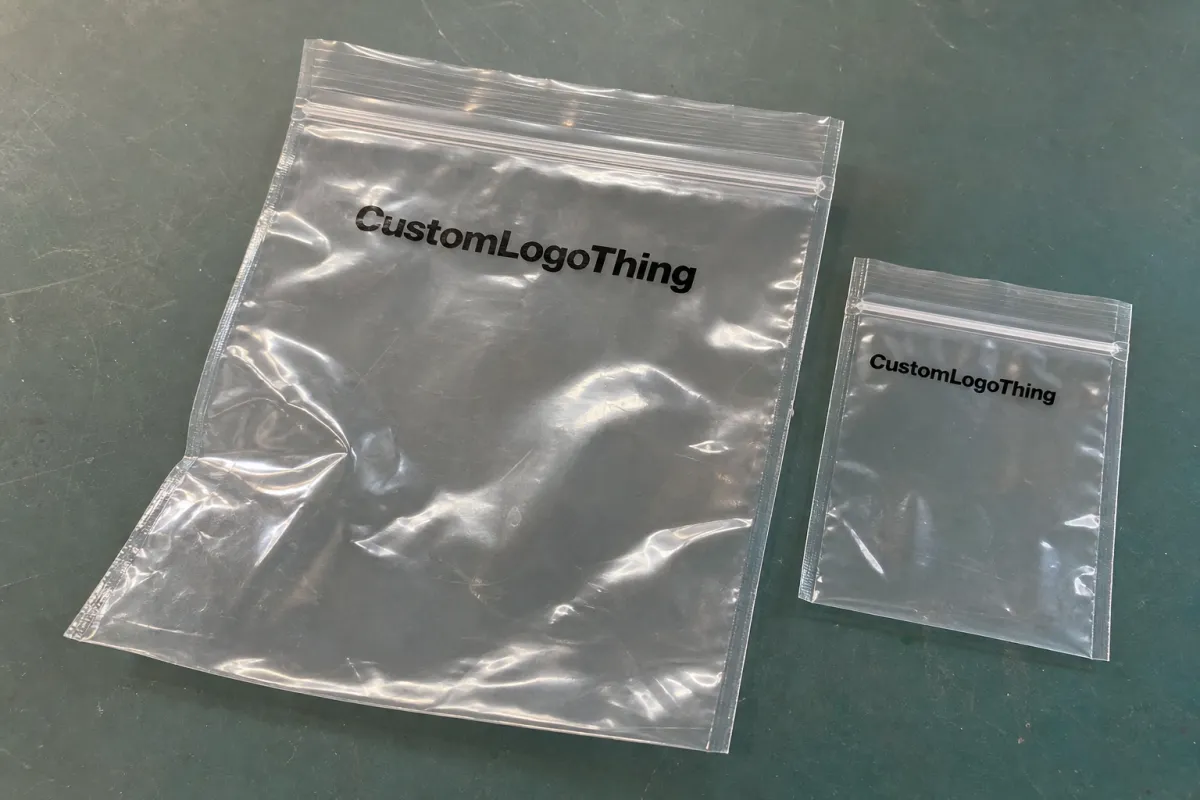
Most slider-lock bag complaints do not begin with the zipper. They begin with the insert. A card that is even slightly too wide can bow once it is folded or laminated. A leaflet with an aggressive score can crack and spring open inside the pouch. A barcode that sits too close to a fold can scan well in prepress and fail on the packing line because the film adds glare and the bag adds distortion. None of that sounds dramatic. All of it is expensive.
The hidden cost is labor. When an insert does not load naturally, packers slow down. If they need to rotate the insert to find the barcode, they slow down again. If the card catches the zipper track or a heat-sealed edge, the unit may need to be reworked by hand. A few extra seconds per pack can become a meaningful labor drag over 5,000 or 10,000 units. That is how a spec problem turns into a throughput problem.
Returns and claims usually show up later. The line may ship on schedule, the pallet may look fine, and the numbers may appear healthy. Then customer service starts hearing the same complaint in different words: the insert looks off-center, the instruction panel is hard to read, or the presentation does not match the product value. Because the bag still closes, teams often blame fulfillment first. More often, the fault sits in the interaction between the pouch and the insert.
There is also a branding issue that is easy to underestimate. Ecommerce buyers are quick to judge consistency. If one run has a flat insert, another has a slight curl, and a third shifts the barcode lower than expected, the package feels unstable across batches. That instability reads as lower quality, even if the product itself has not changed. Clean insert behavior helps maintain the same impression from sample to shipment.
A package can be structurally fine and still feel wrong if the insert sits badly. The eye notices that imbalance immediately, especially on camera or in a warehouse scan window.
That is why the checklist should be treated as a control tool, not a paperwork exercise. It identifies the places where a small tolerance issue creates a disproportionate business problem. In packaging, small errors rarely stay small.
How the Ecommerce Slider Lock Bags Packaging Insert Checklist Works
The cleanest way to use the ecommerce slider lock Bags Packaging Insert Checklist is to follow the product backward from the finished unit. Start with the item that must fit inside the pouch, then define the insert, then size the bag, then confirm the closure and artwork zones. Too many teams reverse that order and approve a graphic before they know the insert can actually be packed without stress.
A practical checklist splits requirements into two groups. The first group is non-negotiable: dimensions, thickness, closure type, barcode placement, orientation, and pack count. The second group is preference-driven: finish, special inks, premium coating, alternate panel layouts, and any decorative detail that does not affect fit. That distinction matters because it keeps the team from debating the wrong thing first.
- Measure the finished product and record width, height, thickness, and fold lines.
- Define the insert size so it lies flat and leaves room for the zipper track.
- Confirm the bag spec with film gauge, clarity, and closure style.
- Place artwork carefully so barcodes, legal text, and brand copy stay in safe zones.
- Review a physical sample before approving the run.
- Lock pack counts for ecommerce cartons, master cases, and any retail crossover.
The checklist also works as a communication tool. Sales may care about shelf appearance, prepress may care about file accuracy, production may care about tolerances, and fulfillment may care about pack speed. One shared document keeps everyone on the same spec. That becomes even more useful if the same brand also uses other formats such as custom printed boxes or mixed product packaging programs. The workflow stays consistent even when the shape changes.
It helps to add channel rules to the same file. Ecommerce and retail can have different expectations for warning text, scannable codes, and front-panel hierarchy. A unit that is acceptable for direct-to-consumer shipping may need a different label treatment for store placement. Capturing those differences early prevents avoidable rework and makes the final package feel intentionally designed rather than patched together.
Fit, Material, and Insert Specs That Control Performance
Fit starts with measurement, not appearance. Record the finished dimensions of the insert, then add only the clearance needed for easy loading and closure. For simple cards, a few millimeters of extra width and height may be enough. For folded leaflets, thick boards, or laminated pieces, the effective footprint can grow after scoring, so the flat dieline is not always the true size that matters.
Material selection changes both handling and presentation. A clear PE slider bag in the 2.5- to 4-mil range behaves very differently from a thin film that wrinkles at the slightest pressure. On the insert side, 14pt to 18pt SBS or roughly 300-350gsm C1S is a common working range for cards that need to stay upright. Once lamination, heavy coverage, or multiple folds enter the spec, stiffness and curl become part of the production decision, not a finishing detail.
For a buyer, the important question is not only whether the pack looks good on a mockup. It is whether the insert remains legible after the pouch is filled, handled, and packed again into a shipper. A glossy insert may look brighter, but it also reflects warehouse light and camera light. A matte insert usually reduces glare and reads more calmly, though it can feel less vivid if the design depends on shine. That tradeoff should be chosen deliberately, not by habit.
There are three fit checks that matter every time:
- Physical fit - the insert should load without buckling against the zipper or seal area.
- Visual fit - the front panel should center properly and stay aligned after handling.
- Operational fit - packers should be able to insert the product in one smooth motion.
Barcode behavior deserves special attention. A code that scans well on a proof can fail once it is viewed through pouch film, especially if the insert sits too close to a fold, has a metallic ink nearby, or uses a busy background. Leave enough white space around the code and test it through the actual bag material. The same advice applies to compliance text and instructions. If the content must be read after packing, it should be checked after packing, not before.
Paper-based inserts can also carry sourcing claims, so documentation matters. FSC chain-of-custody language should be used carefully and only when the supply chain supports it. If the program will be shipped through parcel networks, transit testing is worth reviewing as well. ISTA procedures at ista.org are useful when a pouch and insert need to survive compression, vibration, and repeated handling. For FSC guidance, fsc.org provides the certification framework and claim language.
The best spec sheet is one that a production operator can read without interpretation. “Insert must remain upright, readable, and scannable after packing” is more useful than a polished marketing phrase. Precision protects the packaging. Vague language usually creates a second round of questions at the worst possible time.
Cost, Pricing, and MOQ: What Actually Moves the Quote
Pricing for slider-lock bags and inserts moves in fairly predictable ways. Larger bags cost more because they use more film. Heavier gauges cost more because they consume more material and can slow the converting process. Custom printing adds setup, especially when the design uses multiple colors, tight registration, or edge-to-edge coverage. Inserts can be inexpensive in one version and surprisingly costly in another if they require folding, lamination, variable data, or a specialized finish.
MOQ changes the economics quickly. A 1,000-unit run tends to look expensive on a per-unit basis because the setup cost is spread over fewer pieces. A 5,000-unit run usually improves unit pricing, but it also raises exposure if the spec is wrong. Multi-SKU programs complicate the picture further. One universal insert is simpler to source, but it may leave too much movement inside the pouch. Separate inserts for each SKU raise coordination overhead, yet they often improve pack quality and reduce rework. That tradeoff is rarely discussed clearly enough in the quoting stage.
| Option | Typical MOQ | Typical Unit Cost | Best For |
|---|---|---|---|
| Stock clear slider bag + simple insert | 500-1,000 | $0.11-$0.24 | Pilots, short runs, low-risk launches |
| Custom printed slider bag + standard printed insert | 2,500-5,000 | $0.19-$0.38 | Branded ecommerce programs with moderate volume |
| Heavier gauge bag + laminated or tightly registered insert | 5,000+ | $0.28-$0.55 | Premium presentation, retail crossover, stronger durability targets |
Those numbers are directional, not fixed. Freight, print coverage, cutting accuracy, assembly labor, and waste rates can shift the total more than buyers expect. A slightly cheaper pouch that produces a higher reject rate is not a cheaper program. The same is true for inserts that require hand correction at packout. Total cost should include both the quoted unit price and the cost of handling mistakes.
Ask for setup charges, sample charges, assembly fees, overrun allowance, and packed-unit pricing in one view. Otherwise, it becomes too easy to compare numbers that do not describe the same job. A clear quote is a better buying tool than a low number with missing context.
Process and Lead Time: From Sample to Shipment
Lead time is usually decided before production starts. The safest sequence is simple: request specs, review the dieline, confirm the copy, sample the insert, approve the pouch, then move to production and packing. The schedule usually slips when teams try to compress those steps or when art is finalized before barcode data is validated.
Artwork changes are one of the most common delays. Barcode corrections are another. So are last-minute dimension adjustments, especially if the product size changed after the quote. If one SKU needs matte stock and another needs gloss, that should be captured during the sample stage. If the same order will ship through ecommerce and retail channels, the labeling rules should be checked early so the approved version does not fail in the second channel.
A realistic timeline for a custom run often looks like this:
- Proof turn: 1-3 business days after final files are received.
- Sample build: 3-7 business days, depending on material and complexity.
- Production: about 10-15 business days after approval for standard runs.
- Inspection and freight booking: 2-5 business days, depending on volume and destination.
That schedule changes if the order includes multiple SKUs, special folding, or extra inspection steps. Sampling can feel slow, but it is much cheaper than discovering a fit problem after thousands of units are printed. The best programs treat the sample as a control point, not a formality.
Keep the approved spec sheet and reuse it for repeat orders. That is where good packaging design pays off: fewer decisions, fewer file changes, and fewer surprises from one production cycle to the next. A program becomes easier to buy once the paperwork reflects what was actually approved, not what was assumed.
Common Mistakes That Trigger Reprints and Damage Claims
The most expensive mistake is approving the pouch before verifying the insert. It happens constantly because the bag looks finished and the insert seems secondary. Then the card curls, the barcode lands too close to the fold, or the insert drifts off-center once it is loaded. By the time the issue is visible, the order may already be committed.
Another frequent miss is under-specifying thickness or finish. A thin card can make a premium product feel cheaper than it is. A gloss insert can reflect too much light and look busy in photography or scanning windows. If the package is supposed to communicate value, the insert has to support that job. The pouch alone cannot do all the work.
There is also a channel mismatch that shows up late. Ecommerce teams sometimes forget that a SKU might move into retail packaging later, where warning text, barcode placement, and shelf-facing requirements are stricter. If the checklist does not account for that possibility, the brand often ends up paying for a second version that should have been planned from the start.
Common failure points usually appear in four places:
- Edge alignment - the insert shifts, bends, or lands off-center.
- Closure behavior - the slider works, but loading feels awkward.
- Visibility - barcode, copy, or graphics disappear under glare or film distortion.
- Packout behavior - the unit slows the line or needs manual correction.
Before a full run, insist on a sample built to the actual order spec, not a close approximation. Then test it the way the warehouse will test it: scan it, hold it, stack it, and seal it. If it survives those checks, the spec is probably stable. If not, the checklist has already paid for itself by catching the weak point early.
Expert Next Steps: Build, Test, and Approve the Final Kit
Gather the basics into one file before anyone starts proofing. Finished product dimensions, insert dimensions, artwork, barcode data, pack count, master case targets, and compliance language should all sit in the same brief. That reduces back-and-forth and gives every supplier the same source of truth. It also makes the next order easier to repeat, which matters more than most teams admit.
Then run a physical fit test with the final insert inside the intended slider-lock bag. Not a mockup. Not a digital render. A real sample. Check whether the insert remains flat, whether the zipper closes without pressure, and whether the barcode still scans after the pack is handled a few times. If the order includes more than one SKU, test each one separately. Shared artwork does not mean shared behavior.
Before approval, compare the sample against the checklist line by line:
- Dimensions - bag width, bag height, and insert size match the spec.
- Material - film gauge, finish, and insert stock match the quote.
- Print - branding, barcode, and compliance text are legible.
- Quantity - pack count, master case count, and overrun allowance are clear.
- Timing - proof, sample, production, and freight dates are realistic.
Only lock the order once the team agrees on unit cost, MOQ, and Lead Time for each SKU. If one version is for ecommerce and another will move into retail packaging, document the difference rather than assuming one spec can cover both. A little discipline here prevents a lot of expensive interpretation later.
Used well, the ecommerce Slider Lock Bags Packaging Insert checklist is not administrative clutter. It is the quickest way to keep a launch honest. It protects the product, keeps the pack readable, and reduces the odds that a small fit problem becomes a larger production problem after shipment.
What should an ecommerce slider lock bags packaging insert checklist include?
Include the exact bag dimensions, insert dimensions, and the tolerance allowed for closure and zipper clearance. Add artwork notes, barcode placement, required compliance text, material and finish details, MOQ, sample approval status, and packed quantity per master case. For mixed-channel programs, note any ecommerce and retail differences so the same item does not get approved under the wrong rules.
How do I size slider lock bags for inserts without overbuying?
Start with the finished insert size, then allow enough room for it to lie flat without buckling inside the pouch. Test a physical sample because thickness, folds, and lamination can change the true footprint. The smallest bag that still protects the insert and maintains a clean presentation is usually the right one. If the fit feels tight during sampling, it often becomes worse at scale.
What affects pricing most for custom slider lock bags and inserts?
Bag size, film gauge, print complexity, and whether the insert needs special finishing or tight registration drive most of the quote. MOQ, setup charges, proofing, freight, and any kitting labor also matter. Multi-SKU programs usually cost more per unit than a single standardized pouch and insert combination, but they can reduce mispacks and rework. The lowest unit price is not always the lowest total cost.
How long does production usually take for printed slider lock bags?
Lead time depends on proof approval speed, sampling, material availability, and whether the order is stock-based or fully custom. Artwork changes and barcode corrections are common delay points, so they should be finalized early. A reliable schedule separates proofing, sampling, production, inspection, and freight booking so the team can see where the risk sits.
Can one checklist work for multiple ecommerce SKUs?
Yes, if the checklist is built around shared requirements like bag style, insert format, branding, and compliance text. Add SKU-specific fields for dimensions, barcode data, and pack counts so each product can still be approved cleanly. A shared template reduces errors, but every SKU still needs its own physical fit check. One form can work well across a range if the details are not flattened.
For brands scaling repeated launches, the ecommerce Slider Lock Bags Packaging Insert checklist is the most practical way to keep the order consistent from sample to shipment. It catches the fit and print problems that create returns later, and it gives every team a clearer path from quote to packed unit.

