Buyer Fit Snapshot
| Best fit | Printed Mailer Sleeves with Logo projects where brand print, material claims, artwork control, MOQ, and repeat-order consistency need to be specified before quoting. |
|---|---|
| Quote inputs | Share finished size, material target, print colors, finish, packing count, annual reorder estimate, ship-to region, and any compliance wording. |
| Proofing check | Approve dieline scale, logo placement, barcode or warning zones, color tolerance, closure strength, and carton packing before bulk production. |
| Main risk | Vague material claims, crowded artwork, missing packing details, or unclear freight terms can make a low unit price expensive after revisions. |
Fast answer: Printed Mailer Sleeves with Logo: Film, Print, MOQ, and Carton Packing should be specified like a repeatable production item. The safest quote records material, print method, finish, artwork proof, packing count, and reorder notes in one written spec.
Production checks before approval
Compare the actual filled-product size with the drawing, then confirm tolerance on folds, seals, hang holes, label areas, and retail display edges. Reserve space for logos, QR codes, warning copy, and material claims before decorative graphics fill the panel.
Quote comparison points
Review material grade, print process, finish, sampling route, tooling charges, carton quantity, and freight assumptions side by side. A quote is only useful when the supplier can repeat the same color, closure quality, and packing count on the next order.
Printed mailer sleeves with logo do more than make a box look dressed up. They give the shipment a face before anyone sees the product inside. A plain shipper can vanish into a stack of brown cartons. A sleeve does the opposite. It shows up first, and that first impression sticks around longer than people like to admit.
For brands that care about presentation, the useful question is not whether printed mailer sleeves with logo look good in a render. The real question is whether they fit the packout, survive handling, and keep fulfillment moving without turning the line into a mess. That is where the value sits for e-commerce orders, subscription kits, sample packs, media mailers, and retail-ready bundles that need a cleaner finish.
What Printed Mailer Sleeves With Logo Do in Shipping
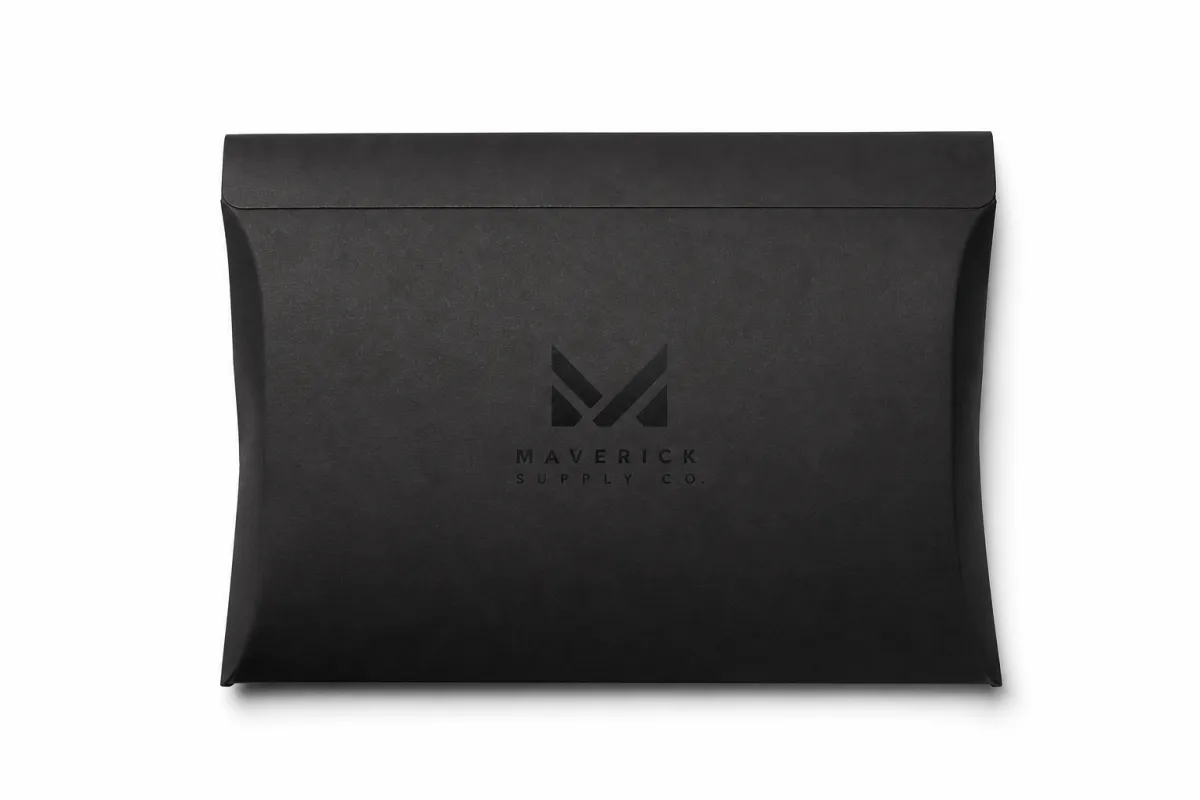
Picture the last package that landed on a desk or kitchen counter. If the outer shipper was blank, the brand showed up late. Printed mailer sleeves with logo fix that timing. They put color, identity, and a clear message on the outside, so the shipment feels intentional before the recipient opens a flap. That first impression can be subtle, loud, minimal, or polished. It should never feel accidental.
In practical terms, printed mailer sleeves with logo are wraps or covers that fit around a mailer, carton, insert set, or bundled product group. They are not the protective package itself. They sit on top of it, adding a branded layer without replacing the structure doing the real work. A sleeve can wrap a folding carton, slide over a rigid mailer, or sit around a pre-packed insert set. The right format depends on the structure and the way the order is assembled.
They show up everywhere. E-commerce brands use them when they want a better-looking shipper without rebuilding the whole package from scratch. Subscription boxes use them for seasonal changes, launch drops, and campaign shifts that do not justify a full packaging overhaul. Promotional kits and media mailers use printed mailer sleeves with logo to make the contents easier to identify and harder to ignore. Retail programs use them to keep the shipping experience aligned with the shelf experience, which makes the handoff feel cleaner.
The functional side gets ignored too often. Printed mailer sleeves with logo can point the customer to the opening edge, cover mixed contents, organize inserts, and make a stack of loose pieces look like one finished unit. That matters when a shipment includes cards, tissue, samples, promo inserts, or printed collateral. The sleeve can make the package feel assembled instead of improvised.
From the buyer's side, the sleeve is usually the first physical brand impression after shipment leaves the warehouse. That means print sharpness, fit, fold accuracy, and finish quality all count. A logo that looked fine on a screen can feel cramped once the board is scored. A layout that feels balanced in a deck can lose its punch if the sleeve hangs loose on the carton. Printed mailer sleeves with logo are small, but they are not minor.
I've watched otherwise solid packaging projects go sideways because the sleeve was treated like a last-minute accessory. That is usually where the trouble starts. The sleeve is part of the system, not a sticker with delusions of grandeur.
A simple shipper can still feel finished if the sleeve does the heavy lifting. That is especially useful for brands comparing lightweight packaging choices like Custom Poly Mailers against more structured paperboard options. The sleeve may not carry the entire job, but it often carries the brand message the last few feet.
How Printed Mailer Sleeves With Logo Are Made and Used
Most printed mailer sleeves with logo start with the same basics: dimensions, artwork, and a clear picture of how the package will be handled. A normal production flow begins with artwork setup and a dieline or size check, then moves into print method selection, finishing, die cutting or scoring, and finally folding, flat shipping, or pre-assembly depending on the packout. That sounds neat on paper. Real projects get messy when the details are vague.
The art file has to match the structure, not just the concept. If the sleeve wraps around a carton, the fold points, glue area, and open edges need to be mapped before the press run starts. If the piece slides over an insert set, the clearance needs to be checked against the actual product, not guessed from a drawing. Printed mailer sleeves with logo do not forgive sloppy measurements. A strong layout cannot rescue a bad dimension.
Application methods change the whole experience on the fulfillment line. Some sleeves wrap around a sealed mailer and hold with fold tension or a tuck. Others slide over a box before the box is closed. Some arrive pre-folded and are fastened with adhesive, tabs, or a locking feature. The method matters because a sleeve that looks elegant in a proof can still slow the line if it takes too many hands per unit. At a few hundred packs a day, maybe that is fine. At several thousand, it becomes a labor problem fast.
Match the sleeve to the packout
This is where a lot of teams trip. Printed mailer sleeves with logo should be designed around the actual packout rhythm. If operators need to fold, load, and seal in one motion, the structure should make that easy. If the shipment includes a mix of inserts, a window, and a card stack, the sleeve needs enough structure to keep everything aligned. A decorative sleeve that slows the line is not decorative for long. It turns into a cost.
Decorative sleeves and functional sleeves are not the same thing. Decorative sleeves bring visual identity, campaign messaging, or seasonal graphics. Functional sleeves do that too, while also organizing inserts, guiding the opening order, protecting printed surfaces, or helping the customer understand what is inside before the package opens. Printed mailer sleeves with logo can do both jobs, but the brief has to say so plainly.
Proofing earns its keep. A digital proof checks logo placement, barcode zones, fold direction, and panel alignment. A physical sample checks whether the sleeve wraps correctly, whether the score is deep enough, and whether the print lands where the eye expects after folding. That matters even more on narrow wraps and large solid color fields, where tiny shifts become obvious once the piece is in hand.
The best sleeves are boring to apply and satisfying to open. Printed mailer sleeves with logo should feel simple to the operator, even when the customer sees a polished finish. That balance is the sweet spot. Honestly, that's the part that separates a decent packaging program from one that keeps shipping smoothly month after month.
A sleeve that looks great flat can still fail folded. Packaging does not care about the render. The assembled piece in a real packout is the test that matters.
Key Factors That Shape Fit, Material, and Print Quality
Fit comes first. Printed mailer sleeves with logo should sit straight, wrap cleanly, and stay put without sagging or fighting the carton. Too loose, and the sleeve shifts in transit and looks sloppy. Too tight, and assembly slows down while the edges crease where they should not. A well-measured sleeve almost disappears during packing. That is the point.
Material choice comes next, and it can swing both appearance and performance in a big way. Paperboard, SBS, kraft, recycled stock, and specialty papers each bring a different mix of stiffness, surface feel, and print behavior. SBS usually gives crisp print and a cleaner retail finish. Kraft brings a more natural texture, though color behaves differently on brown stock, especially with lighter graphics. Recycled boards can fit sustainability goals, but they sometimes show more variation in tone or surface smoothness. Printed mailer sleeves with logo should match the message, not a habit.
Print and finish decisions shape the first read. CMYK works for full-color runs. Spot colors help keep brand colors tighter when a logo has to stay consistent across different programs. Matte coatings reduce glare and make text easier to read under bright light. Gloss adds shine and energy. Soft-touch lamination changes the hand feel completely and usually suits a premium presentation without going overboard. Foil, embossing, and spot UV can lift a sleeve when the brand needs stronger shelf presence, but those details work best in moderation.
Structural details matter more than people think
Score lines, tuck flaps, windows, adhesive strips, and tear-open features all shape how printed mailer sleeves with logo perform in the real world. A score that is too shallow can crack on fold. One that is too heavy can look blunt. A tuck that is too tight can annoy the customer. A window can show just enough to tease the contents, but it can also weaken the structure if the board is too light. Small choices. Big effect.
Brand placement needs the same level of care. The logo should read quickly on camera, in hand, and on shelf if shelf is part of the journey. Supporting copy needs to stay legible after folding instead of dropping into a score line or vanishing behind a flap edge. Printed mailer sleeves with logo work best when the graphic design respects the die structure instead of treating it like a nuisance.
Teams also need to think about humidity, scuffing, and shipping stress. A stock that looks perfect in a dry sample room may behave differently in a humid warehouse. A finish that feels rich can still mark up if the sleeve is packed too tightly. That is why printed mailer sleeves with logo should be reviewed as both design objects and shipping components. Nice-looking packaging that scuffs on the first transfer is not nice-looking for long.
Material claims deserve the same care as the visuals. If a project is going to mention recycled content, certified fiber, or reduced waste, the documentation should be ready before the first run ships. For sourcing and environmental references, the FSC site is useful for certified fiber claims, and the EPA offers practical guidance on waste reduction and packaging choices. For broader packaging context, Packaging School resources can also be a helpful reference point.
Printed mailer sleeves with logo work best when the material, print, and structure all point the same direction. If one of those drifts, the whole piece feels less deliberate.
Printed Mailer Sleeves With Logo Pricing: What Drives Cost
Pricing usually comes down to size, board grade, print coverage, finishing complexity, and order quantity. The number of logos on the sleeve matters less than people think. A small sleeve with full-bleed graphics, a custom die, and a premium finish can cost more than a larger but simpler design. Printed mailer sleeves with logo should be priced like converted packaging, not like a flat print job with a logo stamped on top.
More material means more cost. That part is easy. Larger sleeves use more board and more press area, so unit pricing usually climbs with size. Heavy ink coverage can also add cost, especially when the design needs strong solids, multiple color passes, or tight registration. Add foil, embossing, spot UV, or a specialty coating, and the price rises again because those features create extra setup time, more handling, or more complex production steps. Printed mailer sleeves with logo can still be affordable, but only when the structure fits the goal.
Order quantity changes the math in a big way. Short runs usually carry a higher per-piece price because setup gets spread across fewer units. Higher volume often improves the economics once the tooling is in place. That is why a 1,000-piece test run can feel expensive per unit while a 10,000-piece campaign run drops much lower per sleeve. The tradeoff is simple: lower quantity buys flexibility, while higher quantity buys better unit economics.
Here is a practical way to think about common build choices for printed mailer sleeves with logo.
| Build Option | Typical Use | Approx. Unit Range | Notes |
|---|---|---|---|
| Uncoated kraft sleeve | Natural, minimal branding | $0.18-$0.32 at 5,000 units | Fits earthy branding; colors shift more than they do on white board |
| SBS paperboard sleeve | Crisp retail presentation | $0.24-$0.44 at 5,000 units | Strong print clarity and cleaner whites |
| Matte-coated sleeve | Soft, modern brand feel | $0.28-$0.52 at 5,000 units | Controls glare well and suits premium unboxing |
| Soft-touch with foil or emboss | High-touch presentation | $0.42-$0.85+ at 5,000 units | Higher setup and finishing cost; works best for smaller, high-value packs |
Those numbers are directional, not universal. Printed mailer sleeves with logo change with board thickness, panel size, print coverage, finishing, and whether the sleeve ships flat or pre-assembled. Shipping, storage, and fulfillment labor also belong in the conversation. A sleeve that adds a bit of unit cost but replaces an insert, a belly band, or a separate branded card may lower the total package spend. That is the math packaging buyers should care about.
It helps to compare landed cost instead of staring at the sleeve price alone. If the sleeve removes a hand-assembly step, protects the print on the main carton, or replaces a second branded piece, it may pay back in labor or material savings. Printed mailer sleeves with logo are not just decoration. They can sit inside the operating budget.
One honest note: when a project needs tight color control across multiple reorder cycles, the cost may include extra proofing or stricter press controls. That is not waste. That is how the second run stays true to the first. Printed mailer sleeves with logo are most valuable when the brand image stays steady month after month.
Printed Mailer Sleeves With Logo Timeline: From Proof to Delivery
Timeline starts before the press starts. The first stage is brief and spec collection: size, packout method, material preference, finish preference, and target quantity. After that comes artwork submission, proofing, revisions if needed, production scheduling, printing, converting, finishing, and shipping. Printed mailer sleeves with logo move fastest when the team already knows what the sleeve needs to do and what it needs to fit.
Delay usually shows up in predictable places. Artwork that is not dieline-ready slows everything down because the file needs correction before print can begin. Low-resolution logos are another common hold-up, especially when a small mark needs to grow across a large panel. Dimension uncertainty creates its own mess. If the sleeve size is still being debated after quotes go out, the project can lose days while the packout gets checked again. Printed mailer sleeves with logo are simple only after the dimensions are final.
Finishing adds time too. Special coatings, foil, embossing, custom cutting, and complex folds usually need more planning than a straight print-and-score job. Some finishes need extra drying or curing time. Others need more setup on the converting side. That does not mean they should be avoided. It means they should be planned honestly instead of tossed in like a quick add-on.
Fast projects share the same habits
The fastest printed mailer sleeves with logo usually come from teams that already locked down the packout, built the artwork correctly, and move approvals quickly. If everyone knows how the sleeve will be applied, whether it needs a tuck or adhesive, and where the logo has to land after folding, there is less room for avoidable revision. A clear brief is often worth more than another round of email that says the same thing in different fonts.
Inventory planning matters just as much as production planning. Seasonal programs, launch kits, and recurring shipments should have reorder points set before the last carton leaves the warehouse. That keeps the sleeve from becoming the bottleneck. If a campaign ties directly to a product drop or a subscription renewal window, late sleeves can stall the whole shipment even when every other component is ready.
For buyers who manage repeat runs, it helps to record the final approved spec, the print file version, the proof notes, and the target reorder quantity. Printed mailer sleeves with logo are easier to repeat when the first run leaves a clean paper trail. Basic? Yes. Still the thing that saves people from scrambling later.
Typical turnaround depends on complexity, quantity, and the proof cycle. Simple jobs can move in roughly 10-15 business days after proof approval if materials are in stock and no revisions appear. More complex sleeves, especially those with specialty finishes or custom converting, often need 15-25 business days or more. Printed mailer sleeves with logo reward advance planning. Rushed projects almost always cost more in time, money, or both.
Common Mistakes With Printed Mailer Sleeves With Logo
The biggest mistake is designing for the mockup instead of the finished object. A sleeve can look excellent in a flat render, then lose its impact once the folds, scores, and glue areas show up. Logos get clipped, copy lands too close to the edge, and key graphics disappear into structural lines. Printed mailer sleeves with logo need to be built for the actual folded result, not the slide deck.
Another problem is ignoring the fulfillment line. A sleeve that takes too many manual steps slows packers down and creates inconsistency from one shipment to the next. If one operator folds it differently than another, the brand presentation starts to wobble. That gets worse in higher-volume programs, where a few extra seconds per unit turns into a real labor cost by the end of the day.
Overdesign causes trouble too. Too many messages, too many type sizes, too many colors, or too much fine text can dilute the logo and make the package feel crowded. I see this a lot when every stakeholder wants one more line of copy on the sleeve. The result is usually less memorable than a cleaner layout with one strong message. Printed mailer sleeves with logo work best when the brand mark has room to breathe.
Material mismatch creates its own headaches. A finish that scuffs easily can look tired before it reaches the customer. A stock that warps in humidity can look uneven on a tight wrap. A board weight that feels flimsy can undermine the whole presentation, especially if the package goes through courier hubs, retail back rooms, or repeated handling. A sleeve should feel like part of a shipping system, not a souvenir that only behaves on a table.
Sizing mistakes are probably the most expensive surprise. If the sleeve is based on the outer carton alone and not the full assembled packout, the final fit can end up loose, crushed, or awkward to open. That is why printed mailer sleeves with logo should be measured against the exact filled package, with the exact contents inside. Outer dimensions tell part of the story. Not all of it.
Here are the patterns I would flag first if a team is reviewing a sleeve concept:
- Artwork built before the final die is approved
- Logo placed too close to a score or tuck edge
- Material chosen for appearance without testing scuff resistance
- Assembly steps that are easy on screen but slow on the line
- Print details that disappear once the sleeve is folded
None of those problems is dramatic on its own. Together, they can make printed mailer sleeves with logo feel less polished than they should. Careful spec work prevents that. It is not glamorous, but it saves everyone from the weird little failure that shows up right after launch.
Next Steps for Ordering Printed Mailer Sleeves With Logo
The best next step is not a vague quote request. Start by measuring the finished packout, confirming the application method, choosing the target material and finish, and gathering print-ready artwork. That gives the supplier enough information to quote accurately and keeps the project from bouncing between guesses and revisions. Printed mailer sleeves with logo are easier to buy well when the team knows what problem the sleeve is solving.
Ask for a dieline or sample before you commit to a full run, especially if the sleeve has to align with folds, openings, inserts, or barcodes. A sample usually exposes the problems a screen hides: an edge that feels too stiff, a tuck that does not close cleanly, or a logo that reads lower than expected after the board folds. Printed mailer sleeves with logo benefit from physical proofing more than most people expect.
Comparing two or three build options side by side is smart. One version may be a simpler budget sleeve with clean print and minimal finishing. Another may add coating, a nicer board, or a premium texture. Seeing those options together helps the team weigh appearance, labor, and unit economics. That is often where the real decision gets made.
A small pilot run is worth serious consideration when the package will be handled at scale. A test shipment can surface fit issues, scuffing, or workflow problems that are invisible on a screen. It also lets the team check how printed mailer sleeves with logo perform after packing, transport, opening, and disposal. Real-world feedback beats another round of opinions every time.
Before final approval, document the spec, the approved artwork, the proof notes, and the reorder size. That way, printed mailer sleeves with logo can be repeated consistently on future shipments without rehashing the basics each time. Consistency is quiet, but it pays.
For teams that want branded shipping to feel more intentional without making the process harder, printed mailer sleeves with logo are a practical place to invest. They add structure, they add presence, and they help a package tell the right story at the right moment. When the fit is right, the material is right, and the production plan is right, printed mailer sleeves with logo do what good packaging should do: make the shipment feel finished.
The takeaway is simple: measure the actual packed product, proof the sleeve on a real sample, and lock the spec before ordering volume. Do that, and the sleeve stops being a pretty idea and starts acting like packaging that earns its keep.
FAQ
What size should printed mailer sleeves with logo be for my package?
Measure the finished, assembled packout rather than the flat insert alone. Leave enough clearance for the sleeve to slide on cleanly without sagging or forcing a tight wrap, and ask for a dieline or sample so you can confirm the real fold and fit before placing the order.
How do printed mailer sleeves with logo stay secure during shipping?
They are usually held by wrap tension, tuck closures, adhesive, or the shape of the carton they cover. A good design accounts for vibration, handling, and light compression in transit, and heavy packs should be tested in a real packout to make sure the sleeve does not shift or open.
Which materials work best for printed mailer sleeves with logo?
Paperboard and SBS are common when you want a crisp print surface and a polished retail feel. Kraft works well for a natural look, though it changes how color and contrast appear. The right stock depends on strength, appearance, and whether the sleeve will be folded by hand or machine.
What affects the price of printed mailer sleeves with logo the most?
Quantity, size, print coverage, and finishing options usually have the biggest impact on cost. Special effects like foil, embossing, and spot coatings add setup and labor, and complex folds or custom structures can raise pricing because they require more converting work.
How long does it take to produce printed mailer sleeves with logo?
Timeline depends on artwork readiness, proofing speed, material choice, and finishing complexity. Simple runs move faster when the dieline is approved early and no revisions are needed, while specialty coatings, custom cuts, and larger orders usually need more planning time.
Related packaging resources
Use these related guides to compare specs, costs, quality checks, and buyer decisions before making the final call.


