Clear Poly Retail Bags Artwork File Setup for Buyers starts sounding simple until the clear film, the product inside it, and the print method all begin changing what the eye sees. clear poly retail Bags Artwork File Setup is really about building a file that stays readable on transparent material, separates cleanly for the printer, and avoids surprises once the bag is in hand.
Why clear poly retail bags artwork file setup is trickier than it looks
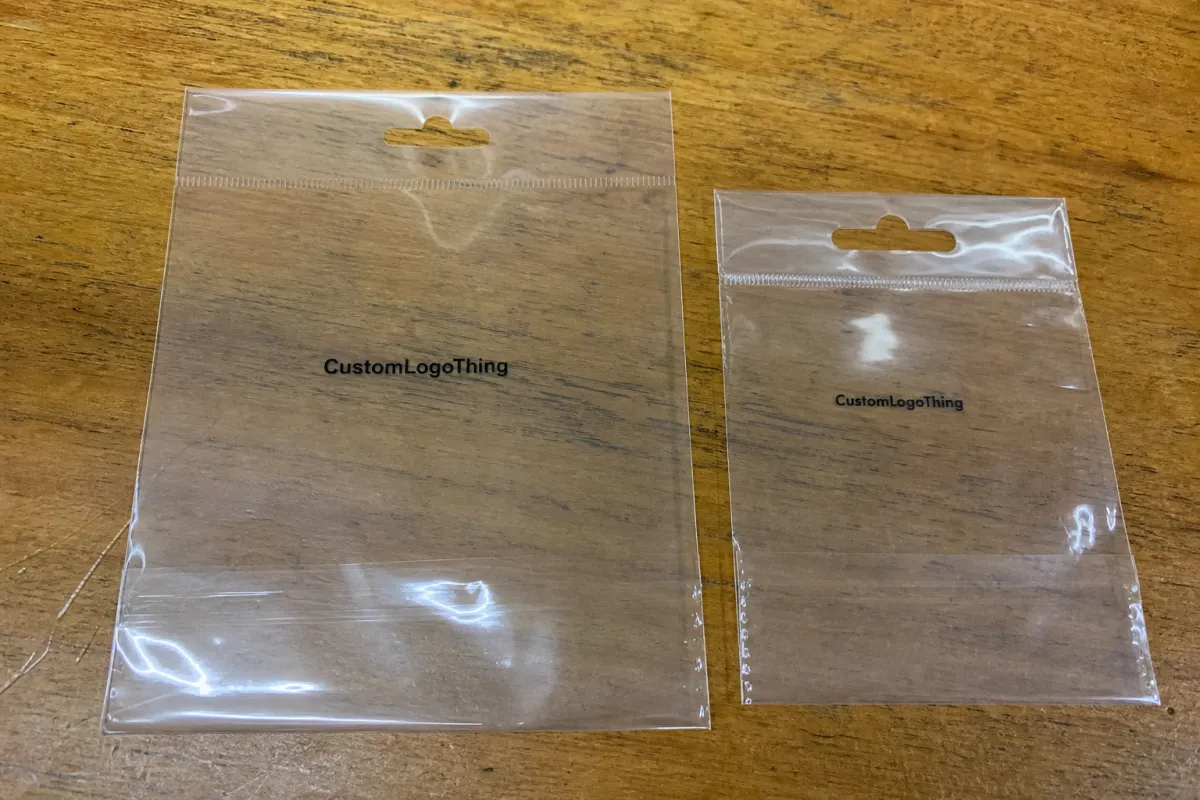
On a white carton or a paper hangtag, a logo sits on a predictable background. On a clear bag, that background keeps changing. A dark garment, a folded insert, a stack of merchandise, or even the shelf behind the display can shift how the art reads. That is why Clear Poly Retail Bags Artwork File Setup needs to be planned as a production tool, not just a design exercise.
The main surprise for buyers is contrast. A mark that looks crisp on screen can disappear once it sits over black apparel or reflective film, especially if the print is small or the ink coverage is thin. Gloss film adds another layer because reflections can wash out fine detail, while transparent areas make the logo feel lighter than expected. In practice, the file has to protect readability first, then color, then style.
A file can also be printable and still be a poor choice. A printer may be able to output exactly what was sent, but the result can feel weak if the logo floats in the wrong place, the white underprint is missing, or the type is too delicate for clear substrate. Buyers usually want one thing: a file that lets the shop separate color, white ink, and placement without guessing.
A clear bag is not a blank page. It is a moving surface with the product, the lighting, and the reflection all competing with the artwork.
The best setups are less about decoration and more about control. The goal is to keep brand color consistent, make text readable at retail distance, and reduce the number of assumptions the prepress team has to make. The cleaner the setup, the fewer delays show up later.
How printers build the artwork around the transparent film
Most clear bag printing is built in layers. The artwork may sit directly on the film, or it may sit over a white ink underbase so the colors do not get swallowed by the transparency. That means the file often works as both a visual guide and a production map. It is not just the art; it is a set of instructions.
Printers usually need the dieline, the finished bag dimensions, the seal zones, and the printable area before they can position the design. If a logo drifts too close to a heat seal, the edge can distort or disappear. If it stretches into a gusset or trim area, the print may look fine on a proof but land badly on the finished bag. The same goes for front and back locations, repeat patterns, and side-panel copy that has to line up with a folded package.
Vector artwork is still the safest choice for logos, type, and line work because it keeps edges sharp at any size. Photos, gradients, and textures can work too, but they need enough resolution and enough breathing room to survive enlargement. If the art started as a small social graphic or a web image, the prepress team may need to rebuild parts of it. That is where time gets lost.
- Use vectors for logos, icons, and copy whenever possible.
- Include the dieline or finished size so placement is not guessed.
- Label layers clearly if there is white ink, a knockout, or a clear holdout area.
Material choice also affects how the file should be built. A gloss film reads brighter but can reflect more light. Matte film reduces glare and can make small type easier to read, though it usually softens the visual punch of bright colors. Gauge thickness influences rigidity and how flat the print surface stays during presswork. Many clear retail programs use films in the 1.5 mil to 3 mil range, with heavier gauges chosen for larger bags or product lines that need a sturdier feel.
For buyers who need a broader packaging language reference, distribution testing standards such as ISTA can be useful when the bag is part of a larger retail shipment and handling, abrasion, or transit abuse matter. That kind of thinking helps catch problems before the product reaches the shelf.
Artwork specs that control color, opacity, and readability
A clean file starts with the basics: final bag size, bleed, safe area, color mode, resolution, and file type. For most retail bag programs, a 1/8 inch bleed is a sensible starting point, though some constructions need more or less depending on the seals and cut line. Safe area matters just as much. Keep critical copy away from the edge so it does not fall into a seam or get clipped by registration tolerance.
Color behavior on clear film depends on how the printer handles the ink. Direct print on film will always feel different than print over white, and a knockout behaves differently again because the transparent areas let the product color show through. If brand color is critical, ask how the shop is building the white layer and whether the proof shows the art on a simulated clear background or on a white sheet. Those are not the same thing.
Readable clear bag art usually follows a few practical rules. Avoid reverse type so small it fills in. Avoid hairline rules under 0.5 pt unless the printer confirms their minimum. Keep fine details out of transparent zones unless they are supposed to disappear. And if the design needs a strong retail presence, use larger type and bolder shapes than you would on paper packaging. Clear film tends to soften delicate art.
White ink deserves special attention because it changes both the look and the cost of the job. Some buyers want the entire logo opaque. Others want only the type opaque and the background clear. Those are different instructions, and they should be written into the file notes or the layer names. A layer named WHITE_Underbase is far easier to manage than a file with three unnamed artwork copies and a vague email explaining what “should look bright.”
Resolution matters less for vector art and more for any placed raster image. If photos or textures are part of the design, keep them sharp at final size and avoid enlarging small web files. For raster elements, 300 dpi at final print size is the safe baseline. Lower-resolution files can sometimes pass on a screen but break down quickly on film, especially once they are enlarged or printed over a white underbase.
There is also a practical material caveat that buyers miss. Clear polyethylene can shift slightly during production, so exact registration is never as forgiving as a rigid carton. The printer will work within tolerance, but tiny type, tight knockouts, and thin borders leave less room for that movement. A good file acknowledges the material rather than fighting it.
What clear poly retail bags cost and what drives the quote
Pricing for clear poly bags is driven by a few consistent variables: bag size, film thickness, print colors, white ink usage, print coverage, number of sides, and order quantity. Setup complexity matters too. A file that needs multiple layers, detailed white underprint instructions, or extra proof corrections usually takes more prepress time than a simple one-color logo. That does not always show up as a line item, but it influences the quote.
For ballpark budgeting, smaller custom runs can land much higher per unit than large retail programs. A simple one-color clear bag might fall in the rough range of $0.18-$0.35 per unit at 5,000 pieces, while a two-color or white-underbase job may land around $0.28-$0.55 per unit. Full-coverage artwork, heavier print coverage, or printing on both sides can move the range closer to $0.40-$0.90 per unit, depending on size and spec. Those are starting points, not promises.
| Setup style | Typical file needs | Ballpark quote shape | Best fit |
|---|---|---|---|
| Single-color logo | Vector art, dieline, basic placement notes | Lowest setup burden, lower unit price | Simple retail branding |
| Logo plus white underbase | Separate white layer, clear/print callouts | Moderate setup, moderate unit price | Readable branding on dark products |
| Full-coverage or double-sided print | Layered art, exact safe areas, detailed proofing | Higher setup, higher unit price | Premium retail presentation |
MOQ also matters. Many custom poly bag programs quote at 5,000 or 10,000 pieces, and low-MOQ test orders often cost more per unit because the setup gets spread across fewer bags. The smartest way to price the job is to ask for a quote based on the final print spec, not just the bag size. A clean file can save money by cutting redraws, proof cycles, and late revisions, even if the artwork itself never changes.
Buyers often compare only the unit price and miss the hidden cost of art cleanup. That is a mistake. A slightly higher quote from a printer that can accept a press-ready file is often cheaper than a bargain quote that turns into several rounds of redraws and a delayed launch.
Production steps, proofing, and turnaround from file to shipment
A good Clear Poly Retail Bags artwork file setup shortens the path from intake to shipment because the shop can move through preflight without guessing. The usual sequence is straightforward: file intake, prepress review, artwork cleanup if needed, digital proof, customer approval, and then production scheduling. The timing starts after proof approval, not when the first file arrives.
That distinction matters. A buyer may think a 12-business-day lead time starts the moment the artwork is sent, but if the proof sits unapproved for two days, the whole schedule slides. In many programs, a clean digital proof can be turned around in 24-72 hours, while production after approval often runs around 10-15 business days, depending on order size and print method. Shipping time is separate unless the quote explicitly includes delivery.
Good buyers check more than the mockup. Before approval, confirm the white underbase, the clear holdout areas, the seal clearance, and any front/back alignment. If the proof is showing a white background instead of a simulated clear bag, ask for the correct version. A proof that looks polished on white paper can still hide problems on transparent film.
- Submit the final art, dieline, and quantity.
- Review the preflight notes for missing fonts, low-res images, or layer questions.
- Approve the proof only after white ink, placement, and clear areas are checked.
- Schedule production once the proof is signed off.
- Confirm carton count, ship-to details, and delivery method before release.
This is also the stage where realistic communication helps. If the quote includes proofing, production, and freight, say so. If it includes printing only, say that too. Buyers respond better to direct timing than to optimistic dates that fall apart later.
Common file mistakes that slow approval or raise costs
The most common mistake is also the easiest to avoid: sending a low-resolution JPG or screenshot and expecting the printer to make it production-ready without rebuilding anything. That can work as a reference, but it is not the same as a press file. If the printer has to trace the logo, find missing fonts, or recreate white layers, the job slows down and the cost can move up fast.
Other problems show up all the time. Strokes are left unexpanded. Fonts are missing or substituted. Colors are set in the wrong space. Layers are unlabeled. The art extends beyond the printable area. A buyer may think these are small issues, but on transparent film they affect both appearance and workflow. A tiny mistake in placement can put copy into a seal. A tiny mistake in white ink can make the logo disappear.
- Missing fonts force substitutions or manual rebuilds.
- Unlabeled white layers create confusion about what should stay clear.
- Tiny reverse type can fill in on film or get lost against dark product.
- Busy effects often look weaker once reflection and transparency are added.
- Late revisions can push a job out of the production slot entirely.
Overcomplicated layouts cause another kind of problem. If the design is packed with tiny legal lines, ornamental strokes, fades, and microtext, the visual payoff can be poor on clear film. Less is often better. Retail bags need legibility at a glance, and the shopper is rarely standing there reading the package under perfect lighting.
One more issue is registration drift. Clear polyethylene is a moving substrate, not a rigid board, so ultra-tight border rules and nested type can expose tiny shifts that would never be noticed on paper. The safest files give the printer room to land the art cleanly, especially near seals, punched holes, or zipper features.
Expert tips before you request a quote
Before you send a quote request, gather the basics in one place: finished bag size, target quantity, print sides, brand colors, artwork files, and any white ink or placement notes. If you already know the use case, include that too. A bag holding dark apparel needs a different approach than a bag for pale accessories, and the file should reflect that.
Vector files are still the best starting point, but a simple mockup helps as well. Even a basic reference image can tell the prepress team whether you want the logo centered high, centered low, repeated, or offset to leave room for a hang tag. If your brand color is sensitive, ask for a proof that shows the clear areas, the printed areas, and the white underprint separately. That is where most surprises get caught early.
It also helps to compare quotes on the same basis. Two quotes that both say “5,000 bags” may still differ because one includes proof revisions, one assumes a single print side, one uses a thicker film, and one excludes freight. Compare MOQ, turnaround, shipping, and revision policy together, or the numbers can mislead you.
If the file is not ready, say that up front. A printer can work with a rough reference, but it is better to know that before the quote goes out. A well-organized clear poly retail bags artwork file setup usually gets you a cleaner proof, fewer emails, and a smoother launch.
That final check is worth the time. The goal is not a fancy file. It is a file that prints the way the brand expects, survives handling, and gives the product a better chance of looking right on the shelf.
FAQs
What file type is best for clear poly retail bags artwork setup?
Vector files such as AI, EPS, or a press-ready PDF are usually the best choice for logos, text, and line work because they keep edges sharp at any size. If you must send a raster image, keep it at final size and 300 dpi or higher. Always include the dieline or finished bag dimensions so the printer can place the art correctly.
Do I need white ink in my clear bag artwork file setup?
Use white ink when you want logos, type, or graphics to stay readable on a transparent bag. Label the white layer clearly so the printer knows what should print opaque and what should stay clear. Ask for a proof that shows the white underprint separately before you approve the job.
How does artwork setup affect the price of clear poly retail bags?
More print colors, white ink layers, and complex placement usually increase prepress and production cost. A clean, press-ready file can lower hidden costs by reducing redraws and proof revisions. Larger quantities often bring down unit price, but setup details still shape the final quote.
What is the usual turnaround after clear poly retail bags artwork approval?
Production timing usually starts after the proof is approved, not when the first file is submitted. Simple jobs move faster, while custom specs, white ink, or extra revisions can extend lead time. Ask whether the estimate includes proofing, production, and shipping so the schedule is clear.
Can I send a Canva or JPG file for clear poly retail bags artwork setup?
You can send it as a starting point, but it often needs cleanup before it is ready for production. JPG files may work for reference, yet vector art is much safer for sharp type and clean logos. If the file is low resolution, the printer may need to rebuild parts of it, which can add time and cost. That is why a thoughtful clear poly retail bags artwork file setup is usually the difference between a quick proof and a long back-and-forth.


