Custom Clothing Store Paper Bags Artwork Setup Checklist
Most print problems on retail bags start in the file, not on the press. A logo can be perfectly on-brand and still fail if the dieline is wrong, the color mode is off, or the safe zone is treated like a suggestion. In Custom Clothing Store Paper bags Artwork File Setup, the margin for error is small. A few millimeters can decide whether text sits cleanly on the panel or disappears into a fold.
That is why file setup is more than sending a PDF and hoping for the best. It connects the brand asset to a production-ready layout a printer can place on a bag panel, handle area, and fold line without guessing. For clothing stores, where bags leave the store in public view, that accuracy matters just as much as the design itself.
It also helps to think beyond a single bag order. The same logic often applies across retail packaging: quantity, print coverage, finish, material choice, and how much risk you want to absorb before proofing. If you are comparing formats, you can review a wider range of options in our Custom Packaging Products catalog before finalizing specs.
Why custom clothing store paper bags artwork file setup matters before your paper-bag order
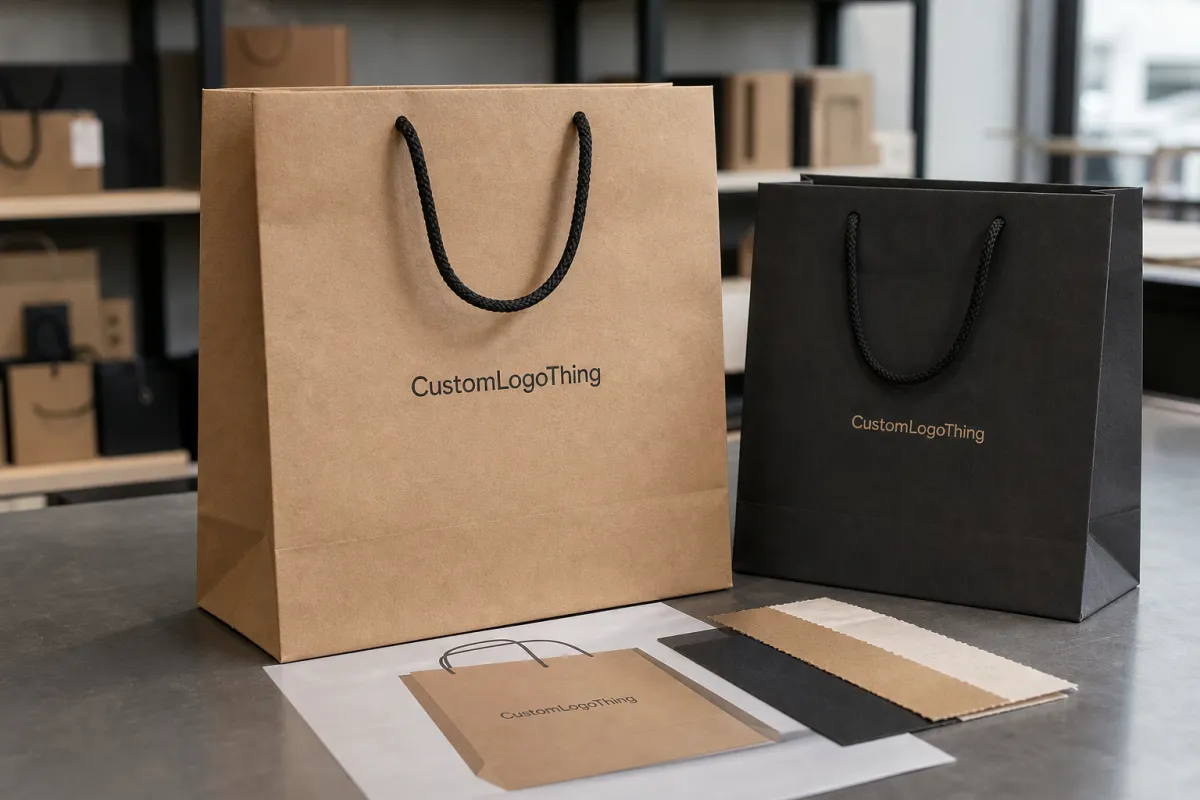
Clothing-Store Paper Bags reveal mistakes fast because the printable area is large and visible. A low-resolution logo that looks acceptable on a phone can soften badly at bag size. A placement error of even an inch can push text too close to a fold or under a handle cutout. Kraft paper adds another complication: ink sits differently on uncoated stock than it does on coated board, so the same artwork can feel flatter or darker in print than it did on screen.
For a buyer, the file is not just a design asset. It is a manufacturing instruction sheet. That is the useful mental shift. A printer can work with a strong concept, but not with hidden fonts, RGB-only artwork, or vague placement notes. Clean setup shortens the proof cycle, reduces rework, and usually makes pricing easier to compare because fewer assumptions are floating around.
The proof is not a design award. It is a production map.
That line sounds blunt, but it reflects how bag orders actually move. The question is not whether the logo looks polished in a mockup. The question is whether the artwork survives a fold, a trim, a handle punch, and a customer carrying it outdoors in daylight. Those are different tests.
If sustainability claims are part of the brief, ask for real documentation early. FSC certification is far more specific than a generic eco statement, and it is worth confirming before marketing copy is written. For broader packaging standards, the Institute of Packaging Professionals remains a practical reference point for material and pack-out thinking. That matters when the bag is only one piece of a larger retail packaging system.
Artwork file setup process and turnaround
A reliable vendor usually follows the same sequence: file intake, prepress review, digital proof, customer approval, then production release. If the artwork is already clean, the first check may happen the same business day or within 24 hours. A proof often follows in 1 to 2 business days. After sign-off, typical production runs 10 to 15 business days, though higher quantities, specialty finishes, and seasonal demand can stretch that window.
Every correction adds drag. A missing dieline can force a reset of the layout. A font problem can send the file back to the creative team. A color mismatch can trigger another proof round, and that round is rarely trivial; someone has to recheck dimensions, notes, and ink limits before the revised version is released. Late changes do not always raise the unit price, but they nearly always cost time.
- File intake: The printer checks dimensions, resolution, color mode, and whether the artwork matches the bag style.
- Prepress review: They confirm bleed, safe zones, font handling, and placement against the dieline.
- Digital proof: You receive a layout mockup or production proof showing position, color references, and finish notes.
- Approval: Nothing moves into production until the final proof is signed off.
- Release: The approved file goes to print, cut, and finish.
That process sounds simple, but the file version in circulation can make it messy. One wrong filename can send marketing, purchasing, and the supplier in three directions at once. If you are handling multiple SKUs, build a naming convention and keep it disciplined. Front-back-v3 is much safer than “final-final-reallyfinal.pdf.”
Buyers who order Custom Packaging Products should also ask for a proof timeline before approval. That timeline helps protect store launch dates, promo windows, and replenishment stock. Without it, the order can feel on track right up until the week it is not.
Cost, pricing, and MOQ factors that shape the quote
Paper bag pricing is straightforward only if the specs are truly comparable. Bag size, paper weight, print sides, ink count, finish, and total quantity all change the quote. Lower quantities carry more setup cost per unit. Larger runs usually push the unit price down quickly. MOQ is often the reason two quotes that look close at first glance end up telling very different stories.
Typical order patterns vary by printer and construction. A stock-size bag with a one-color print may start around 500 to 1,000 units. More customized retail packaging can push minimums to 1,500 or 2,500 pieces, sometimes more if the job needs specialty finishing or a narrow material spec. The same principle applies to custom printed boxes, though bags expose placement and fold issues more visibly because the print area is open and easy to inspect.
| Option | Indicative unit cost impact | Best for | Watch out for |
|---|---|---|---|
| One-color print, one side | $0.18-$0.32 at 5,000 units; higher at smaller runs | Simple logo bags, disciplined budgets | Thin lines and tiny type can disappear on kraft stock |
| Two-color or two-sided print | Usually 10%-25% above a basic one-side run | Stronger brand visibility and better street-level presence | More setup checks, more proof detail, more chances for mismatch |
| Full-coverage print | Can add $0.08-$0.20 per bag depending on coverage | Bold branded packaging with a premium look | Higher ink use, tighter prepress control, and more waste if art is wrong |
| Foil, emboss, or specialty finish | Often adds $0.12-$0.30 per bag or more | High-end retail packaging or gift-focused presentation | Finish compatibility with paper stock and longer production time |
Those are directional ranges, not fixed promises. The same artwork can price differently if the bag is larger, the paper is heavier, the handle is upgraded, or the printer needs an extra prep step. Ask for quotes at several quantity breaks and compare the same details every time: bag dimensions, paper weight, print sides, finish, proof count, and delivery speed. Otherwise, the lowest sticker price can hide the highest landed cost.
A quote that is $0.04 cheaper per bag may still cost more once rush production, artwork cleanup, and freight are added back in. That happens often enough to be worth checking every time.
Step-by-step artwork file setup for print-ready bags
The safest file formats are vector AI, EPS, or a print-ready PDF. Vector artwork stays sharp at any size, which matters on a bag panel that may be far larger than the logo was originally built for. Raster art can work, but only if it is truly high resolution at final size. A screenshot, social media export, or compressed web file is not a production starting point.
- Start with the dieline: Ask for the bag template and build directly on it. Do not guess the panel size.
- Set the color mode: Use CMYK unless the printer approves spot colors or Pantone references.
- Outline fonts: Convert type to outlines so missing fonts do not alter the final print.
- Embed or package images: Linked images can break if the file is moved or opened on another system.
- Respect safe zones: Keep text and logos away from folds, gussets, handles, and trim edges.
- Add bleed where needed: If art touches an edge, give it room for trimming and alignment tolerance.
- Label versions clearly: Use names like front-back-v3 or kraft-2c-final so no one approves the wrong file.
Color control deserves extra attention. RGB art often looks brighter on a monitor, then dulls when converted for print. That is not a factory problem; it is a color-space issue. If your brand depends on a precise red, black, or metallic tone, state that early. A good printer will want Pantone references, finish notes, or a physical target before the proof stage.
Placement matters just as much. Clothing-Store Paper Bags usually have a front panel, a back panel, side gussets, and handle clearance to consider. Put a logo too close to a fold and it can bend awkwardly in hand. Put body copy too low and it may disappear into the bottom gusset. Check the file at actual size, not just in a thumbnail. What feels balanced on screen can feel crowded on a finished bag.
Test the artwork at the size it will live in, not the size it looks nice in on a screen.
For teams managing several Custom Packaging Products at once, keep a master file with locked specs and separate output files for each bag style. That reduces accidental reuse, especially when the same logo has to move between paper bags, hang tags, and other retail packaging.
Common mistakes that trigger reproofs and delays
The fastest way to delay an order is to assume the artwork is already print-ready. Low-resolution logos, screenshots, and web graphics are the usual offenders. They may look fine on a display, then blur, stair-step, or lose edge definition once enlarged across a bag front. If a file came from a website header, treat it as a source asset only.
Dieline mistakes come next. A logo that ignores fold lines, seams, or handles can end up visually split or partly hidden. Tiny type is another trap. Legal text, QR codes, and social handles can read well on a screen and still become marginal once printed on textured paper. Very small type should be handled carefully, especially on kraft or matte uncoated stock.
Color is another common source of reproofs. Screen-only approval is risky because RGB artwork shifts once it is converted into print color space. Gradients, metallic effects, and pale tints are particularly vulnerable. A soft gray that feels elegant on a monitor may barely survive on a brown paper bag. Simple, high-contrast artwork usually travels better through production.
If the artwork depends on a visual trick, test the trick against the production file before you Request a Quote.
Late edits cause more damage than people expect. A small change can move the job back through proofing and rebook finishing slots if materials have already been queued. That is why an internal review matters before the supplier ever sees the file. Marketing, purchasing, and store operations can catch issues that a designer working alone may miss.
If the bags will travel in cartons or move through a distribution chain, ask how the supplier thinks about transit risk as well. The ISTA framework is a useful benchmark when packing density and damage exposure enter the conversation. It does not replace bag-print specs, but it is a good reminder that the finished package has to survive handling, not just a studio mockup.
What to send next: a quote-ready artwork package
The clearest quote requests leave less room for assumptions. Send the bag dimensions, quantity, artwork file, brand colors, desired finish, delivery date, and shipping ZIP. If you already know the bag construction, include that too. A flat-handle paper bag and a rope-handle version may share the same graphic idea, but they do not always share the same production cost.
- Bag size and style: Include width, gusset, height, and handle type.
- Quantity target: Give the exact run size and, if useful, the next quantity break.
- Artwork file: Send the current proof-ready version, not a rough concept.
- Color and finish notes: State Pantone references, foil, emboss, matte, or gloss preferences.
- Timeline: Give the target in-store date, not just the order date.
- Shipping details: Add ZIP code or destination country so freight is not guessed later.
Before approval, ask for a proof checklist. That checklist should confirm spelling, quantity, color references, placement, finish, and turnaround estimate. One internal review is enough for a small team if everyone is aligned. Larger brands should loop in marketing, purchasing, and store operations before sign-off. That keeps the proof closer to the way the bags will actually be used on the sales floor.
Also compare quotes only after confirming they are based on the same file version and the same delivery expectation. A quote for a ready-to-print PDF is not comparable with a quote that assumes artwork cleanup. That gap can hide real cost. For buyers evaluating Custom Packaging Products, the best practice is to package the specs, art, and deadline together before asking for pricing.
Handled well, custom clothing store Paper Bags Artwork File Setup becomes a repeatable process rather than a last-minute scramble. When the logo, dieline, colors, and finish notes are aligned before proofing starts, the order usually prints cleaner, moves faster, and lands closer to the date you promised the store.
Common Questions
What file type is best for custom clothing store paper bags?
Vector files such as AI, EPS, or a print-ready PDF are usually best because they stay sharp at any size. If you use raster art, keep the resolution high at final size and avoid screenshots or compressed web images. Always ask the printer which file types they prefer before you submit the order.
How long does paper bag artwork approval usually take?
A clean file can move through proofing quickly, but missing dielines or unclear colors can add extra review time. One or two proof rounds is normal when the layout is straightforward. If you need a rush order, send the final artwork and specs together so the timeline does not slip.
Does MOQ change the unit cost for printed clothing store bags?
Yes. Lower quantities usually mean a higher unit cost because setup is spread across fewer bags. Ask for pricing at a few quantity breaks so you can compare the real cost jump between tiers. Include shipping and proofing when you compare quotes so the lowest sticker price does not hide the highest landed cost.
Can I use the same artwork file for shopping bags and paper bags?
Sometimes, but only if the bag dimensions, print area, and safe zones are still correct. Paper bags often need a different setup because folds, handles, and gussets change placement rules. Check the dieline every time instead of assuming one file fits every bag style.
What should I check before approving a proof for custom clothing store paper bags?
Confirm spelling, logo placement, and the exact quantity before you sign off. Check color references, finish notes, and the expected turnaround date. Make sure the proof matches the bag size you actually plan to order.

